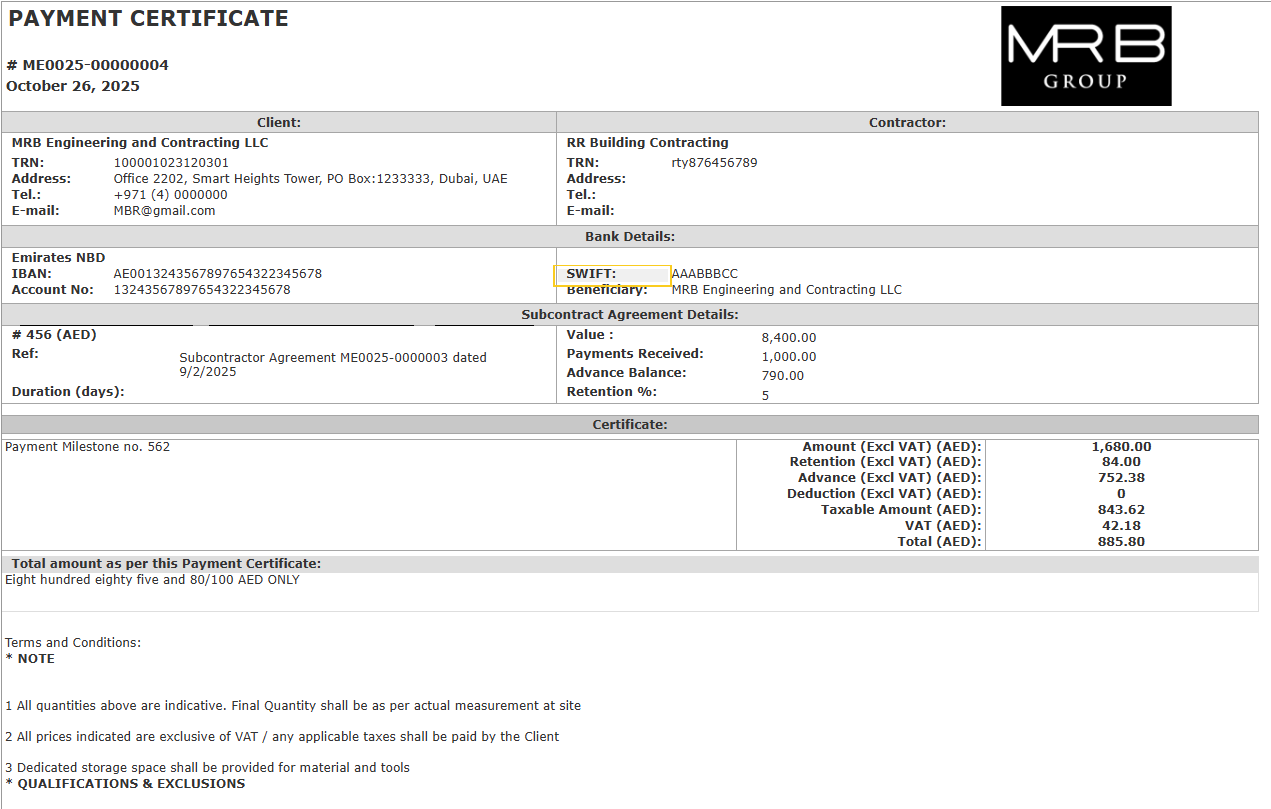
The Payment Certificate Issued document records the certified value of the subcontractor's work, based on the Payment Application Received. It represents the main certification document confirming the amount payable to the subcontractor for the current period.
How to Create
The Payment Certificate Issued document is primarily generated from the received Payment Application using the Generate function, which automatically pulls in all default information.
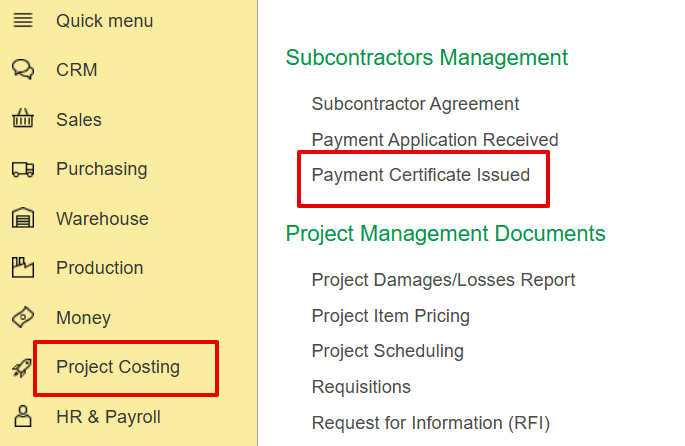
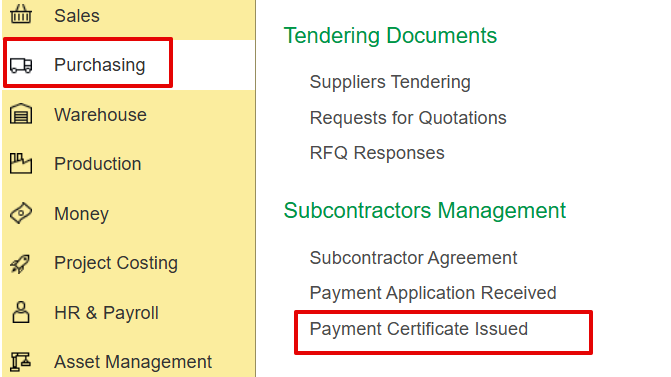
Alternatively, it can be created manually in the Project Costing or Purchasing module.
- Project Costing→ Subcontractors Management → Payment certificate issued.
2. Purchasing → Subcontractors Management → Payment certificate Issued.
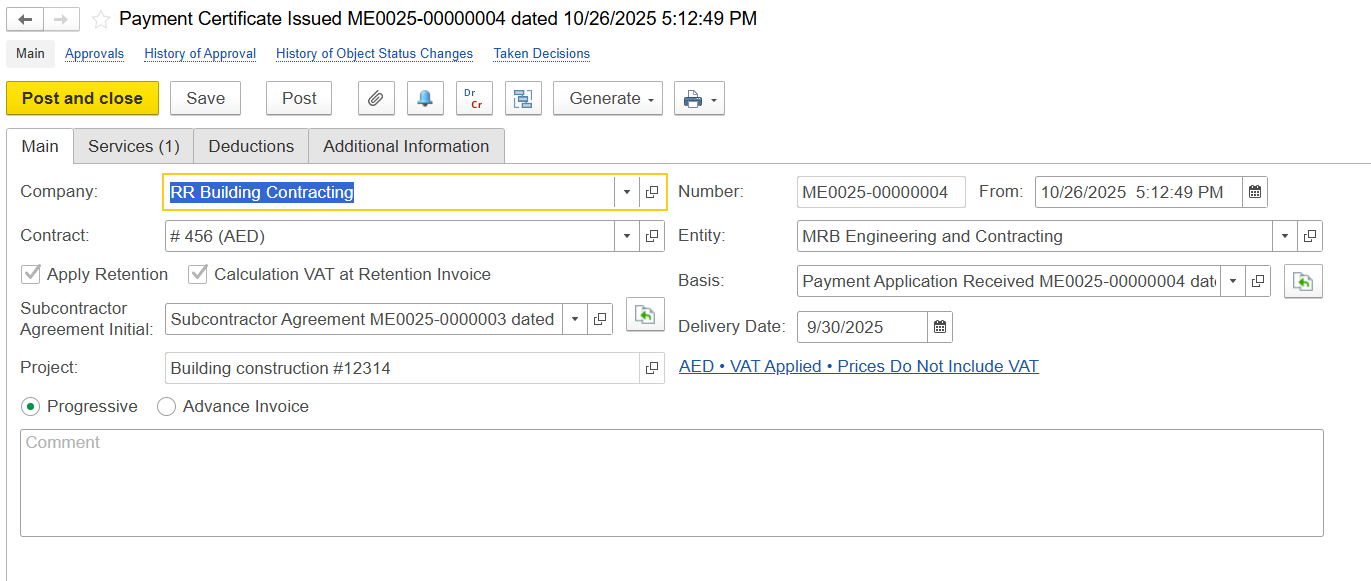
Main
It captures the main details of the certification:
- Company - The company for whom the payment certificate is created.
- Contract - Defines billing and certification based on the selected contract type.
Apply Retention - Withholds a specified portion of the payment according to the contract’s retention rules.
Ret. VAT at Retention Invoice - Applies VAT to the retention amount when the retention invoice is issued.
Both options are automatically set based on the linked contract and are non-editable in the document.
- Subcontractor Agreement Initial-Links the certificate to the original Subcontractor's Agreement document.
- Entity - The legal party issuing the payment certificate.
- Basis - Indicates the origin of the certificate, whether generated from a Payment Application Received or created manually to record progress.
- Project - Linked project used to auto-fill WBS, service lines, and cost tracking information in the payment certificate.
- Comment - Field for entering any additional notes, remarks, or internal instructions related to this certification.
Service Tab
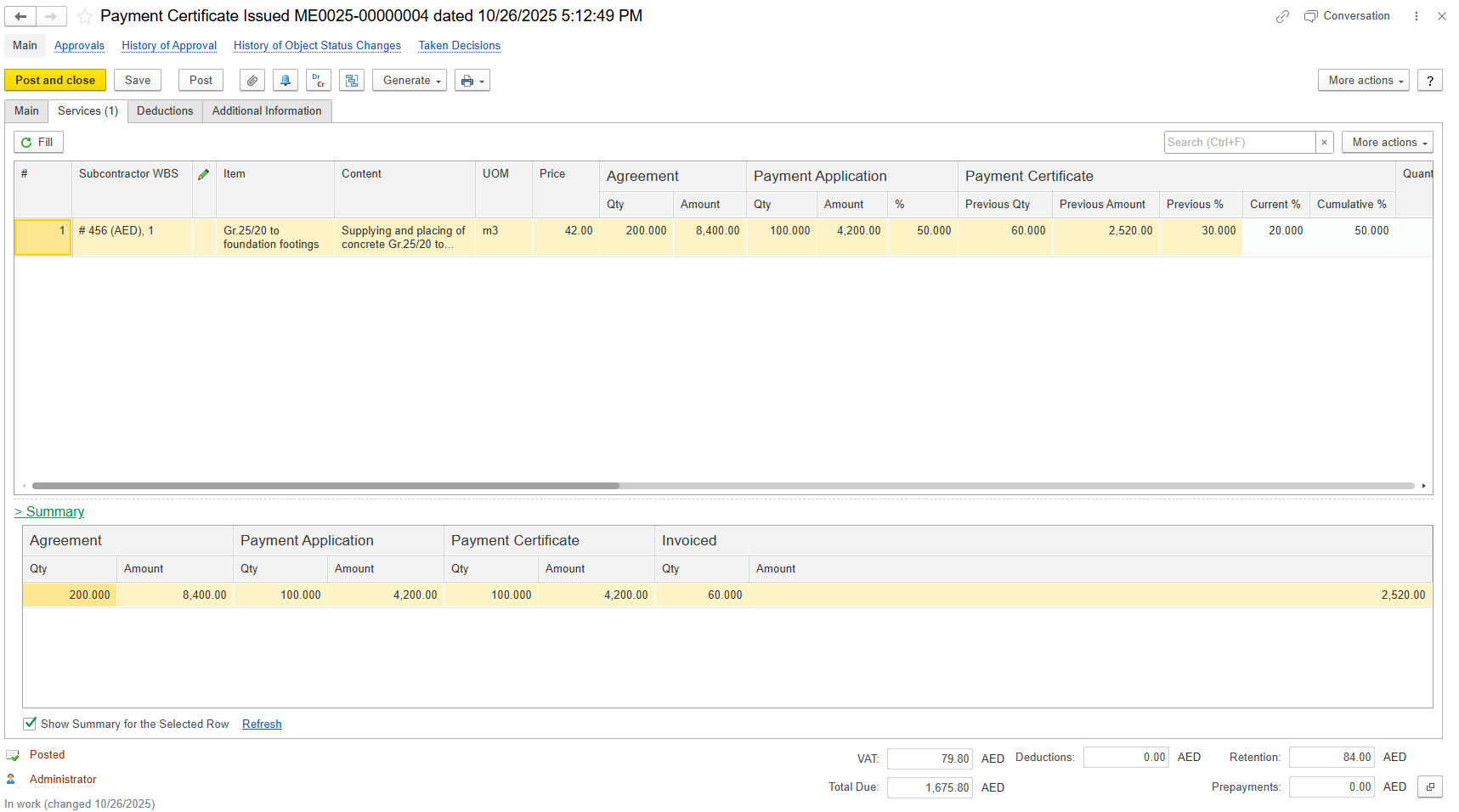
Displays the work items or services being certified for the current period.
Item / Content- Description of the work or service performed.
UOM- Unit of measure (e.g., m, pcs, hrs).
Price- Unit rate as defined in the SA.
- Agreement
Qty- Original contracted quantity.
Amount- Original contract value.
- Payment Application
- Qty- Quantity claimed by subcontractor in the payment application.
- Amount- Claimed amount.
- %- Percentage of the agreement claimed.
- Payment Certificate
Previous Qty- Quantity certified in prior certificates.
Previous Amount- Amount certified in prior certificates.
Previous %- Percentage certified in prior certificates.
Current %- Percentage certified in the current certificate.
Cumulative %- Total percentage certified to date, including current and previous certificates.
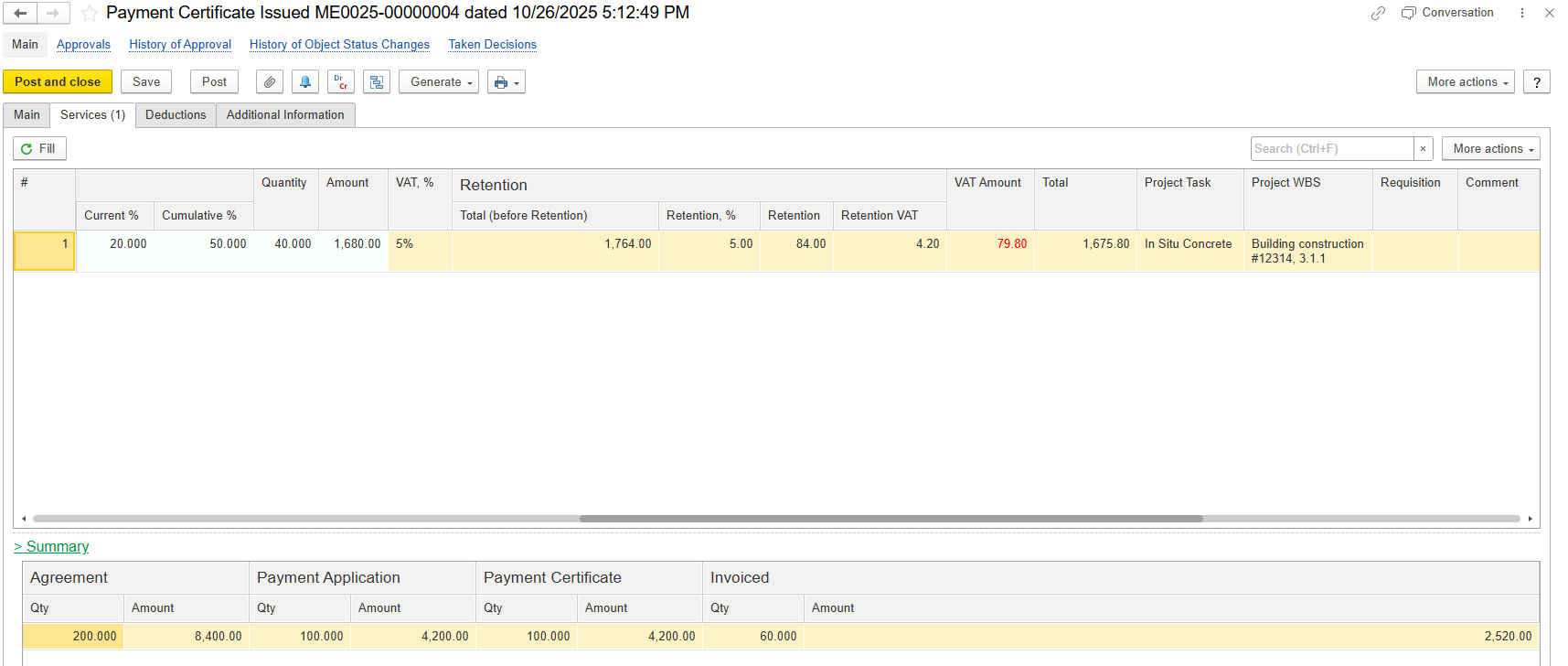
Quantity - Quantity of work certified in this certificate
Amount (Excl. VAT) - Certified amount excluding VAT.
VAT % - Applicable VAT rate (e.g., 5%).
Retention-
- Total (before retention) - Certified amount before applying retention.
- Retention% - The percentage of the amount to be retained.
- Retention - The calculated retention value based on the retention percentage.
- Retention VAT - VAT portion attributable to the retained amount.
VAT Amount - VAT on the non-retained portion.
Total - Final amount payable, including VAT, after retention.
- Project Task - Specific task linked to the item.
Project WBS - Work Breakdown Structure reference.
Requisition - Reference to the requisition document.
Comment - notes for clarification or remarks.
Summary Tab
The Summary Tab provides a consolidated view of key quantities and financial metrics throughout the subcontractor payment process, allowing quick comparison across different stages:
Agreement - Original contract quantity and value agreed with the subcontractor.
Payment Application - Quantity and value claimed by the subcontractor in submitted applications.
Payment Certificate - Quantity & value certified to the subcontractor
Invoiced - Quantity and value formally invoiced by subcontractor for payment.
Each section displays:
Qty - units of work.
Amount - value of the work.

Deduction Tab
Used to record amounts that need to be deducted from a subcontractor’s payment certificate.
Item - The deducted service, work item, or reason for deduction.
Qty & Price - Quantity and unit rate applicable for the deduction.
VAT% - Applicable VAT rate
VAT Amount - VAT calculated on the deduction.
Note: VAT rate and amount shown are for calculation purposes only and will not be posted as Input VAT or treated as recoverable VAT. Proper VAT accounting requires recording an Invoice Received for the deduction.Amount - Total deduction value before VAT.
GL Account - Ledger account where the deduction is posted.
Project WBS - Work Breakdown Structure reference for project cost allocation.
Department - Department responsible for or related to the deduction.

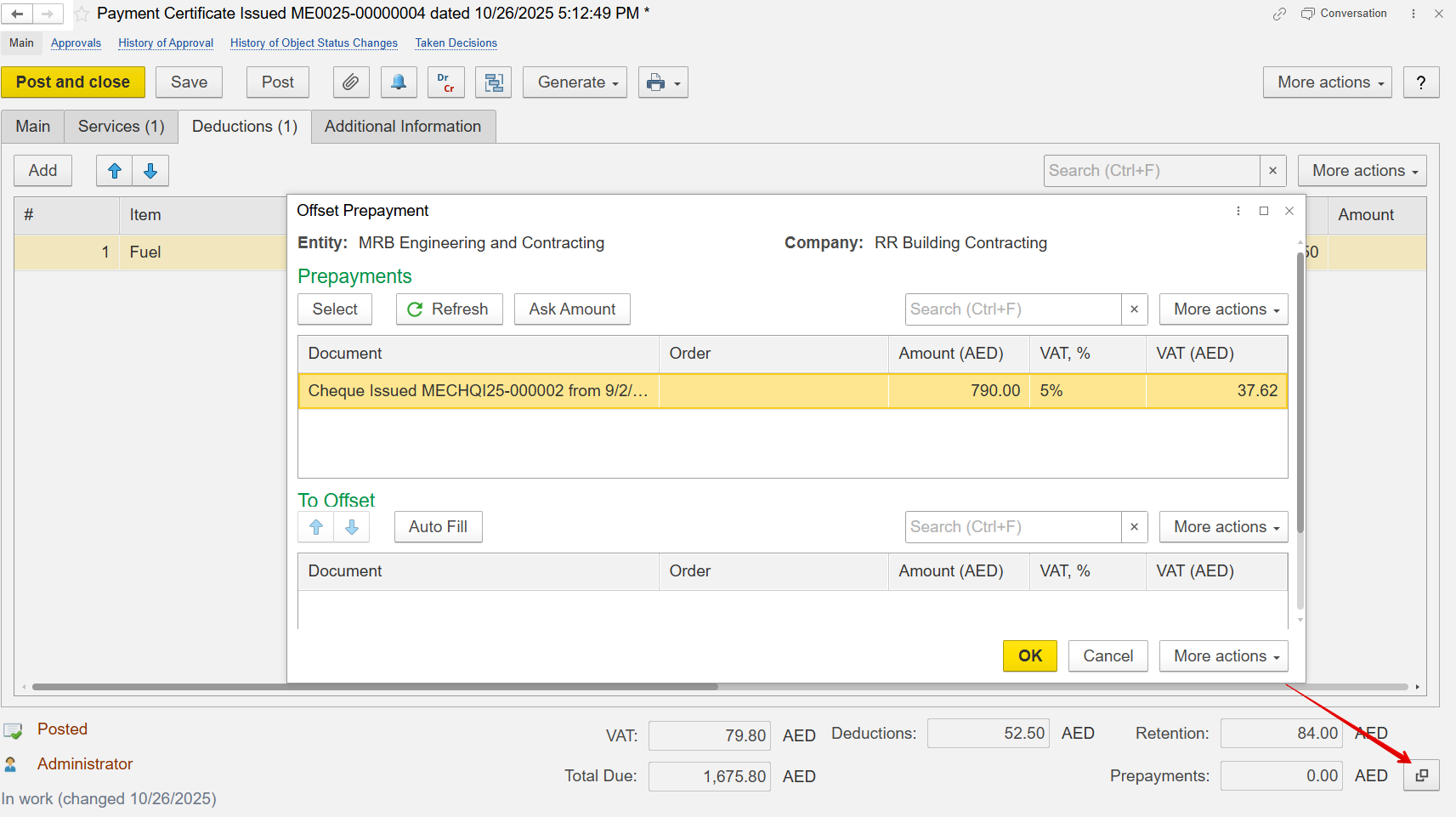
Advance Offset
The offset can be entered manually or carried forward from the Payment Application received. It doesn’t perform the actual financial offset but helps prefill the offset value in the progressive invoice, avoiding the need for re-selection.
Additional Information
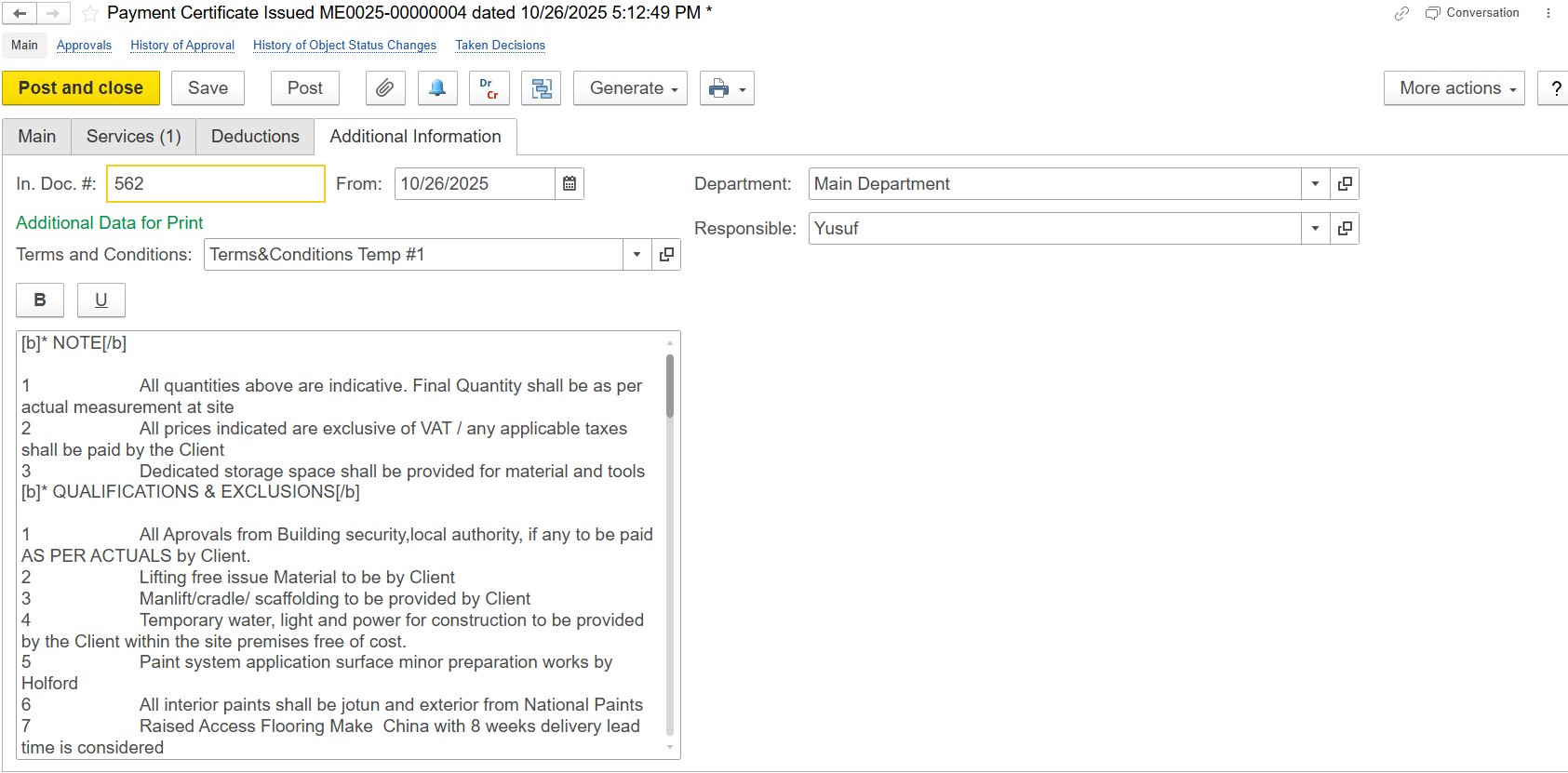
Includes optional and reference fields for internal notes or cross-references:
In Doc. # - Reference number of the incoming or related document.
In Doc Date - Date of the linked or received document.
Department - Department responsible for preparing or managing the certificate.
Responsible - Person accountable for review, approval, or submission.
Additional Data for Print - Template or text source used for printed terms and conditions.
Print Forms
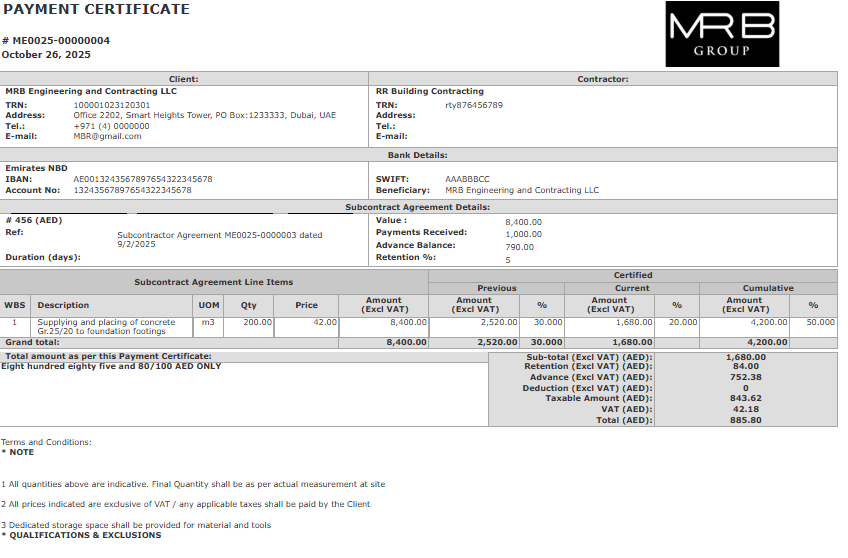
Two standard print layouts are available for Payment Certificate documents.
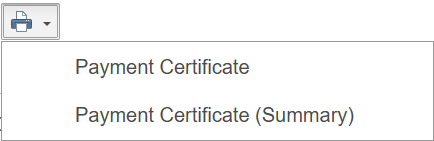
a) Payment Certificate - Detailed layout showing certified items, deductions, and payable values.
b) Payment Certificate (Summary) - Simplified version displaying overall certified amounts and totals.