...
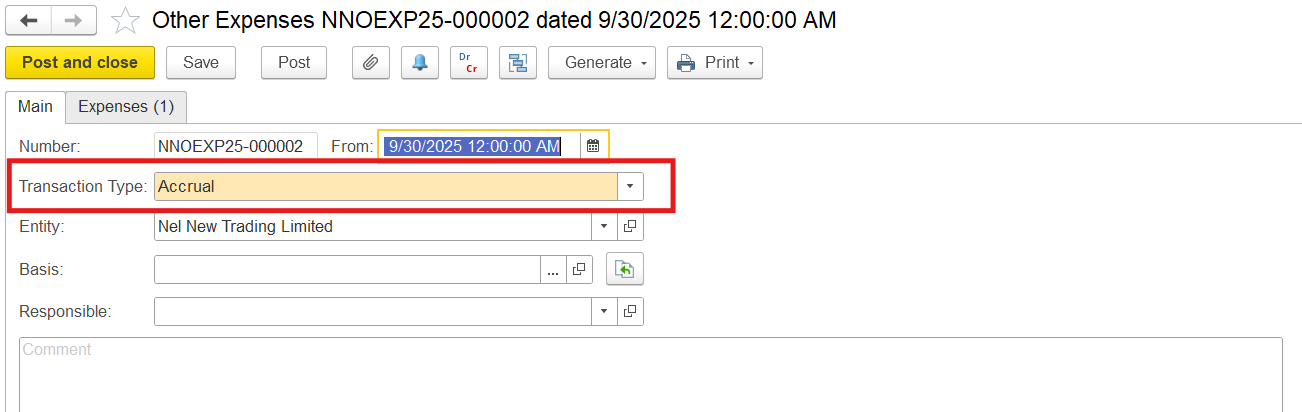
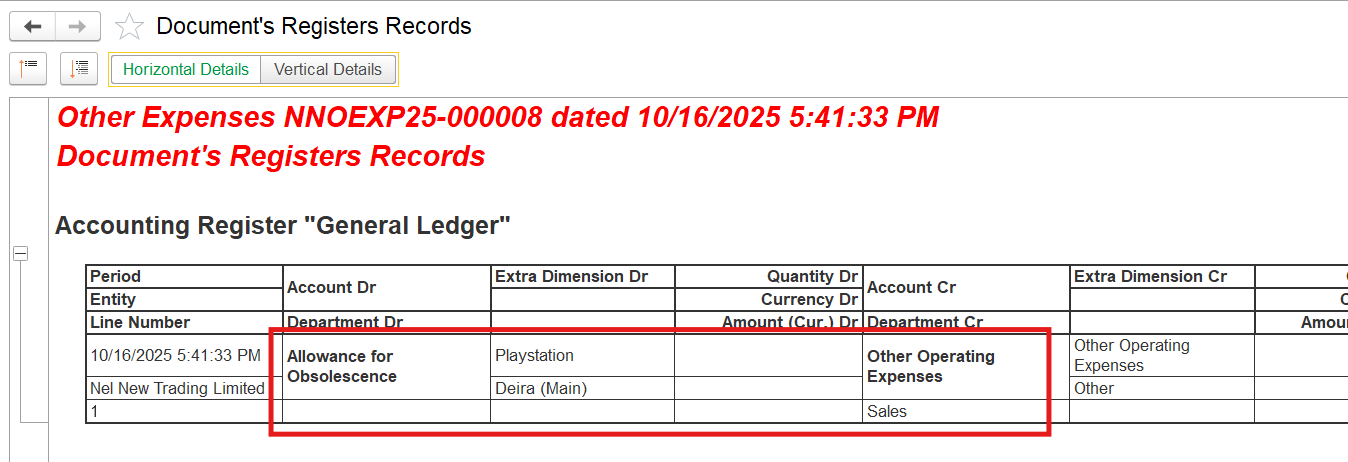
1. Create a reserve for obsolescence using the Other Expenses document with Transaction Type: Accrual
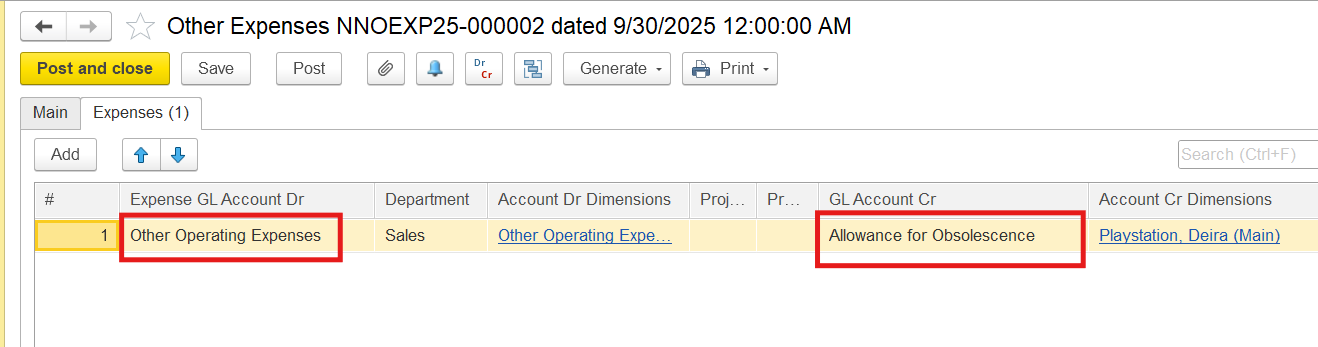
On the Expenses tab, select an expense GL account in the debit, the Allowance for Obsolescence account (also called inventory valuation allowance, write-down reserve, or provision for inventory obsolescence) in the credit column, and enter the amount of obsolescence reserve
2. Enter the Invoice document. Note!!
- The item itself is written off at its full book value
...
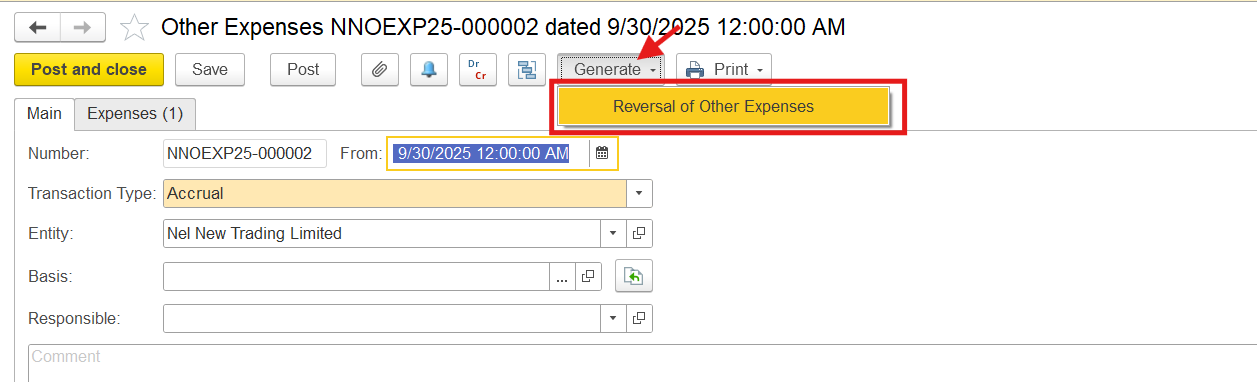
Locate the document where Allowance for Obsolescence was accrued. On the toolbar, click Generate > Reversal of Other Expenses. This will automatically create a reversal document that mirrors the original entry but with reversed debits and credits.
This will automatically create a reversal document.
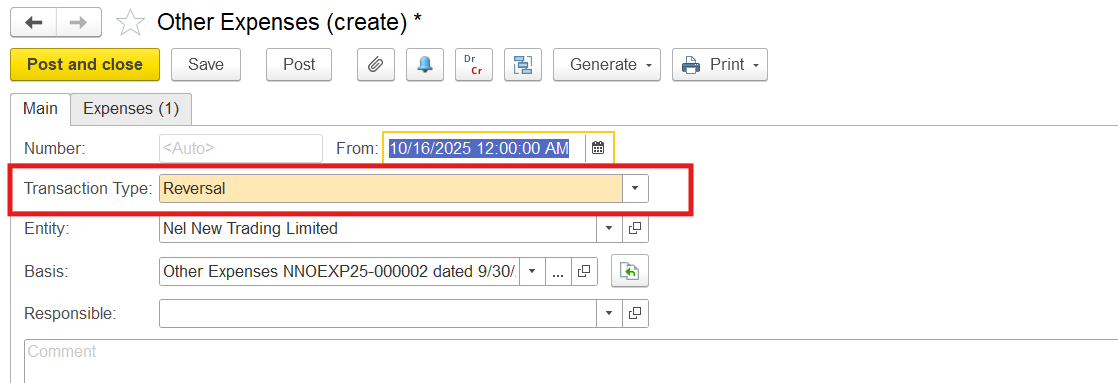
It mirrors the original entry but with reversed debits and credits. The reversal of the write-down reserve is recorded as a reduction of the same expense line where the original write-down was recognized.

Thanks for being a Firstbit Customer!
...