Project estimation refers to forecasting the coststhe costs, resources, and time required to complete a project. It is critical to project planning and financial management in contracting, serving as the basis for calculating expected costs and profit when submitting a proposal. Estimates can be created directly from the project or by going to Project Costing → Project Costing Documents → Project Estimates.
This process includes:
Estimating direct costs (such as labor, materials, subcontractors, and equipment)
Estimating overhead expenses (such as administration, supervision, and utilities)
Adding markups to ensure profitability
To manage estimates in the system:
Create Estimate – used to generate a new estimate based on current project data. This is typically done when preparing a proposal or starting a new phase of planning.

- Edit Estimate – used to open and modify the most recent existing estimate. This option allows updates or corrections to previously saved data but does not create a new estimate.
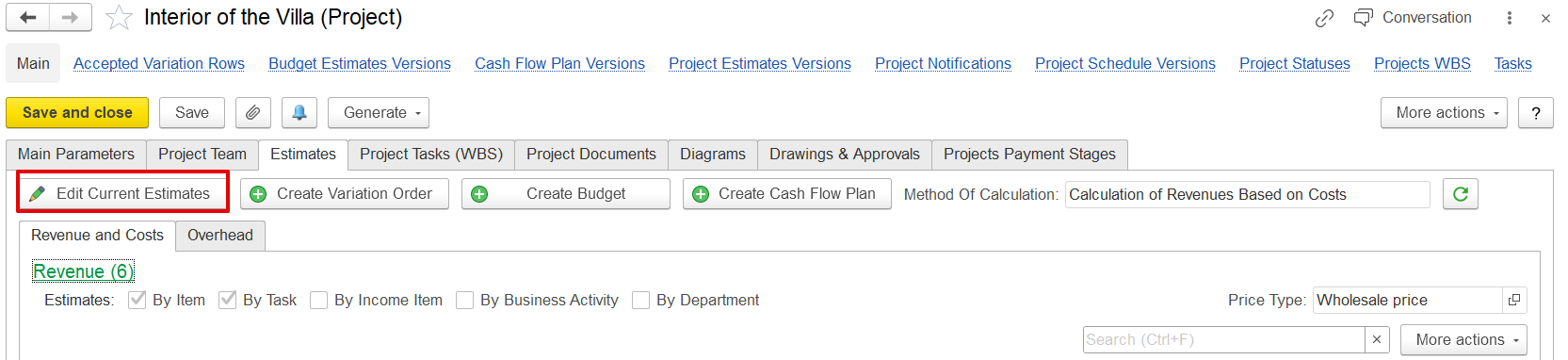
Project Estimation Method
The calculation method for project estimates is set in Administration → Project Costing → Default Method of Project Estimate Calculation.

There are two budgeting methods:
Independent Calculation of Costs and Revenues
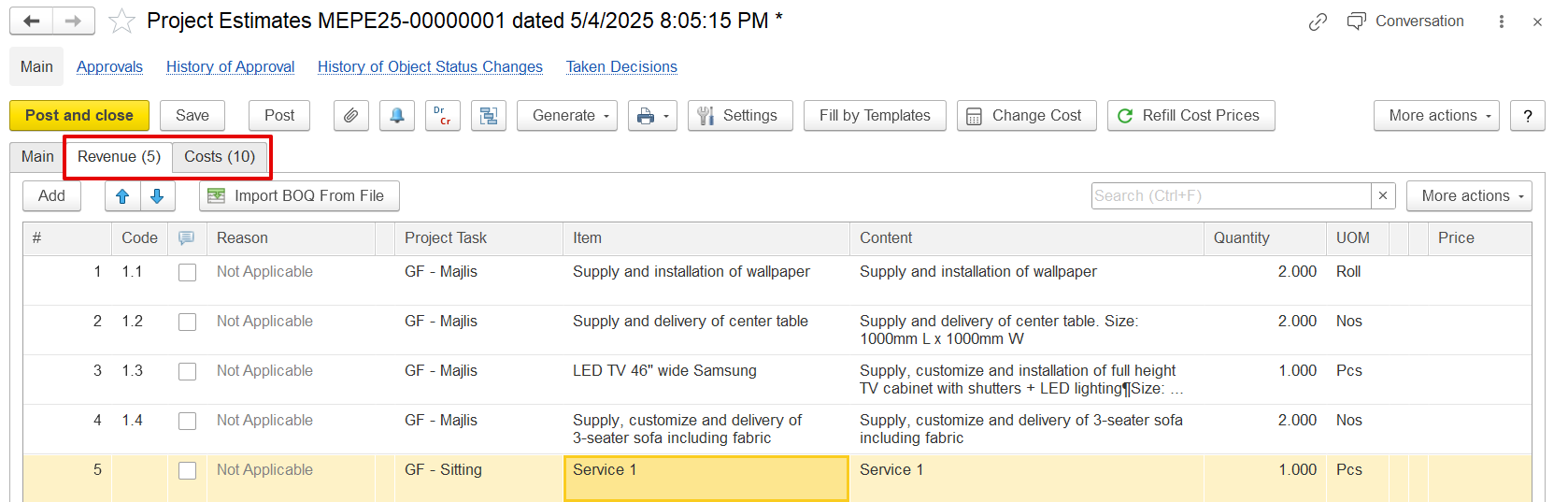
In this method, revenue and cost estimates are entered separately and independently. Revenue figures are manually set and do not depend on cost data. This approach is typically used when revenue is fixed or predetermined, such as in fixed-price contracts, while costs are estimated separately for budgeting and tracking purposes.
2. Calculation of Revenues Based on Costs
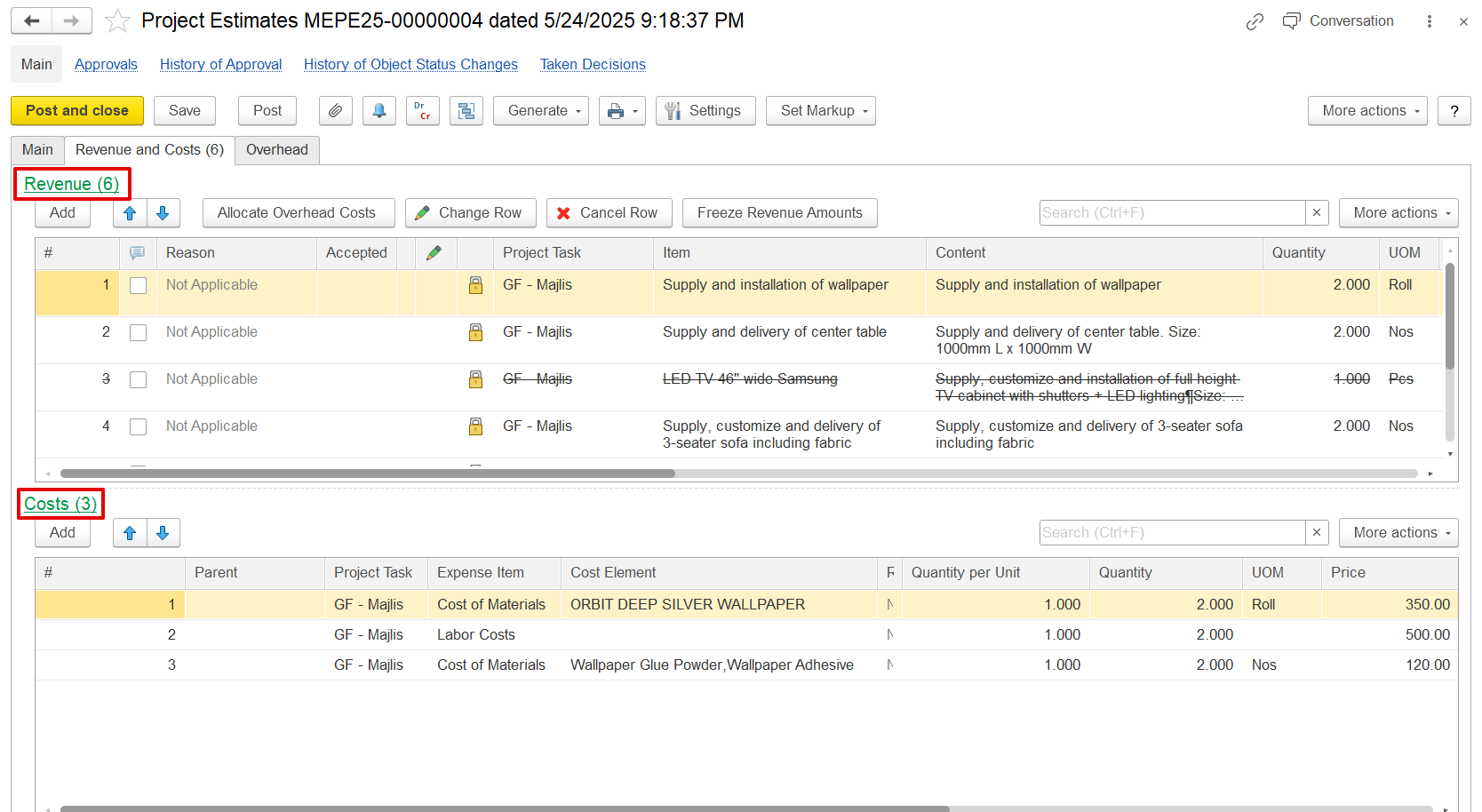
Revenue is automatically calculated by applying a markup percentage to the estimated costs. Costs such as labor, materials, and overhead are entered first, and revenue is derived based on these figures plus the markup. This method is ideal when pricing is closely tied to the actual or expected cost structure and when profitability depends on managing costs effectively.
If time-based planning is enabled, the Estimates by Period tab appears. It splits revenue, cost, and overhead estimates across specific planning periods to help track the budget over time.
Ways to Create Project Estimates
...
a) From within the project
Open the relevant project Project → Click Create/Edit Current Estimate or use Generate → Project Estimate to create an estimate based on the project data.
...
b) From the document list
Go to Project Costing → Project Costing Documents → Project Estimates → Click Create to start a new estimation document.
...
This pane is used to define revenue items (BOQ lines) for the project. Each revenue line can be linked to one or more cost lines in the Costs pane.
...