...
A report always has at least one option – the main one.Several report options appear when you need to display the same data in different views: table, sheet, chart.Or or with various preset present selections.
Each variant uses the same indicators calculated when generating the report. The default report options are those created by the developer. These report options are standard functionality of the system. Based on them, users can create their own options. The selection list contains parameters created by the report designer as well as parameters created by users themselves.
...
Please go to More actions - Save the report variant

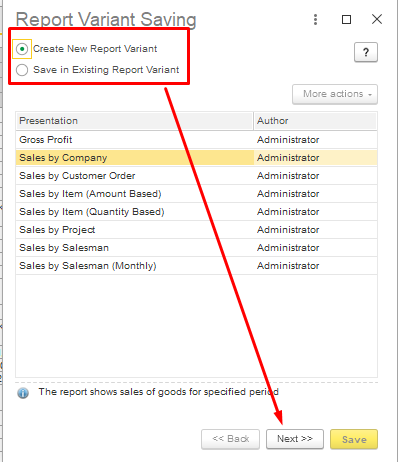
In opened Report Variant Saving window it is necessary to select type of saving:
...
User should save in New Report Variant - in this way in the system user will be able to use standard and non standard variants of report, select an option and click Next.
Add Title to distinguish report from others, Author (mandatory), add Description if required.
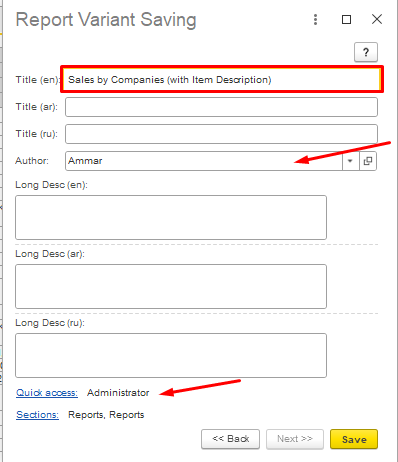
Author of new report variant also may give to another users rights to see new report variant in their quick access for current report with making settings inQuick Access option.
...
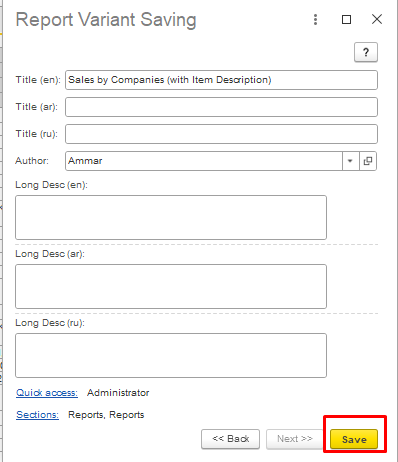
After making this actions save the report variant by clicking Save button.
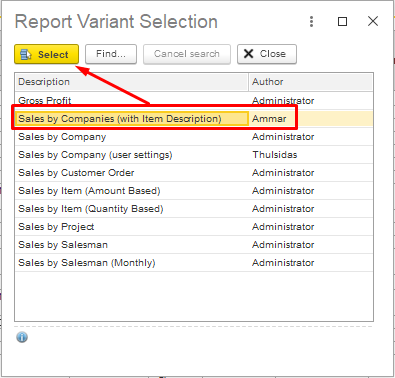
As it's saved, then find it in Reports section with corresponding name.
...
From Report Variant Selection form user can choose variant he needs and open it., choose report variant and click Select.
Thank you for being FirstBit Customer!
...