Error Message: Advance-Paid by document advances for the vendor are partly counted in commercial papers.
This error typically occurs when posting a mutual settlement where specific details in the payee attributes do not align with the original document.
Follow the steps below to resolve it.
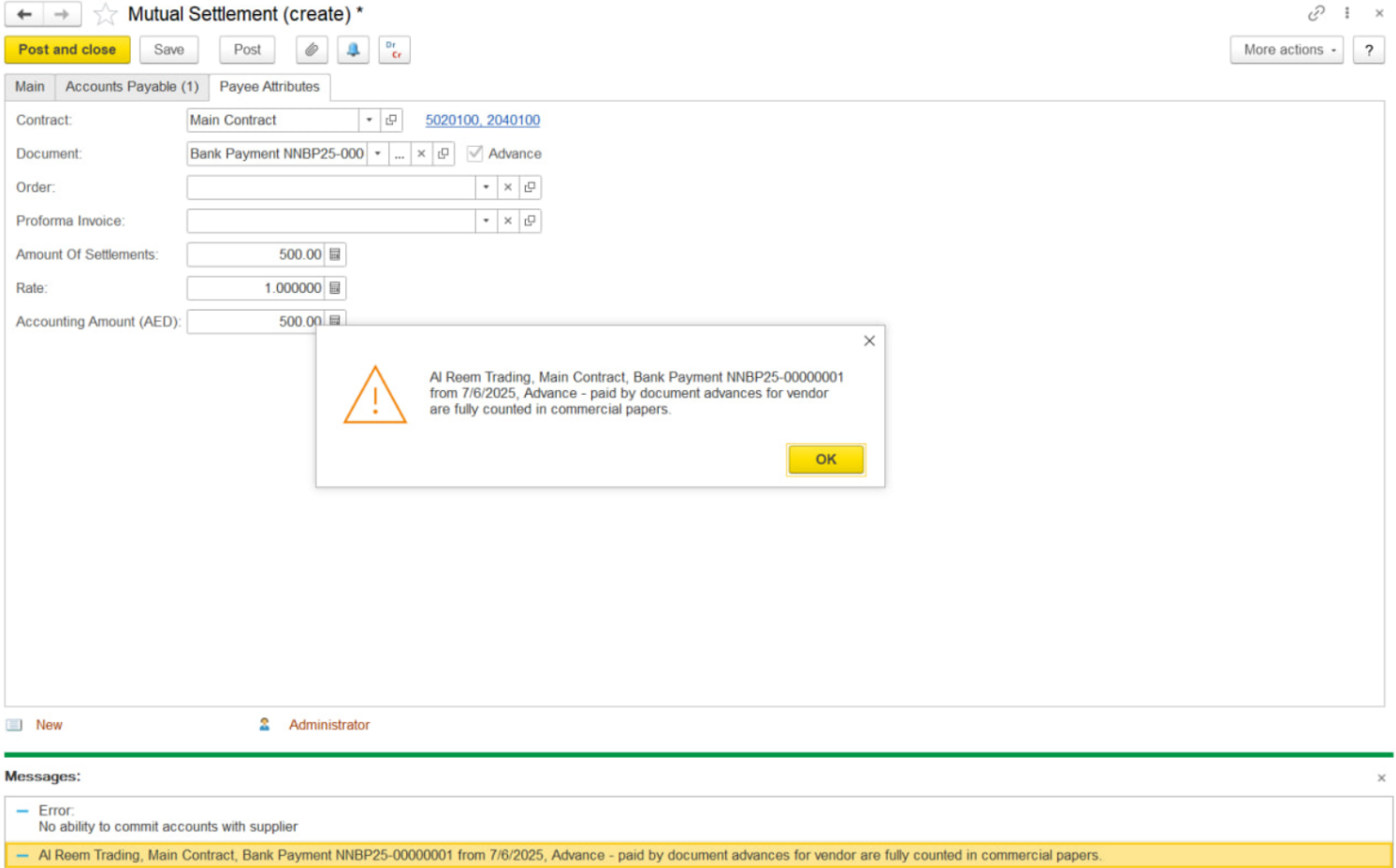
1. Check GL Account Match
...
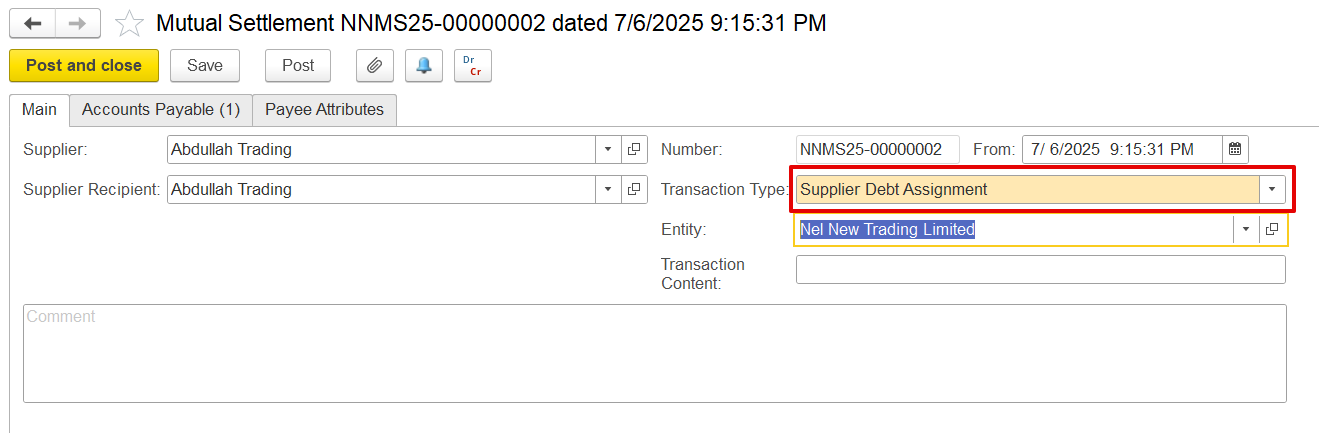
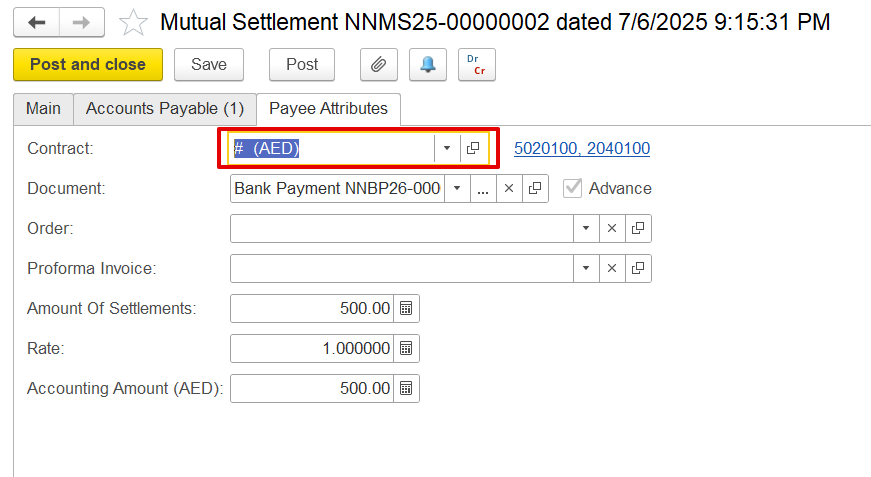
In Accounts Receivable / Accounts Payable, the documents can be selected using the pick option so all details get picked exactly form the document; however, in the Payee attributes, the document must be selected manually. Ensure that the contract chosen in the Payee attributes matches the contract linked to the selected document and is also the same contract used in the Accounts Payable or Accounts Receivable tab to prevent errors.
For example-

4. Сheck if there is sufficient balance
To ensure that the Сompany has a sufficient balance for write-off or debt settlement, generate the Statement of Mutual Settlements (Purchasing/Sales - Reports - Statement of Mutual Settlements) report for the company and the relevant documents.
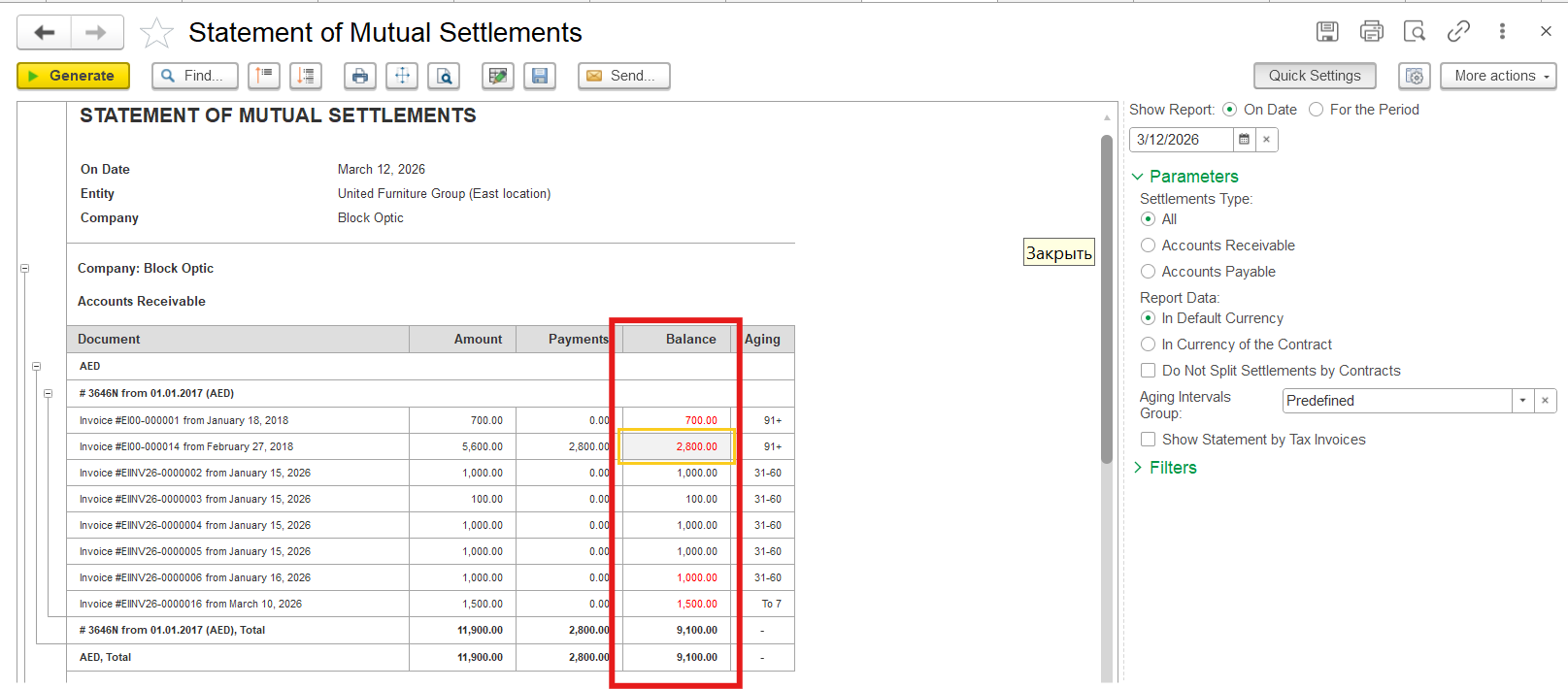
The above steps should resolve the error and allow the posting of the document.
...