...
Balance of Inventory report shows the item balance quantity, Average Cost Price (ACP) , and inventory amount/value as of the items on chosen selected date (Purchasing > Reports > Balance of Inventory):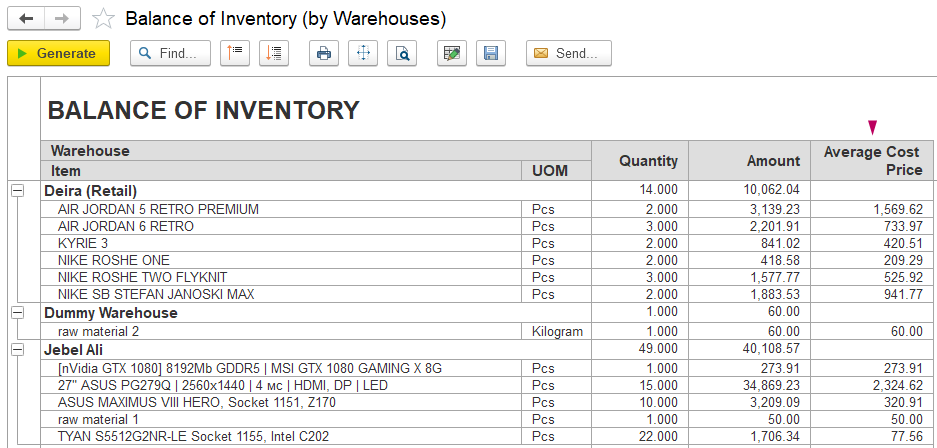 Inventory).
The report allows to see:
- Quantity — the current quantity of items on balance;
- Amount — the total inventory value calculated;
- Average Cost Price — the average cost per unit based on quantity and total amount.
Average Cost Price ACP = Amount / Quantity (where amount is calculated as a result of operations and Quantity is a current balance of the item)
...
Balance of Inventory (details) contains information for exact Item, Warehouse at the same date as the basis Balance of Inventory.
It shows a list of documents that have changed parameters of ACPAverage Cost Price: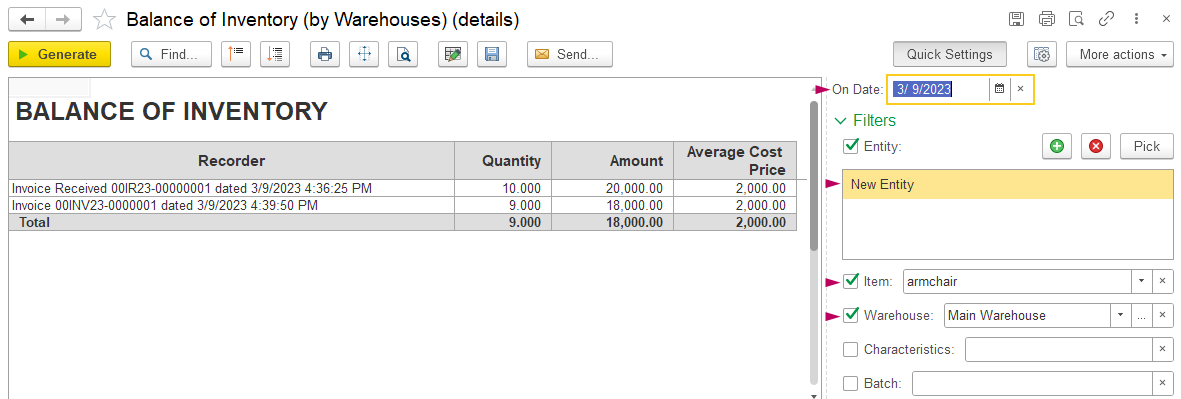
Apply Characteristics and Batch obligatory if it's applicable for this exact item.
Average Cost Price (ACP) is Price is influenced by factors:
Purchase
Sale
Stocktaking movements
...
Inward items into system should affect ACPAverage Cost Price:
- Invoice Received changes quantity and amount
- Additional Expenses does not change quantity, but increase amount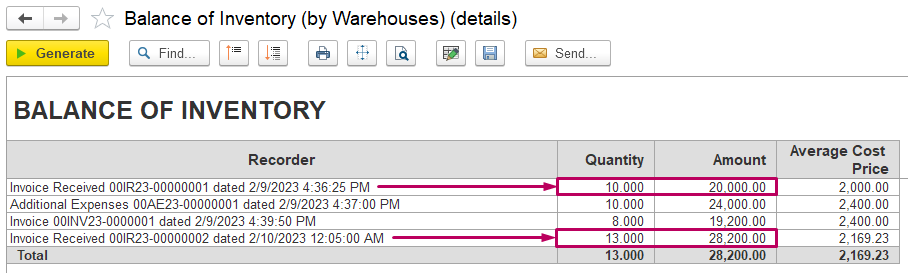
...
Invoice Received contains expenses that may be included in ACP Average Cost Price calculation optionally: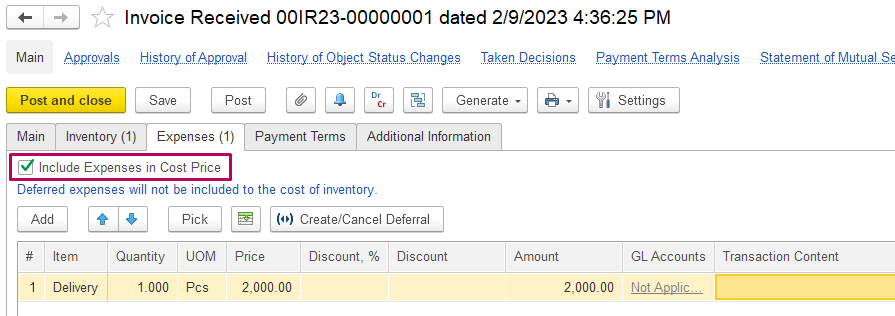
...
Outward items should not affect ACP Average Cost Price:
- Invoice writes off the item using current ACP Average Cost Price in the system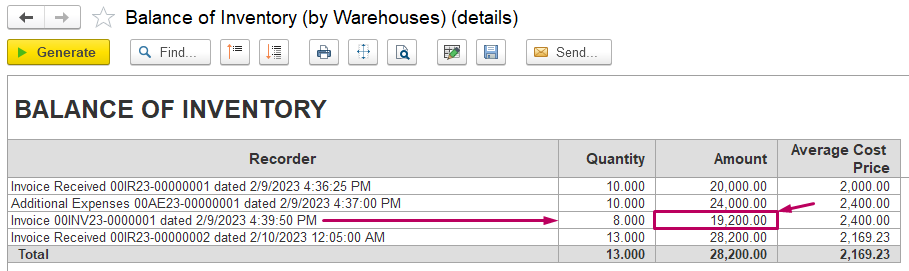
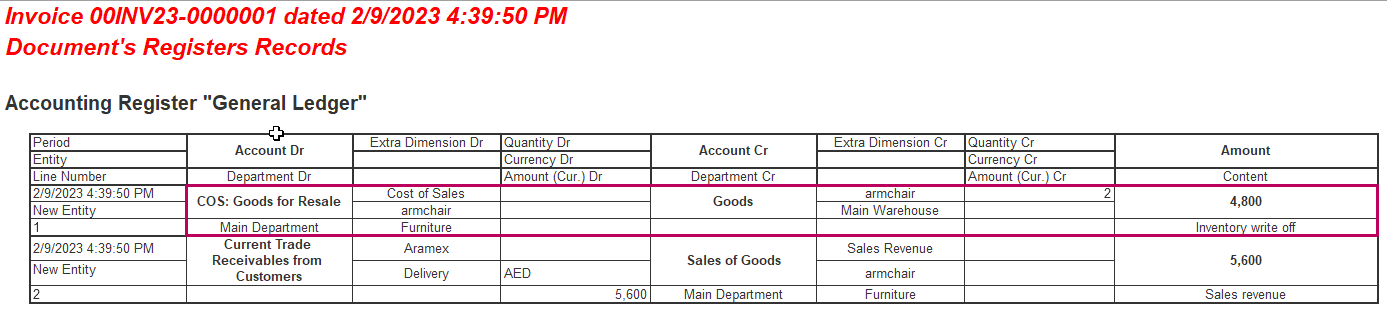
In case, if Invoice changes ACPAverage Cost Price, then there is mismatch in the system:
1) Sales should not be created before inwards as balance is null before sale, so ACP Average Cost Price does not appear in the system.
Then register sale after purchase in the system.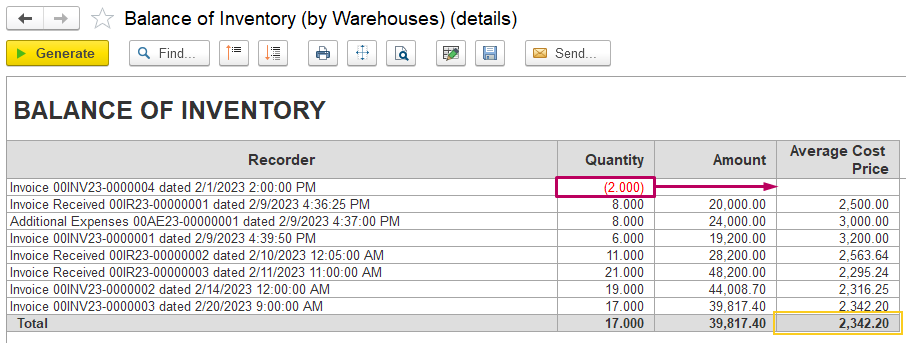
...
2) Invoice Received, or some other inward document, were created with earlier date than already posted Invoice.
Then Invoices should be reposted one by one in chronological order to write off items with correct ACPAverage Cost Price.
ACP Average Cost Price is recalculated as Amount / Quantity.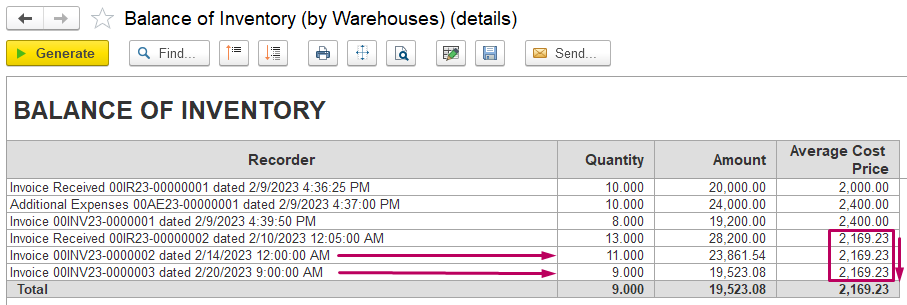
...
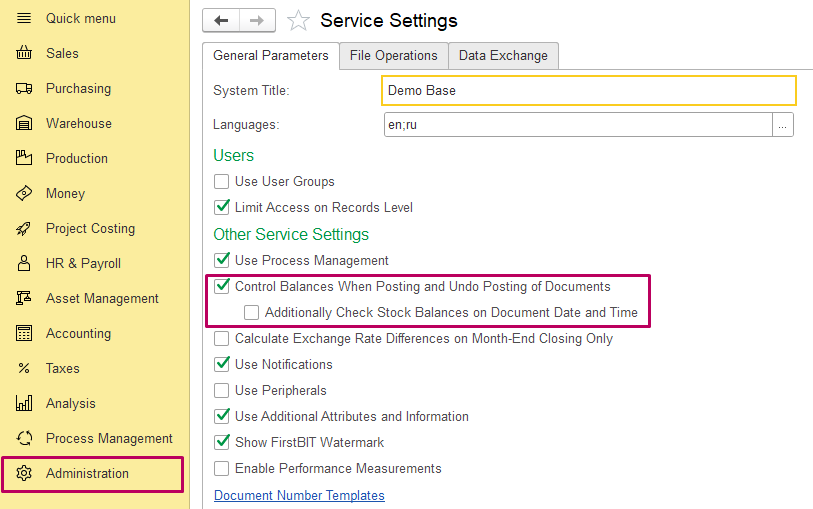
- Control Balances When Posting and Undo Posting of Documents option allows checking if item in stock
- Additionally Check Stock Balances on Document Date and Time option checks if item in stock according to posted documents (stronger condition)
3) Credit Note (Goods Return) / Credit Note (Invoice Correction) may be posted with or without Average Cost Price.
To use option to revert Average Cost Price as items are returned from customer, enable an option in Administration > Settings > Sales > Calculate Cost of Goods Sold in Credit Note: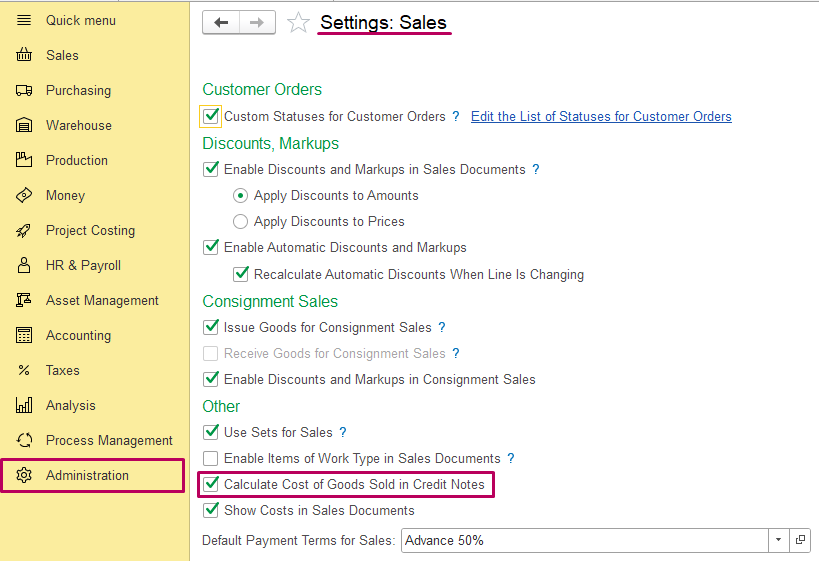
As this option is enabled, Credit Note picks Average Cost Price from basic Invoice depending on the settings picks ACP from basic Invoice: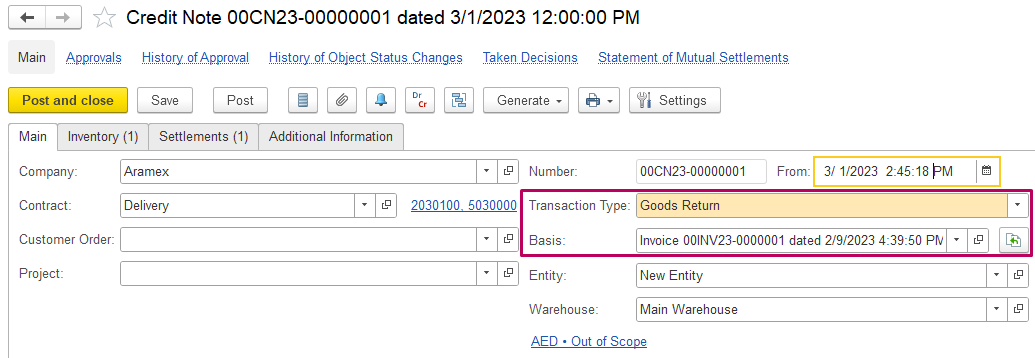
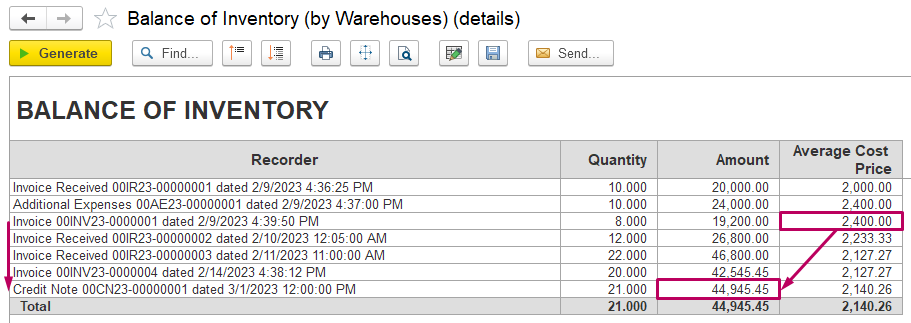
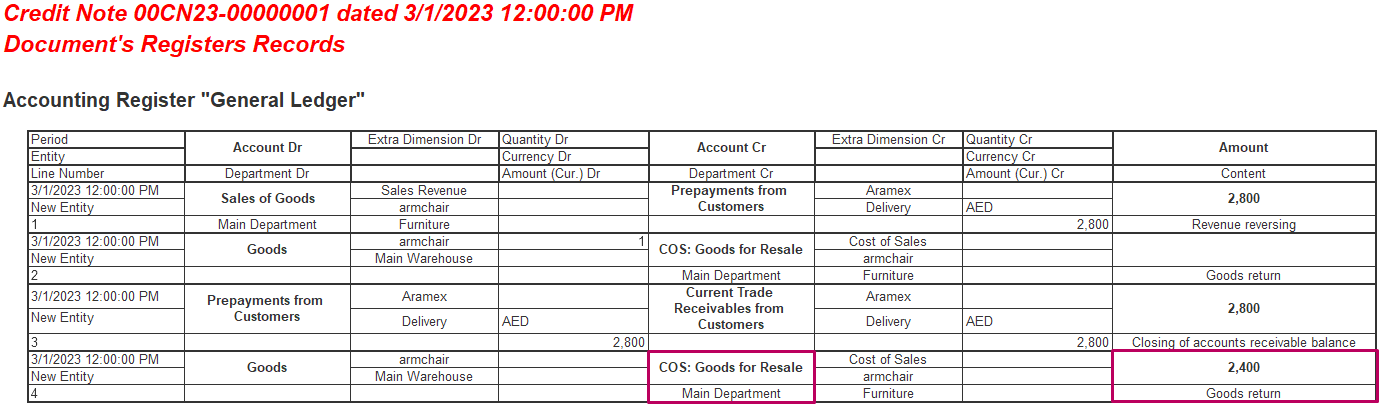
In case, if Credit Note has no basic, then ACP Average Cost Price may be added manually at Inventory tab as Cost of Goods Sold: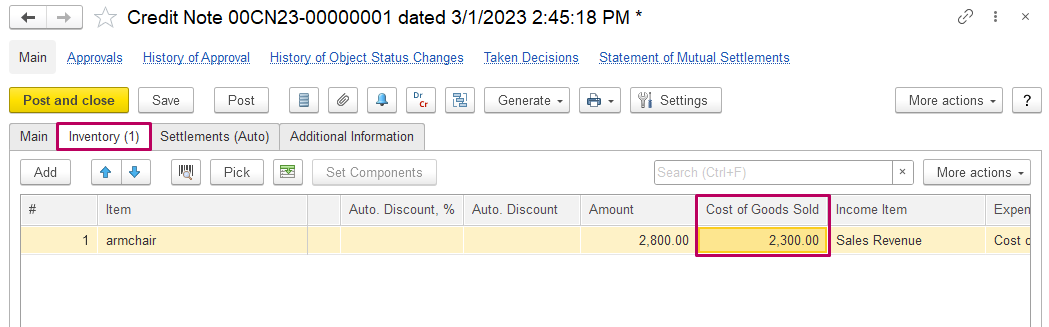
This field may be hidden, so use Change form option to add it in the table.
...
1) Inventory Transfer does not change ACPAverage Cost Price
If it changes, then the document should be reposted.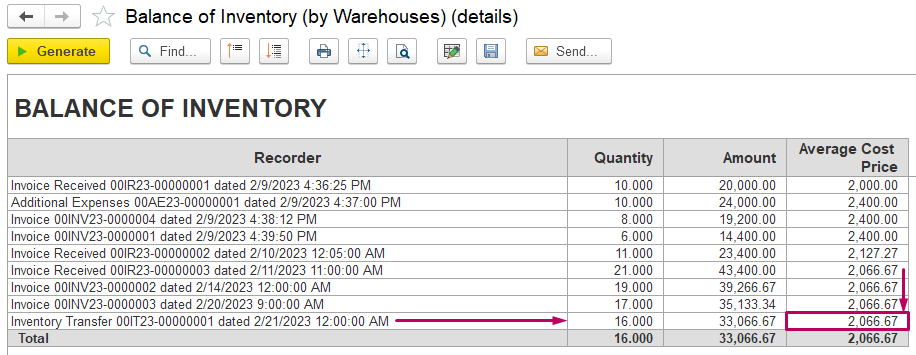

...
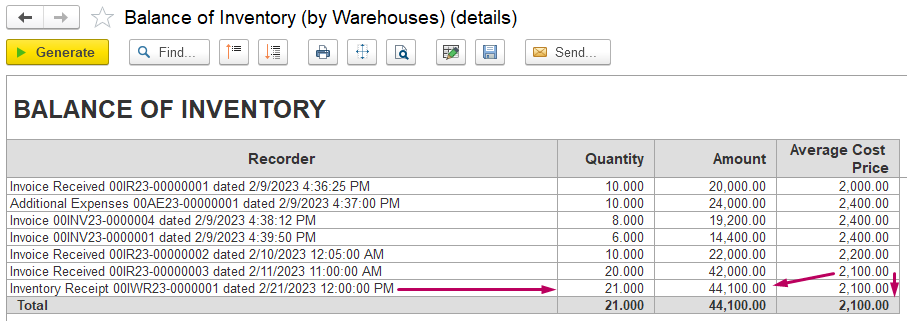
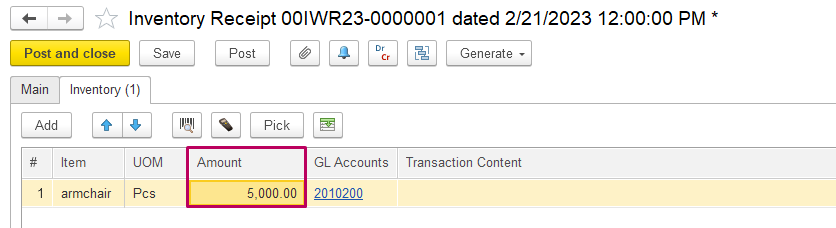
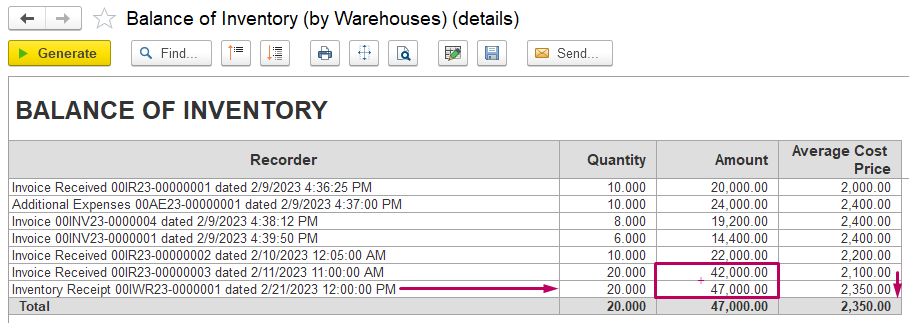
Inventory Receipt may be filled in just by Quantity, by Amount or both of them (it depends on the way of items receipt).
Add current ACP Average Cost Price from the system to keep the order: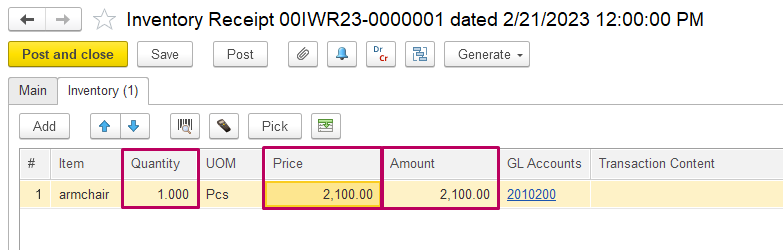
...
Or fill Amount Only to increase ACPAverage Cost Price: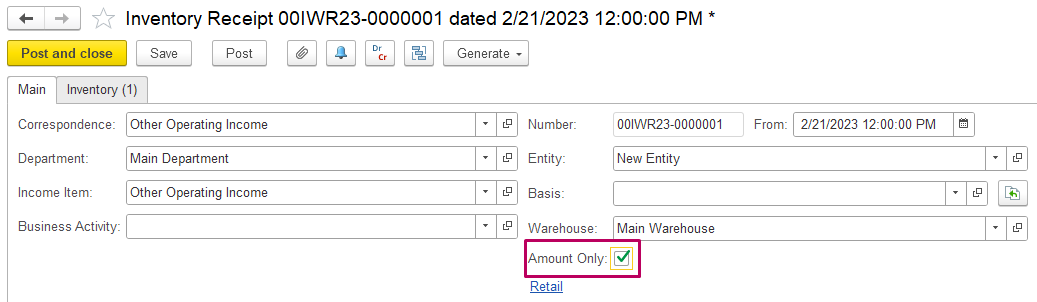
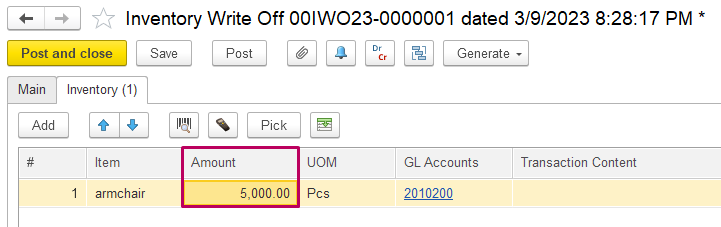
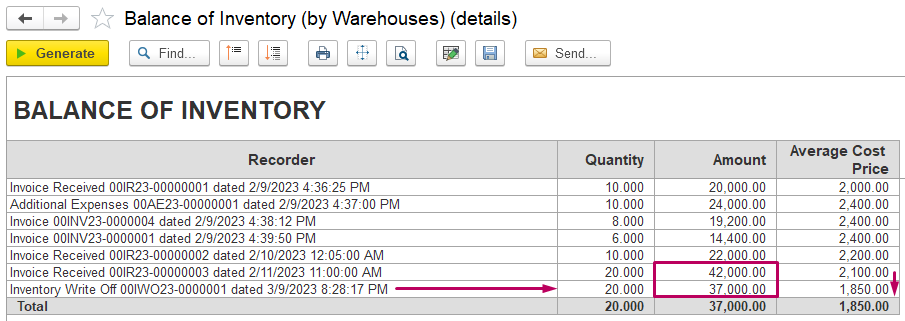
Inventory Write Off may be filled in by Quantity, or by Amount (it depends on such purposes as write off items with bad quality, or reduce the cost as item was damaged, evaluated).
If Quantity reduced, item is written off with current ACPAverage Cost Price: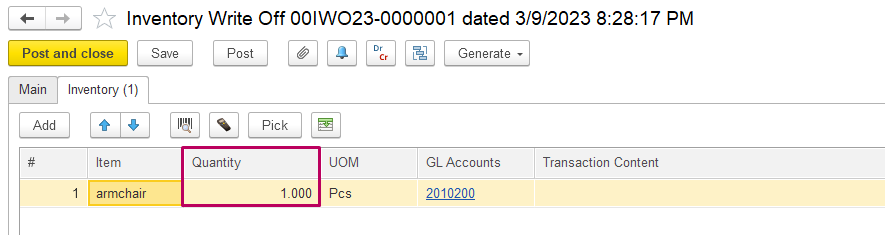
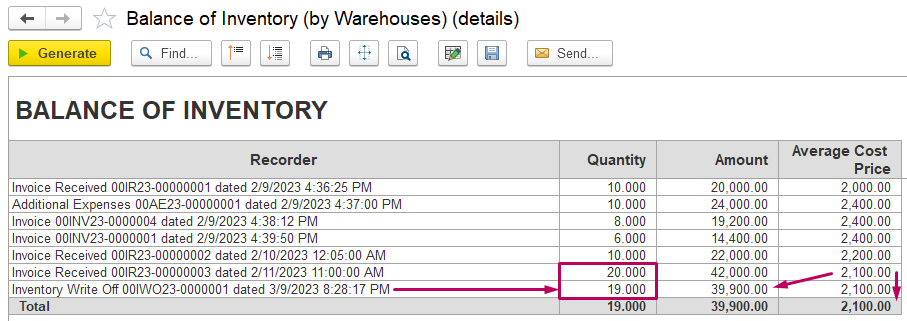
Amount Only reduce the total Amount only and change ACPAverage Cost Price: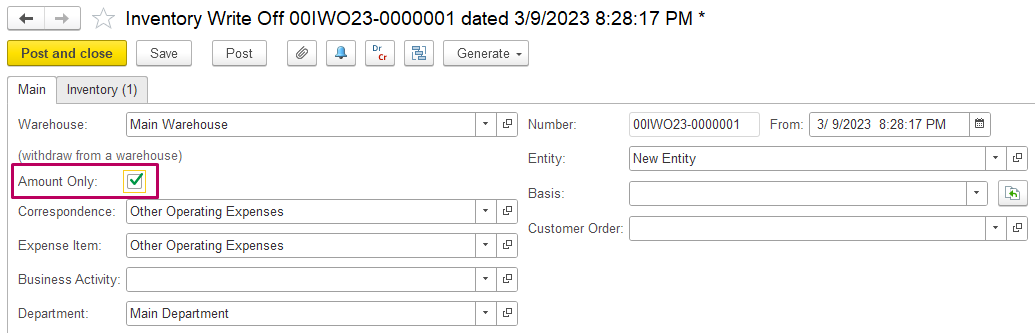
Bank Payment, Cash Payment, Invoice Received (for services) do not affect ACPAverage Cost Price.
Thank you for being a FirstBIT customer!
...