Problem: if there are any mixture of languages or date format "dd/mm/yyyy"
...
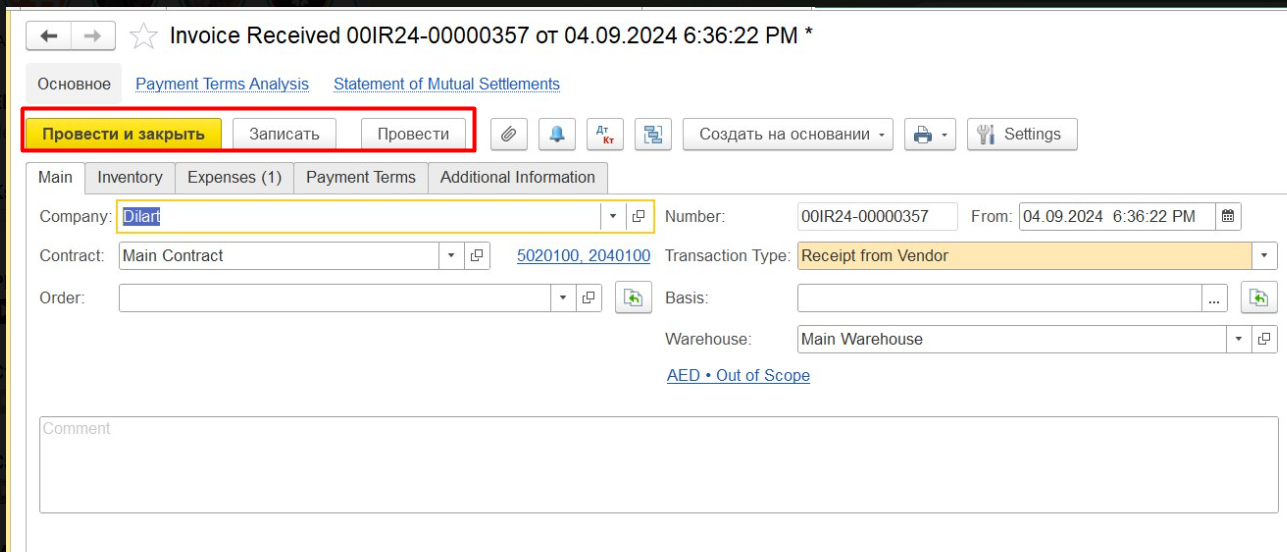
...
оr inappropriate number format
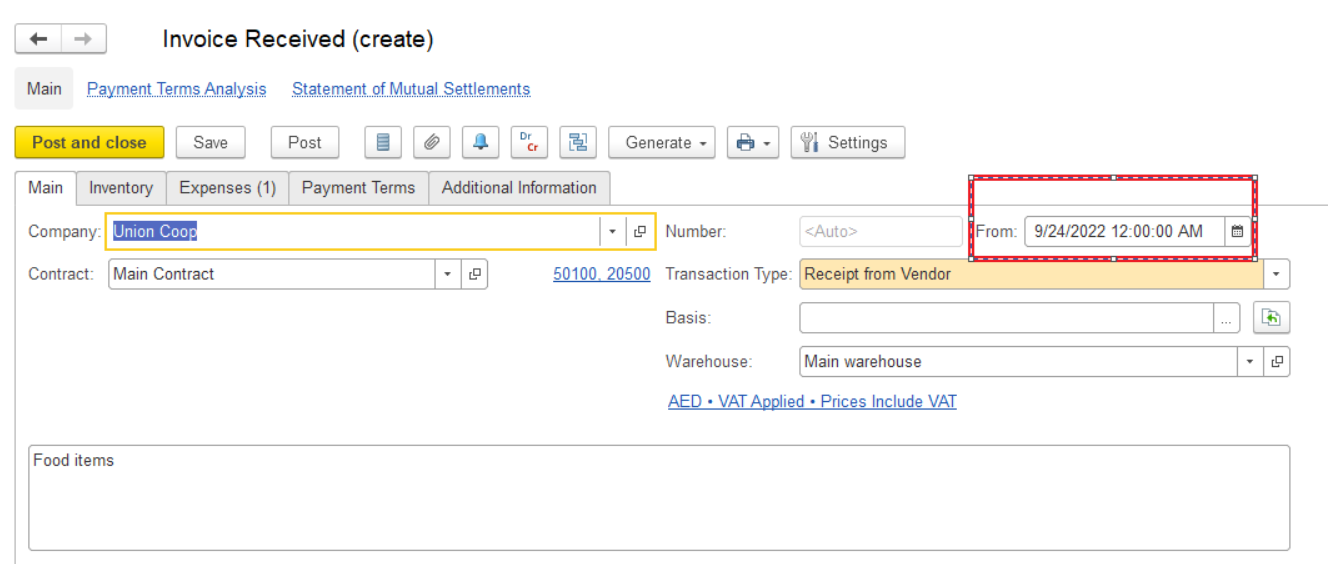 |
|
|---|

Purpose:
The language and regional format displayed in the application depend on the browser language settings and, if specified, on the 1C startup parameters.
These settings may affect:
- Interface language — English, Russian, etc.
- Date format — e.g.
24/09/2022or09/24/2022 - Number format — e.g.
1,000.50or1 000,50 - Decimal separator — comma
,or dot. - Thousands separator — comma
,, space, etc.
Common regional formats
| Language / Region | Date format | Number format | Example |
|---|
Russian (Russia) – ru_RU | dd.MM.yyyy | 1 000,50 | 24.09.2022 / 1 000,50 |
English (United States) – en_US | MM/dd/yyyy | 1,000.50 | 09/24/2022 / 1,000.50 |
English (United Kingdom) – en_GB | dd/MM/yyyy | 1,000.50 | 24/09/2022 / 1,000.50 |
English (United Arab Emirates) – en_AE | dd/MM/yyyy | 1,000.50 | 24/09/2022 / 1,000.50 |
Solutions: there are several solutions to the issue
1) If you work in browser, In browser - needful language should be set in browser the settings:
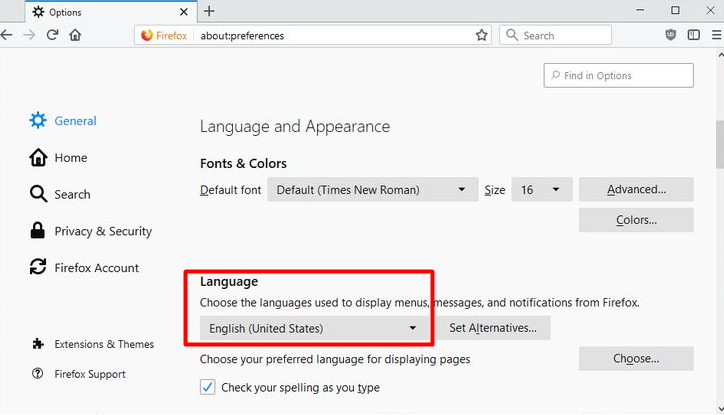
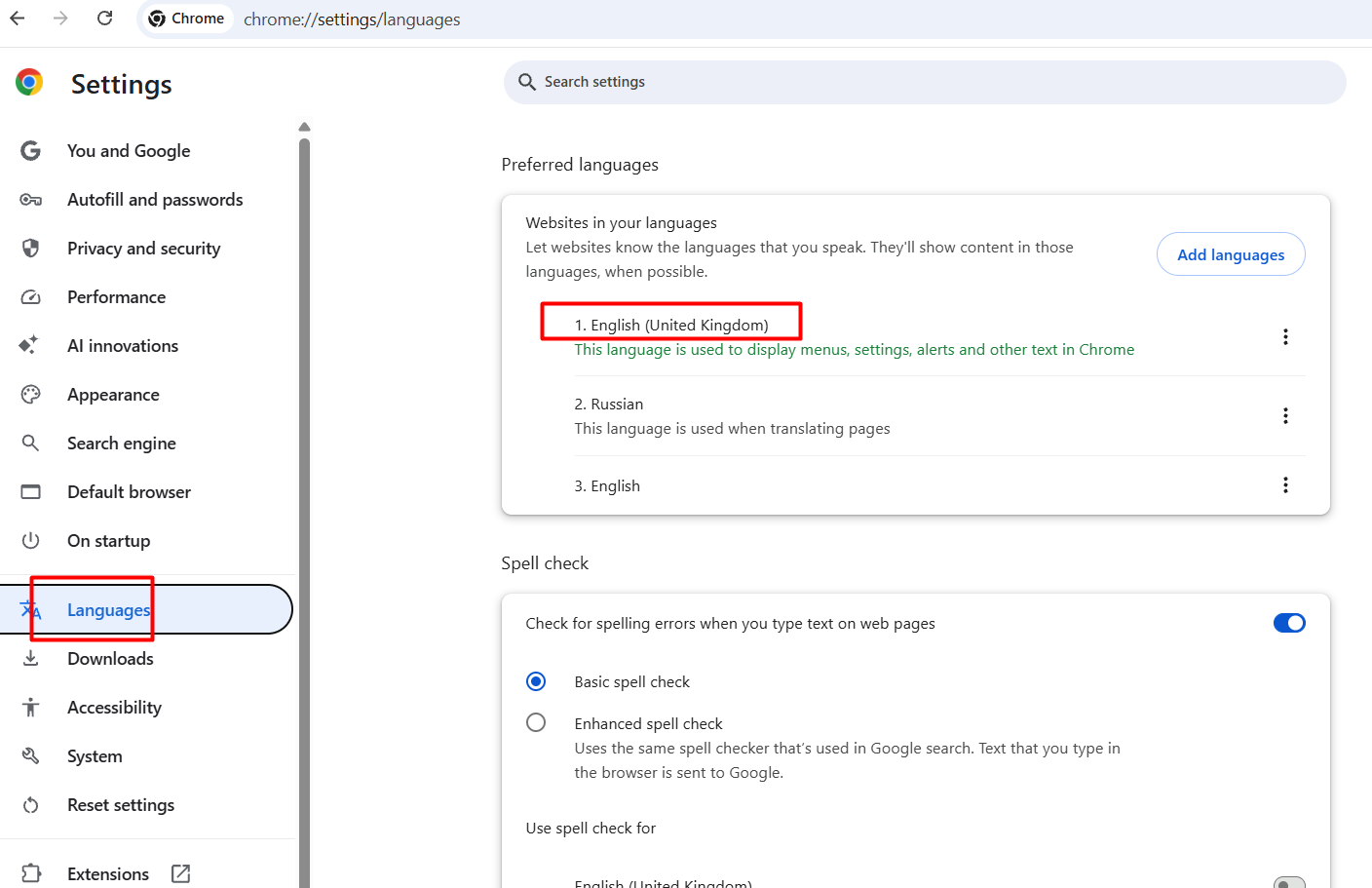
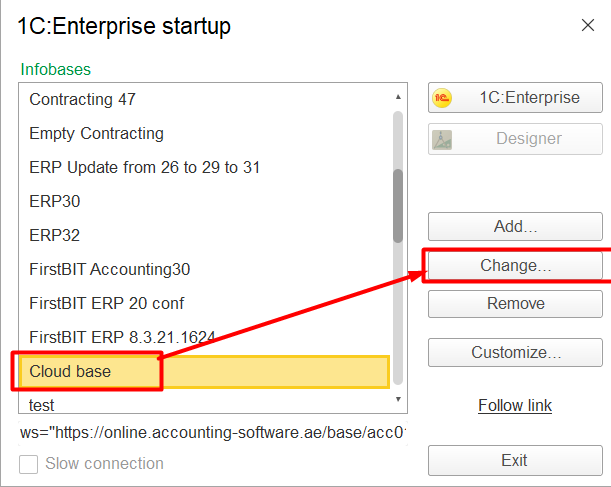
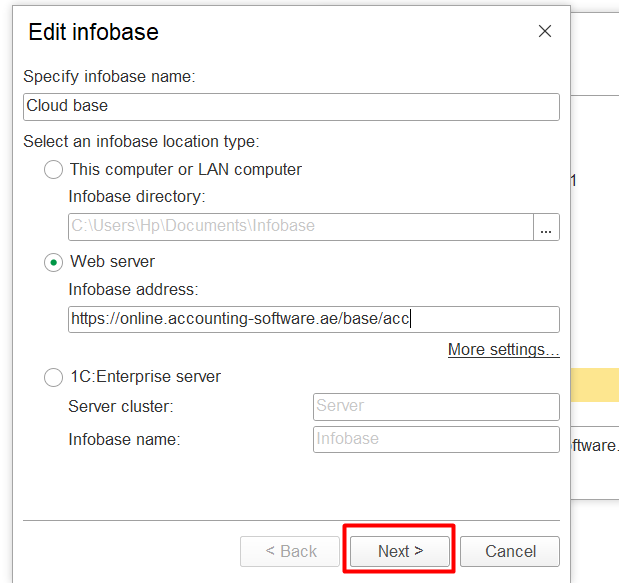
2) If you work in In desktop application:
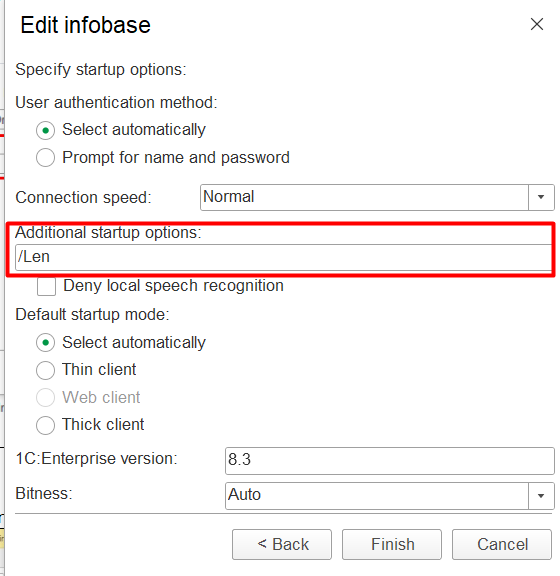
Use additional starting option to run client - add key "/Len" for the language:
|
|
|
|---|
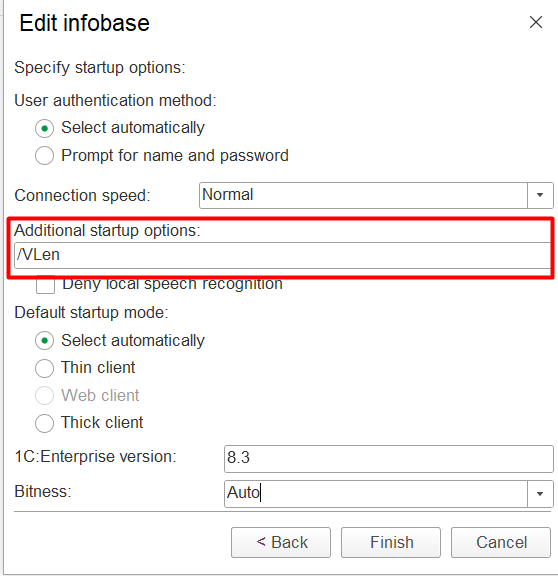
And "/VLen" for the date and number format:
And Both "/VLen/Len" for language, date and date number format:
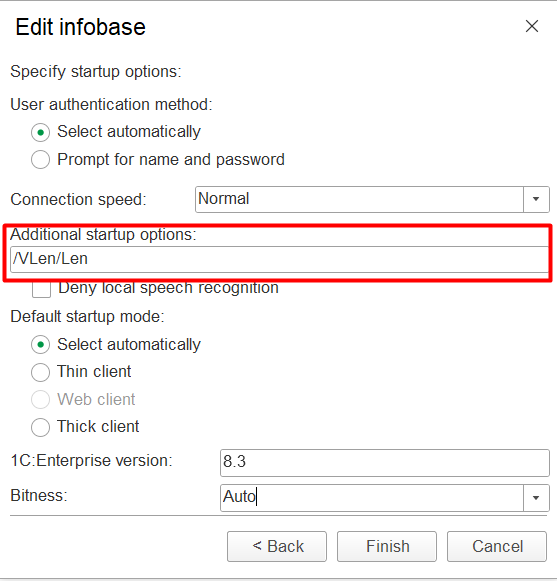
If it did not help - reinstallation of the the application is required. Delete and reinstall the application, selecting the exact language you need - Use select necessary language(use the manual for installation:1C Platform Installation (thin client)
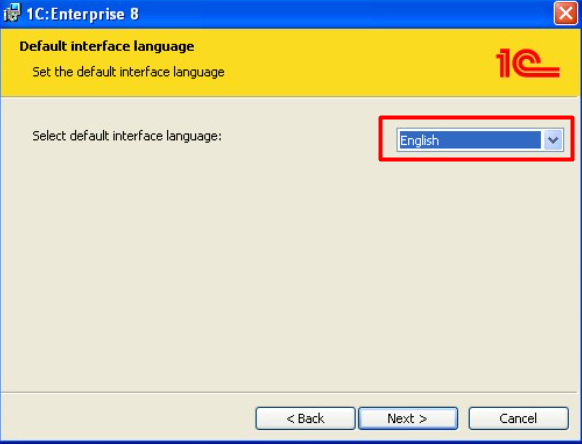
...
3) When mixture of languages appears in print forms (for browser and application)
Go to Administration - Service settings - open a date format for print forms:
...