This instruction describes how to record cryptocurrency (e.g., USDT) transactions in FirstBit Software, ensuring that financial results are reflected in Finance Income / Finance Expenses, rather than in Revenue / Operating Income. This example has been prepared solely for illustrative purposes to demonstrate a possible approach to the accounting treatment of Cryptocurrency. The Company should independently assess the applicability of the relevant IFRS standards, UAE regulatory requirements, and related tax implications based on the specific facts and circumstances. Where appropriate, separate advice from auditors or professional advisers is recommended.
To record transactions in accordance with the company’s accounting policy, you must first create a dedicated GL account for cryptocurrency.
Go to: Accounting → Chart of Accounts → Create. Select the Parent group where the new account will be created, then fill in the account Code and Description. Choose the appropriate section in accordance with the company’s accounting policy, then save the account.
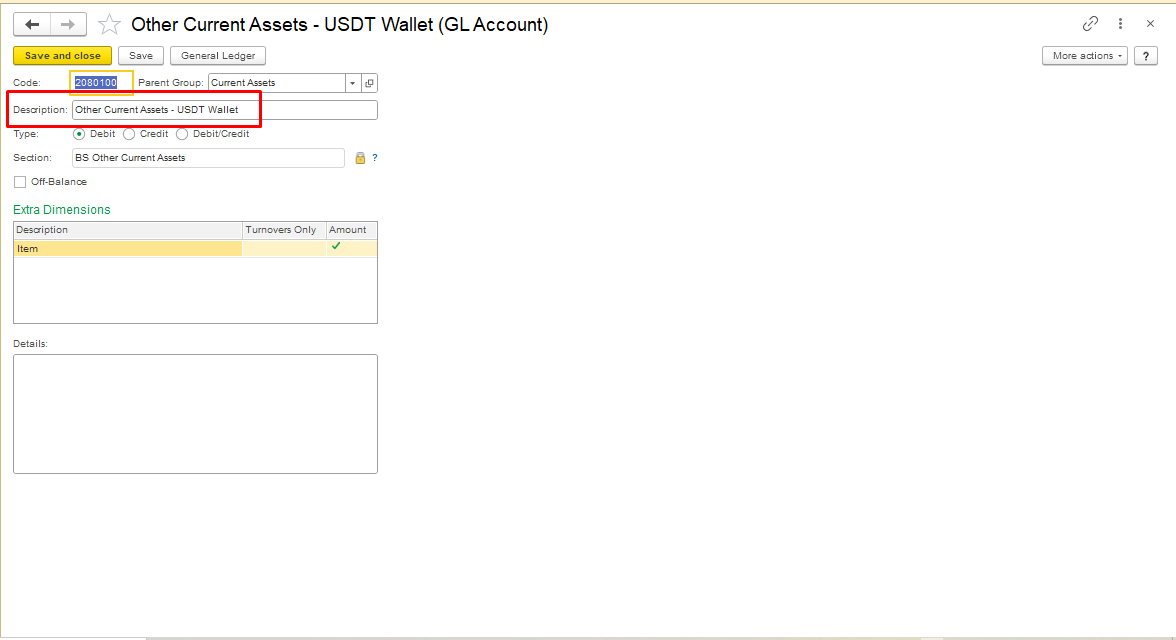
To create the account, follow the instructions at the link Adding an Account to COA.
Purchase of Cryptocurrency.
...
Save and Post the Document.
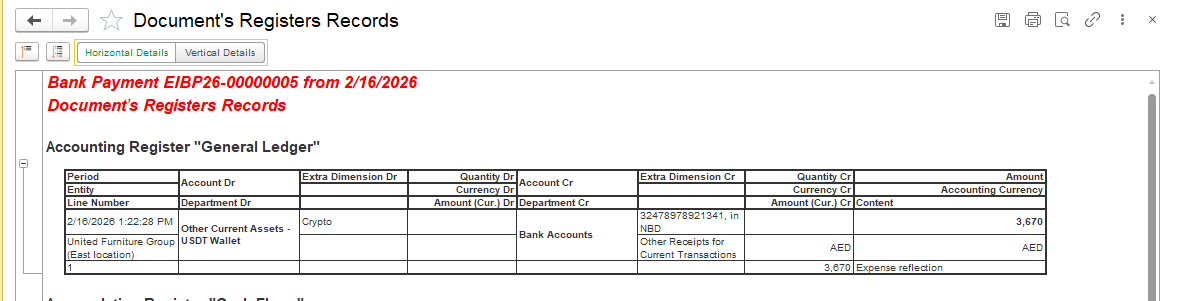
Sale of Cryptocurrency.
...
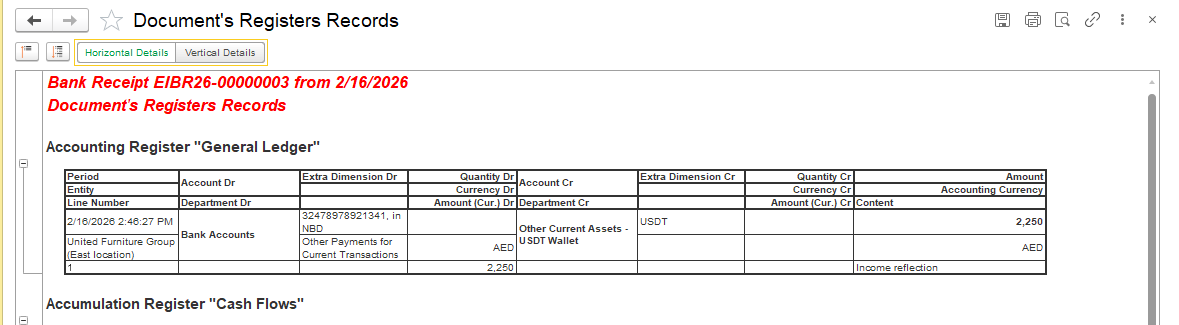
Create Bank Receipt Document, go to Money module → Bank Receipt, create document andchoose Transaction Type - Other. Select Bank Account where proceeds will be received, enter amount received from the sale on the Main tab.
...
Save and Post the Document.
Recording Profit / Loss from Cryptocurrency Trading.
Create Other Income / Other Expense Document:
...
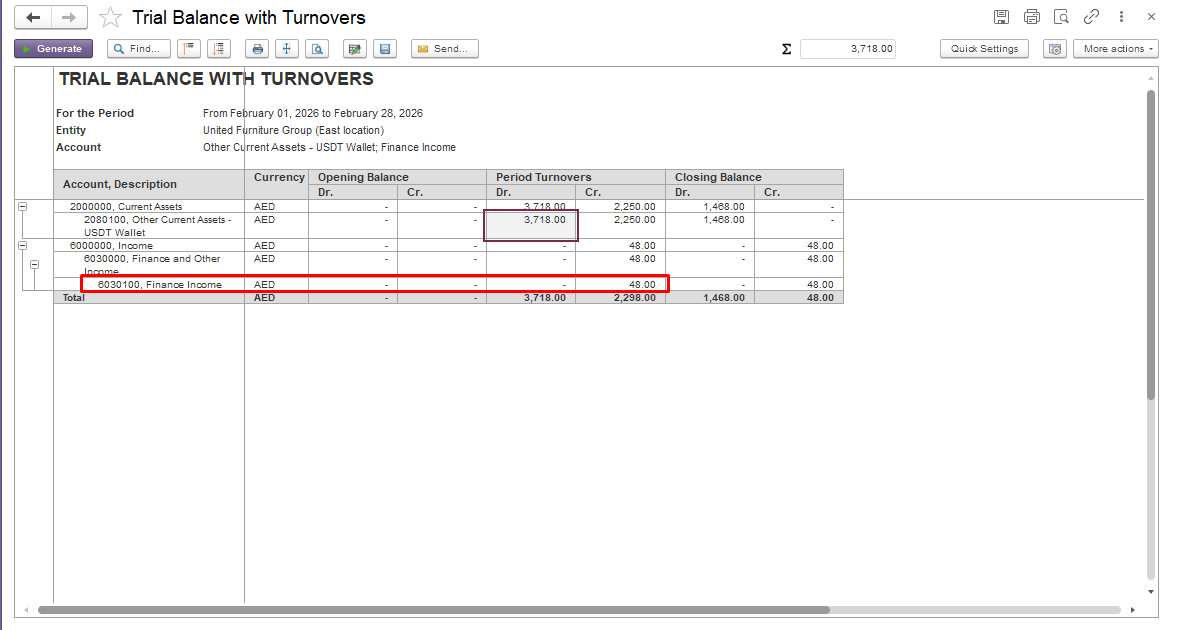
If the sale of cryptocurrency results in a financial gain, specify the Finance Income account or the account that you use in accordance with your company’s accounting policy in the Other Income document.
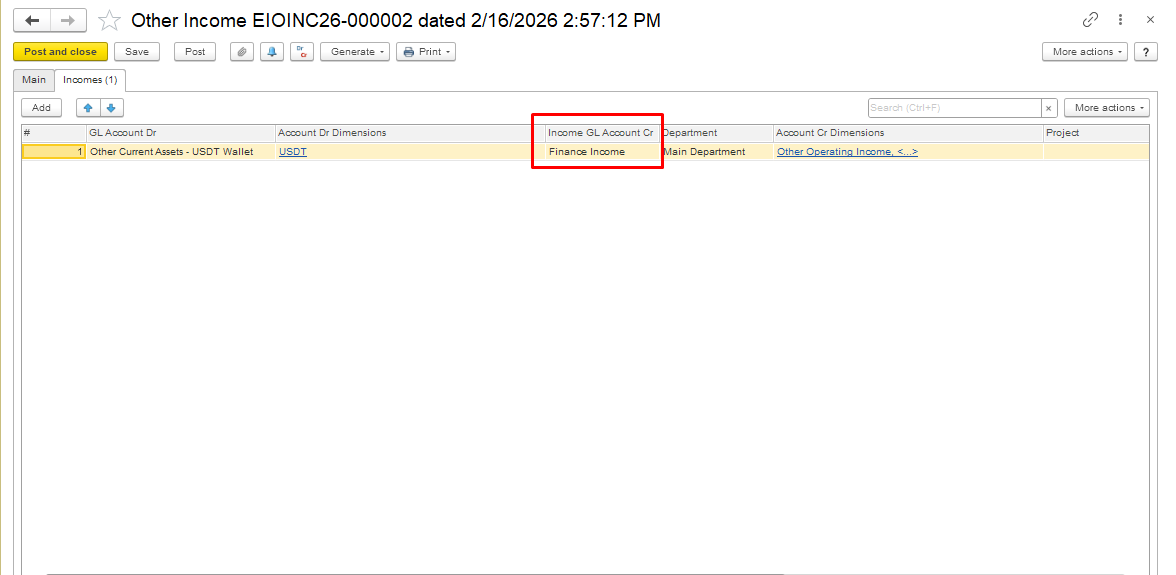
Step 2: Post the Document
The system will:
Reflect profit/loss on Finance Income / Finance Expenses
This ensures correct financial result in Profit & Loss
Month-End Closing
Finance Income / Finance Expenses accounts are automatically closed when the month is closed
USDT Wallet balance reflects the residual value of unsold cryptocurrency
Important Notes
...
Do not use Invoice or Sales documents for crypto transactions
These automatically post to Revenue / Operating Income → incorrect for financial accounting purposes
...
Always use Bank Payment / Bank Receipt → Transaction Type: Other
...
Maintain separate Other Income / Expense documents for gains or losses
If the sale of cryptocurrency results in a financial loss, specify the Finance Expenses account or the account used in accordance with your company’s accounting policy in the Other Expenses document.
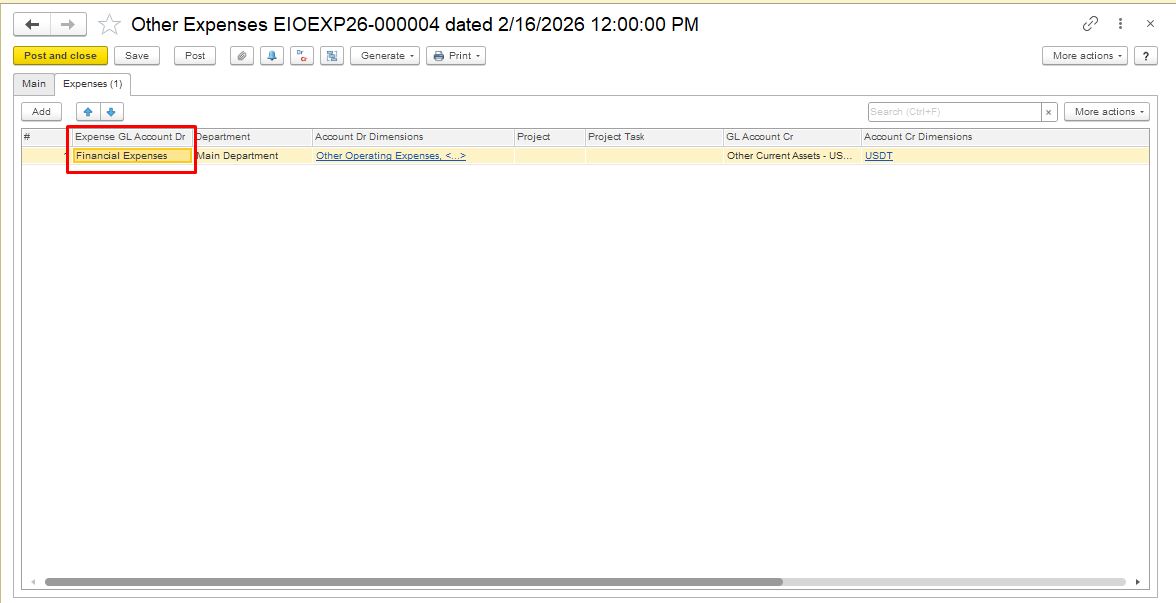
Save and Post the document.
Presentation in financial reports:
Trial Balance
Purchase of cryptocurrency is recorded as a debit to the selected cryptocurrency account, increasing the balance of the crypto asset.
Sale of cryptocurrency is recorded as a credit to the selected cryptocurrency account for the cost of the sold units.
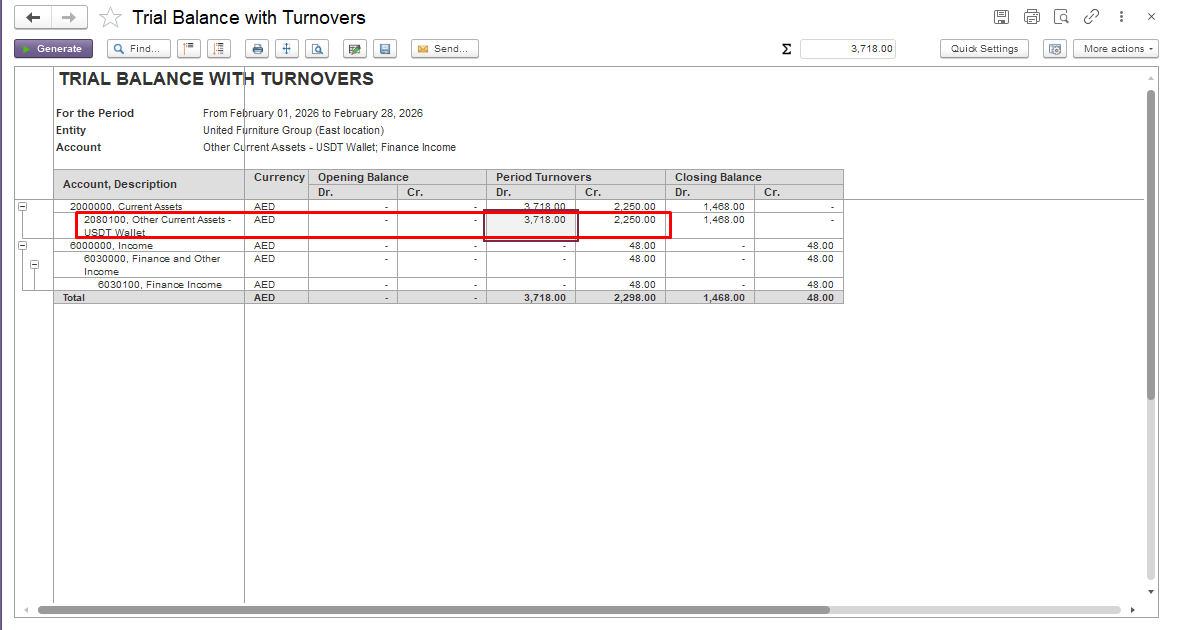
The result of the sale (profit or loss) is recorded in a separate account that does not affect Revenue or Operating income.
Income Statement
In the Profit & Loss report, this is reflected under the Finance Income section as either income or expense.
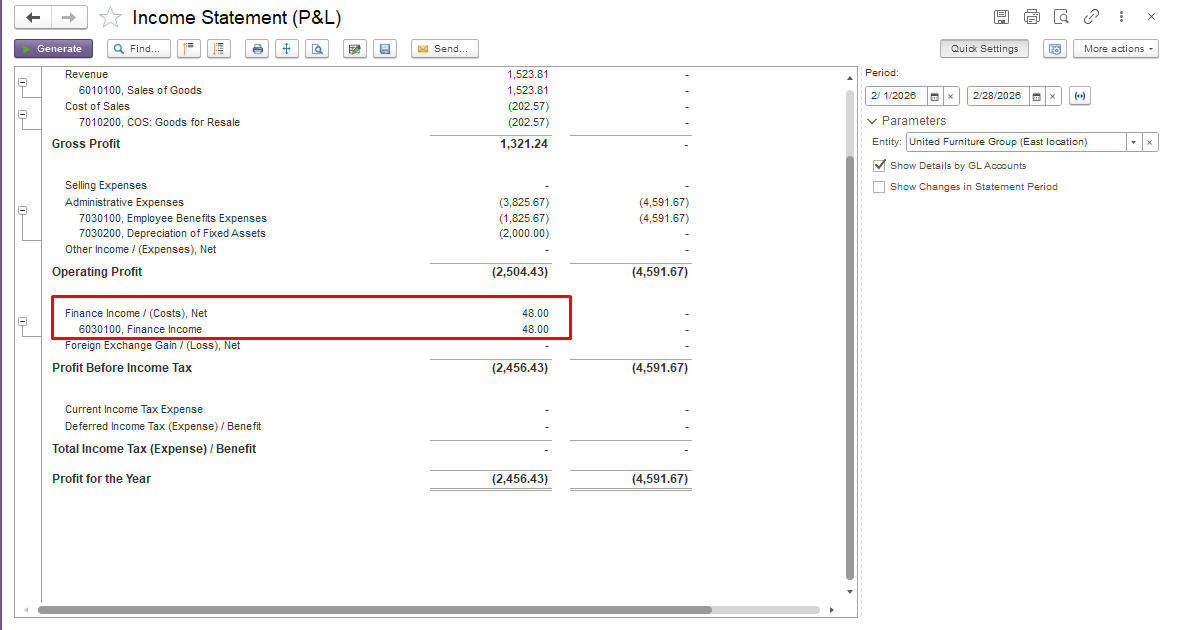
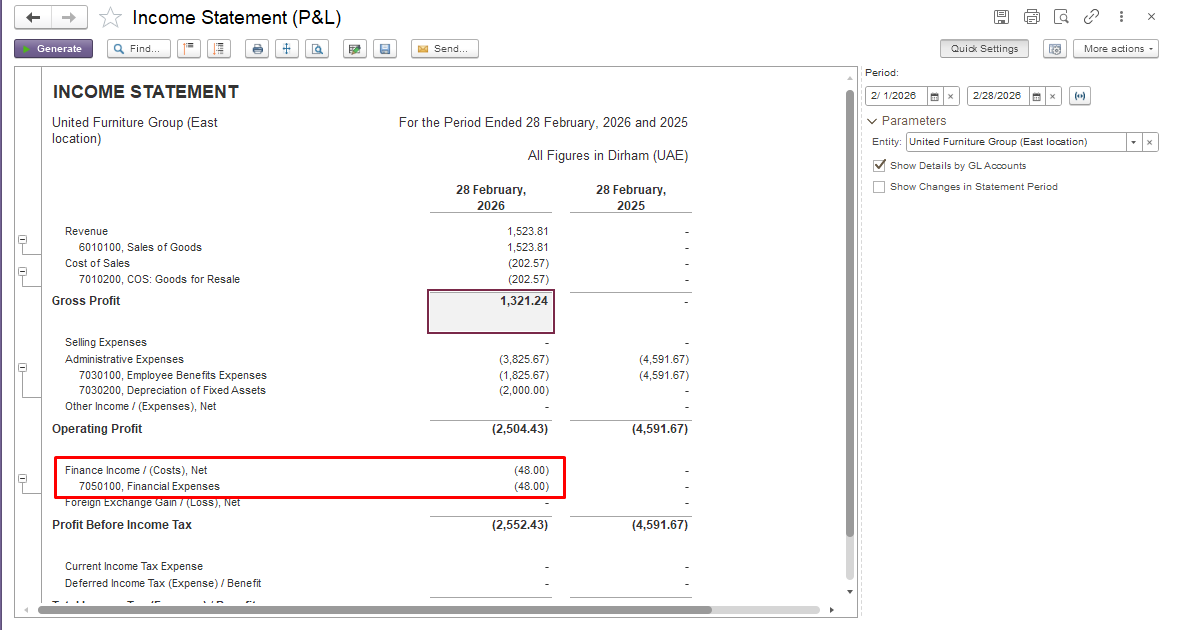
Please Note: The approach ensures crypto is treated as a financial asset, not as a product sale
...
Result:
...
USDT transactions are recorded correctly as financial asset operations
...
Profit or loss flows to Finance Income / Expenses
...
Revenue / Operating Income remains unaffected
...
.
#Cryptocurrency#Cryptocurrencyaccounting#