...
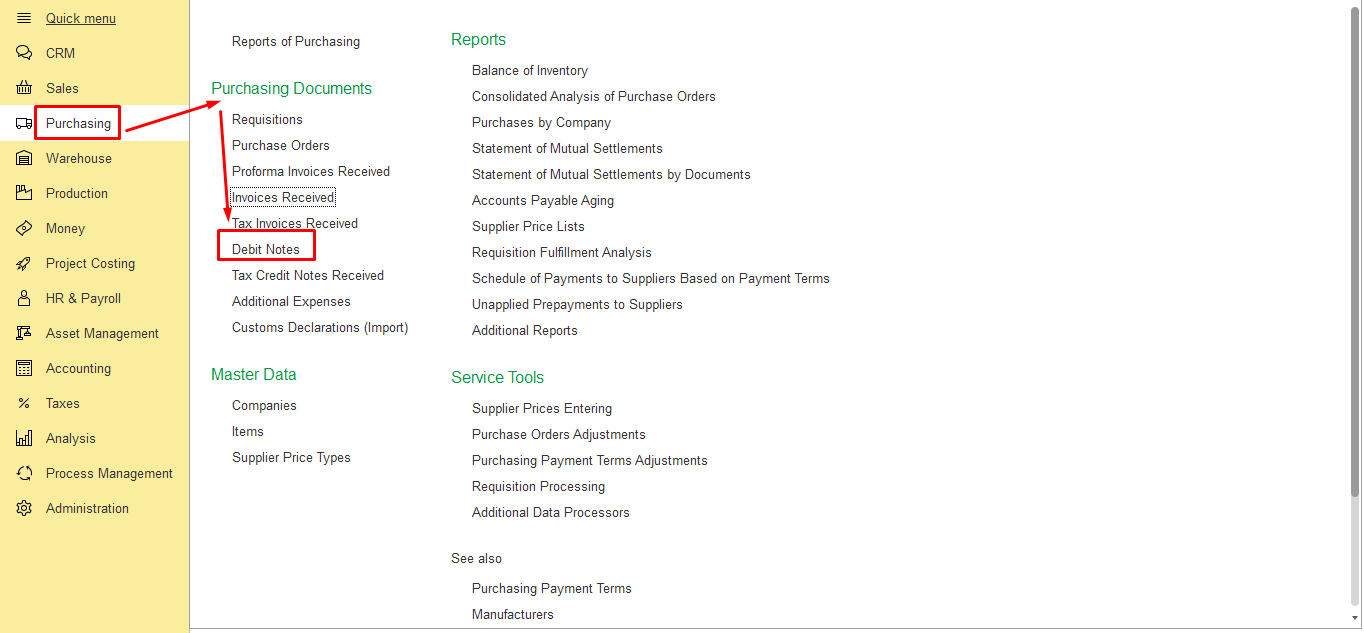
- To record a claim to the supplier, use a Debit Note document. Go to Purchases module → Purchasing documents → Debit Notes.
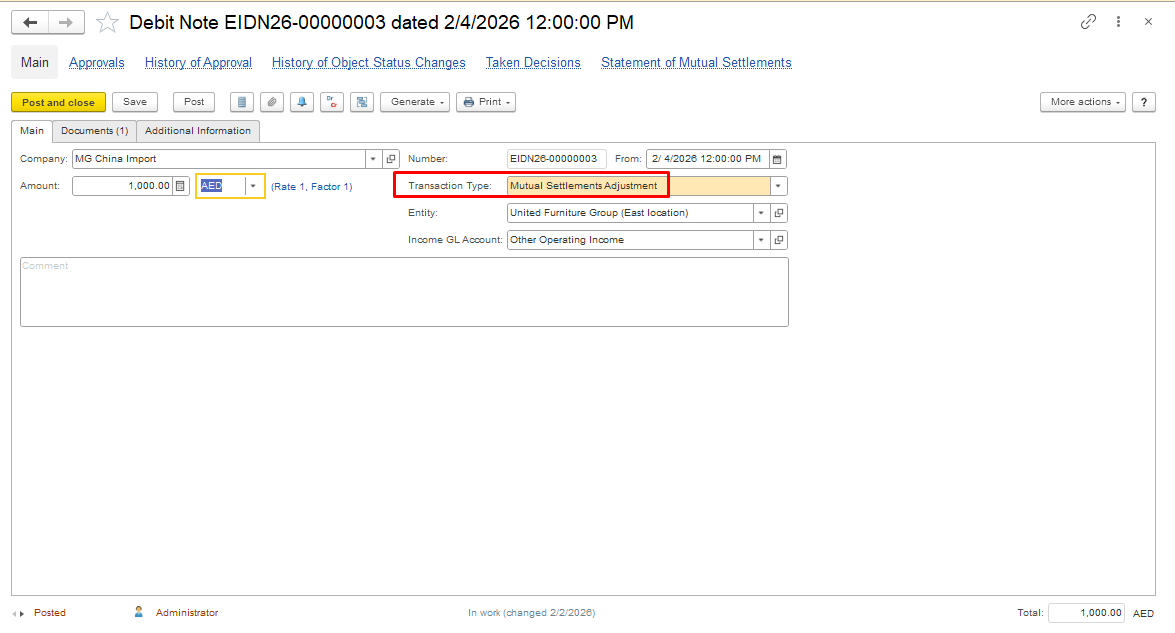
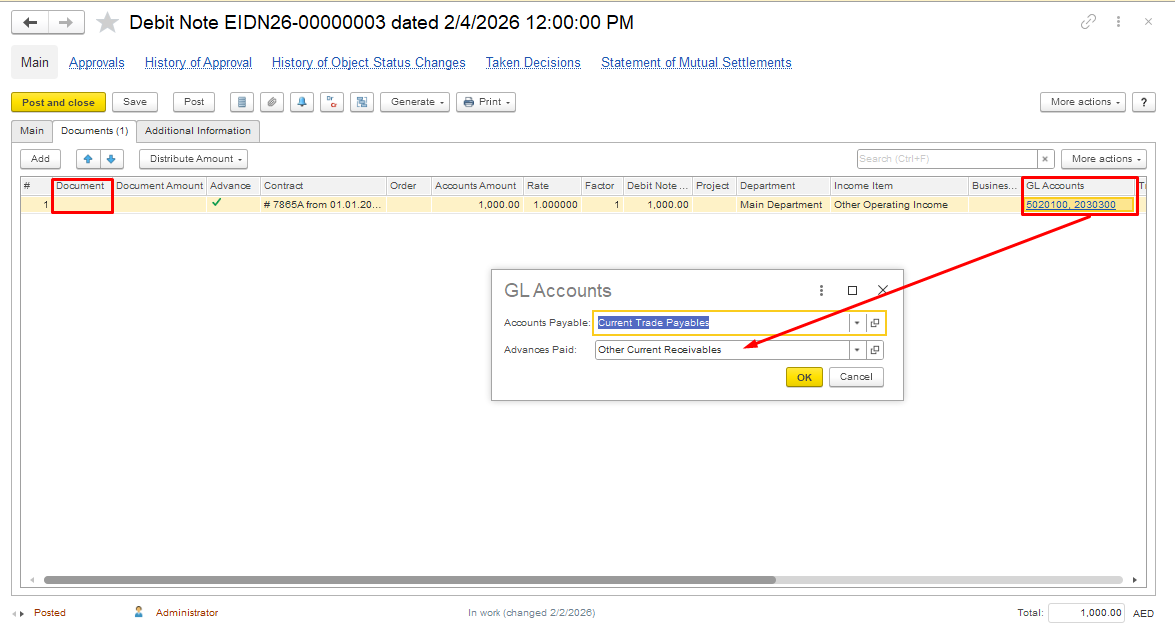
Create a new document with the Transaction type Mutual Settlements Adjustment.
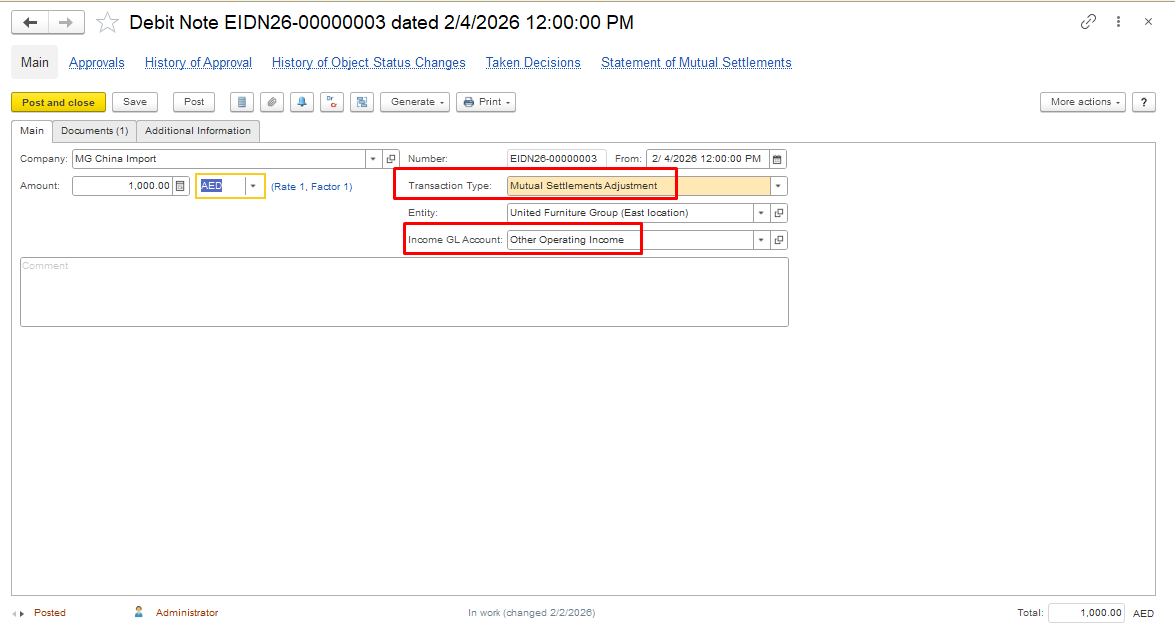
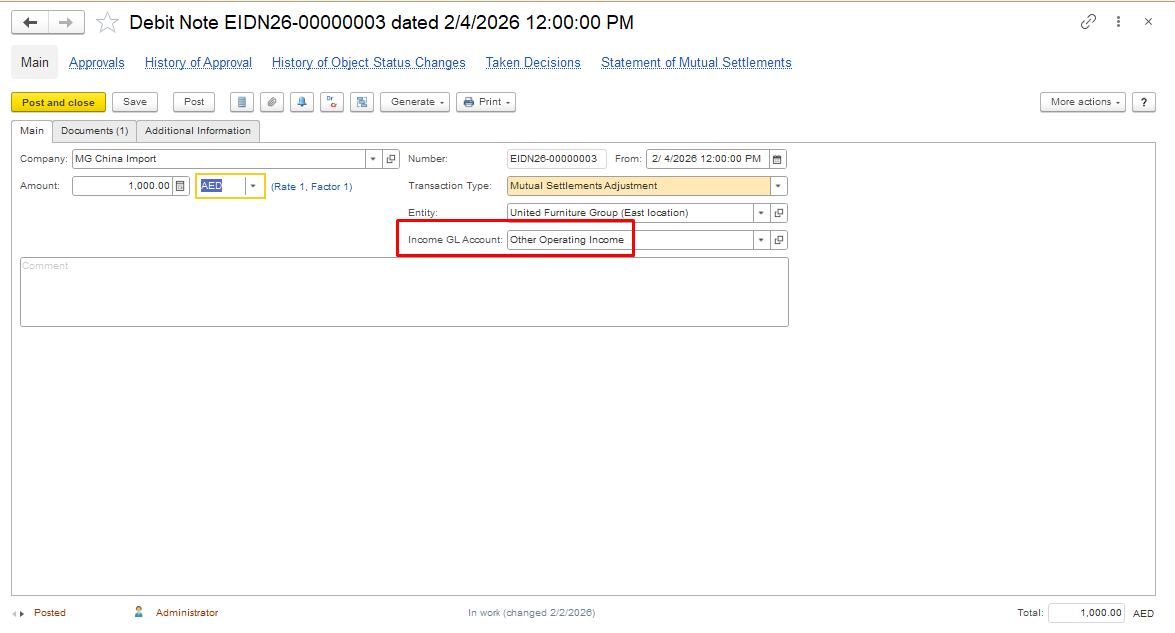
Select the appropriate Income GL account or create a new account if necessary on the main tab
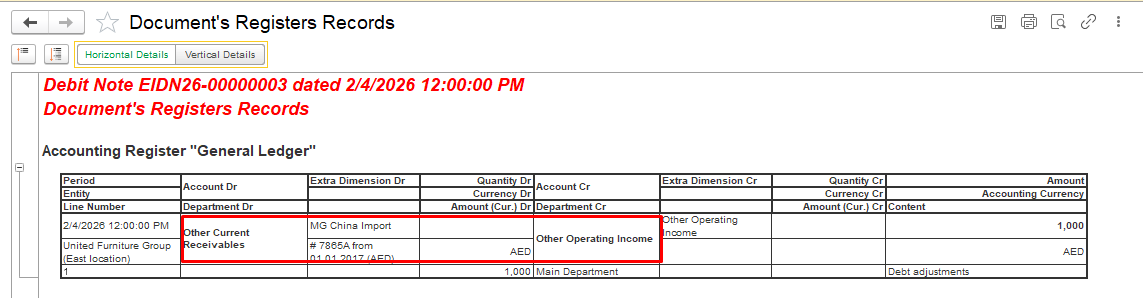
The Debit Note is created without selecting a purchase invoice, as the claim relates to damaged goods and is not a correction of an existing invoice. In the Document tab, select the account Other Current Receivables, or the user may choose a different account according to their accounting policy.
2. hgjkghghjgjgjgkjgghkReceiving Payment from the Supplier
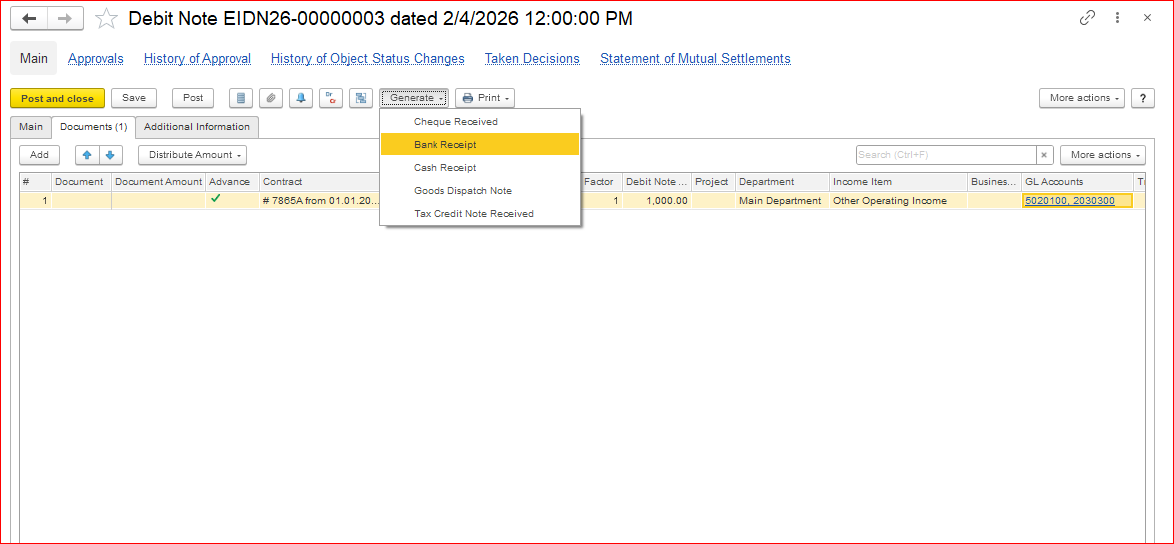
To receive payment from the supplier, generate a Bank Receipt or Cash Receipt document based on the Debit Note by clicking the "Generate" button.
All required fields in the payment document will be filled in automatically.
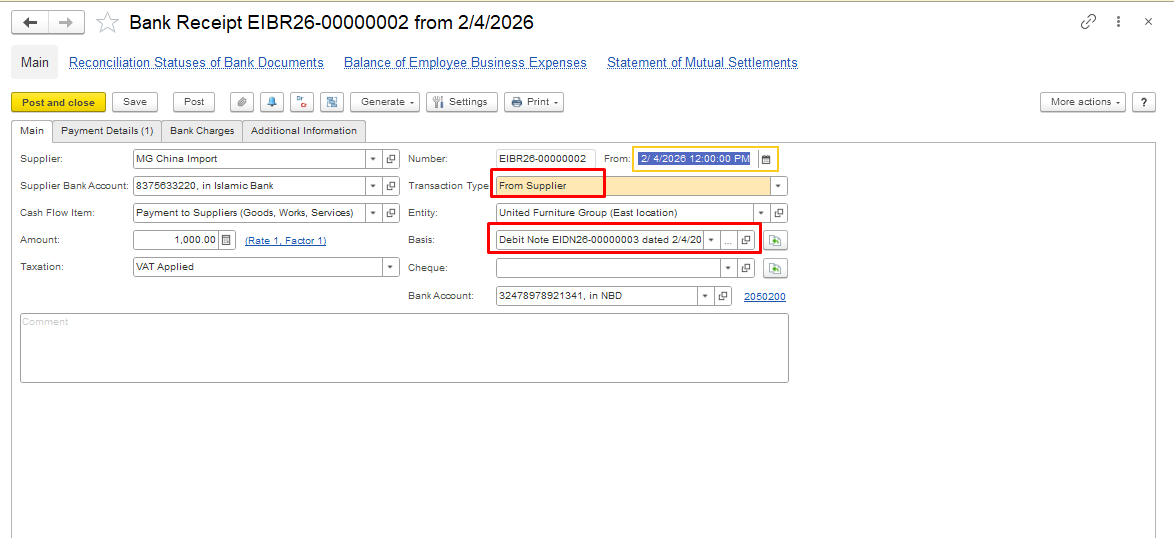
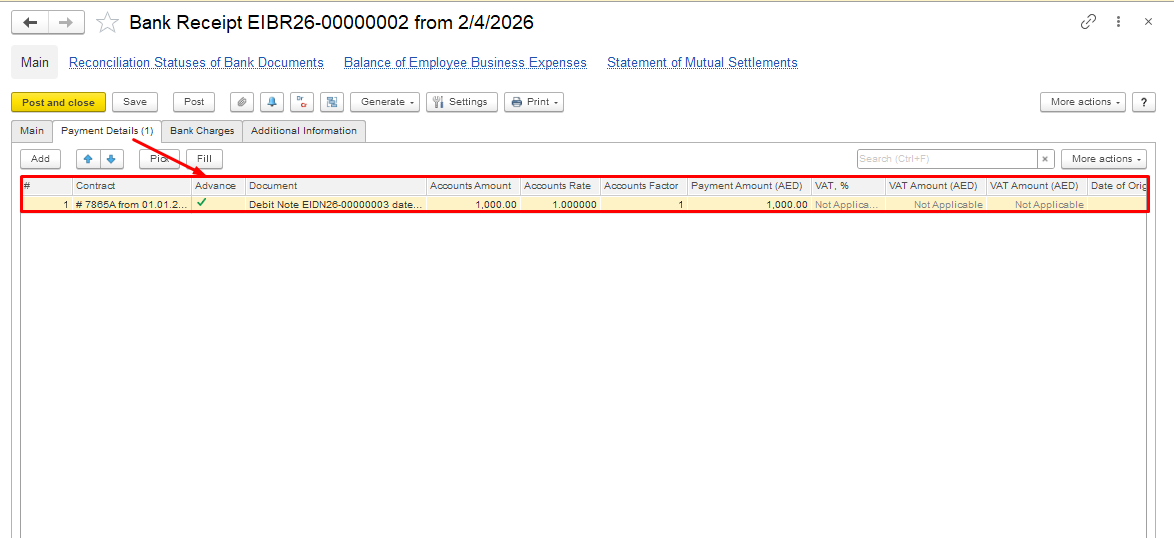
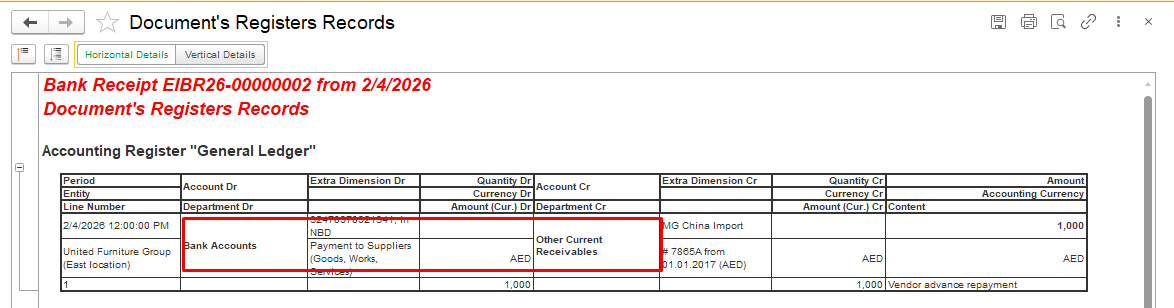
This completes the procedure for receiving compensation from the supplier for material damage.
This approach applies both to damaged goods received from suppliers and to claims recharged to third parties.
If it is necessary to write off damaged goods, use the Inventory Write-Off document. Please follow this link to access it Inventory Write-Offs.
Thank you for being FirstBit customer!
#DamagedMaterials#DamagedGoodsreceived#materialdamageaccrual#debitnote