...
This tab allows the user to track project documentation — specifically drawings, schematics, designs
...
etc
...
and
...
their approval process.
...
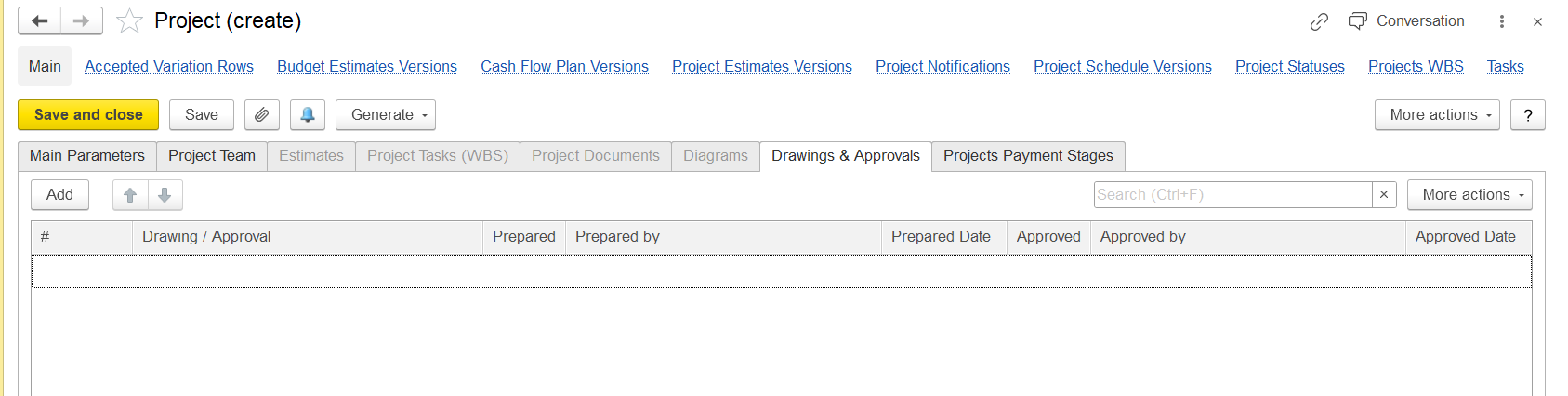
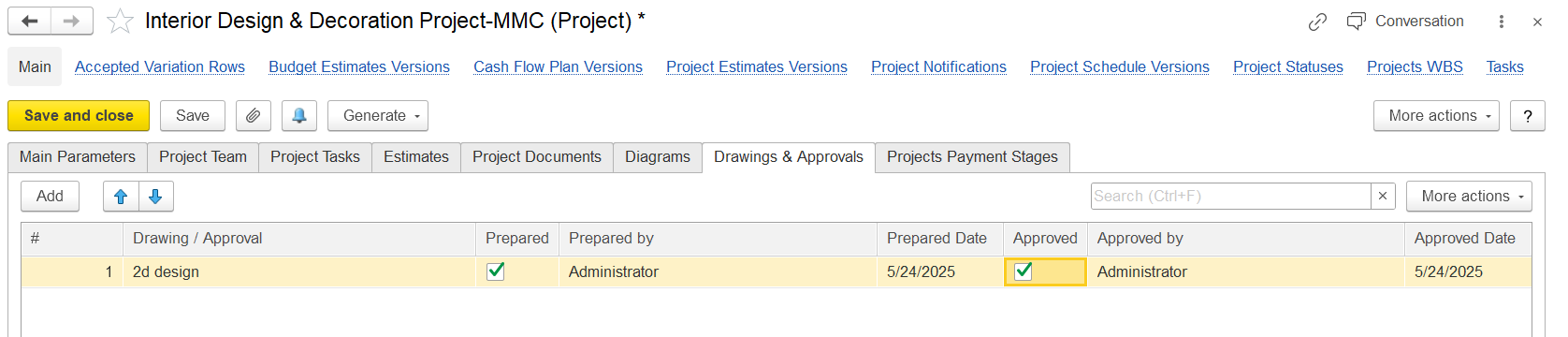
The columns indicate the following workflow:
#
—- Auto-numbering or manual numbering of the drawing/document.
Drawing / Approval
—- Name
oror description of the drawing or the document.
Prepared
—- Checkbox
(probably)to indicate if the drawing has been prepared.
Prepared by — Who prepared the drawing.
Prepared Date — When the drawing was prepared.
Approved — Approved - Checkbox to indicate if
itthe drawing has been approved.
Approved by — Who approved the document.
Approved Date — When it was approved.
If this checkbox is enabled, the system will automatically fill in the Prepared by (the user who clicked it) and the Prepared Date (the date and time when it was clicked).
The "Add" button lets a new drawing or document entry be added to this list.
"More actions" likely includes options like deleting, duplicating, or exporting the list.
...
Similarly to the Prepared checkbox, when Approved is ticked, the system will automatically populate the Approved by (the user who approved it) and the Approved Date (the approval date).