Error Message
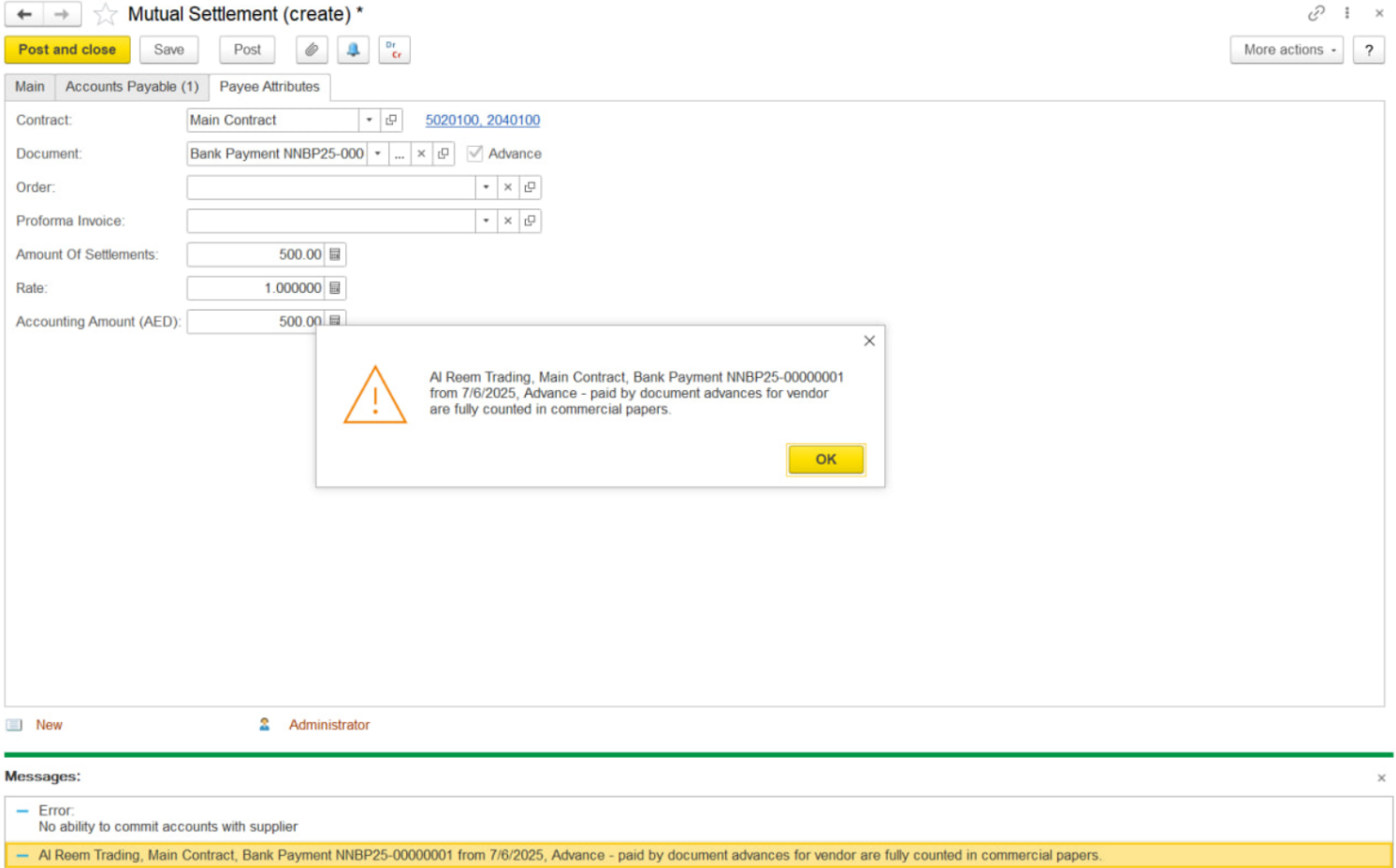
": Advance-Paid by document advances for the vendor are partly counted in commercial papers."
This error typically occurs when posting a mutual settlement where specific details in the payee attributes do not align with the original document.
Follow the steps below to resolve it.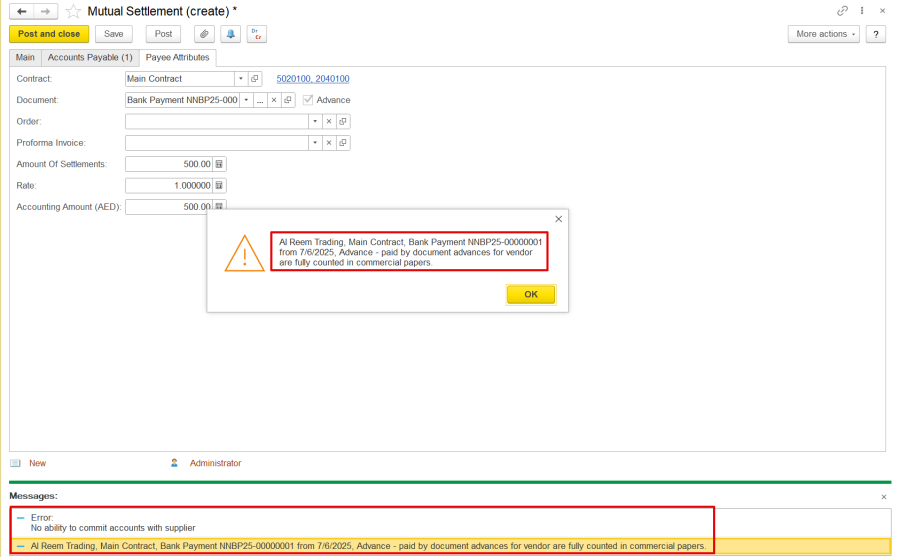
1. Check GL Account Match
Click on the Document Linked from the Payee Attributes tab of the mutual settlement to open the original advance document.
Go to the Payment Details tab in the original document and note the GL account used.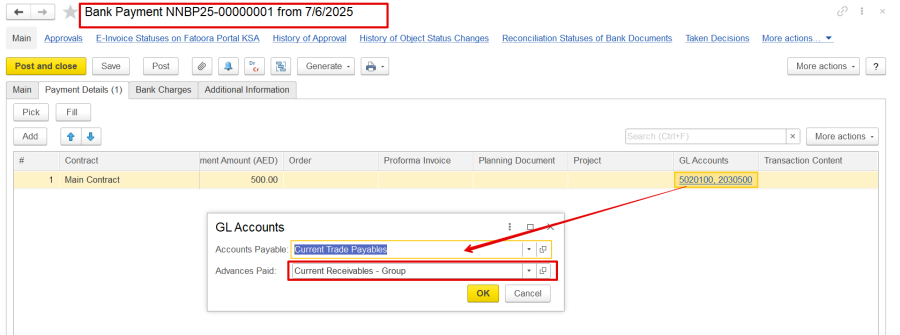
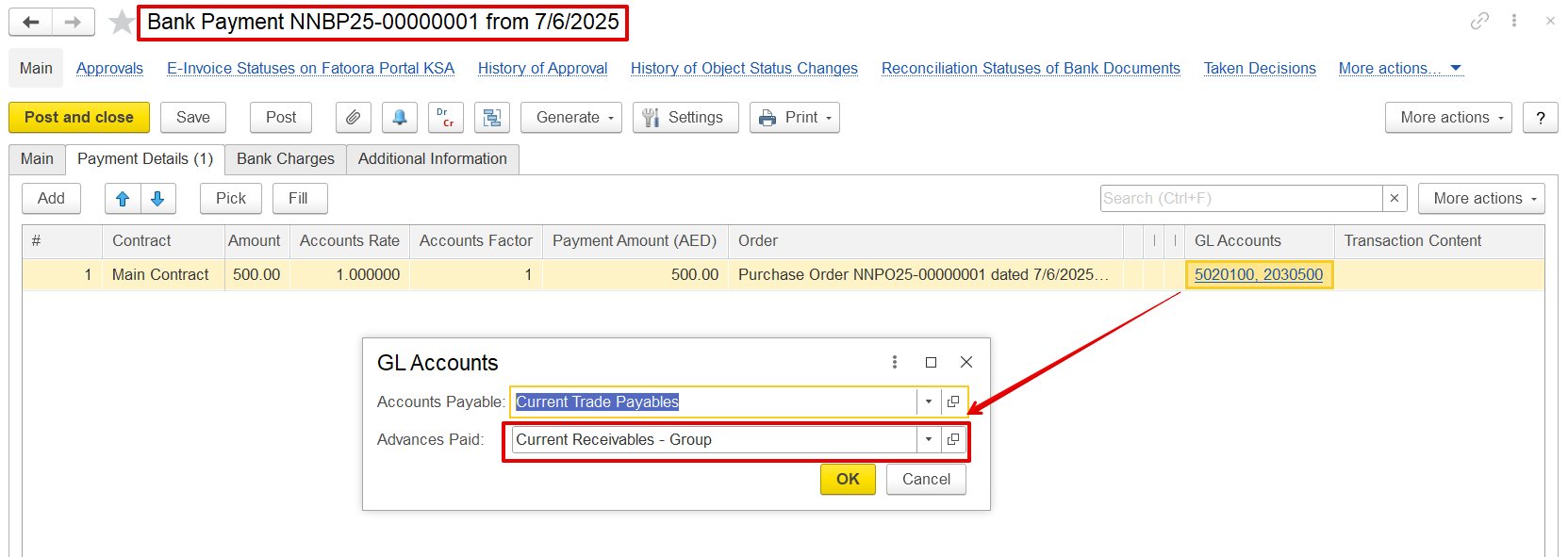
Return to the mutual settlement and make sure the same GL account is selected in the Payee Attributes tab. If it differs, manually update it to match the original.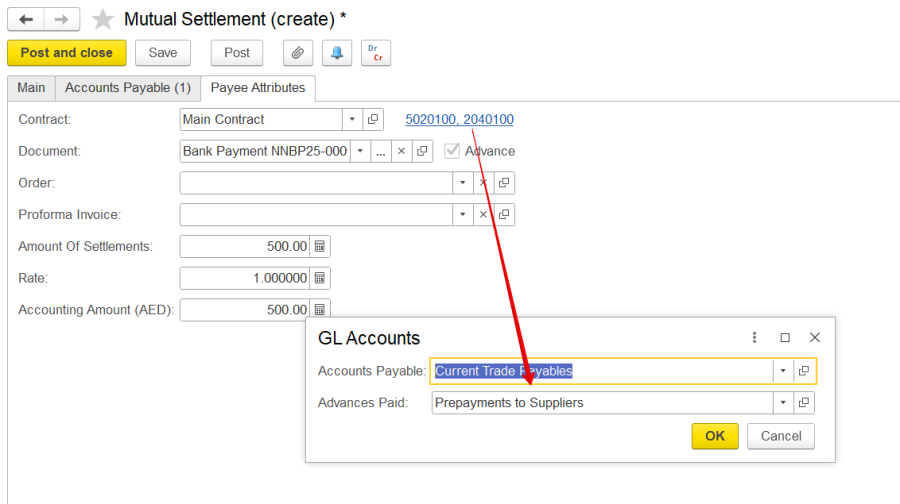
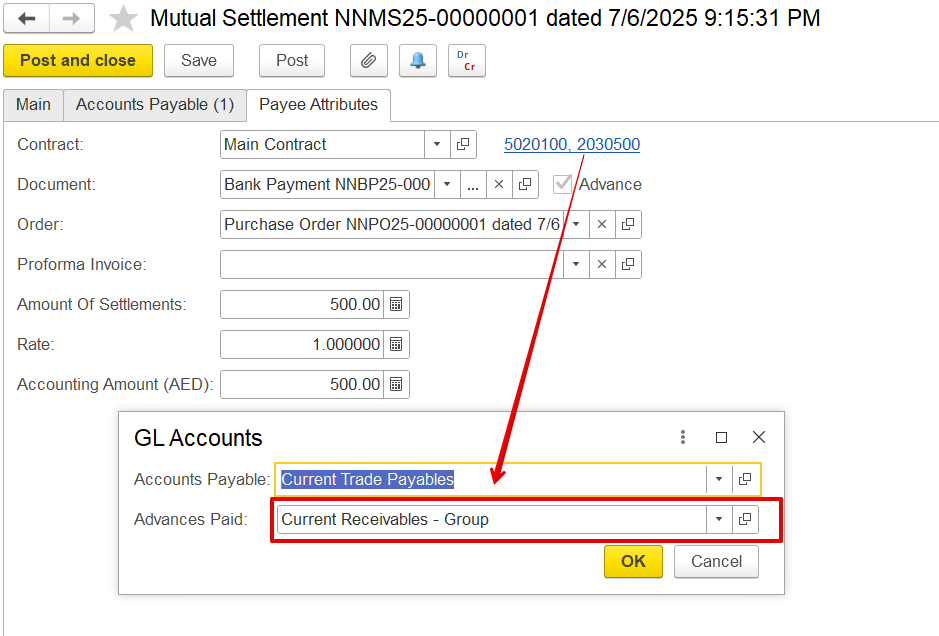
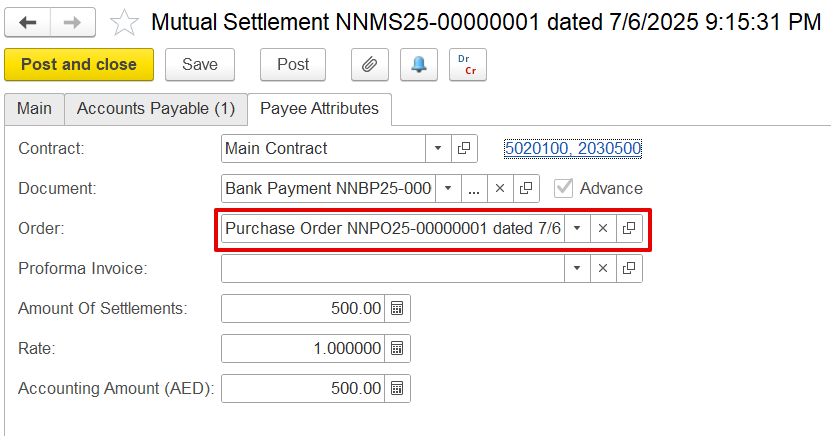
2. Check 'Order' Field-
In the original document's Payment Details tab, check if the Order field is filled.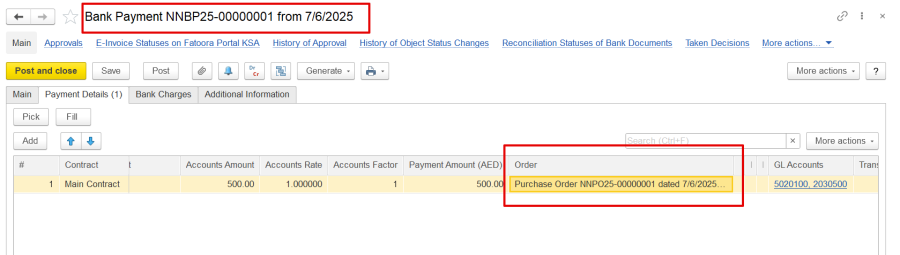
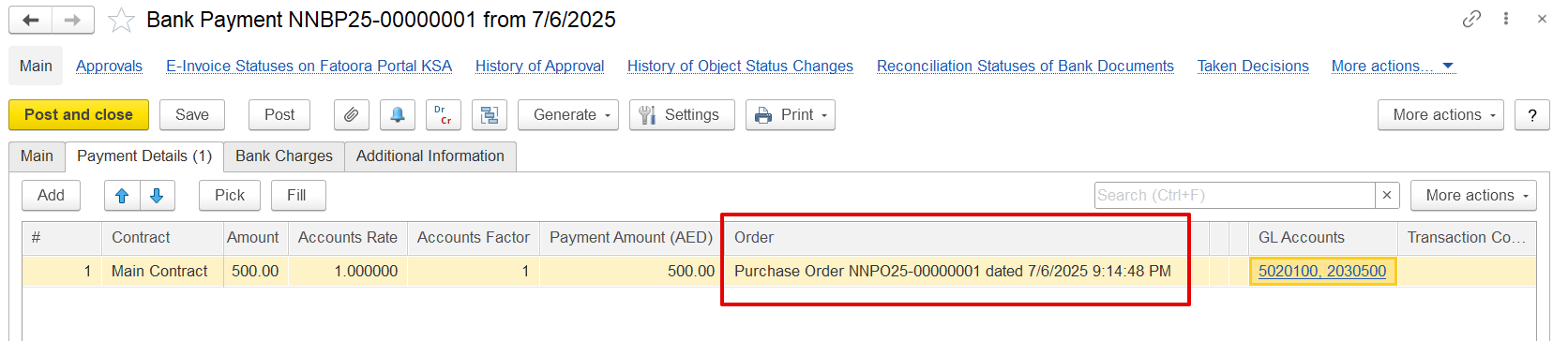
If yes, return to the mutual settlement → Payee Attributes tab.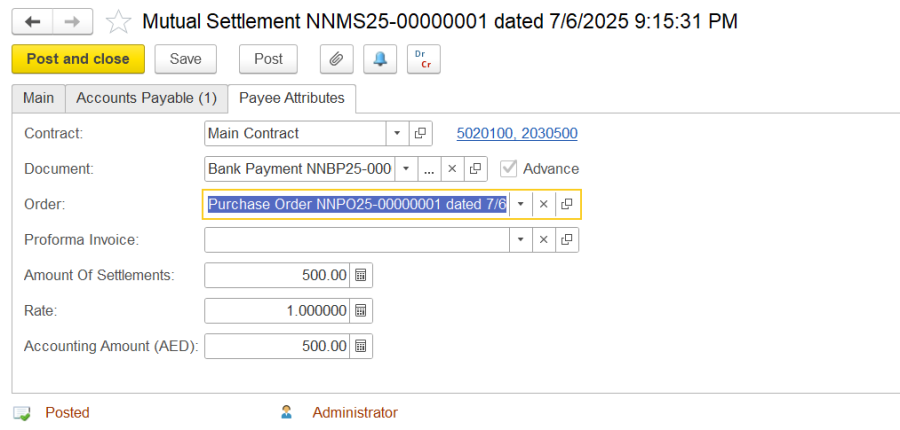
3. Check the Contract selected.
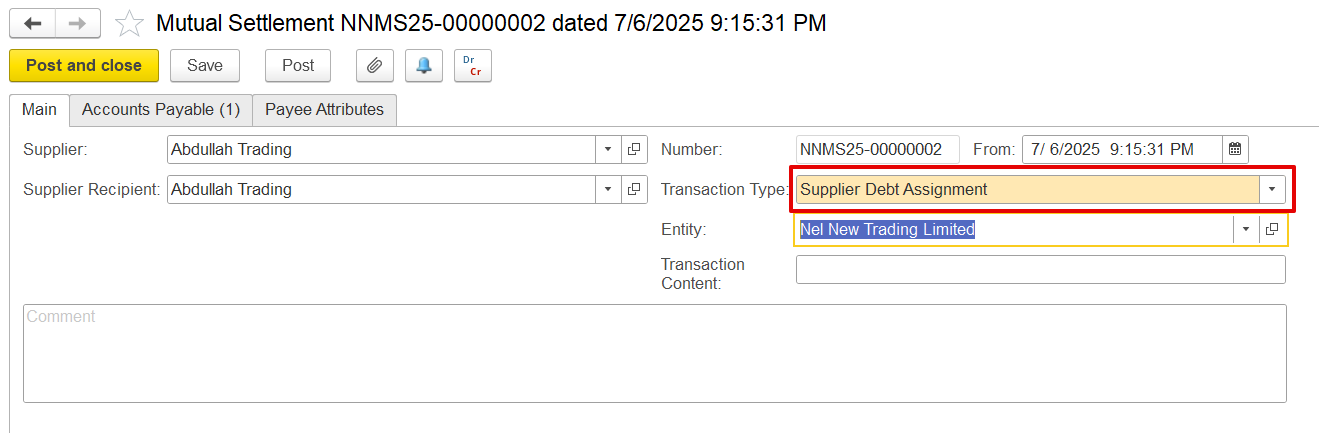
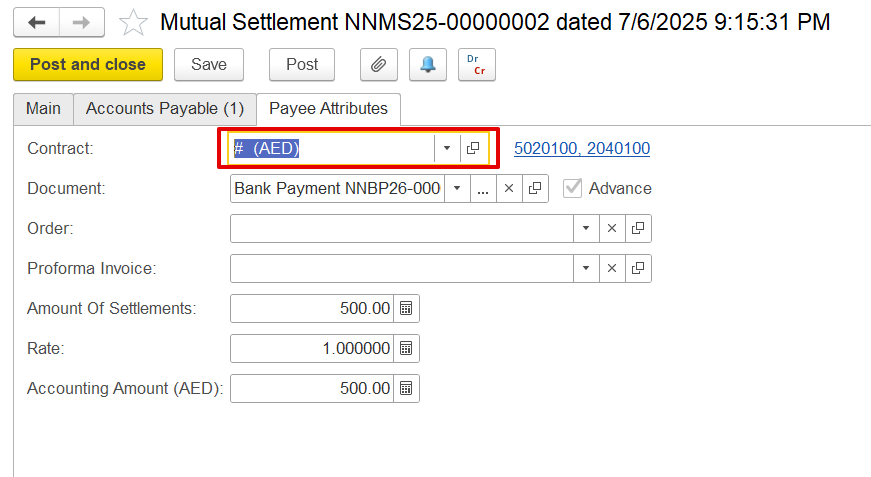
Ensure that the selected documents are associated with the same contract, as only documents with matching contracts can be offset during mutual settlement transactions for adjustments between payables and receivables within the same company. If the contract is selected from the list, the required fields will be filled automatically; however, if it is entered manually, it is better to verify it carefully to avoid errors.


When the Customer Debt Assignment or Supplier Debt Assignment transaction type is used to adjust payable balances with advances paid, or receivables with advances received, the process involves offsetting documents within the same company and under the same contract. This offset is performed between an invoice received document and a payment, or between an invoice and a receipt.
In Accounts Receivable / Accounts Payable, the documents can be selected using the pick option so all details get picked exactly form the document; however, in the Payee attributes, the document must be selected manually. Ensure that the contract chosen in the Payee attributes matches the contract linked to the selected document and is also the same contract used in the Accounts Payable or Accounts Receivable tab to prevent errors.
For example-

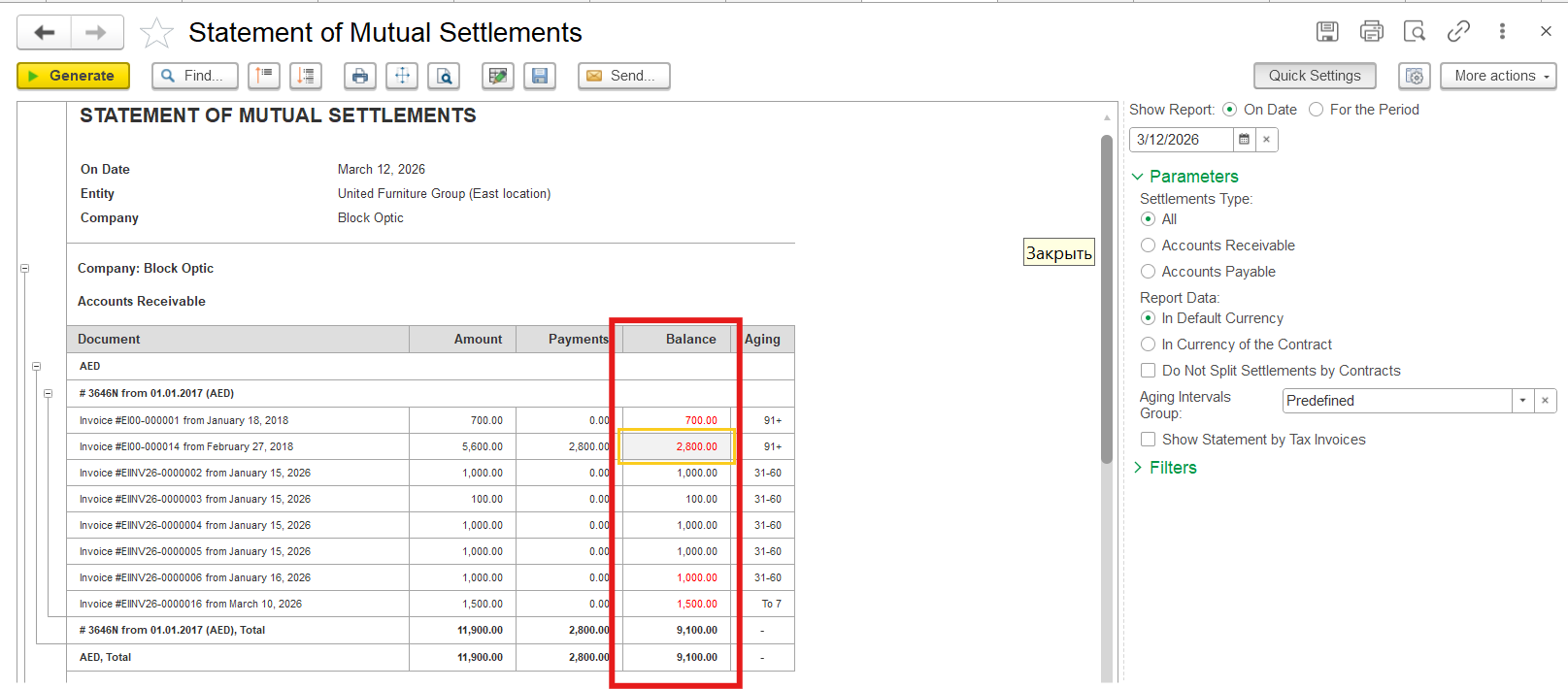
4. Сheck if there is sufficient balance
To ensure that the Сompany has a sufficient balance for write-off or debt settlement, generate the Statement of Mutual Settlements (Purchasing/Sales - Reports - Statement of Mutual Settlements) report for the company and the relevant documents.
The above steps should resolve the error and allow the posting of the document.
Thanks for being a Firstbit Customer! #MutualSettlementError #AdvancePaymentIssue#CommercialPapersMismatch