...
Explanation: To calculate the number of Available (accumulated) vacation days for each employee in the Available Vacation Days report and the Vacations Vacation document, the system uses two different calculation methods.
...
Example: for Tanya employee Al=vailable Available Vacation Days report was generated.
...
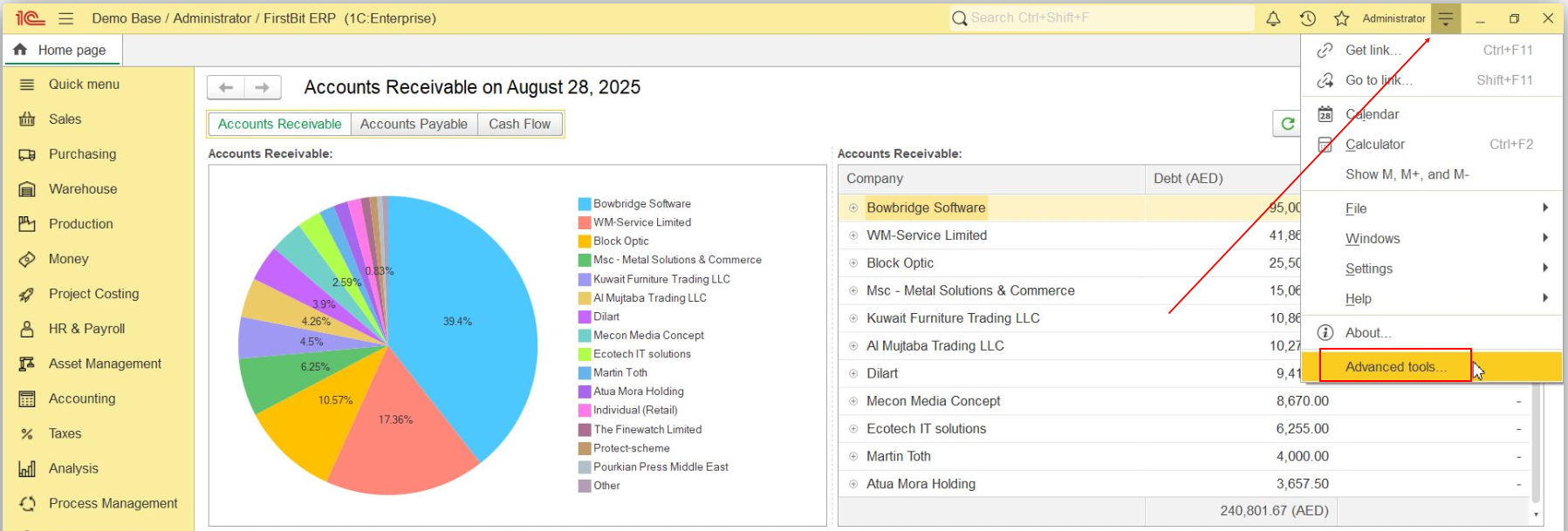
This data was collected from VACATION DAYS accumulation register (note: only users with Administator access rights may read system registers. Functions for technicians are available for cloud configuration and for self hosted customers, but unavailable in fresh area). Vacation Pay Accumulation register may be opened from Function for Technicians/ Advanced tools:
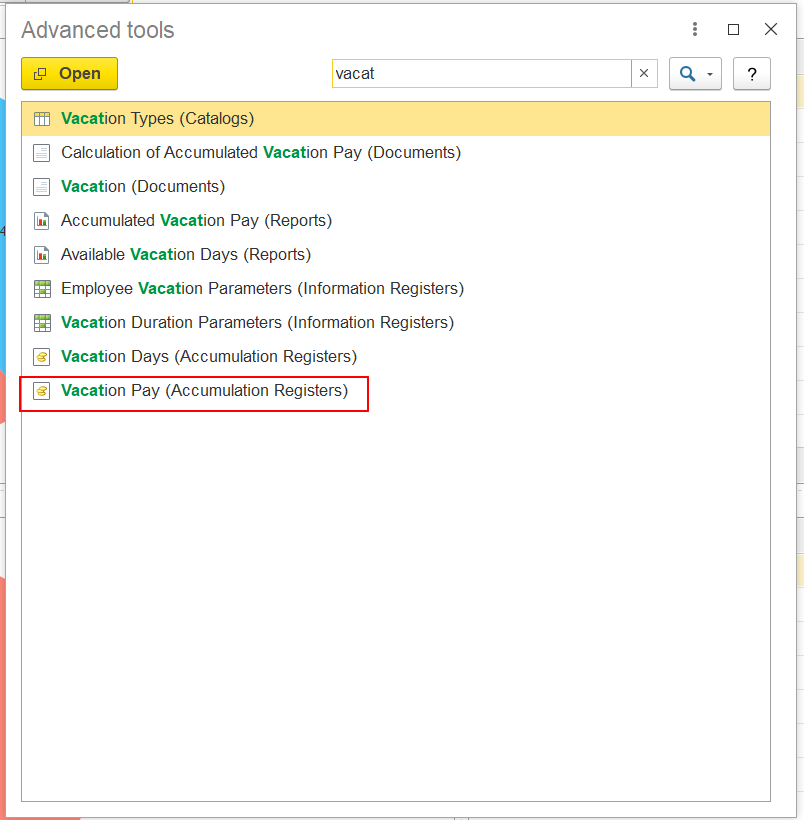
And it opened object list it might be searched by description:
It is also possible to use filters by Employee - to sort data in Vacation Pay register list form:
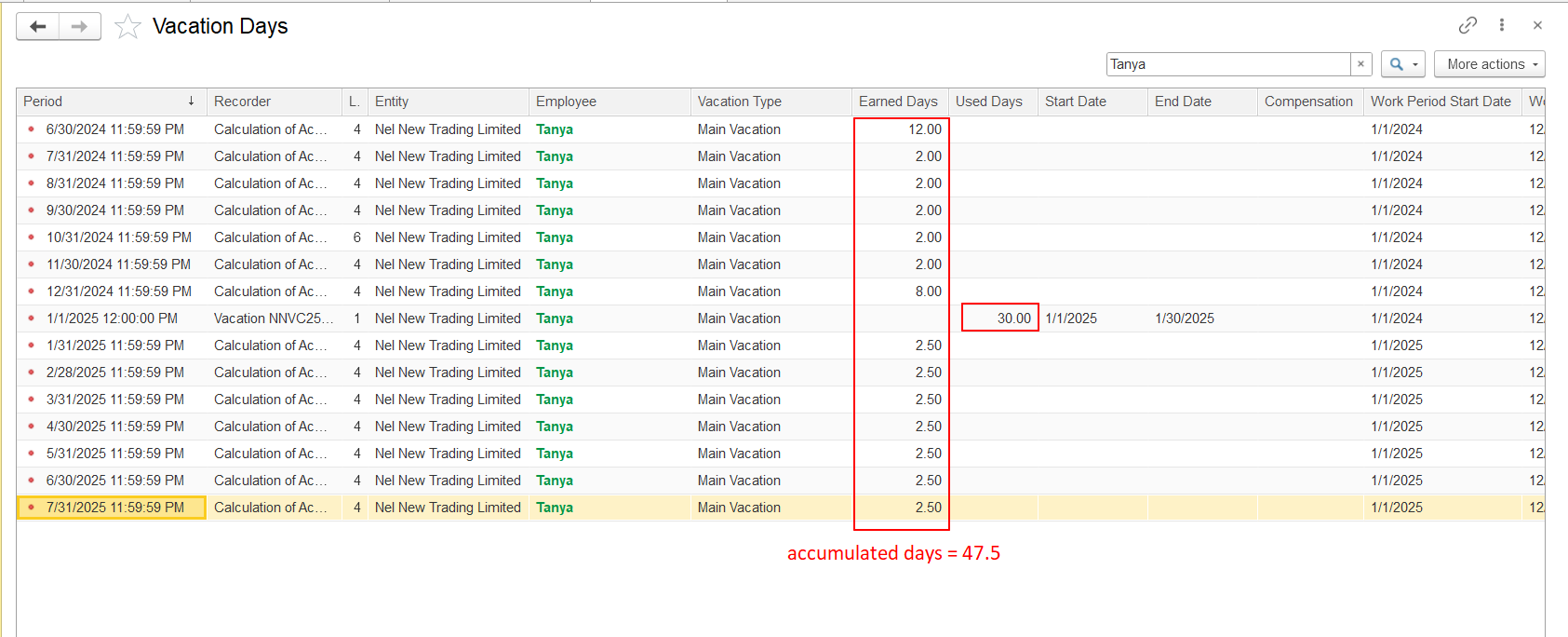
So for all employment period for Tanya employee it was accumulated 47.5 days and 30 days were used. Balance for Tanya = 17.5 days.
...
For Days Available attribute in Vacation document system calculates Vacatiod Vacation days on start vacation date and due to employemnt period and Vacation lenghts conditions (which was set in Employment Contract document). This information is saves in Vacation Duration Parameters Informational register.
...
And based on this vacation duration system in each Vacatioin Vacation document calculates Days Available separately on start vacation date.
...