The Estimates tab shows a summary of planned revenue and costs, based on the linked Project Estimates document.
If the project status is New, the following buttons are available:
Create New Estimates – Allows users to enter planned revenue and cost details for
...
the project.
Create Budget – Let users create a budget based on the entered estimates.
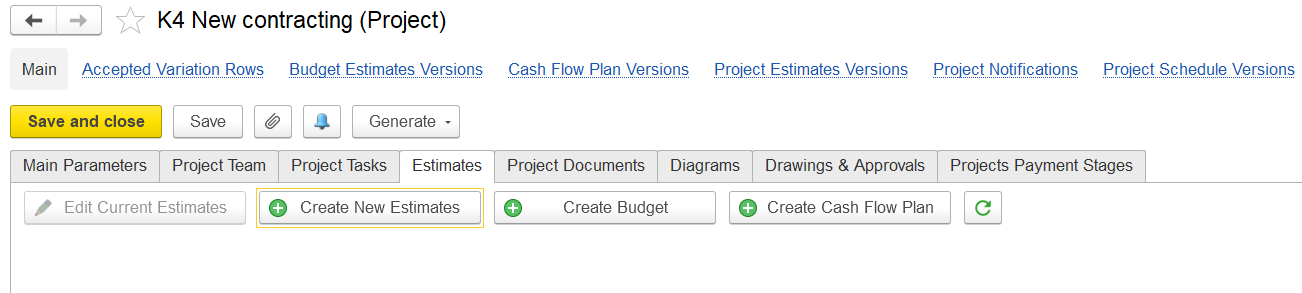
If the project has a different status (e.g., Active), the tab shows these buttons instead:
...
- Edit Current Estimates to – Lets you update the existing budgetestimate details.
- Create New Estimates to start a new version of the budget.
Estimate Methods
There are two budgeting methods:
Independent Calculation of Costs and Revenues
Tabs: Revenue, Costs, Estimates by Period (if selected)
Calculation of Revenues Based on Costs
Tabs: Revenue and Costs, Overheads, Estimates by Period (if selected)
Estimate by Period
If used, this tab breaks down revenue, costs, and overheads by planning periods.
Additional Tools
- Variation Order – Used to add approved changes or updates to the original estimate.
- Create Budget – Creates a project budget from current estimates if one doesn’t exist, or allows editing the existing budget.
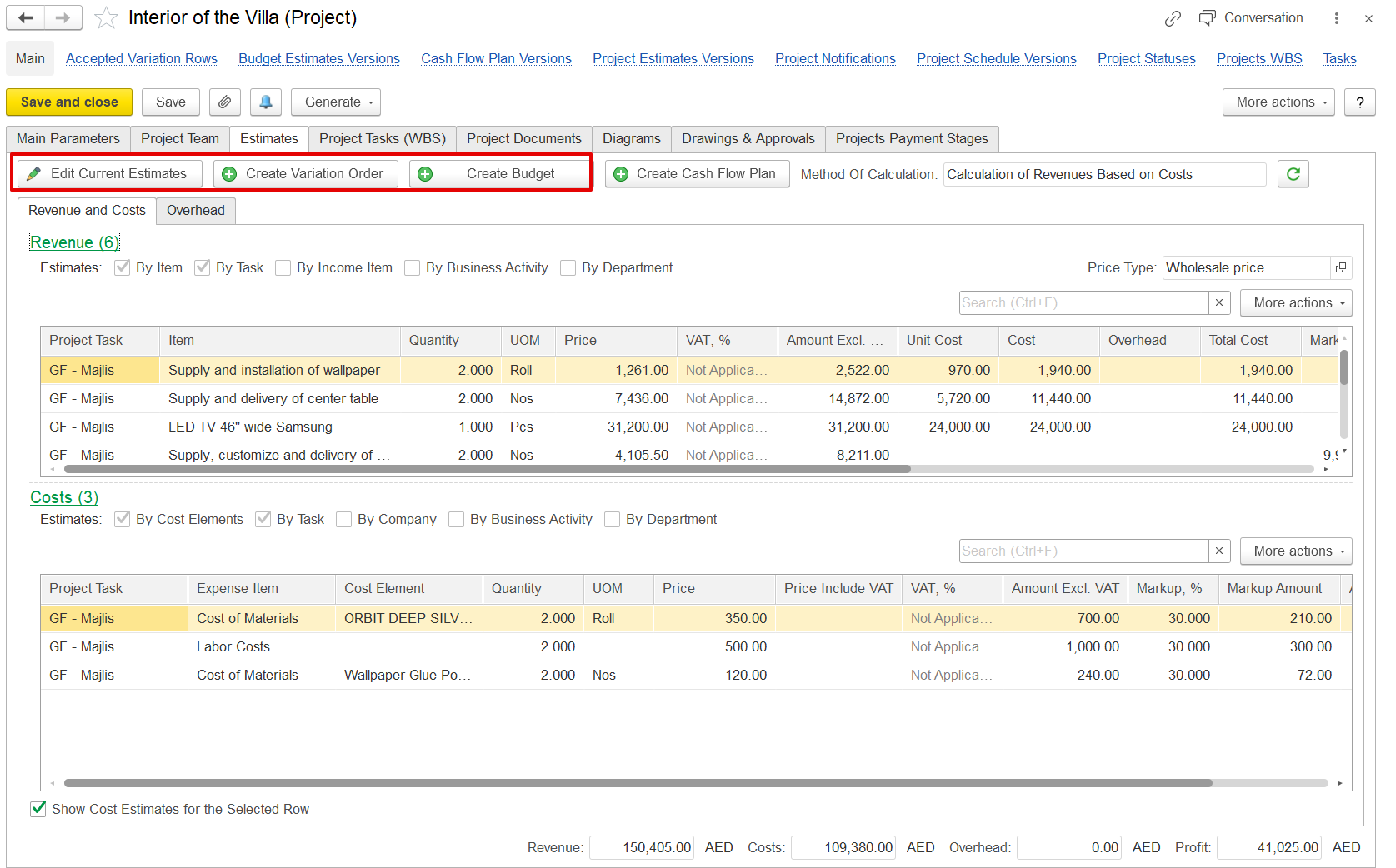
The Method of Calculation appears based on the option selected in Project Costing Settings, determining how project revenue and cost estimates are calculated and displayed.