...
The following fields are available. All details are filled automatically once a Project is selected:
Company- The The company from project for whom which the recognition is being created.
Contract- Company contract linked to revenue recognition.
Project- Project for which phased revenue recognition is applied.
Customer Order- Link the customer order.
- Entity -The entity issuing recognizing the recognitionrevenue.
Planned Expenses Source- Basis for expected costs used in calculations.
Basis- Source document from which the recognition is created (e.g., project estimate, customer order).
Comment- Field for additional notes.
...
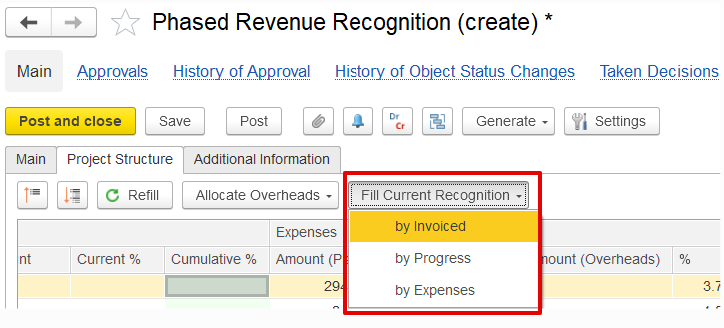
- By Invoiced- Revenue is recognized based on a percentage of the invoice value, with the pending balance calculated accordingly, so that the revenue percentage for each line aligns with the invoiced percentage.
- By Progress- Revenue is recognized according to the percentage of work completed, as reflected in progress reports. The pending revenue is calculated to ensure that the recognized revenue corresponds to the reported progress for each line.
- By Expenses- Revenue is recognized in proportion to the actual expenses incurred during the period. The pending revenue is determined by comparing incurred costs to the total estimated costs, aligning the recognition with the expense percentage.
Not Advanced Project Planning
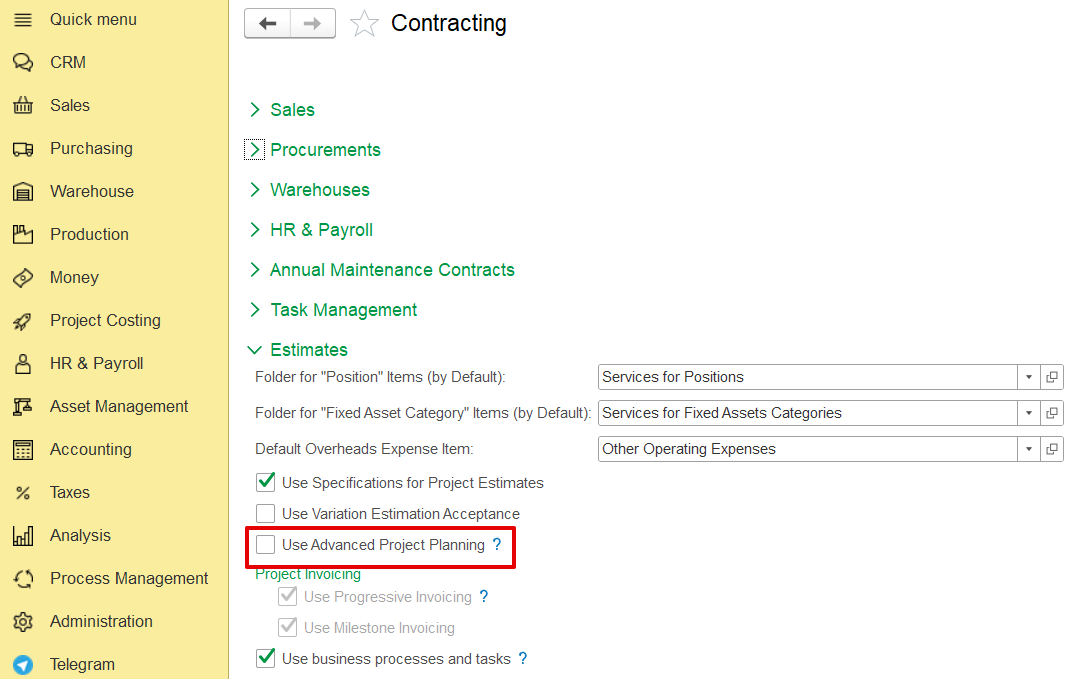
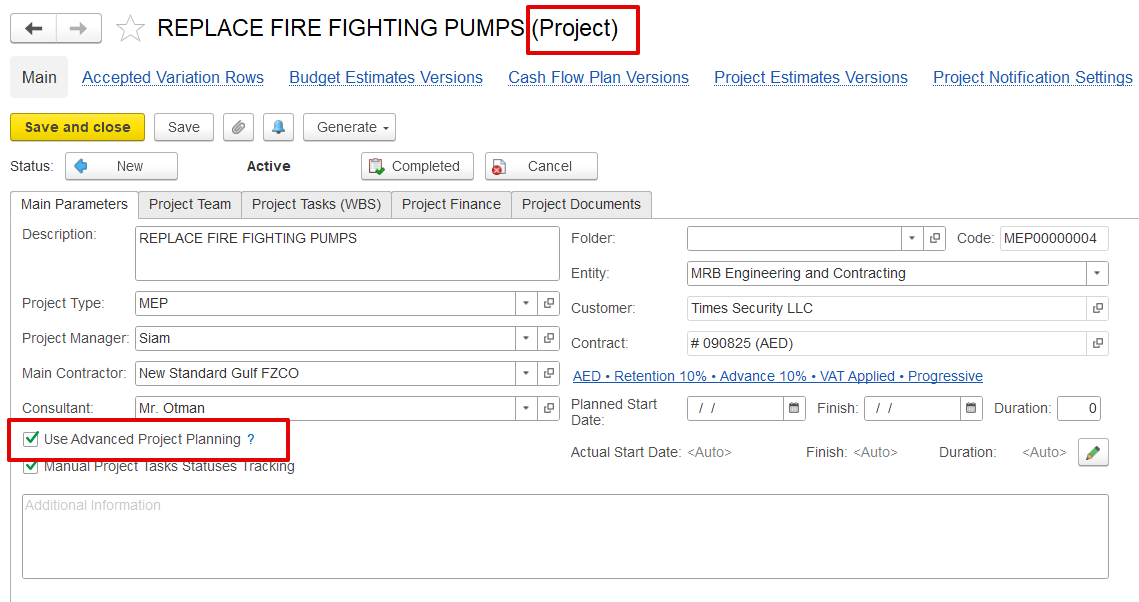
If the project is not enabled for marked as Advanced Project Planning in the production settings, the system switches to the standard Phased Revenue Recognition mode. In this mode, the project structure is not available, and revenue can be recognized using one of the following methods:
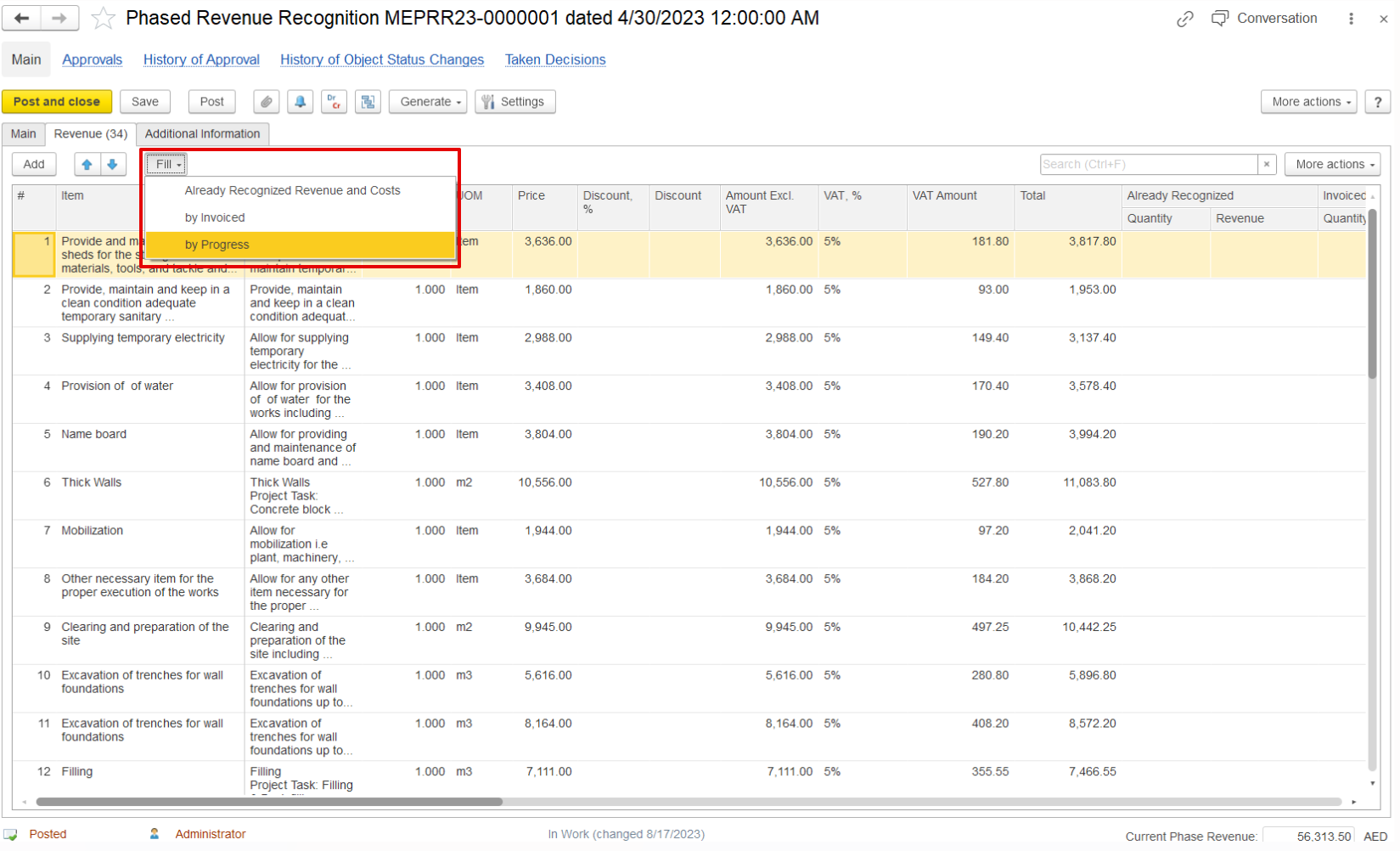
a) By Already Recognized Revenue and Cost – Revenue is determined based on amounts already recognized in previous periods, together with the corresponding costs.b) By Invoice – Revenue - Revenue is recognized according to the invoiced amounts issued for the project.
cb) By Progress – Revenue - Revenue is recognized in line with the progress achieved, as reported for the project.
 Additionally, document table can be filled By Already Recognized Revenue and Cost- this button is filling already recognized in previous periods.
Additional Information Tab
...