...
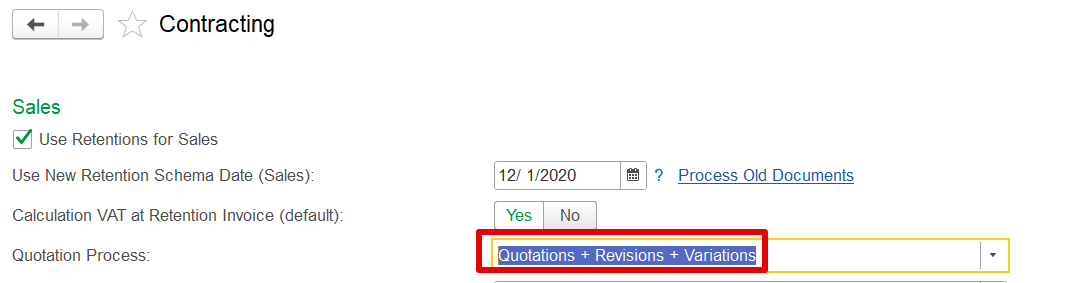
To enable this functionality, it must be configured via:
Administration → Contracting → Quotation Process
(Ensure the Quotation + Revision + Variation option is selected)
This capability is particularly helpful for handling changes that occur after project activation.
When a project reaches reaches Active status, the "Create Variation Order" button becomes available in the project estimate section. This opens the variation workflow.
...
To activate the feature, Contracting Settings → Administration Section→ Use Variation Estimation Acceptance.
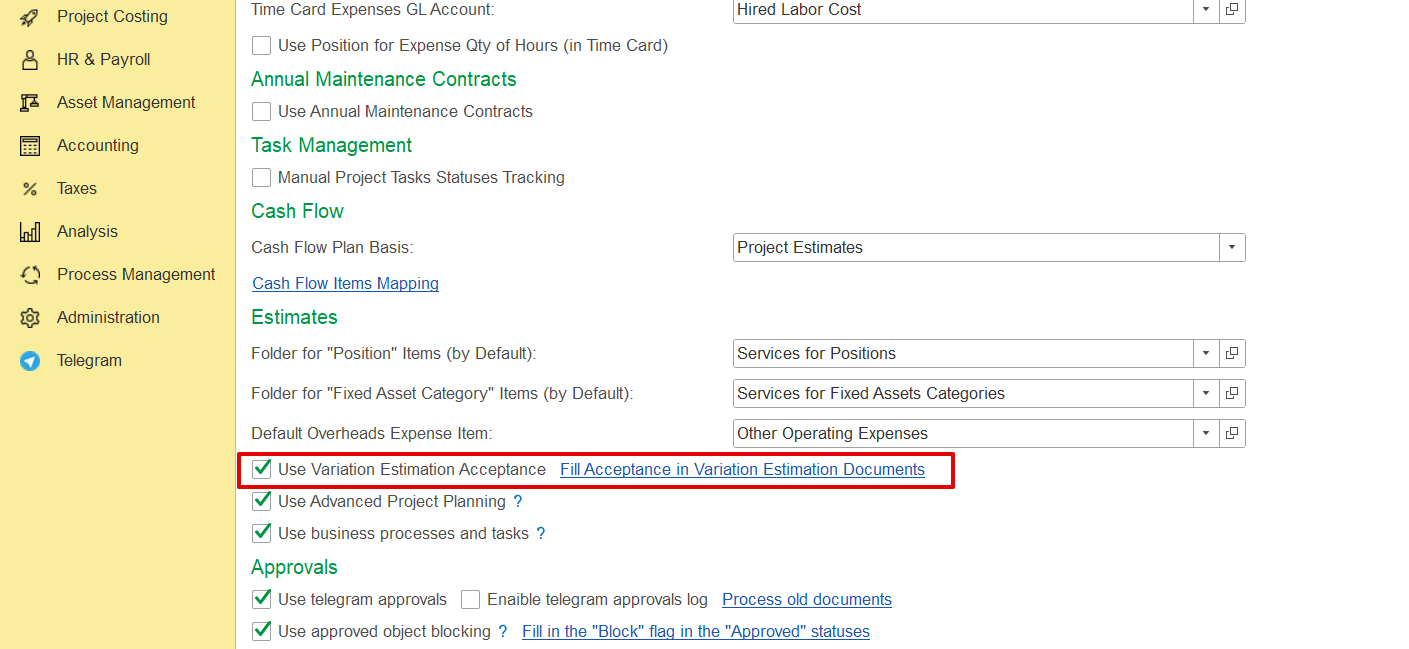
Once enabled, the system will process all project estimate documents marked as Variation and automatically update the "Accepted" column in the revenue Revenue tab for any lines added in the current or previous variation orders.
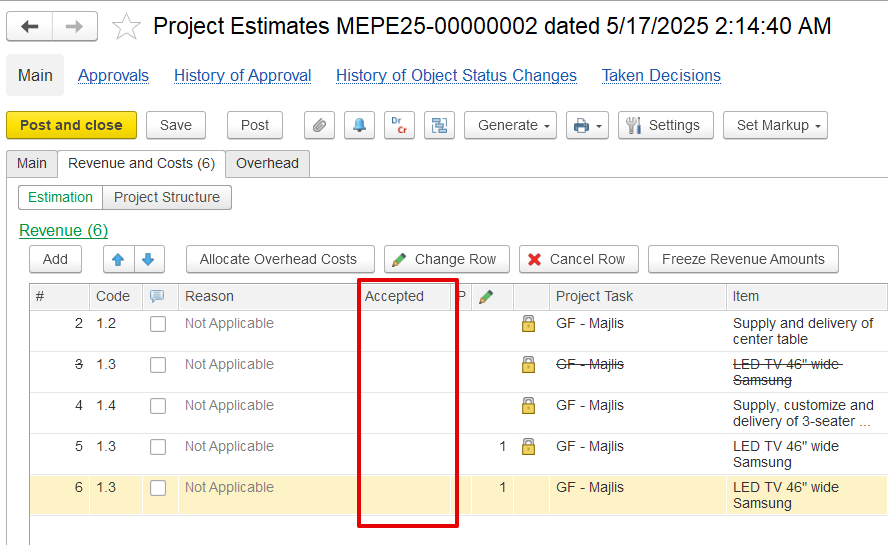
Once a variation order is posted, the changes are not considered accepted by default. A new "Accepted" column appears in the revenue section, but it remains empty until the client formally confirms the variation. Client acceptance is not a mandatory option.
...