...
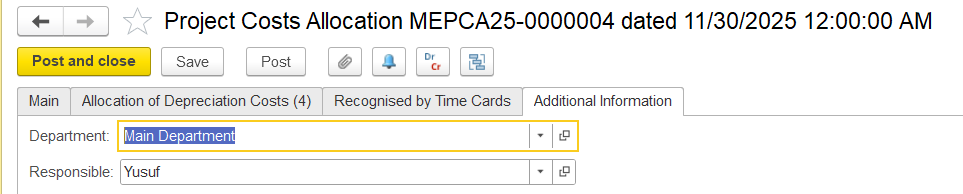
Note: This is a system-controlled setting and is not amendable cannot be amended by users.
Allocation of Depreciation cost
...
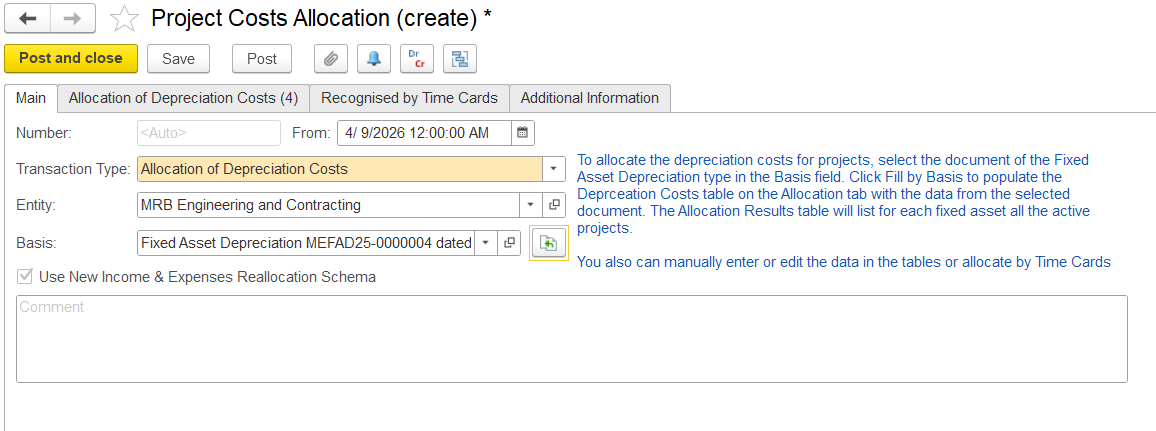
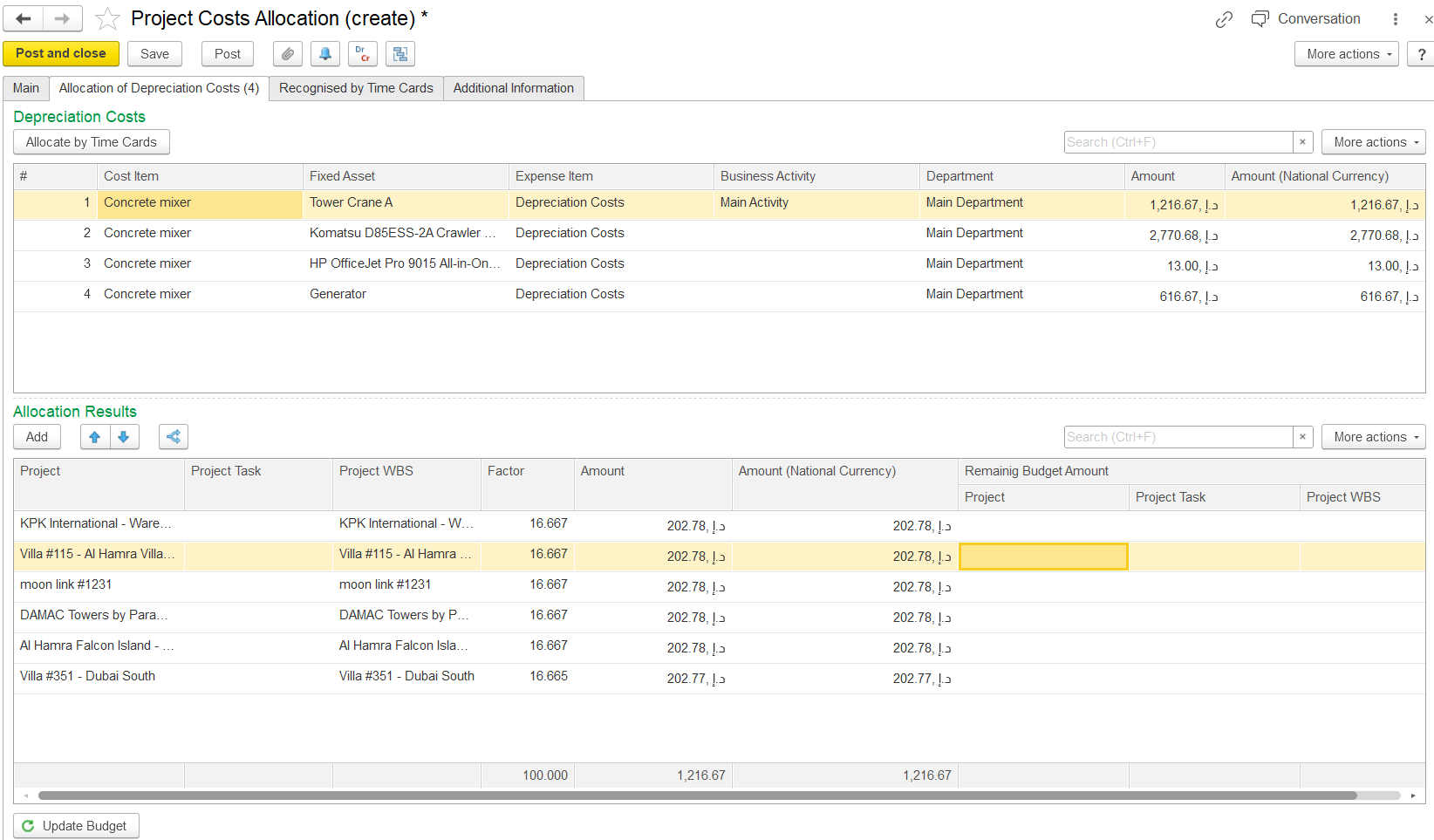
Automatically populated based on the depreciation calculation document selected on theMain tab.
- Cost Item – - The cost category being allocatedof the fixed Asset.
- Fixed Asset – - An asset that generates the depreciation expense, which is further used for allocation.
- Expense Item – - The GL expense type to which this cost belongs.
- Business Activity – - The type of business activity linked to the cost.
- Department – - Department responsible for the asset or cost
- Amount – - Depreciation value recorded in transaction currency
- Amount (National Currency) – - Depreciation value converted into the base currency, i.e., national currency.
Allocation Results
...
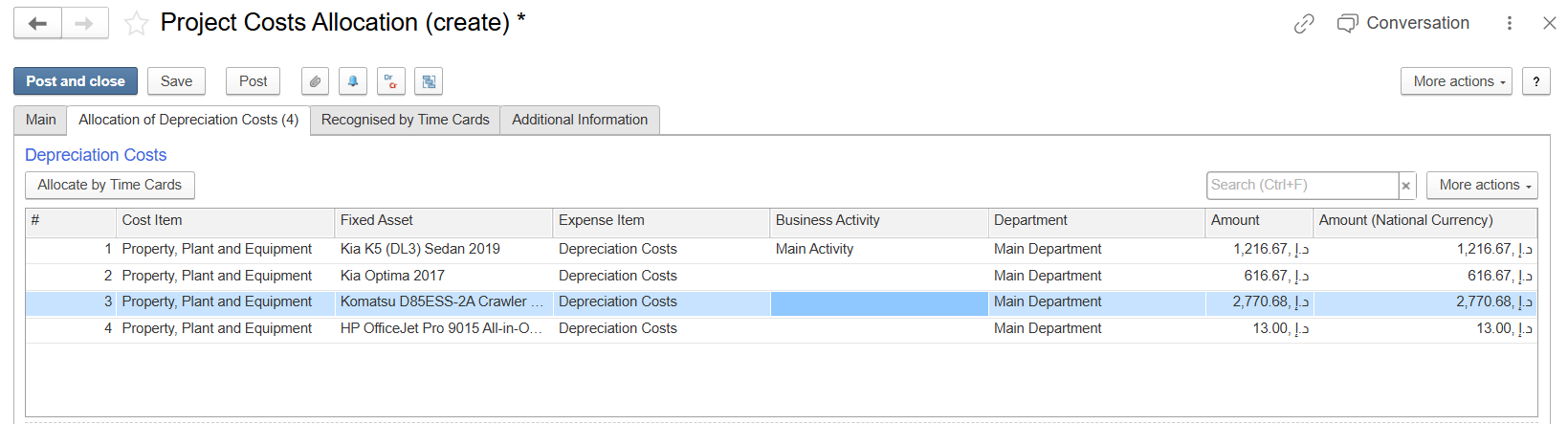
Displays the depreciation costs allocated to projects.
Once the basis is chosen and “Fill by Basis” is clicked, the system checks whether the asset is assigned to any active projects. If the asset is being used across multiple projects, its depreciation expense is distributed accordingly.
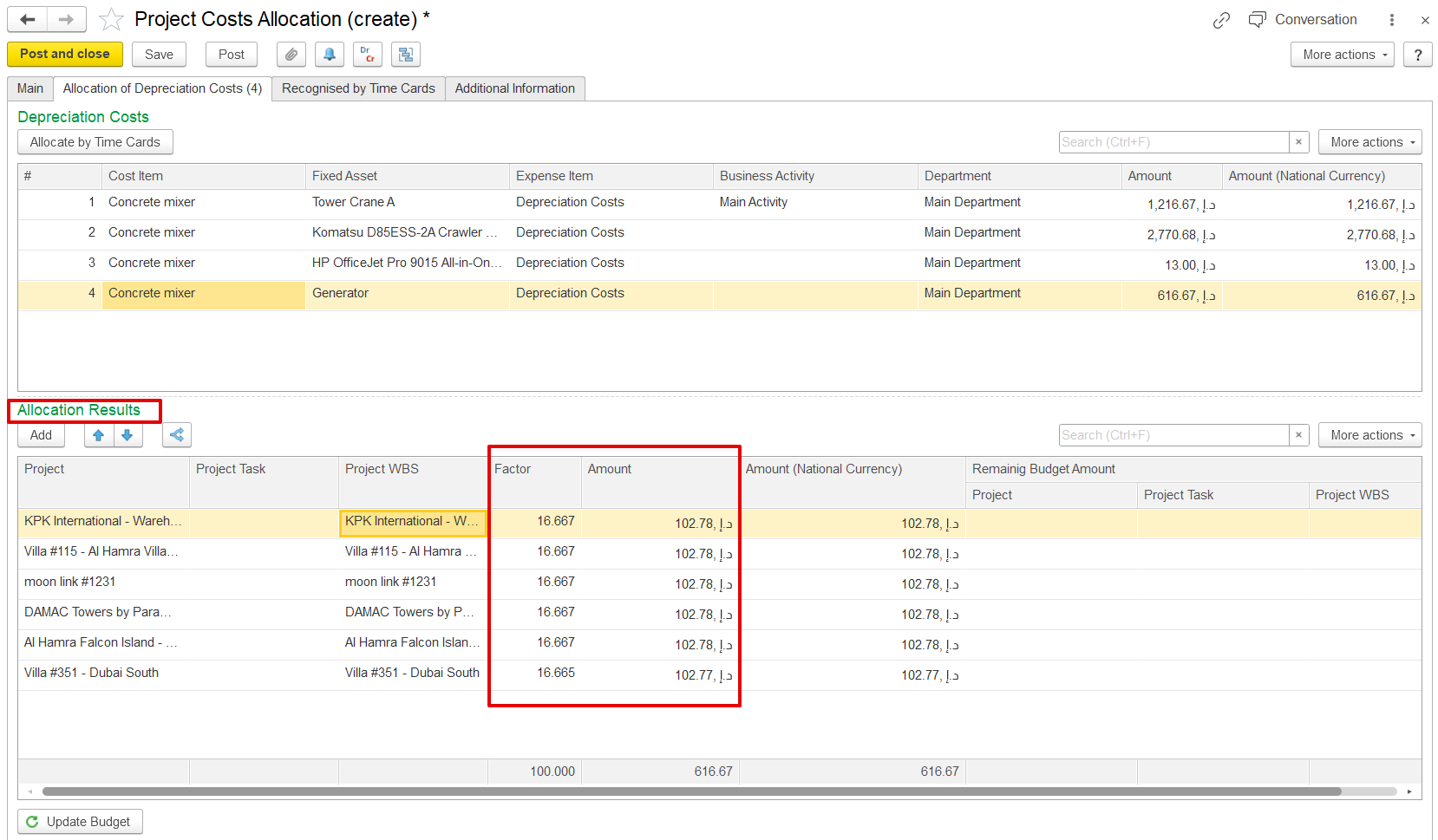
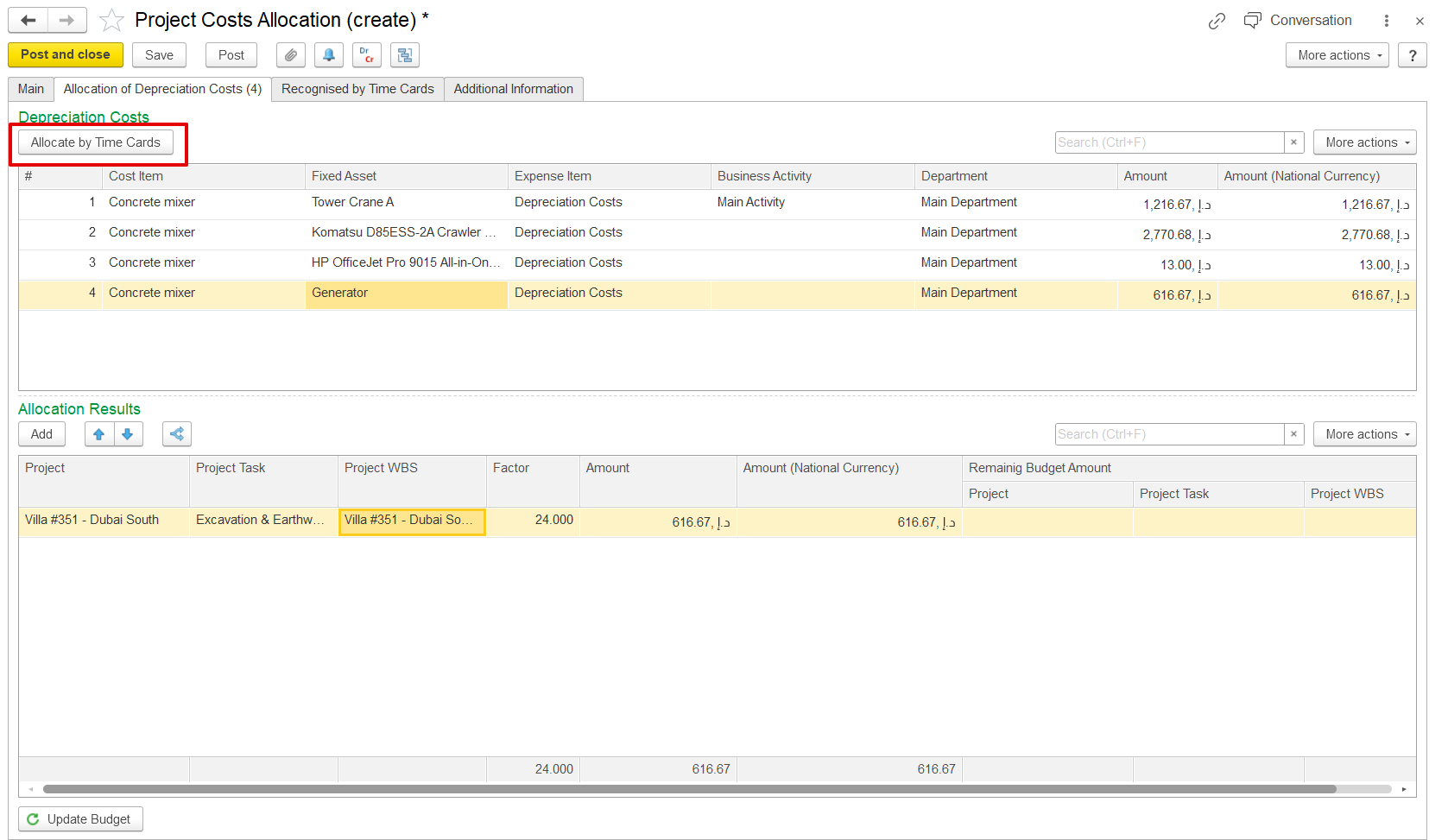
To allocate costsAlternatively, click the Allocate “Allocate by Time CardCard” button. The system will automatically distribute the depreciation costs according to based on the time card data of the fixed assetsasset, i.e., based on according to the used usage hours recorded in Time cards.
The system checks the time card dates and compares them with the Project Cost Allocation period.
the time cards. Only time cards that belong to fall within the same period are considered for allocation.
Allocate by time cards (Check how time card date and project cost allocation dates are linked).
Remaining budget amount
columns in the allocation results.
Recognized by the time card table. (used to reverse expenses accrued by time cards if they happened in the same period).
 .
.
- Project - Project receiving the allocated depreciation cost.
- Project Task - Specific task within the project where the depreciation cost is allocated.
- Project WBS - Work Breakdown Structure level used for detailed depreciation allocation.
- Factor - Percentage or weight used to distribute depreciation cost among projects.
- Amount - Depreciation cost allocated to the project in transaction currency.
- Amount (National Currency) - Allocated depreciation cost converted into the company’s base currency.
- Remaining Budget Amount -
- Project - The remaining project budget after depreciation allocation.
- Project Task - Remaining task-level budget after depreciation allocation.
- Project WBS - Remaining WBS-level budget after depreciation allocation.
Recognised by time cards
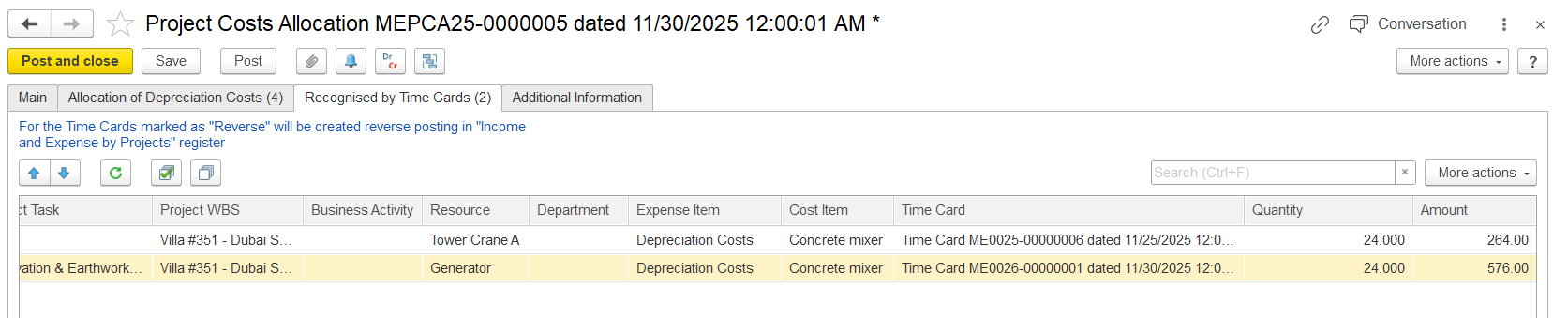
The Recognized by Time Cards tab is used to distribute and adjust fixed asset depreciation costs based on the actual time the assets were used. Data appears in this table only when time cards with the cost allocation option enabled are recorded within the same accounting period and share the same analytics, including project, department, and fixed asset.
The system can reverse previously allocated depreciation transactions and generate new allocations according to the usage hours recorded in asset time cards. This allows depreciation expenses to be allocated accurately to projects based on actual asset usage.
Only time cards entered within the selected accounting period are included in the allocation process, ensuring depreciation costs are posted to the appropriate period.
- Reverse - Checkbox showing whether the depreciation allocation entry will be reversed.
- Project / Project Task / Project WBS - Shows where the original depreciation cost was allocated.
- Business Activity - Business operation related to the depreciation cost.
- Resource - Fixed asset or equipment linked to the reversed depreciation cost.
- Expense Item / Cost Item - Defines the type and category of depreciation cost being reversed.
- Time Card - Reference to the original asset usage record.
- Quantity / Amount - Usage hours and depreciation cost amount being reversed from the project ledger.

Additional Information tab
On this tab, users can enter optional details for the document, such as the department and the person responsible for the allocation. No fields are mandatory.