...
Track individual task progress.
Update overall project progress by accumulating detailed To-Do task updates.
Provide clear accountability per team member.
Enable automated calculation of Work Breakdown Structure (WBS) line progress based on completed To-Do items.
Administration → Contracting → Use business processes and tasks
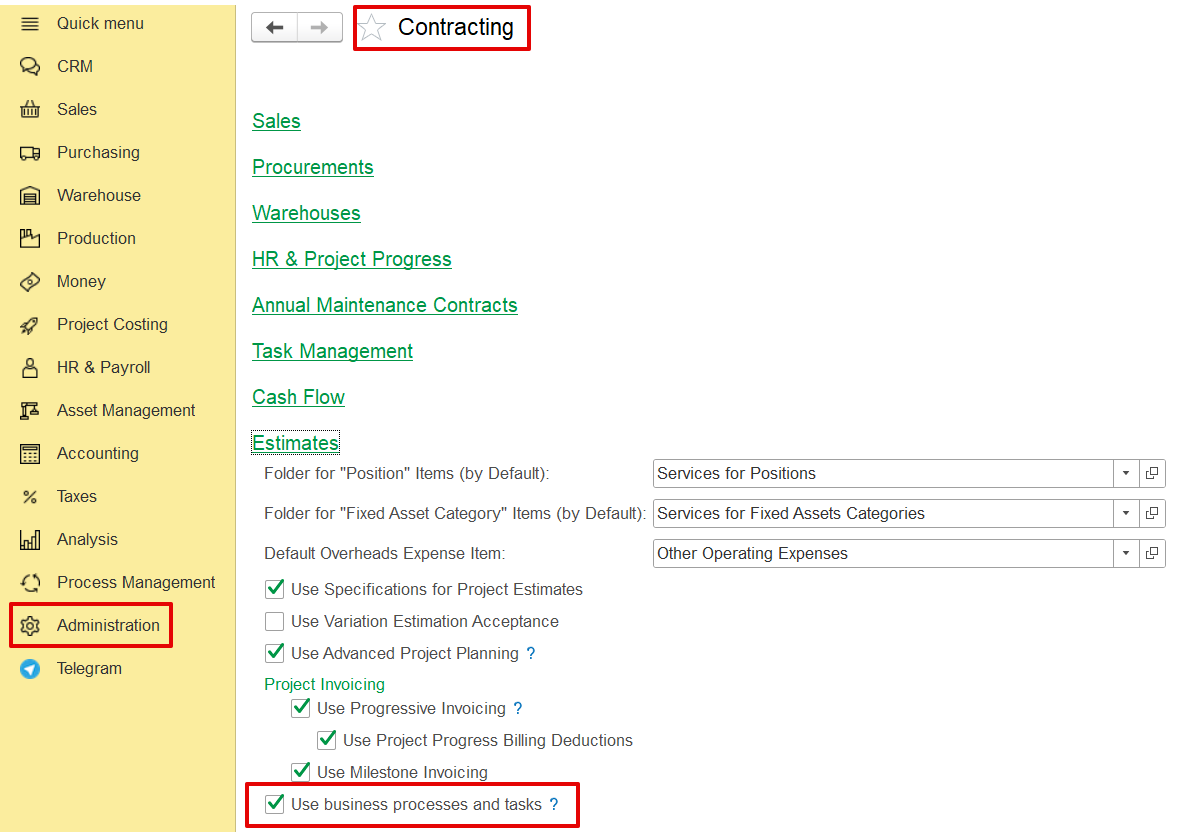
The feature is included within the Project Scheduling and Project Progress modules.
How to use the functionality
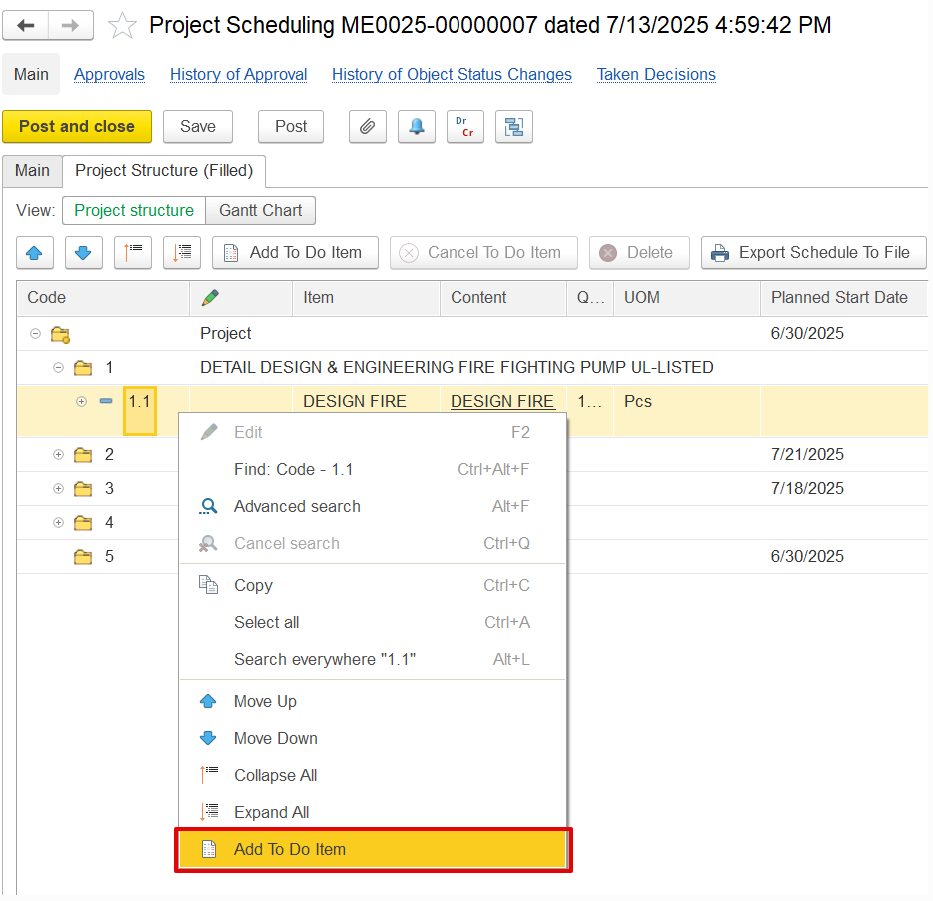
Project Schedule → right-click BOQ line → Create To-Do Item.
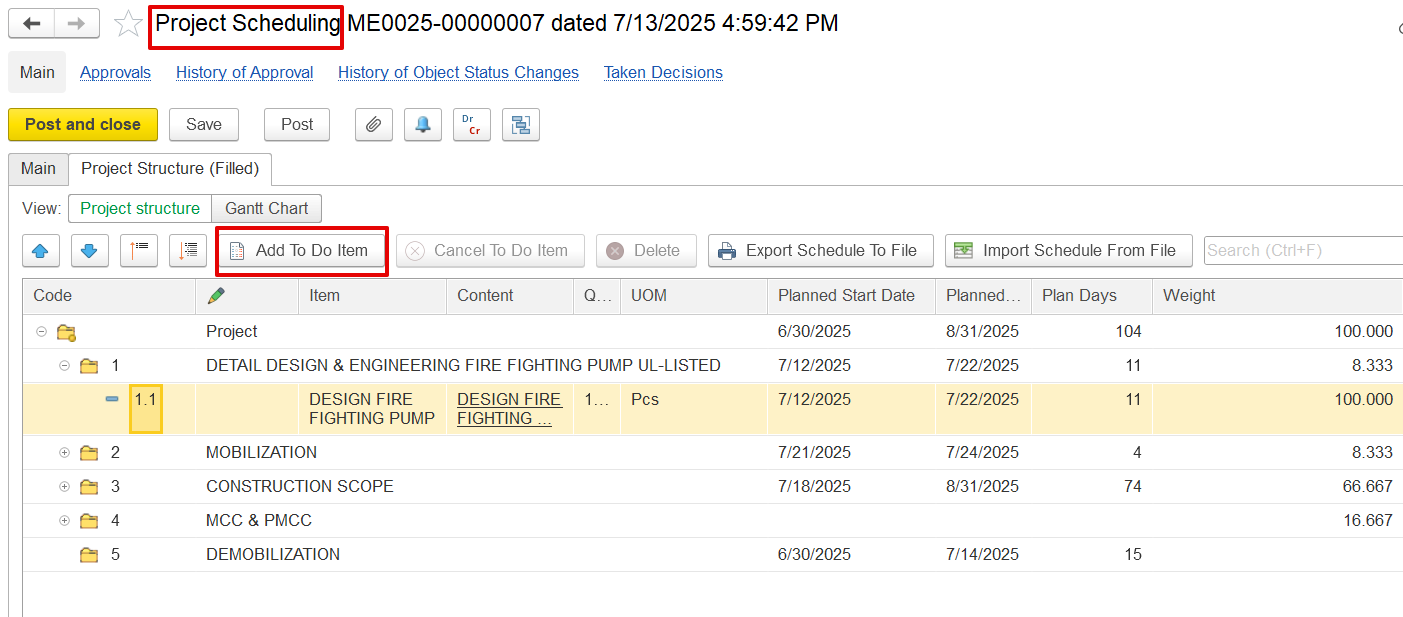
Or create directly from the My To-Do List screen of Project scheduling.
In the To-Do List, fill in the following fields:
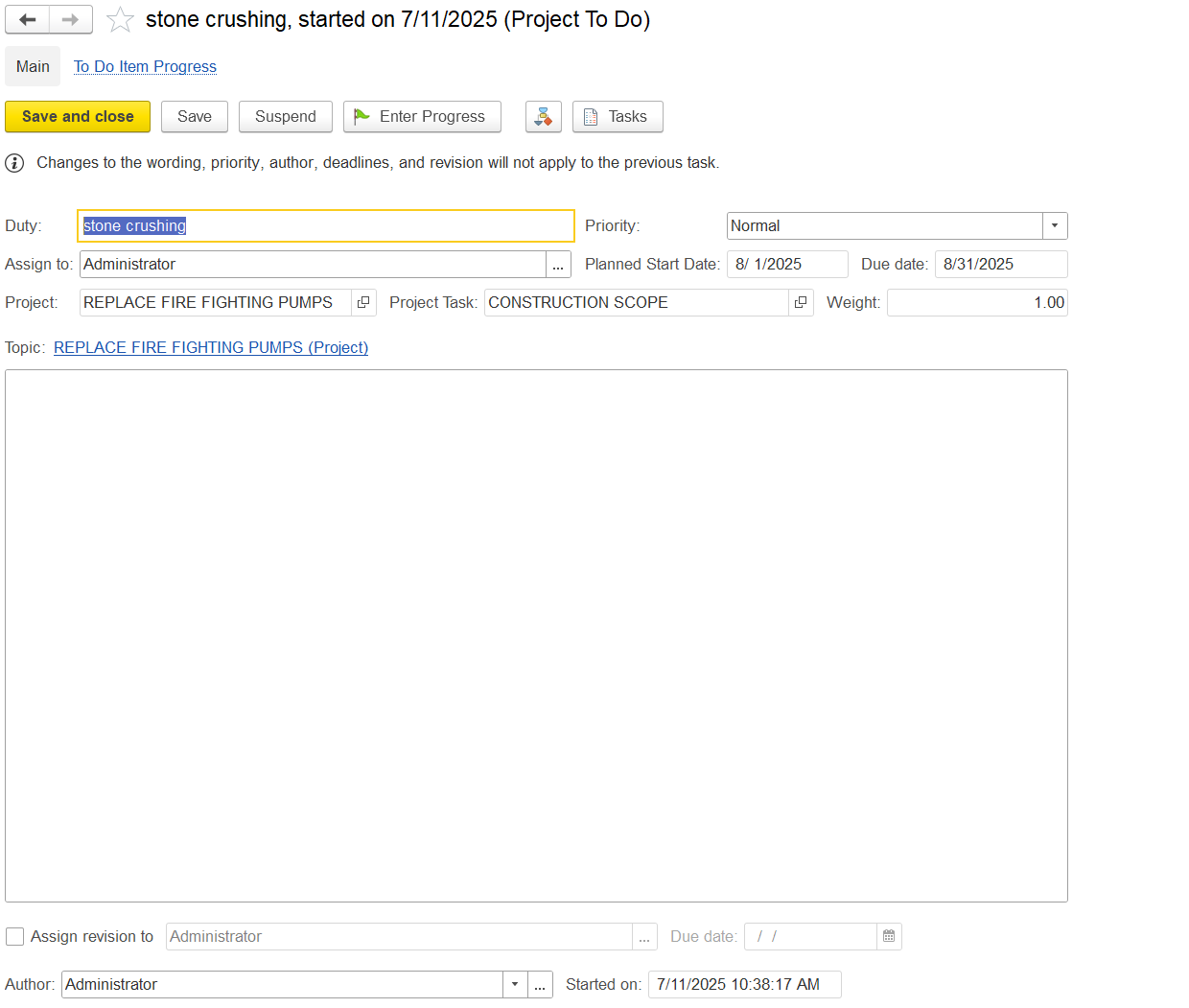
Duty: Defines the task name.
Assign to: Specifies the responsible user.
Due Date: Sets the task deadline.
Project / Project Task: Links the task to its relevant project and subtask.
Weight: Indicates task importance in progress calculation.
Priority: Defines the urgency level.
Control Buttons: Includes options to start, save, close, or update progress.
Enter Progress: Records progress against the task.
Assign Revision: Delegates responsibility for updates.
Author and Timestamps: Logs who created the task and when.
Once all details are filled, post the document.
Once all task details are filled in, post the To-Do item by clicking “Save” or “Save and Close.”
For details on creating a to-do list, see 3.3.2.Project Scheduling
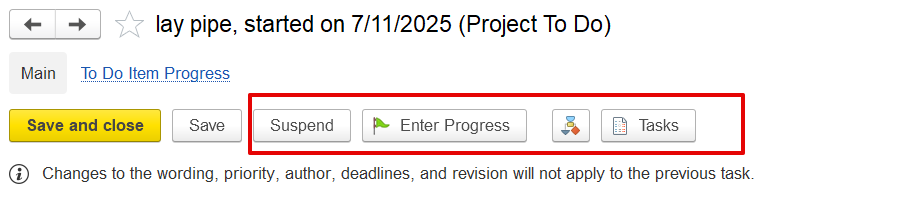
Suspend: Temporarily pauses the task.
Enter Progress: Opens a dialog box to record or update the task’s completion percentage.
Tasks: Opens related tasks or subtasks linked to this To-Do item.
How to record the progress
1. Record Progress in To-Do Item
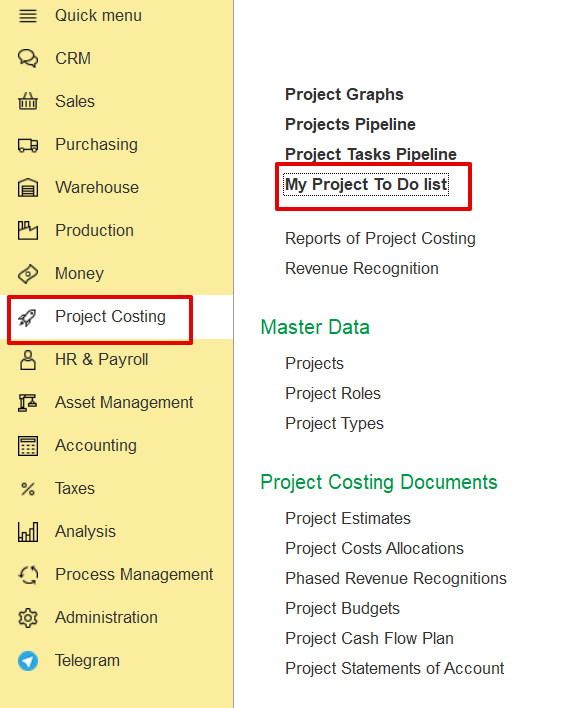
Open My Project To-Do Listdo items from Project Costing.
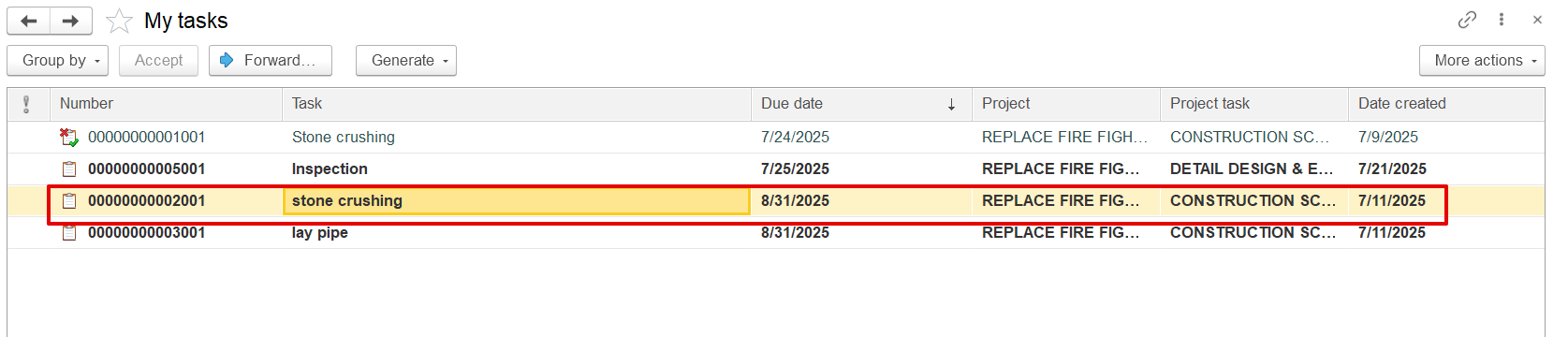
Click Enter Progress, input the current progress (e.g., 15%10%), and save. The update is recorded with a timestamp in the progress history.
...
2. Update Project Progress from To-Do Items
Open the Project Progress Report, select the period and project, and click "Update Progress by To-Do Items". This functionality works within the Project Progress Report when “By To Do Items” mode is selected. The system retrieves the latest progress from the To-Do list do items and applies it to the BOQ line. The user can also manually adjust the percentage (e.g., from 50% to 70%).
Each To Do Item is assigned a weight (%) that represents its contribution to the total BOQ line progress. The system multiplies the To Do Item's progress (%) by its weight (%) to calculate its impact on the BOQ line. The total BOQ line progress is the sum of all weighted To Do Item progresses
If progress is recorded this way, it appears in the To-Do Item progress history as "Recorded by Project Progress Document."
...