section errors in MEC
This feature is available if the Enable Deferred Expenses option is selected in Administration > Settings > General Settings.
...
The Closing the Month document may display a warning when calculating current expenses for deferrals .- "Failed to post Expense Recognition"
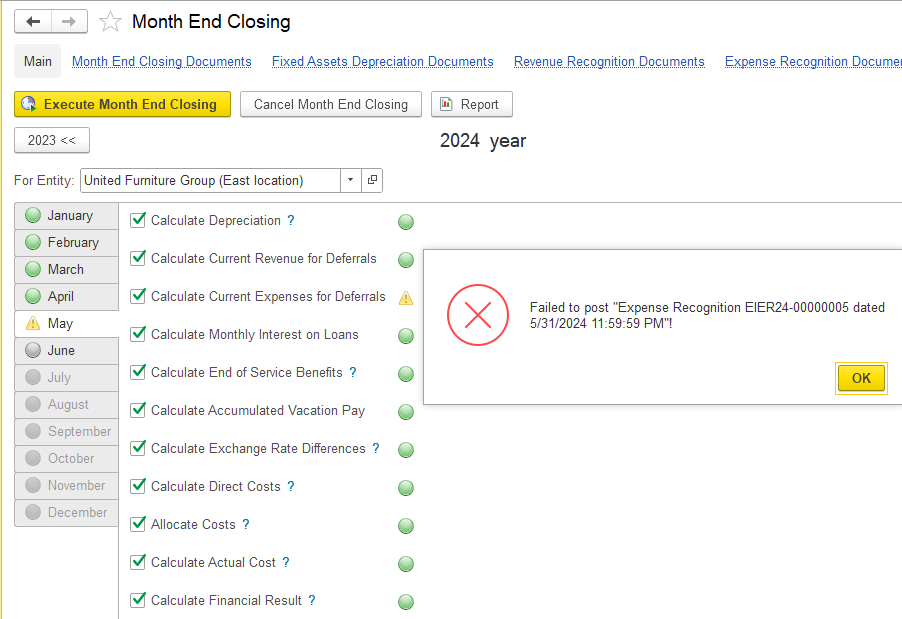
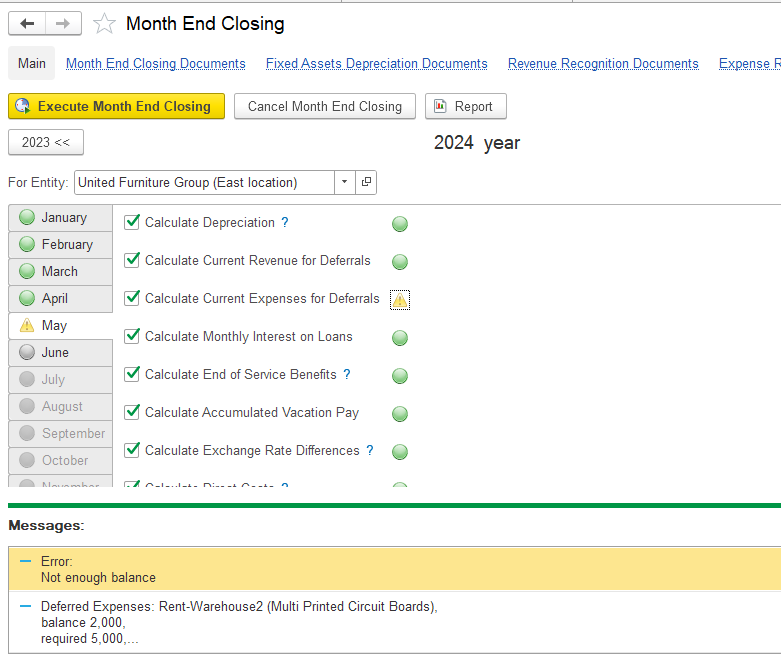
The details of the error will be available at the bottom of the page. For example, there is not enough balance. Looks like the deferral expense should be AED 5,000 but instead only 2,000 is available.
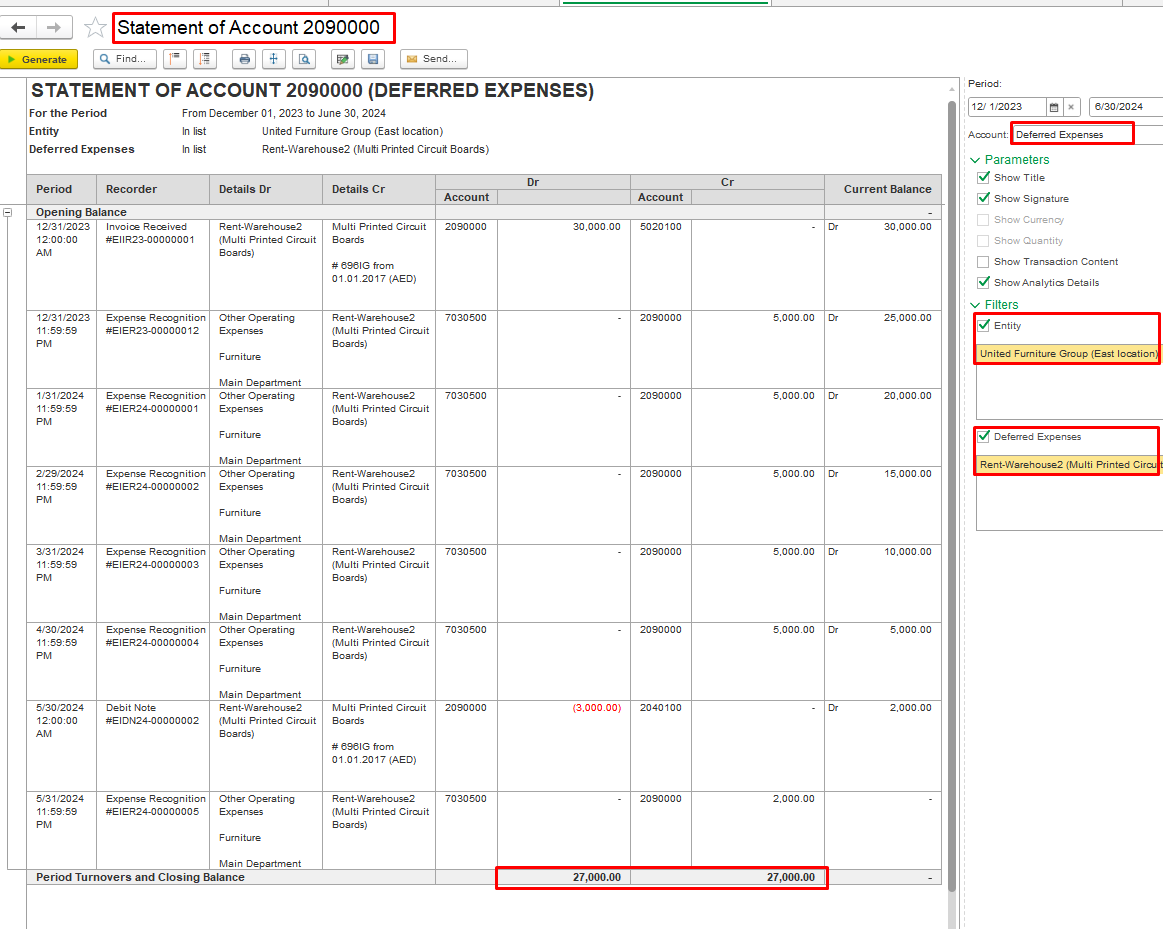
1. Open the statement of account from the Accounting reports, select account 2090000 (Deferred Expenses) using the Account filter, and then filter the report by entity and Deferred Expenses.
...
Verify your steps by generating the statement of account for card 2090000 (Deferred Expenses).
2. Open Open Accounting - Expense recognition documents:
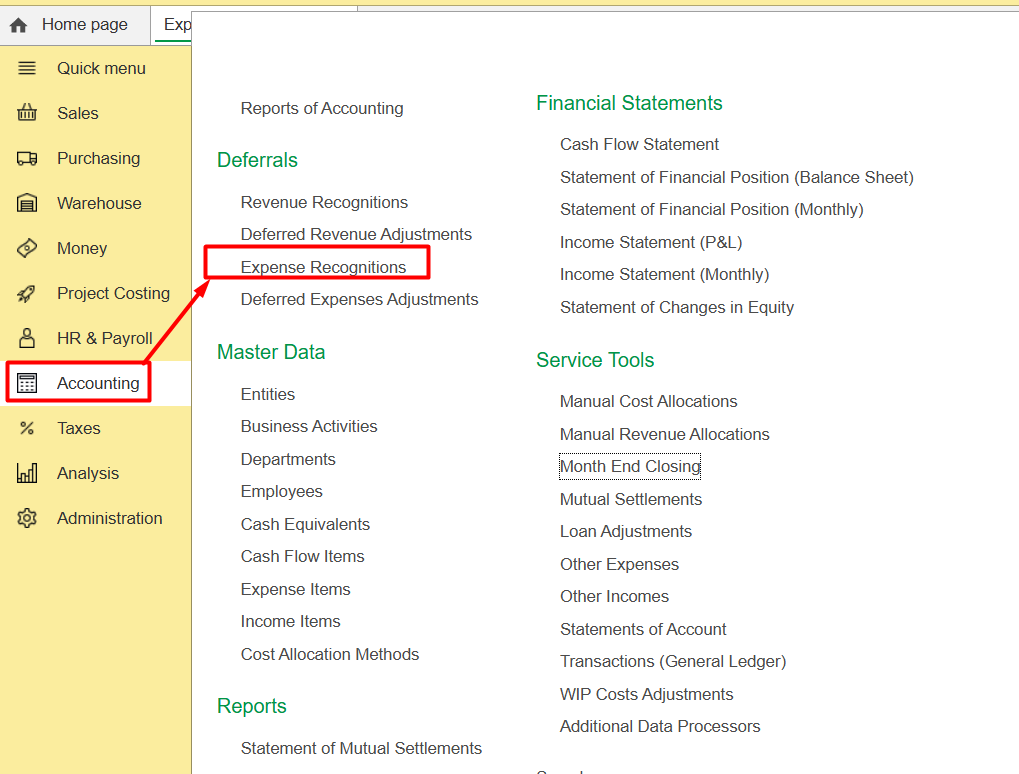
And check, are there any Expense recognition document, by date later than the closing period with an error.
For example, error in January 2025, Expense recognition document from June 2025:
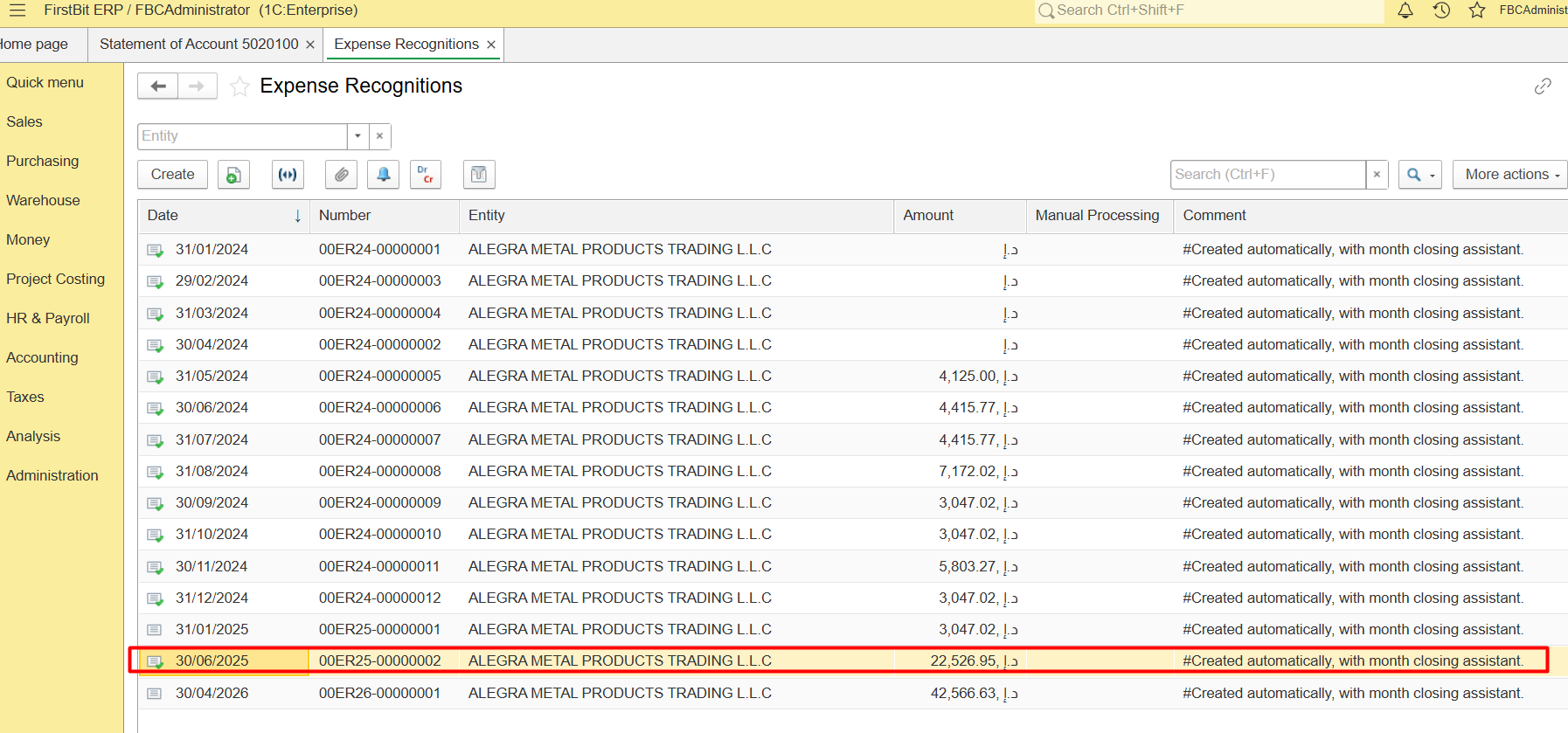
The Expense Recognition document should be processed in the correct sequence because it relies on data generated by previous transactions.
So, click right mouse button and cancel posting that later documents:
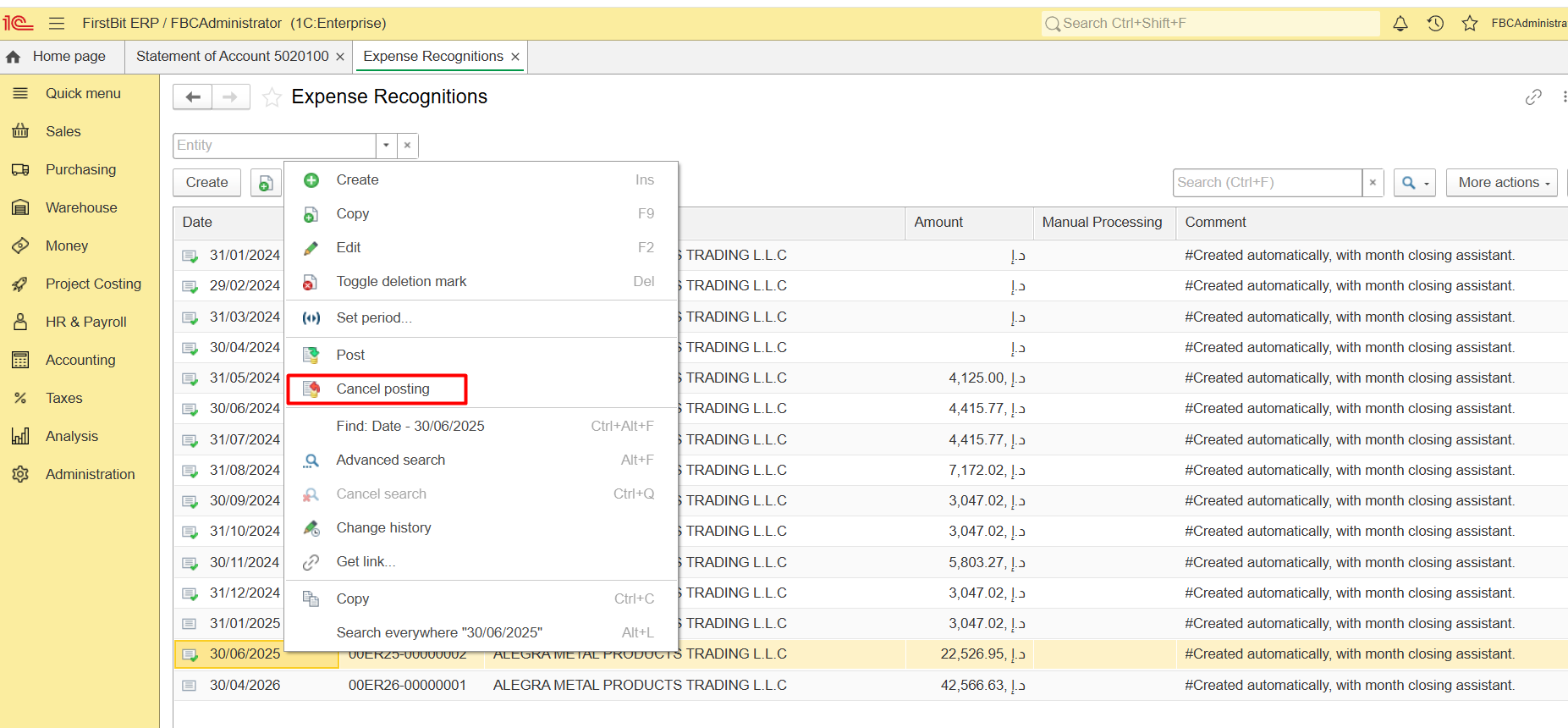
After it, re-execute Month-end-closing.
Thanks for being a First Bit Customer! #Month-End Closing#current expenses for Deferrals#Error correction