If it is impossible to post a Project Cost Allocation document or find
...
discrepancy in cost allocation, please
...
check the settings according to the list:
1. Missing
...
factors used
...
- "The Factor is required on the line of the Projects allocation list " error
When cost allocation is executed according to proportion proportional coefficients on direct expenses or project revenue, some projects might have missing or even negative coefficients factors. It is due to absent or negative direct costs or revenure amount revenue amounts related to the particular projects.
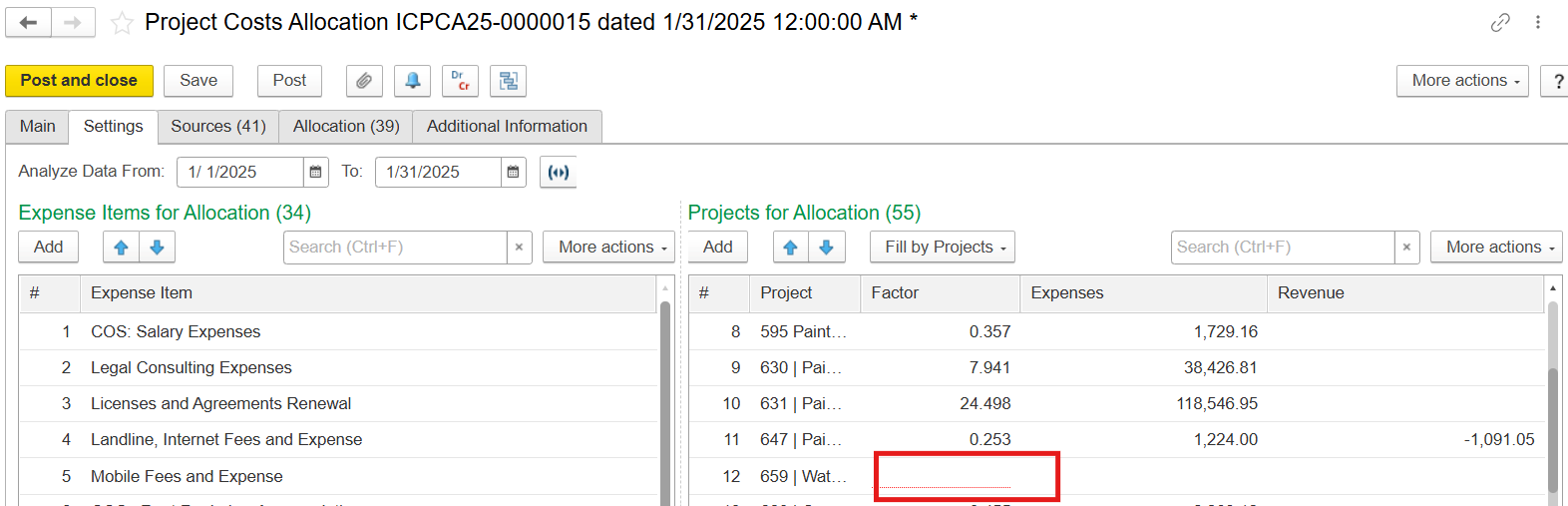
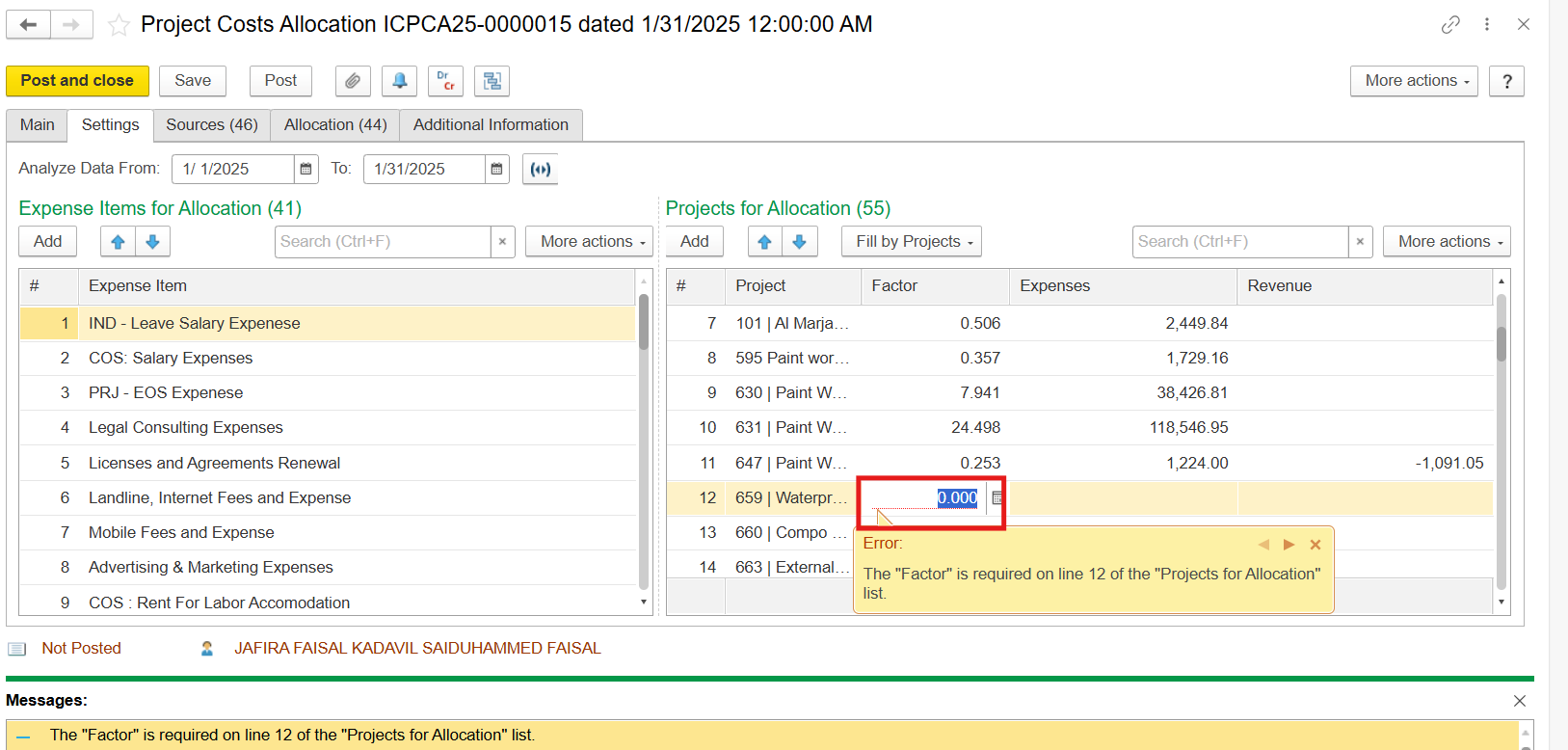
Solution: Remove lines with absent factors.
2. Expense amount is too
...
small - "The Amount is required on the Costs list" error
When the total amount of expenses is insignificant and costs are distributed among various projects, the allocated cost is reduced to zero.
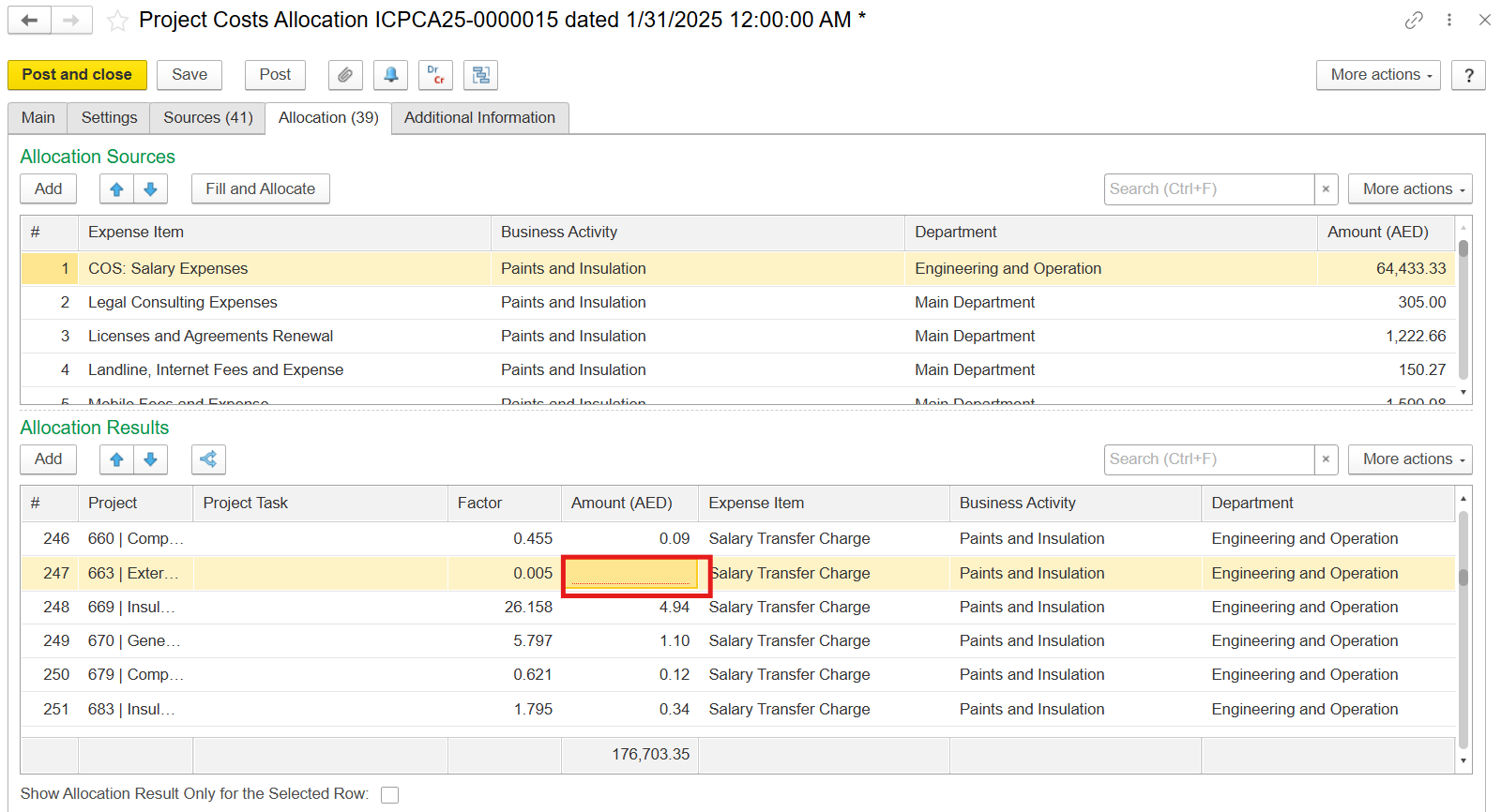
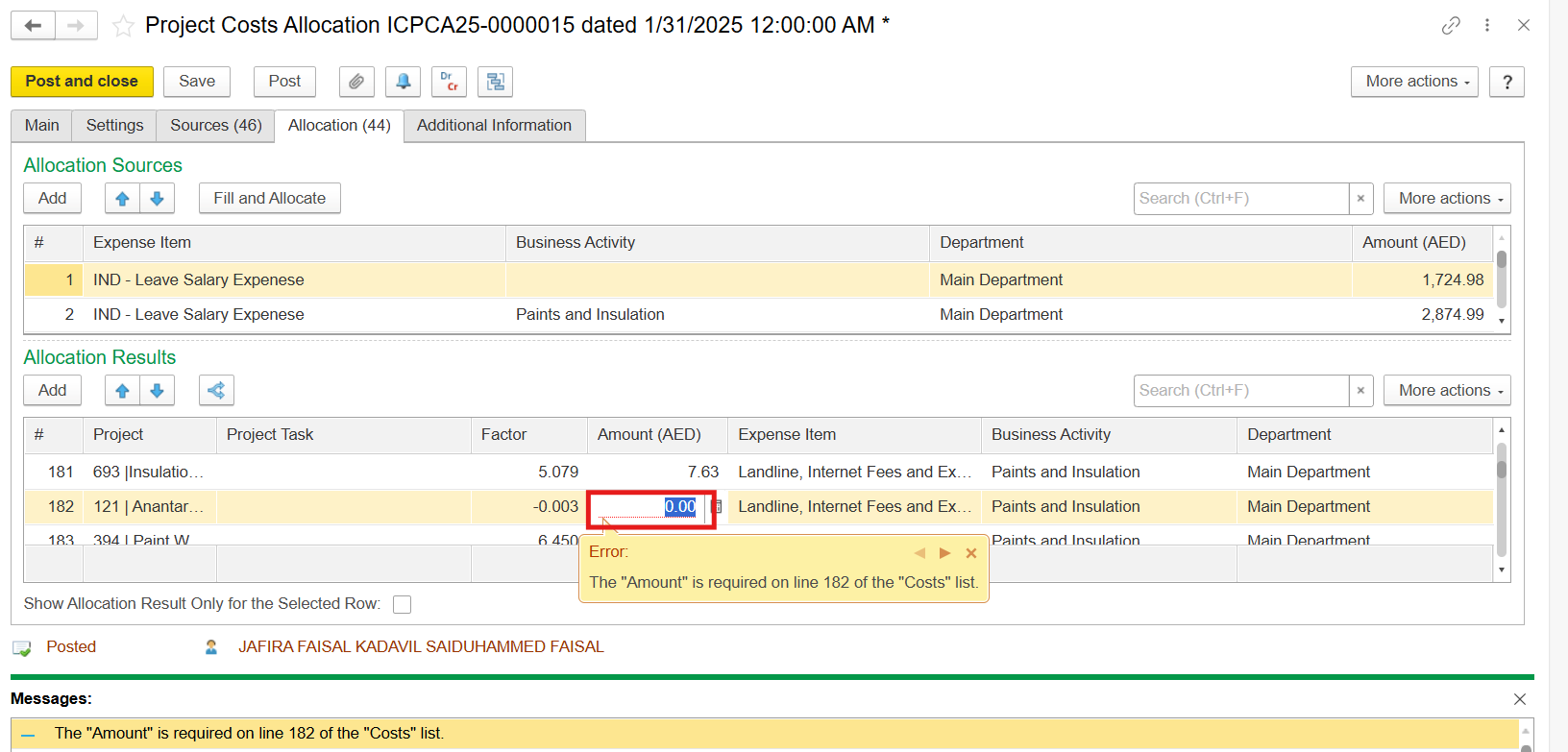
Solution: Delete lines
...
with missing cost amounts
...
.
3. Allocated costs are not equal to the expenses of the Sources tab due to manual or wrong
...
allocation
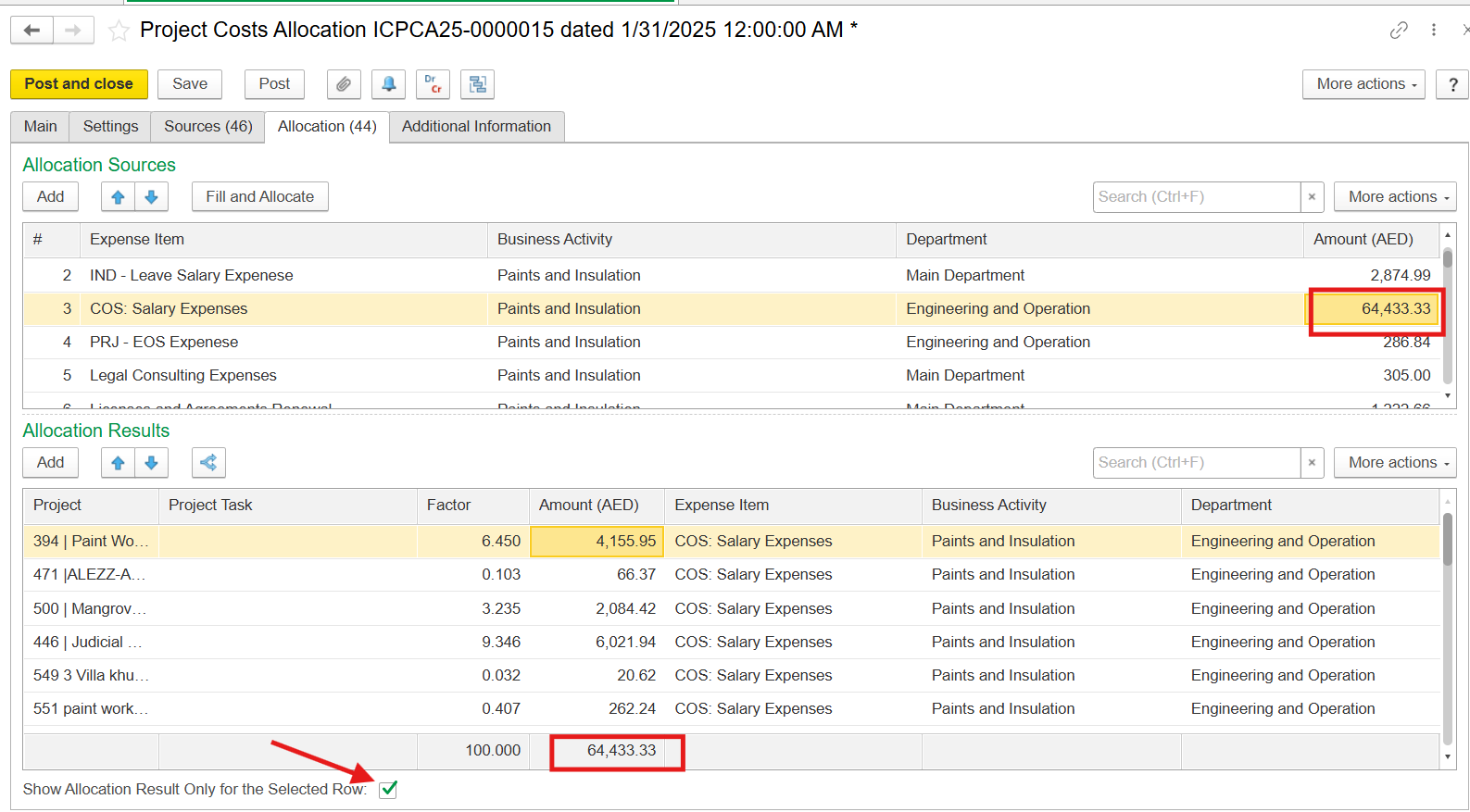
The allocated amount must be equal to the Sources tab. You might need to uncheck the box Show Allocation Results Only for the Selected Row in order to see the discripancy.
3.1 The amount is doubled up
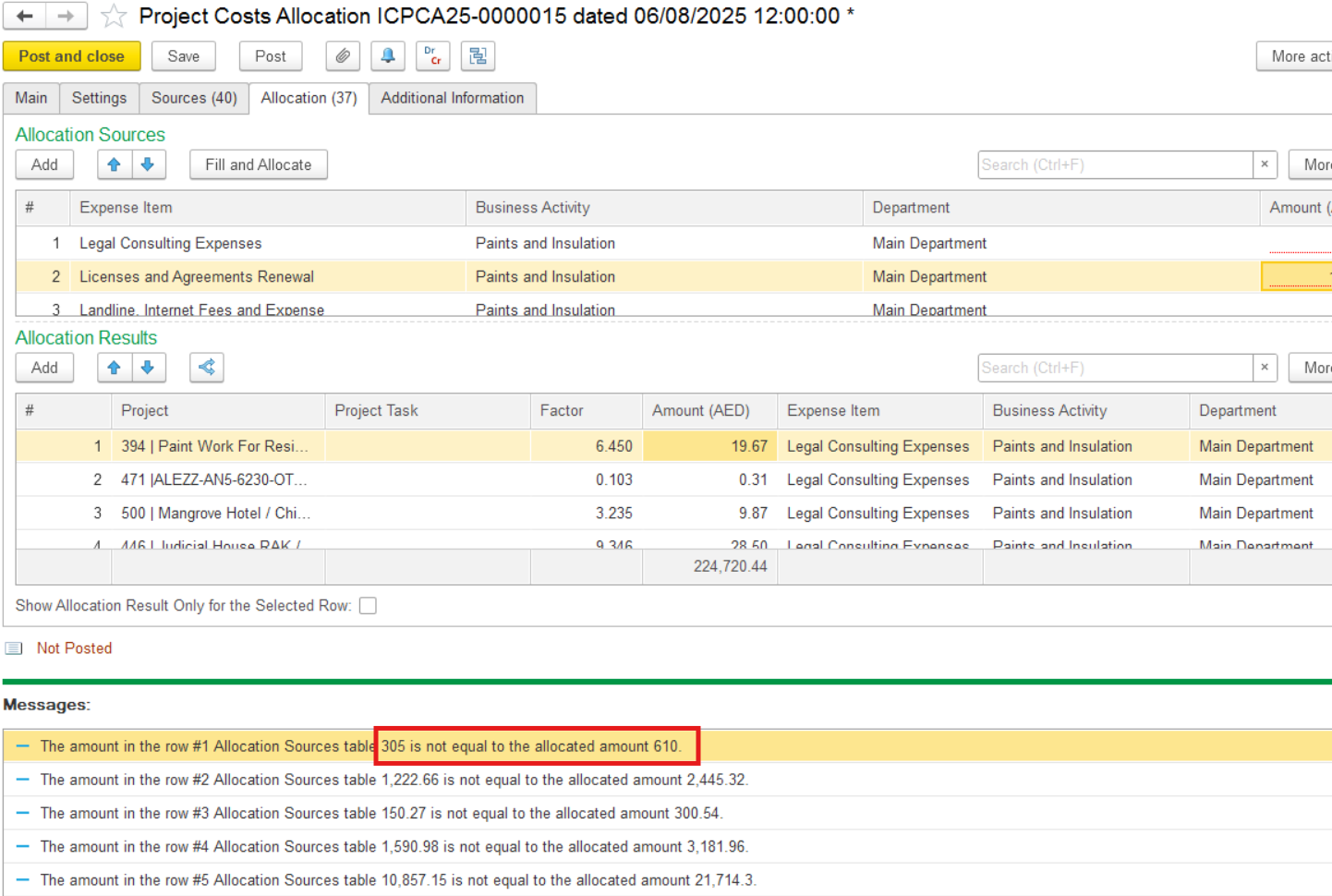
Solution: Remove
...
the lines with <Not related to projects>.
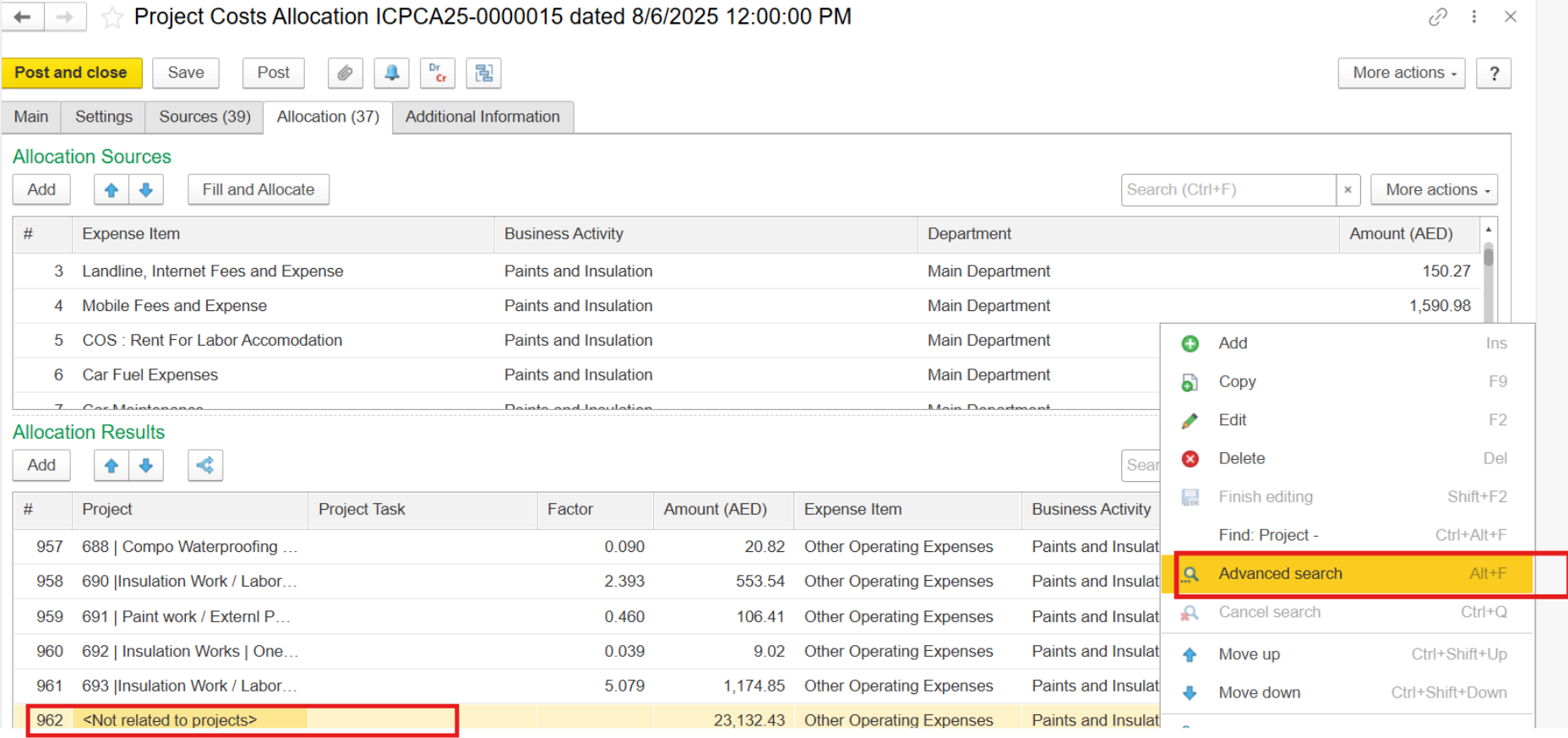
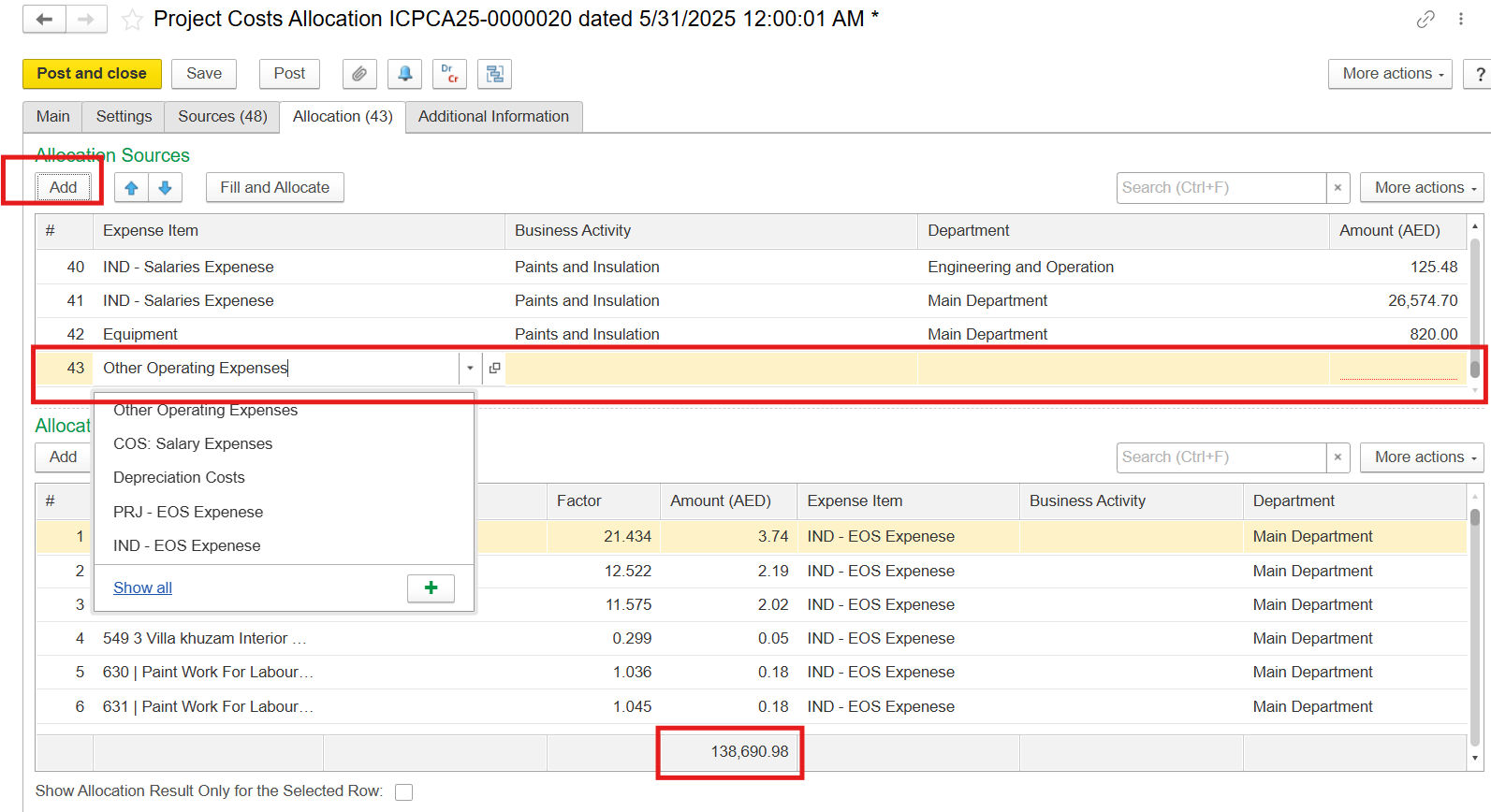
3.2. Manual allocation took place.
...
You might need to check the box Show Allocation Results
...
Only for the Selected Row in order to see the discripancy.
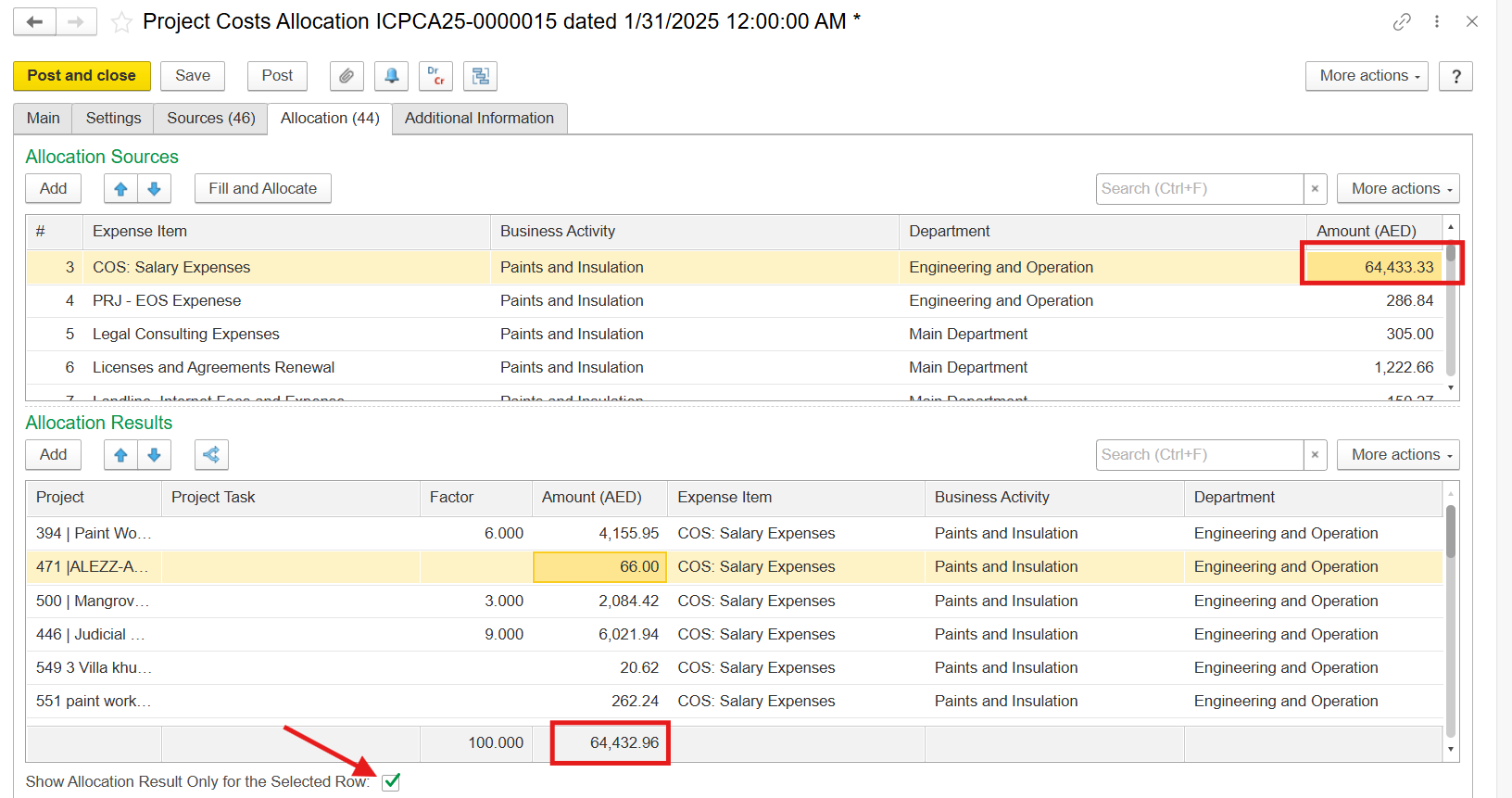
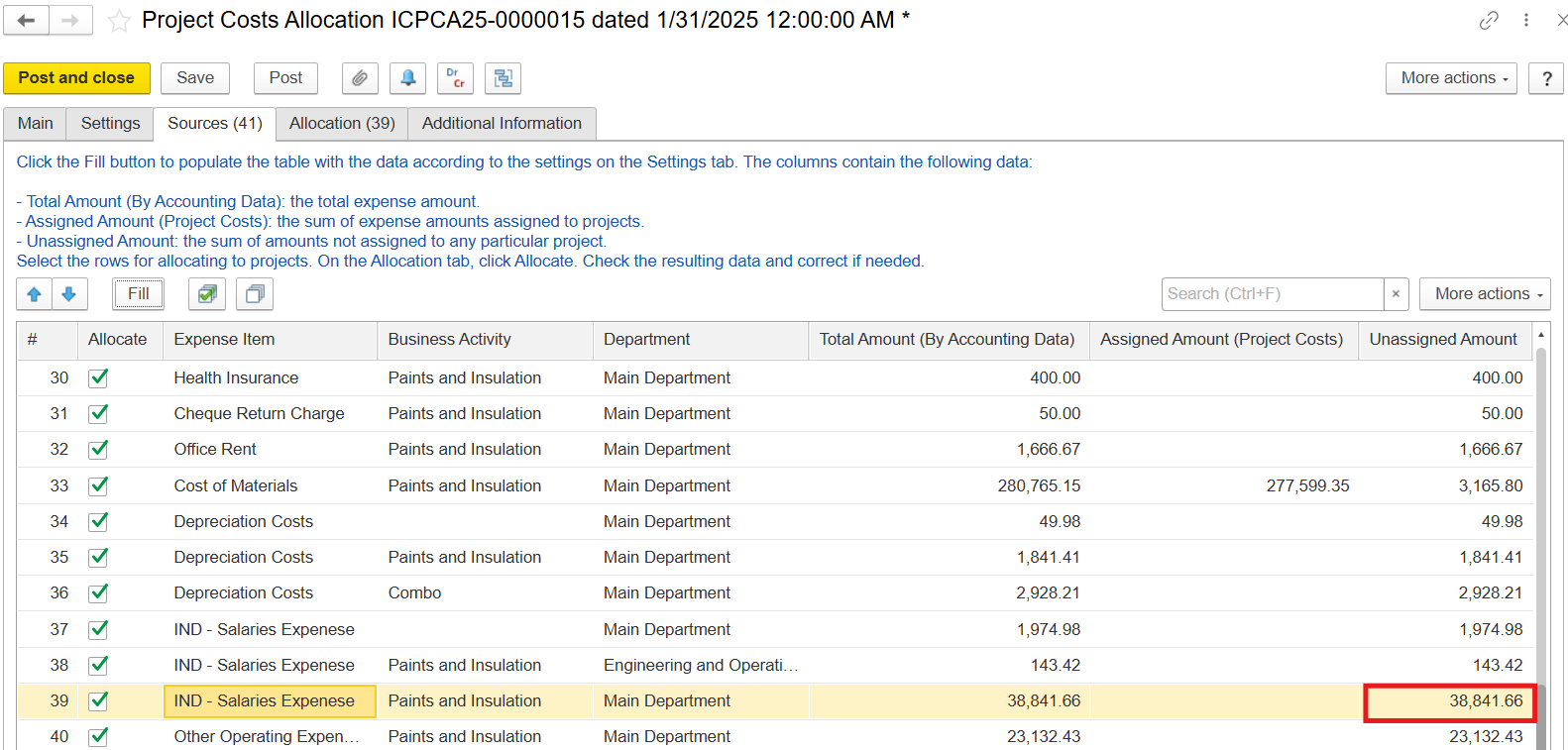
Solution: Make sure that the amount on the Sources tab, the Allocation Sources, and the sum of Allocation Results are equal.
...
...
If you cannot find the source of discrepancy in the allocation Results section, you might need to allocate costs again by pressing Fill and Allocate
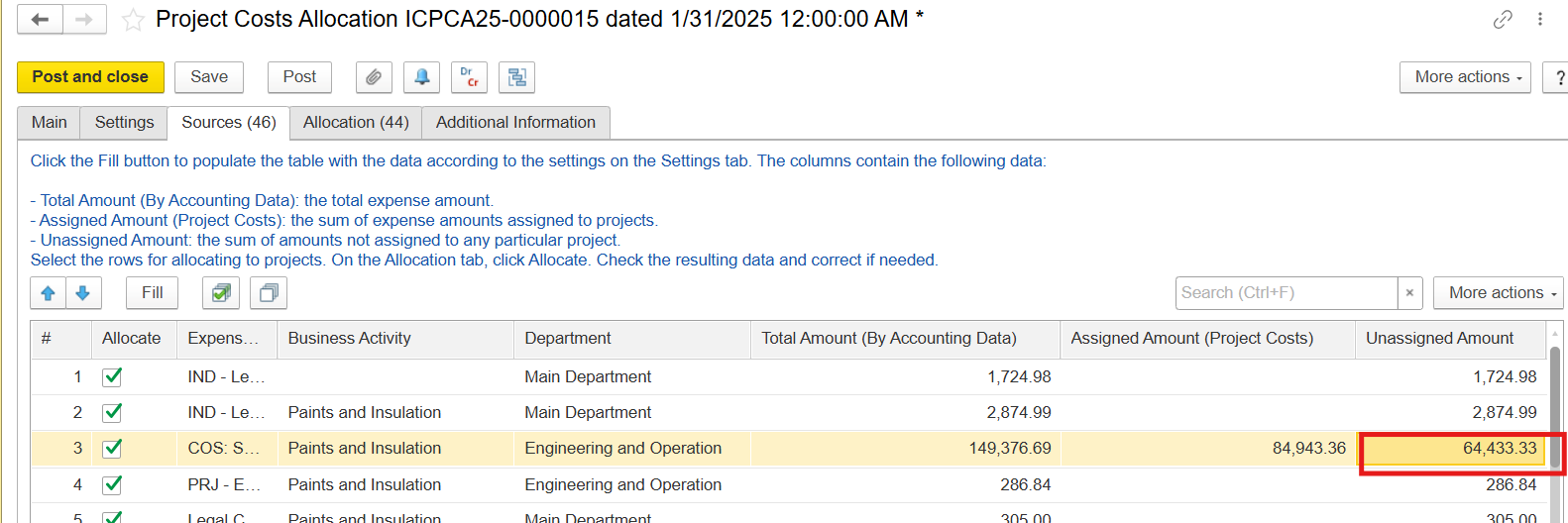
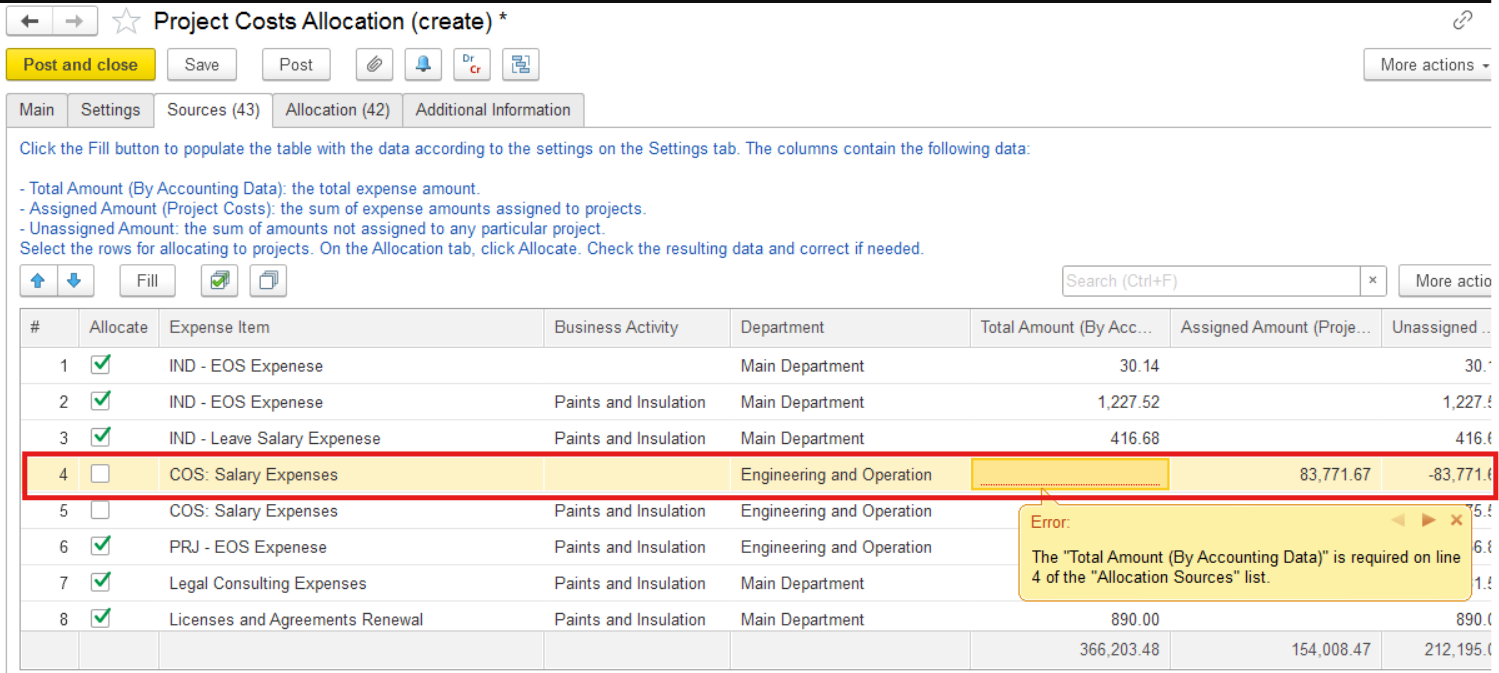
4. Negative costs in the Sources tab - "The Total Amount is required on line of the Allocation Sources list" error
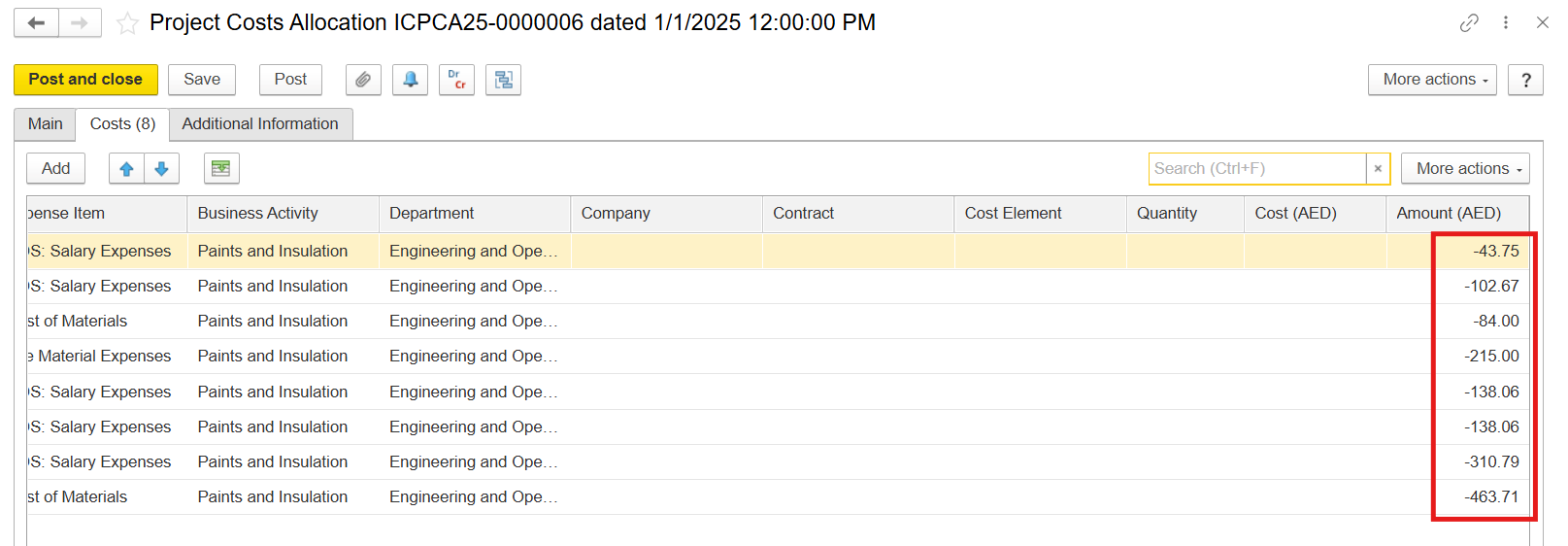
4.1. Negative cost amount comes from the canceled costs associated with the revoked project.
...
the
...
4.2. Negative cost amount comes from the previous allocated costs if expense items have already been already chosen in another Project Cost Allocation document but the document of accrual have has been unpostedunposed
Solution: Check
...
the document of the expense
...
accrual
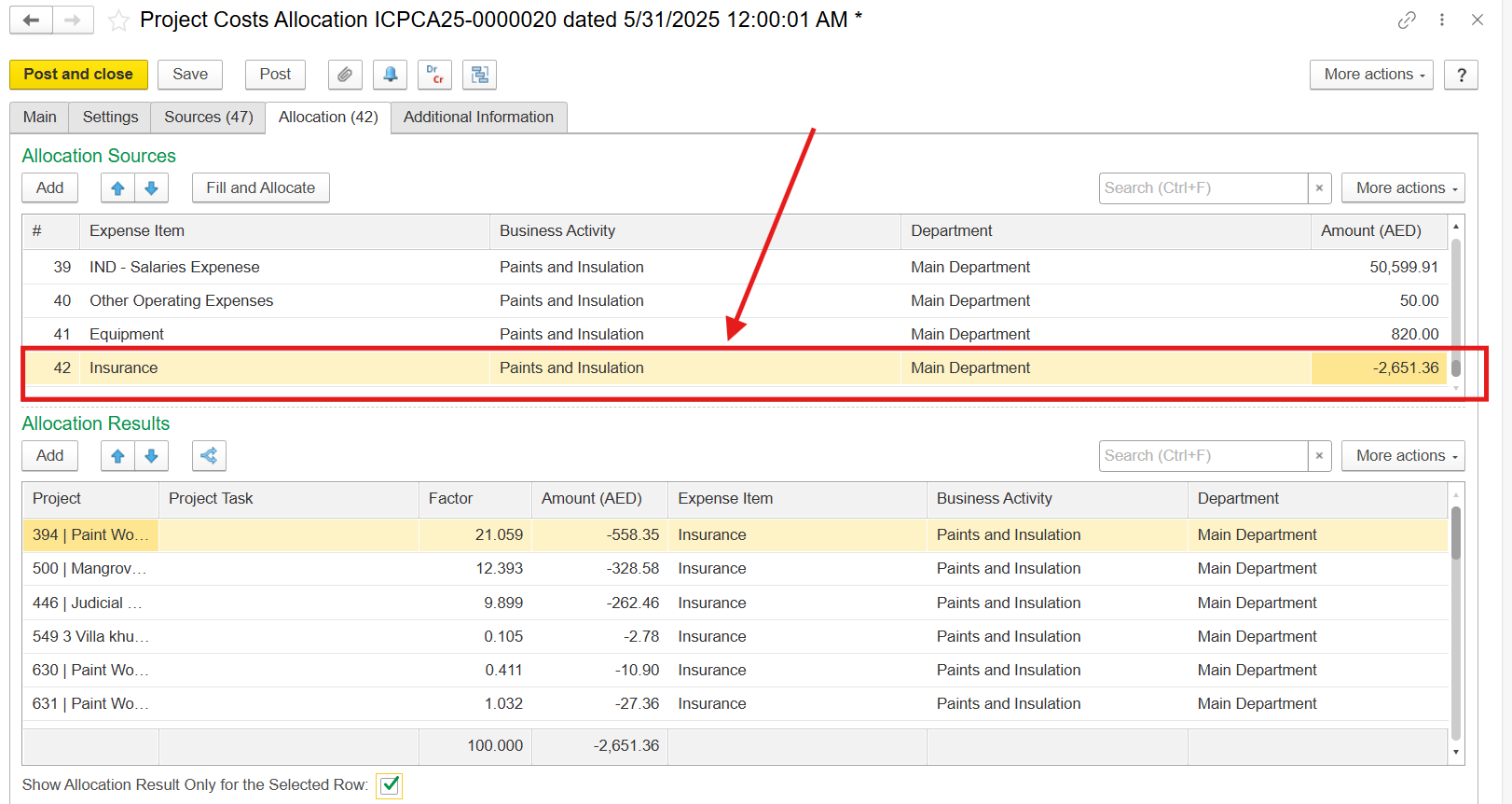
4.3. Negative cost amount comes from the mismatch between the Source tab, the allocation figures
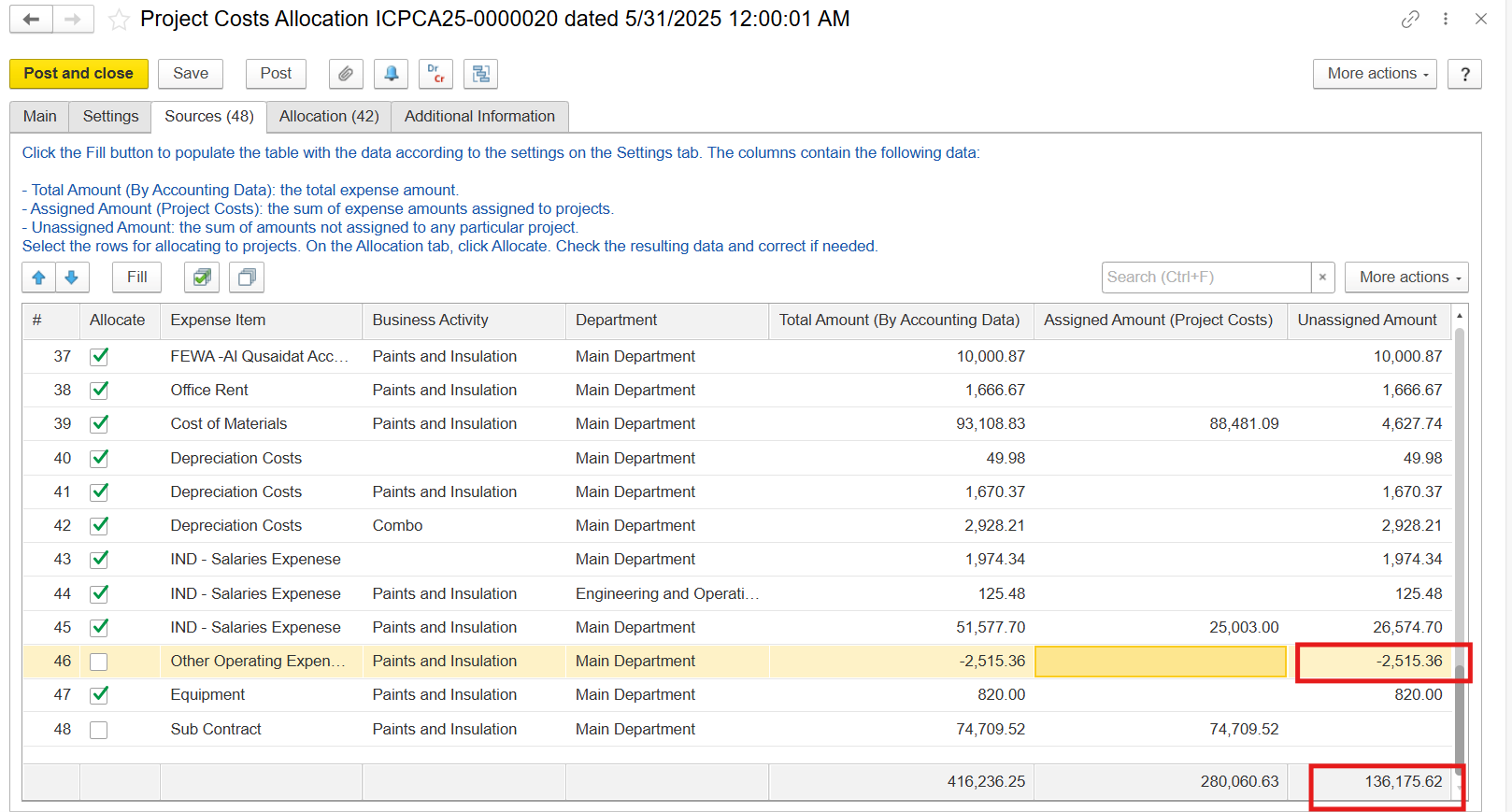
If expenses for allocation have been deducted 2. The costs on the Sources and on the Allocation tabs are not equal due to the negative cost amount coming from the negative cost accrual
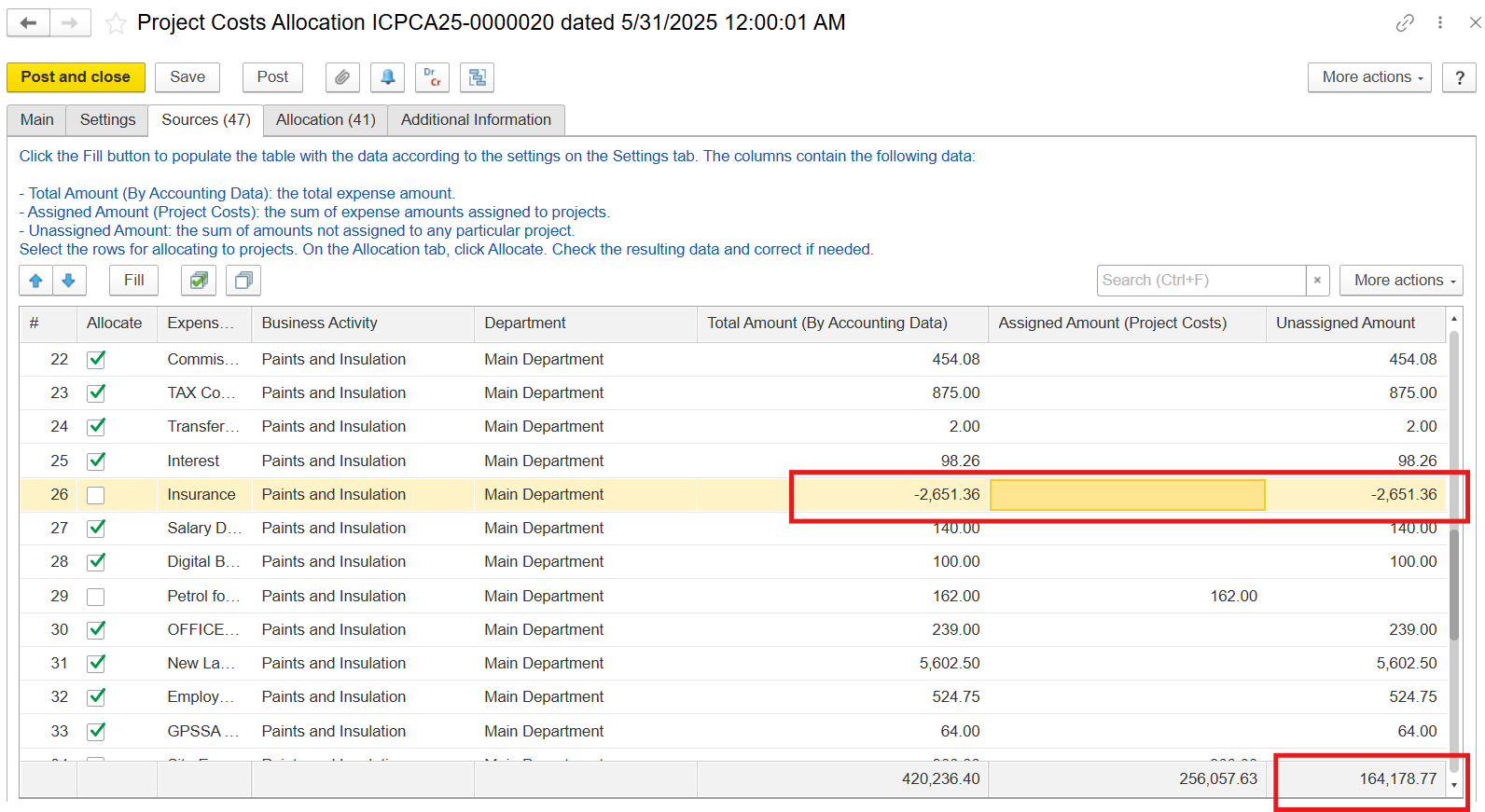
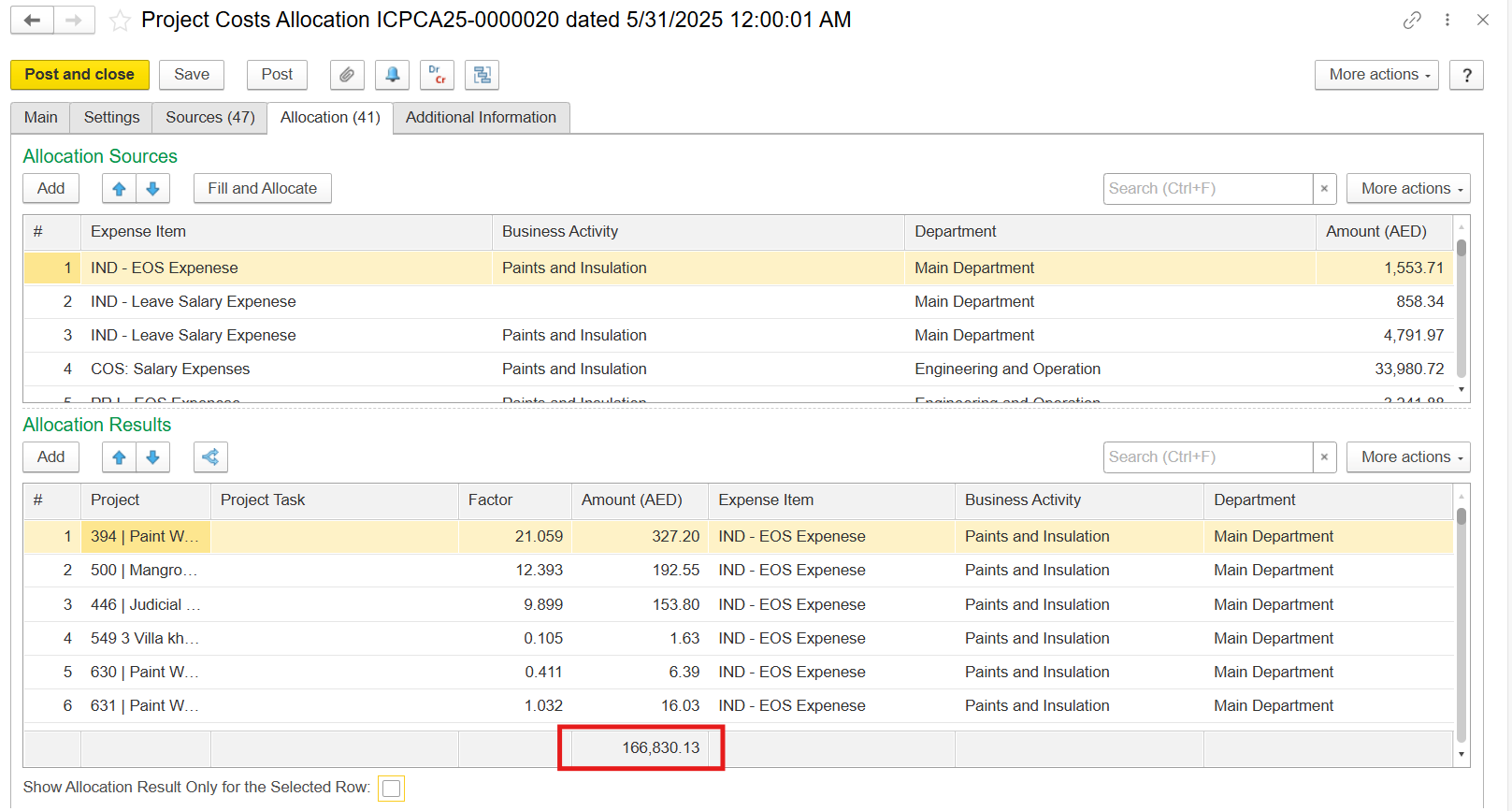
If expenses accrual has been reversed but the amount of deducted reversed expenses are is higher than aссrued accrued expenses, the negative amount for allocation appears in the Sources tab.
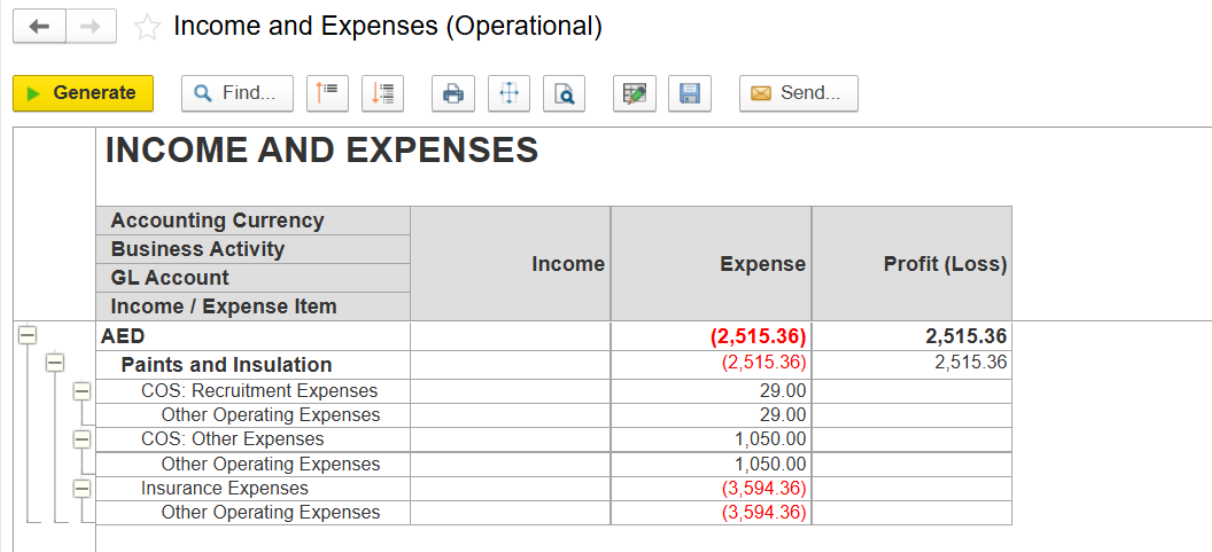
Solution: If the amount of deducted costs still must be taken into account for project allocation, add manually negative amounts to the Allocation Sources section and the program will allocate them according to the proportion coefficients.
Thanks for being a Firstbit Customer! #PurchaseOnBankCreditTransfer #Check_List_For_Project_Cost_Allocation #Project_Cost_Allocation #Negative_Amounts_In_Project_Cost_Allocation #Discrepancy_In__Cost_Allocation