Problem: How to recover (restore) the database from a backup (self-hosted)?
Solution: Create an empty infobase and restore the database from a self-hosted backup into this infobase using 1C instruments as shown below.
1. Open the Application on your desktop > click Add: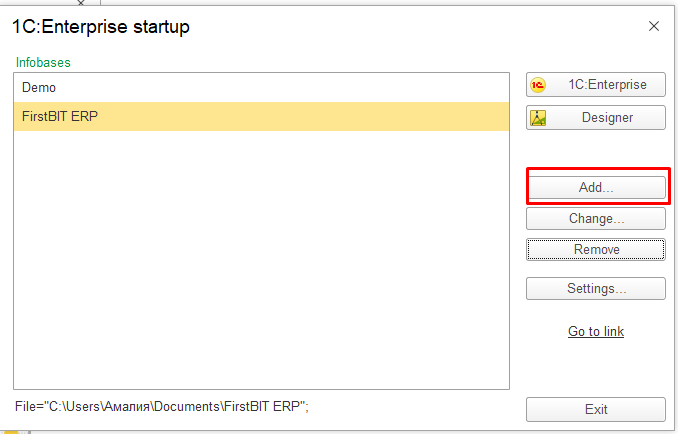
Select Create Infobase > Next: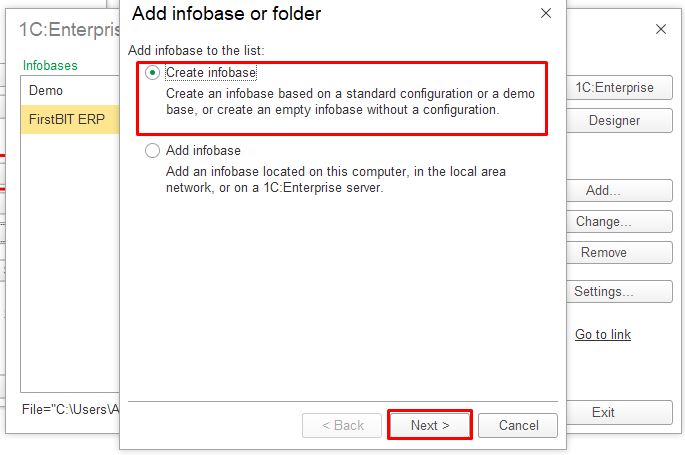
Choose Create Infobase with no configuration to develop a new configuration or restore a previously dumped infobase: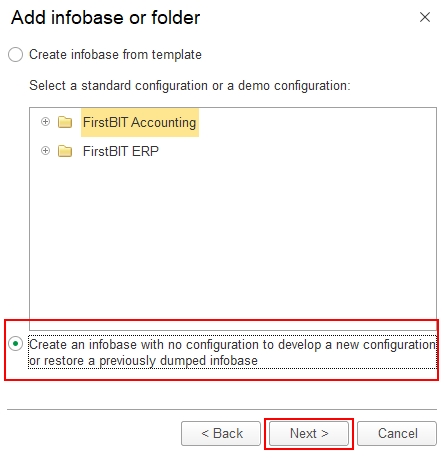
Enter the name of the Infobase > Next: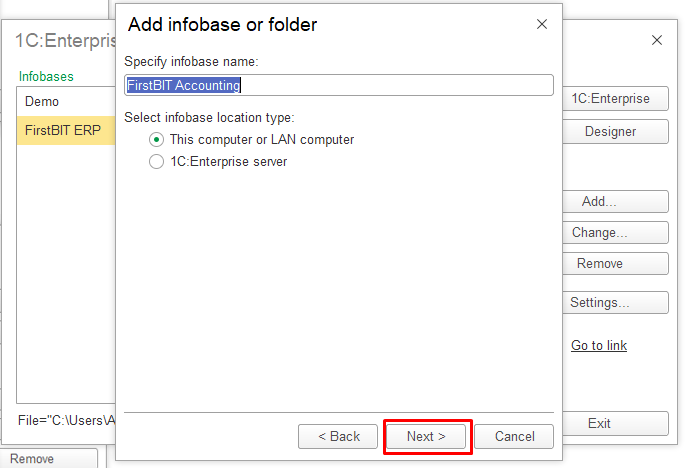
Specify the path or the software writes it automatically > Next: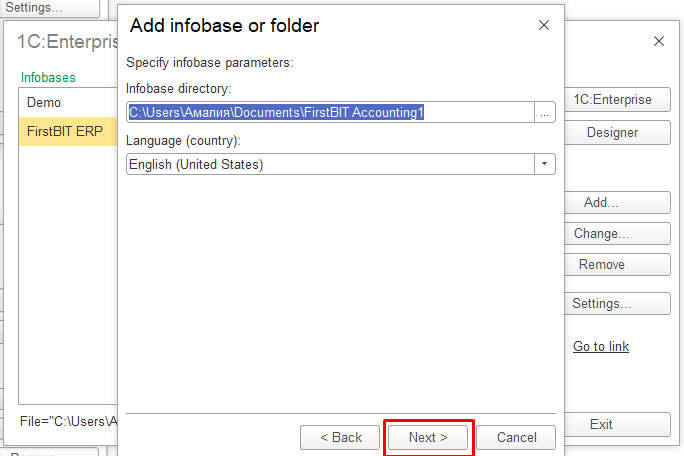
Finish adding Infobase: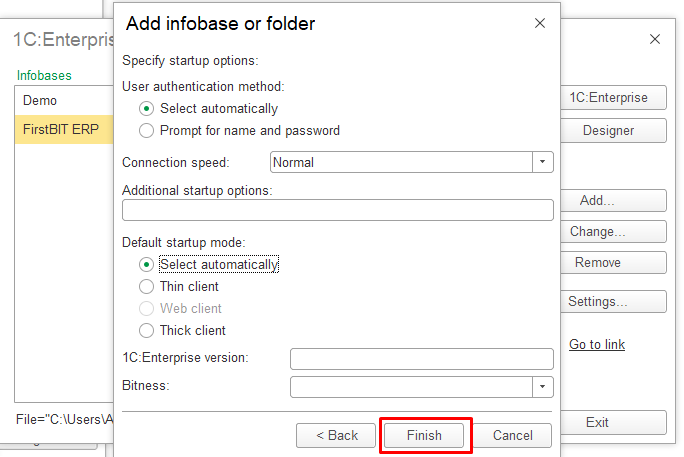
2. Open the program in Designer mode: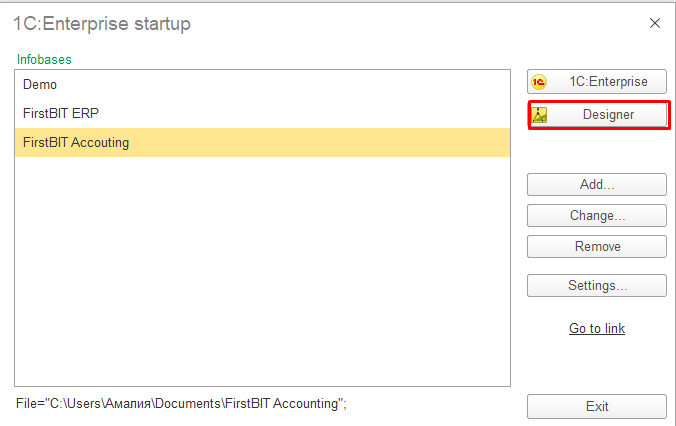
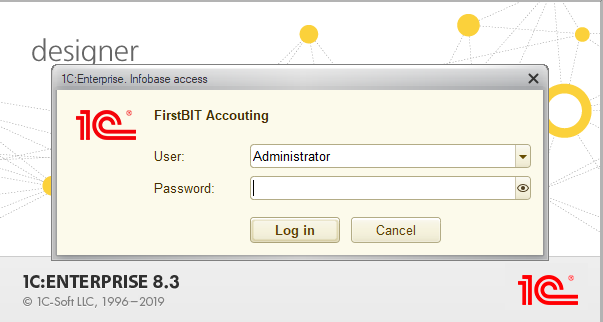
Go to Administration > Restore infobase and specify the file to download.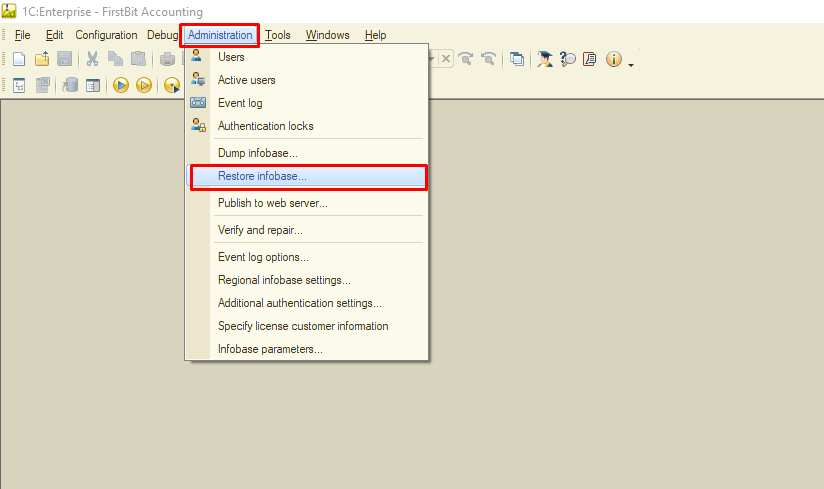
A pop-up message 'Do you agree to continue with the Infobase restoration?' appears informing that after the Infobase is restored, the designer close and any open windows is lost: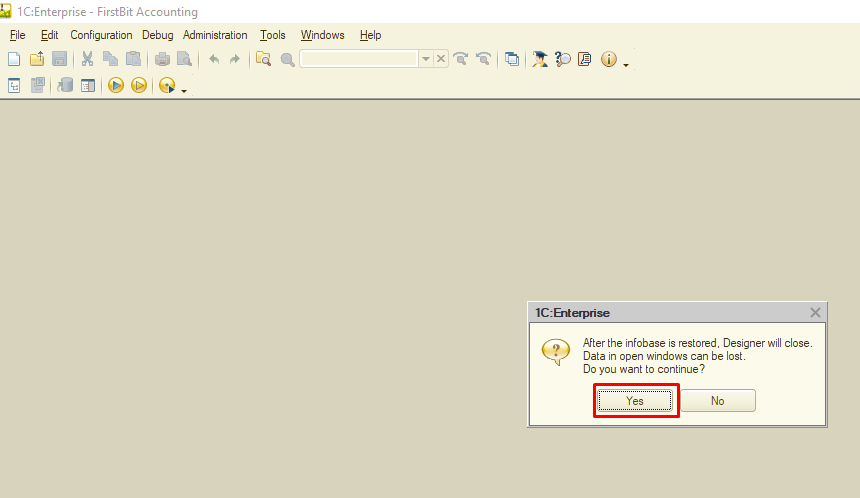
Restoring is in process: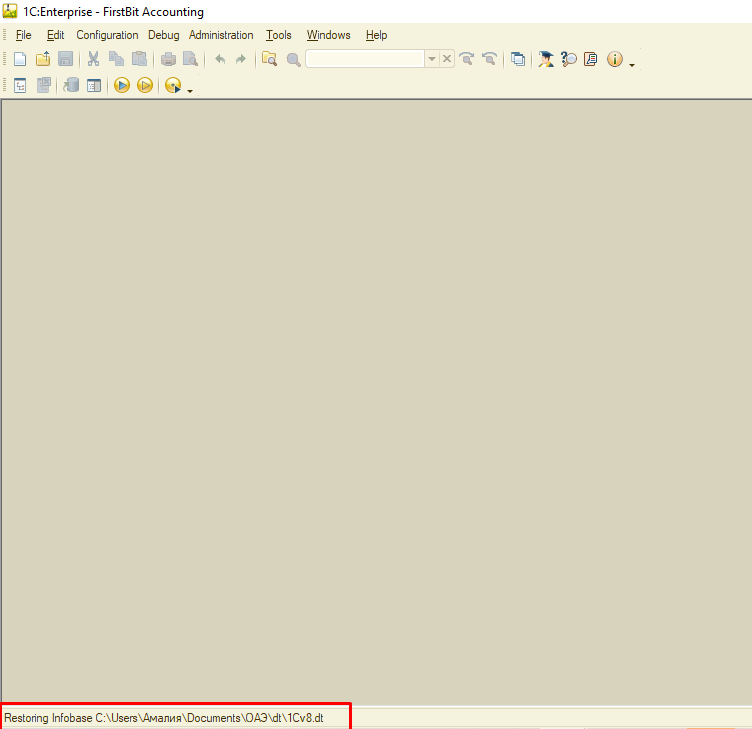
After the Infobase is successfully restored, a pop-up message appears: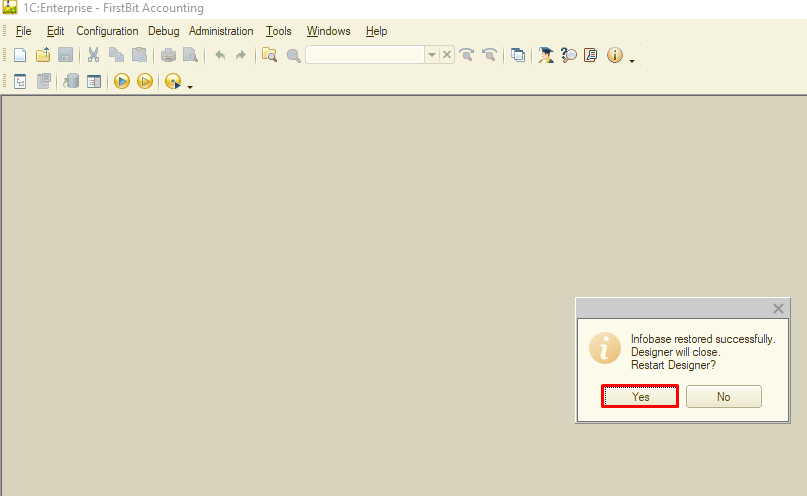
Once the Designer is reopened, navigate to the Enterprise section: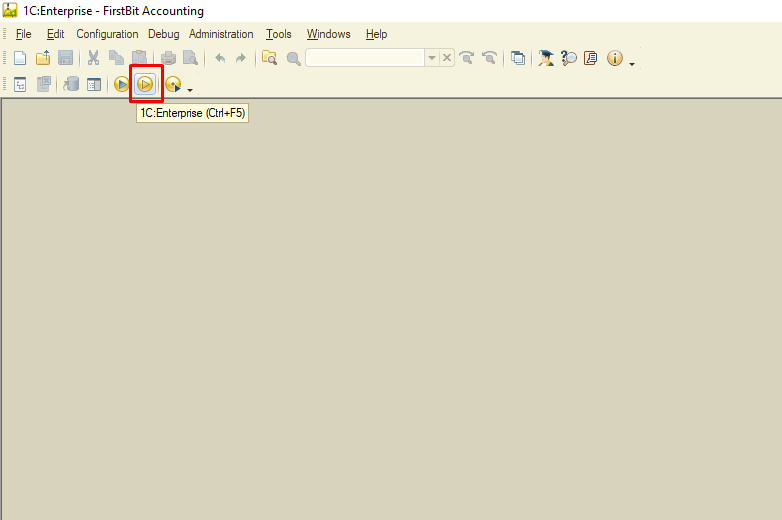
If Enterprise icon is not performed, then add it as shown below: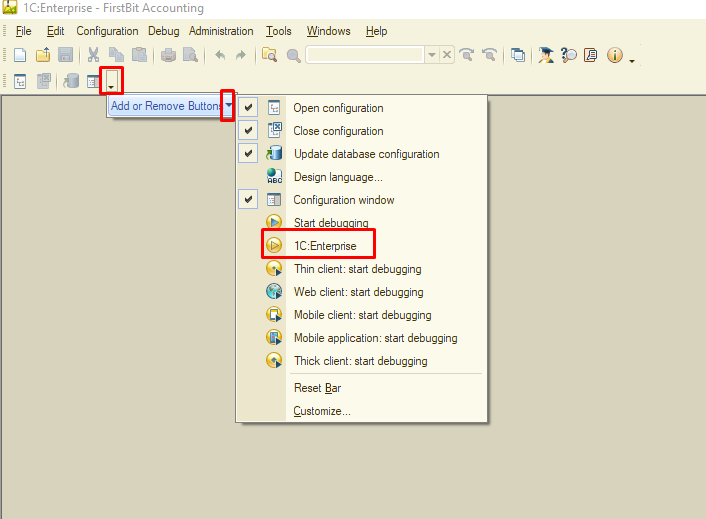
1C is opened and ready for use: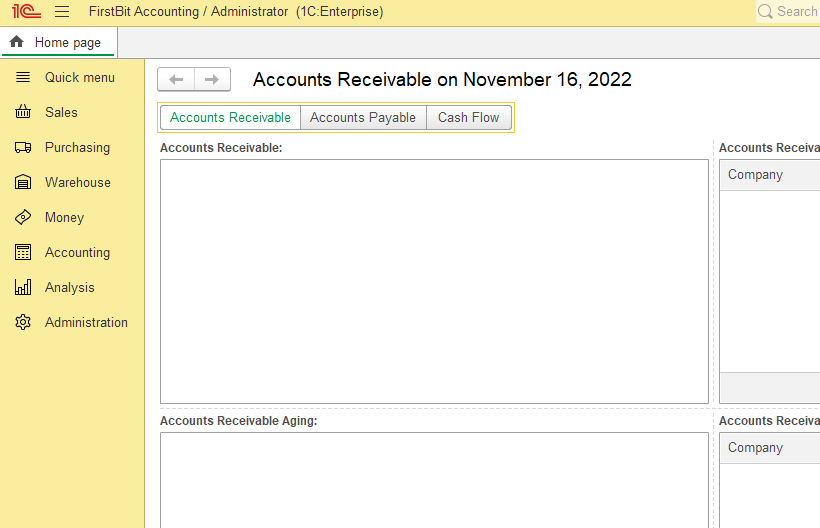
Thank you for being a FirstBIT customer!
#Restore backup #recover database #old backup restoration #Designer