...
Mutual Settlement
...
with Transaction Type
...
= Mutual Settlement
...
- You need to allocate accounts receivables from the Customer with accounts payable to the Supplier
- Allocate accounts receivable and advance received of same Customer
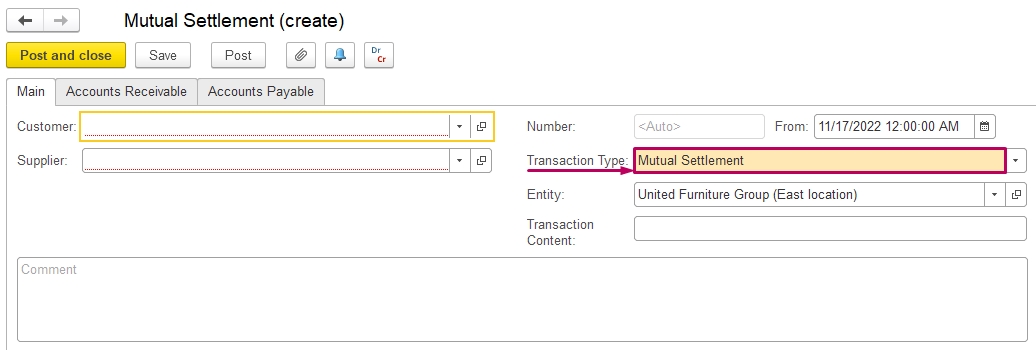
Create a Mutual Settlement document and choose Transaction Type Mutual Settlement:
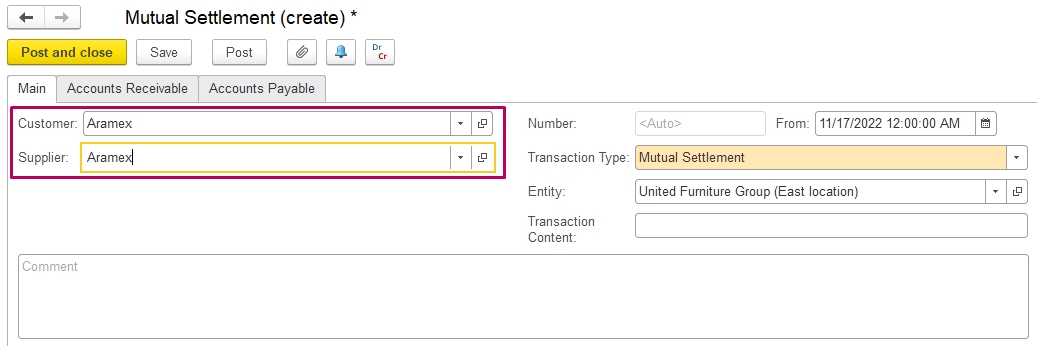
Fill Customer and Supplier (as you settle documents of one company, then Customer and Supplier are the same company):
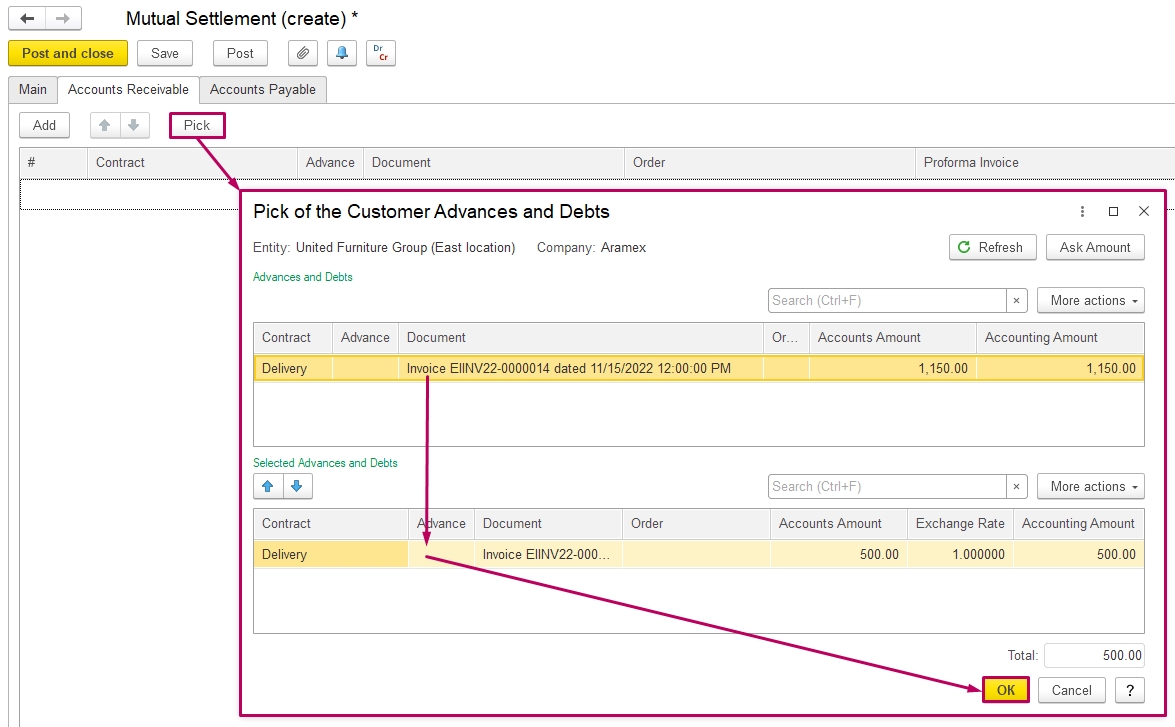
At the Accounts Receivable tab, use the button Pick for choose document, double-click on the document, then press Ok.
The amount of these Invoices is a debt of the Customer.
At the Accounts Payable tab, pick payments to Supplier:
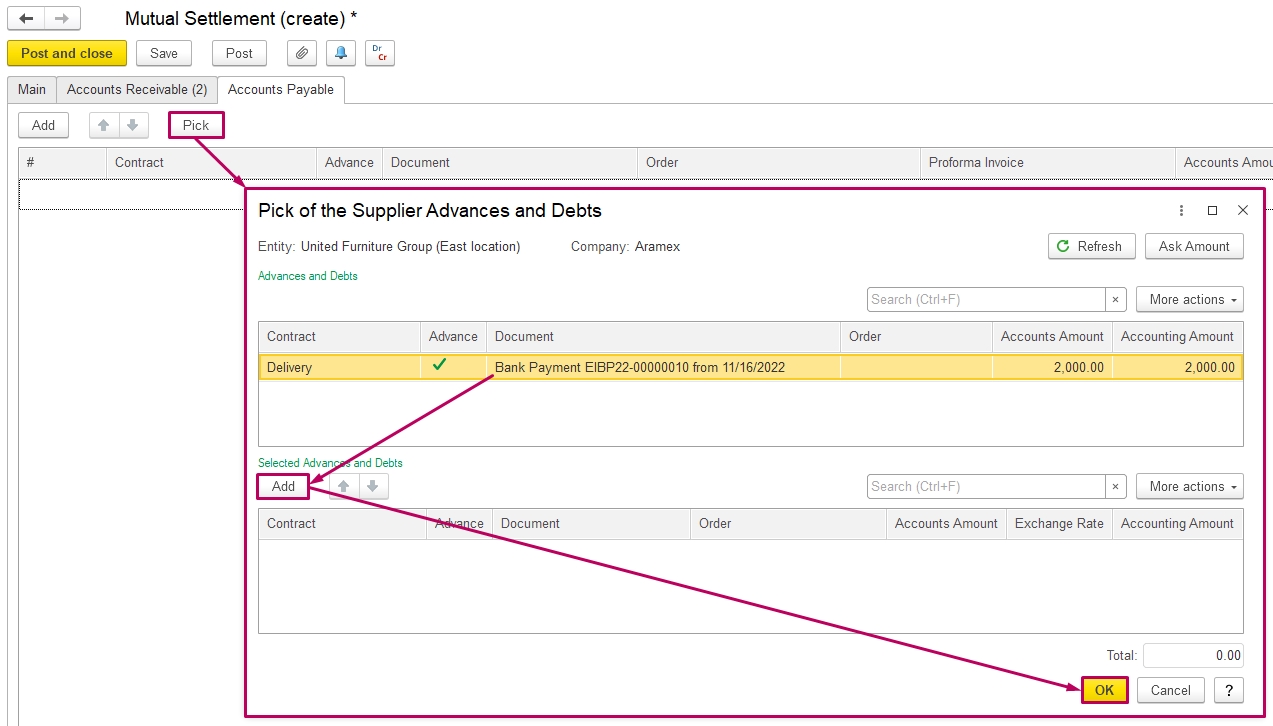
The total amount of Accounts Receivable and Accounts Payable should be the same (edit amounts if necessary) and Post the document:
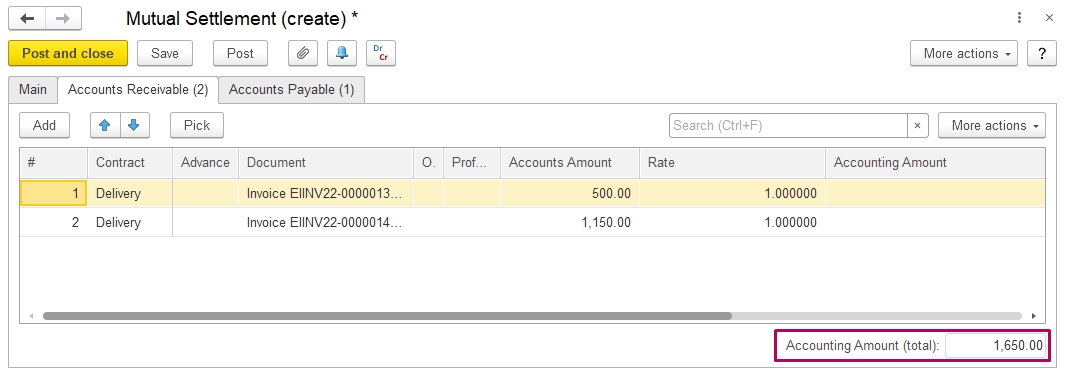
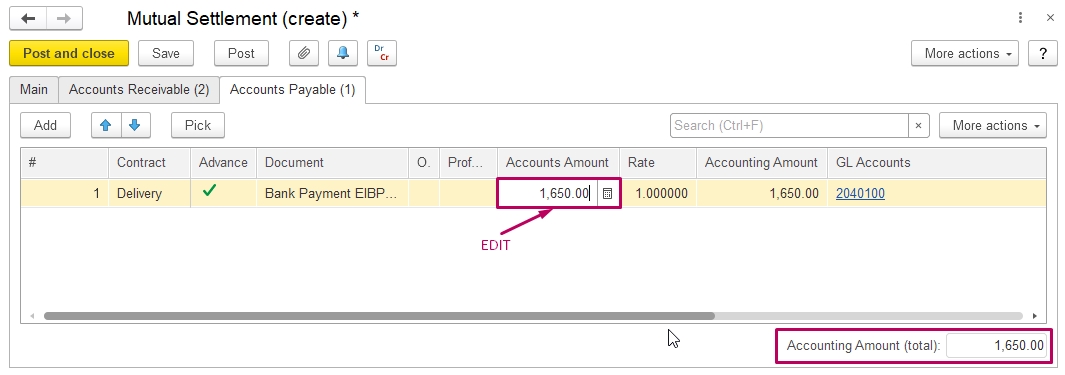
Accounts receivable and Advance paid that are mentioned here will be settled:
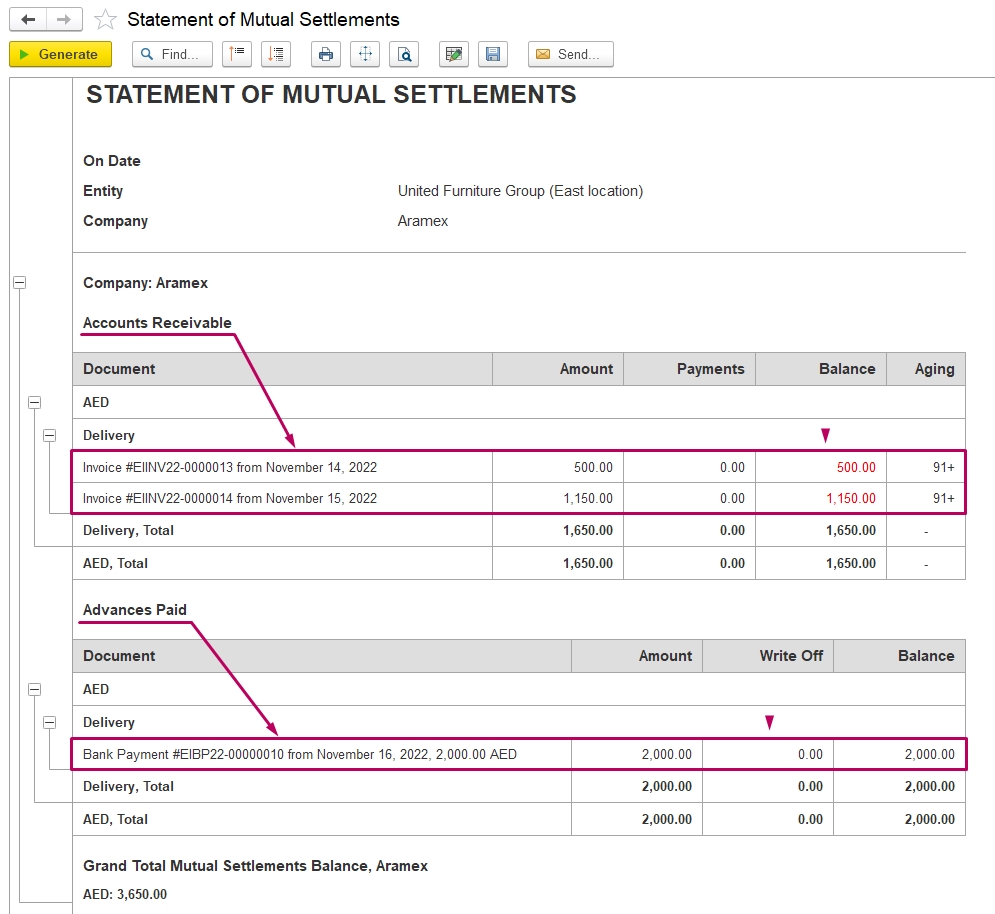
As amounts settled, in Statement of Mutual Settlements you may find the final balance or null:
is used to offset corresponding receivable and payable balances or advance balances.
Supported Settlement Scenarios
The following table shows the appropriate Transaction Type for each settlement scenario:
| Accounts Receivable | Accounts Payable | Transaction Type |
|---|---|---|
| Invoice | Invoice Received | Mutual Settlement |
| Bank Receipt | Bank Payment | Mutual Settlement |
| Invoice | Bank Receipt | Customer Debt Assignment |
| Invoice Received | Bank Payment | Supplier Debt Assignment |
Important: The system may allow documents to be selected on both the Accounts Receivable and Accounts Payable tabs. However, this does not mean that any combination is valid for Mutual Settlement. The amounts should correspond to the intended settlement, but matching the amounts alone is not sufficient. The availability of a document for selection is a technical feature and does not mean that it can be used with Transaction Type = Mutual Settlement. Always select the transaction type based on the underlying business scenario and the type of balances being settled.
Mutual Settlement Scenarios
1. Invoice + Invoice Received
Use Mutual Settlement when an Invoice and an Invoice Received represent corresponding receivable and payable balances that need to be offset.
Use the Pick button to select the required documents:
- Invoice on the Accounts Receivable tab;

- Invoice Received on the Accounts Payable tab.

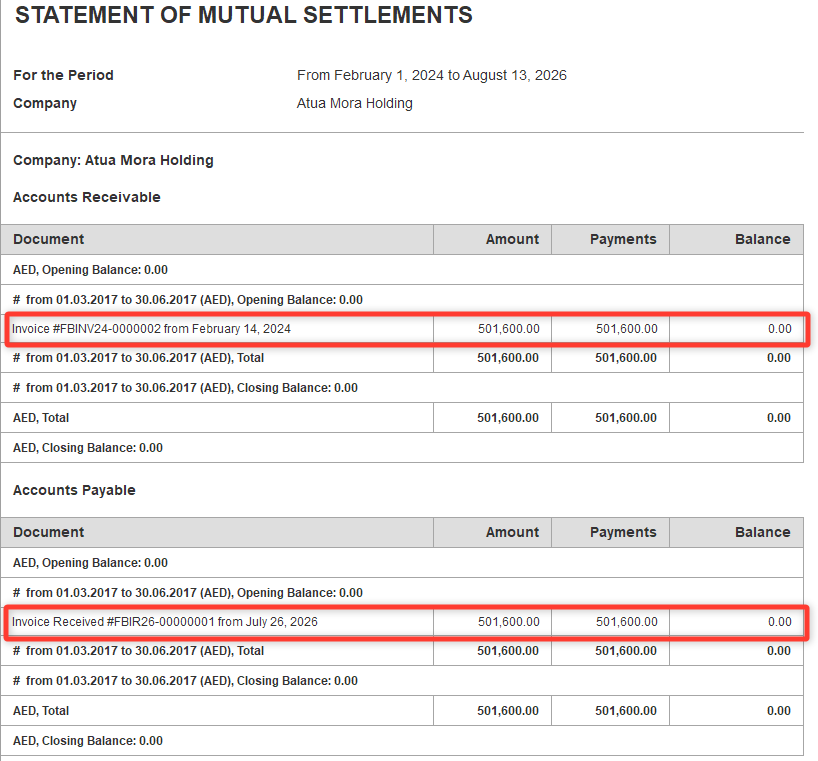
After posting the document, the corresponding Accounts Receivable and Accounts Payable balances are settled.
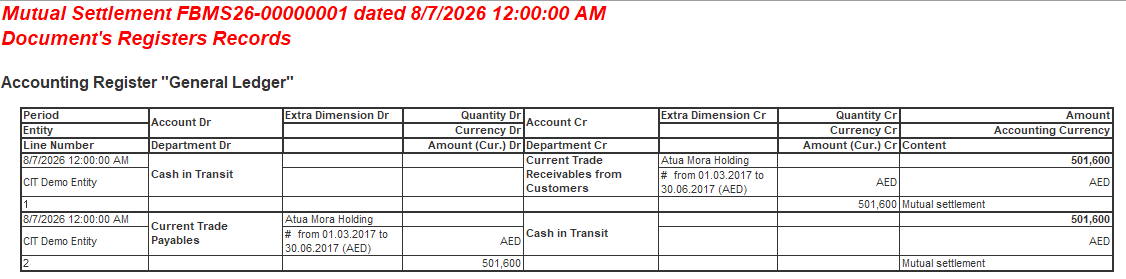
The result can be verified in the Statement of Mutual Settlements.
2. Bank Receipt + Bank Payment
Use Mutual Settlement when a Bank Receipt represents an advance received and a Bank Payment represents an advance paid, and these balances need to be offset.
Use the Pick button to select the required documents:
- Bank Receipt on the Accounts Receivable tab;

- Bank Payment on the Accounts Payable tab.

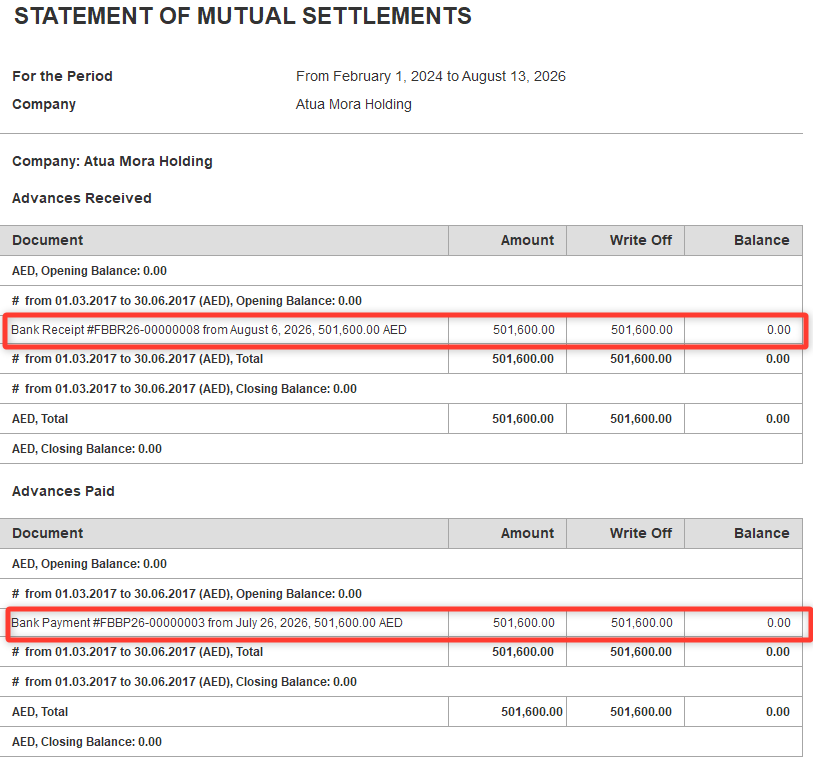
After posting the document, the corresponding Advances Received and Advances Paid balances are settled.
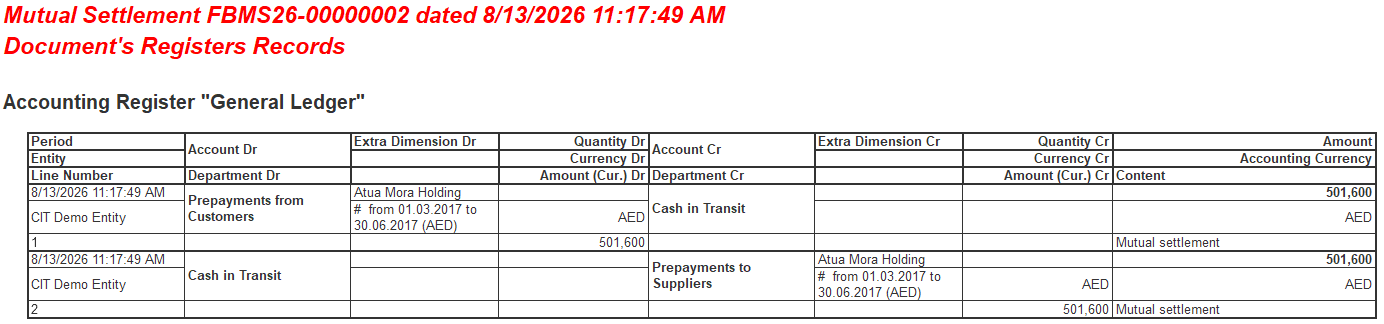
The result can be verified in the Statement of Mutual Settlements.
When Not to Use Mutual Settlement
The following combinations should not be processed using Transaction Type = Mutual Settlement.
Invoice + Bank Receipt
Use Customer Debt Assignment.
This scenario represents the assignment of a customer receivable and should not be processed as a Mutual Settlement.
Invoice Received + Bank Payment
Use Supplier Debt Assignment.
This scenario represents the assignment of a supplier payable and should not be processed as a Mutual Settlement.
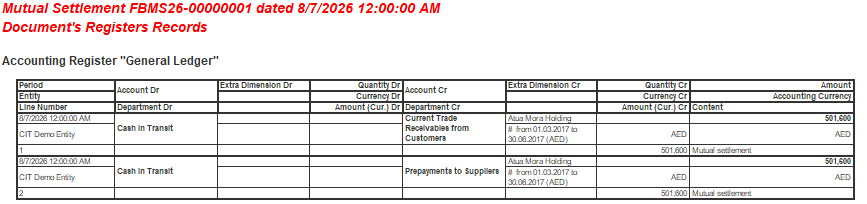
Although the system may technically allow these documents to be selected, using Transaction Type = Mutual Settlement may result in incorrect accounting entries, including unexpected balances in accounts such as Cash in Transit.
...
Thank you for being a FirstBIT customer!