...
After the required warehouse document is created and posted, the outstanding quantity should be cleared.
Summary
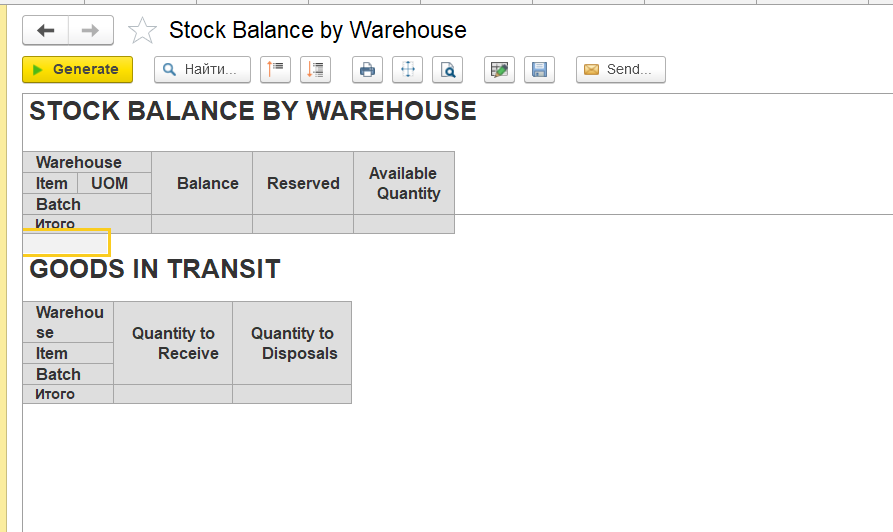
Stock Balance (by Warehouse) shows warehouse inventory quantities.
Inventory Write-Off uses inventory availability from financial inventory registers.
Differences between warehouse and financial registers may cause unexpected results during write-off operations.
Separate inventory and financial document processing may require additional warehouse documents to complete inventory movements.
Check inventory dimensions, settings, document processing, inventory registers, warehouse processes, and other possible causes to identify the source of the discrepancy
Opposite scenario: no stock is available for operations because the financial register shows zero, while the warehouse report still shows a balance
In such cases, the system may block operations (e.g., Write-Off) due to lack of financial availability.
This type may be found with Stock Balance (by Warehouse) report
Navigate Warehouse - Reports - Stock Balance (by Warehouse)
Top Section (Stock Balance)
Data source:
- Inventory on hand accumulation register (warehouse quantity register)
This report reflects physical stock in the warehouse (e.g., 100 units).
However:
- Write-Off checks the Inventory and expenses accumulation register (financial accounting).
If no stock exists in the financial register, the operation cannot be completed.
Why discrepancies occur
Typical reasons:
- Different posting sequences
- Documents affecting only one register
Common document types:
- Invoice Received
- Inventory Transfer
- Inventory Write-Off
How to investigate
...
of
...
- document postings
- sequence
- status
This helps identify which document caused the discrepancy.
Goods in Transit (Bottom Section)
This section is based on two registers:
- Inventory to Receive → Quantity to receive accumulation register
- Inventory to Transfer → Quantity to Disposal accumulation register
.
Thanks for being a Firstbit Customer!
...