Introduction
List Forms are used throughout FirstBIT Software to display and manage lists of documents, master data, and system information.
List Forms provide a common way to work with data across different sections of the system. Although the general structure is similar, the available commands, filters, and actions may differ depending on the type of object, document functionality, user permissions, and system configuration.
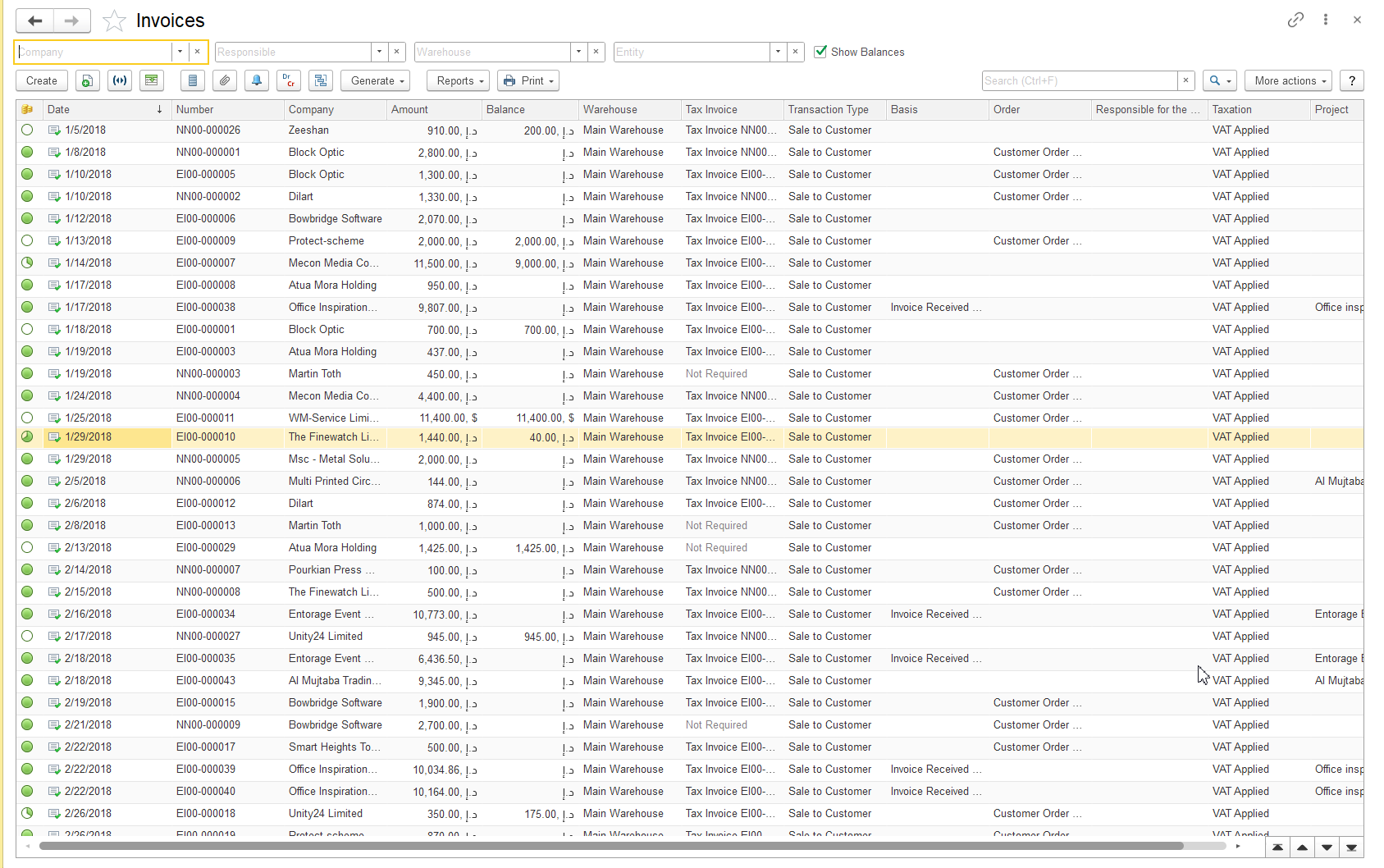
The main elements of a List Form include the Command Bar, Filter Area, Search Area, Data Table, and additional controls.
Command Bar
The Command Bar contains actions available for the selected List Form.
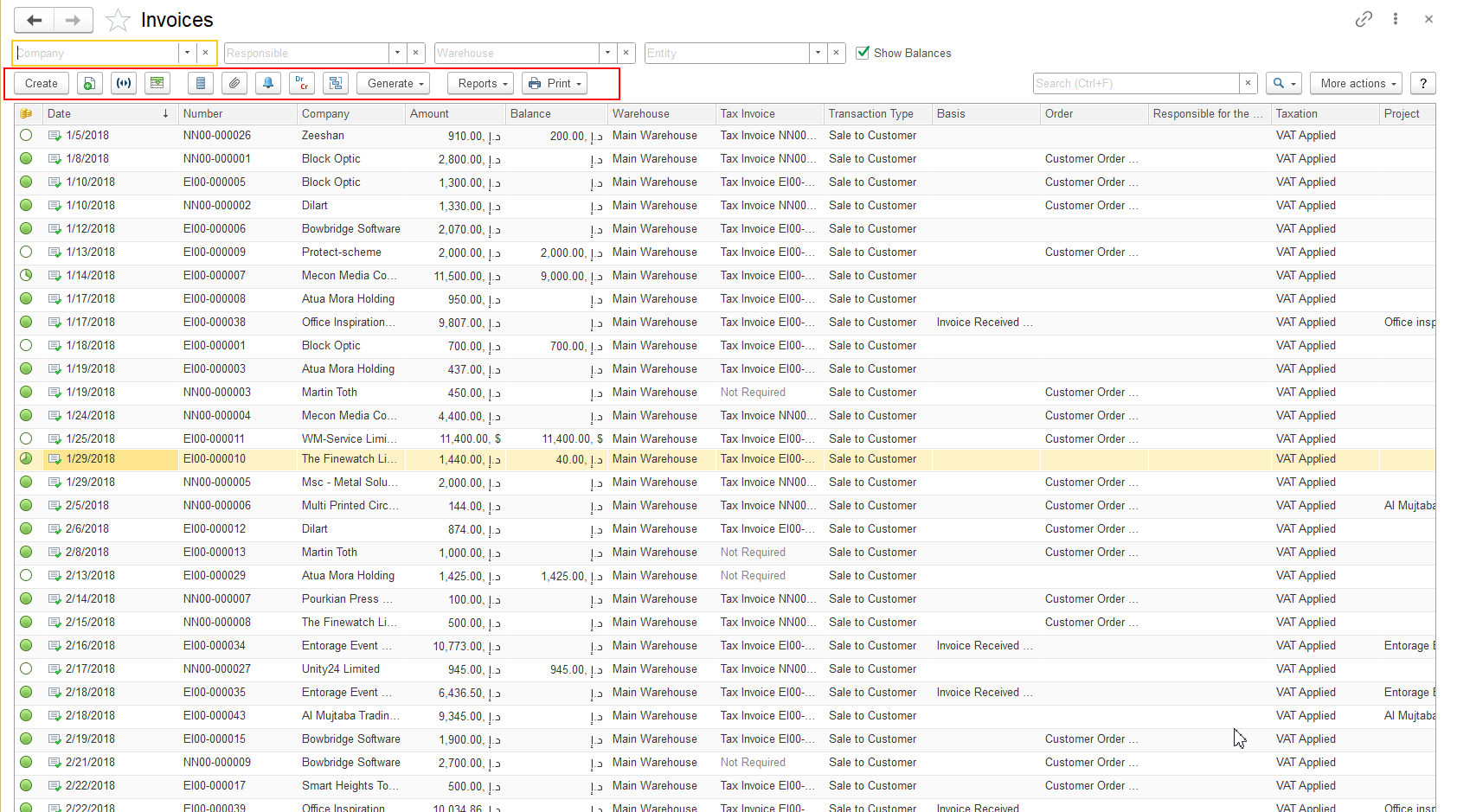
The available commands depend on the type of object, document functionality, document status, user permissions, and system configuration.
Common commands may include:
- Create — creates a new record.
- Copy — creates a new record based on the selected record.
- Set Period - select period fro documents list.
- Dr Cr - option for reading register's record of highlighted document.
- Hierarchy Structure - for viewing connected documents.
- Refresh — updates the displayed information.
- Generate option - to create new documents based on highlighted one.
- Reports option - tpo generate connected reports.
- Print option - to show print from output for highlighted document.
Additional commands may be available for specific types of documents or objects.
For example, the View Postings command is available for documents that generate movements in accounting or other system registers. Documents that do not create postings, such as Quotations, do not contain this command.
Filter Area
The Filter Area allows users to quickly restrict the displayed data according to frequently used parameters.
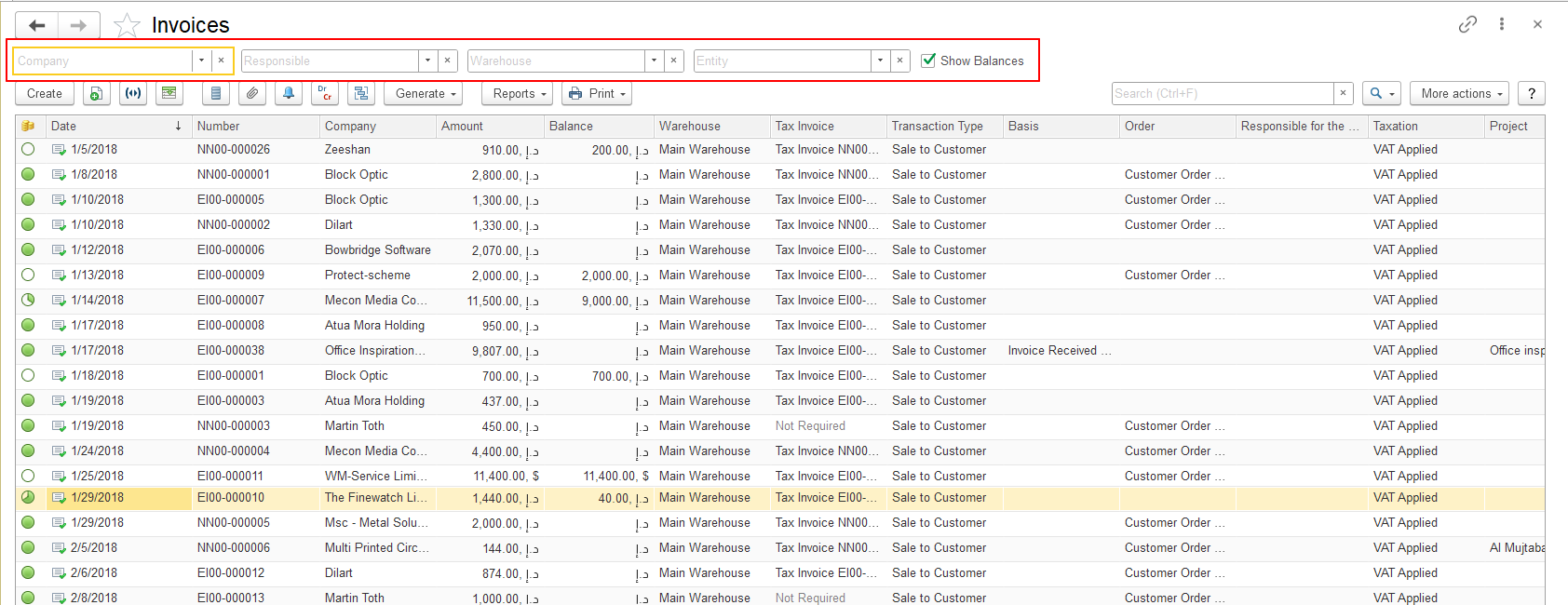
The available filters depend on the type of List Form.
Examples of commonly used filters include:
- Company;
- Warehouse;
- Entity;
- Project;
- Status;
- Responsible person.
Using filters allows users to display only the information relevant for the current task.
Search Area
The Search Area allows users to find required records in the List Form.
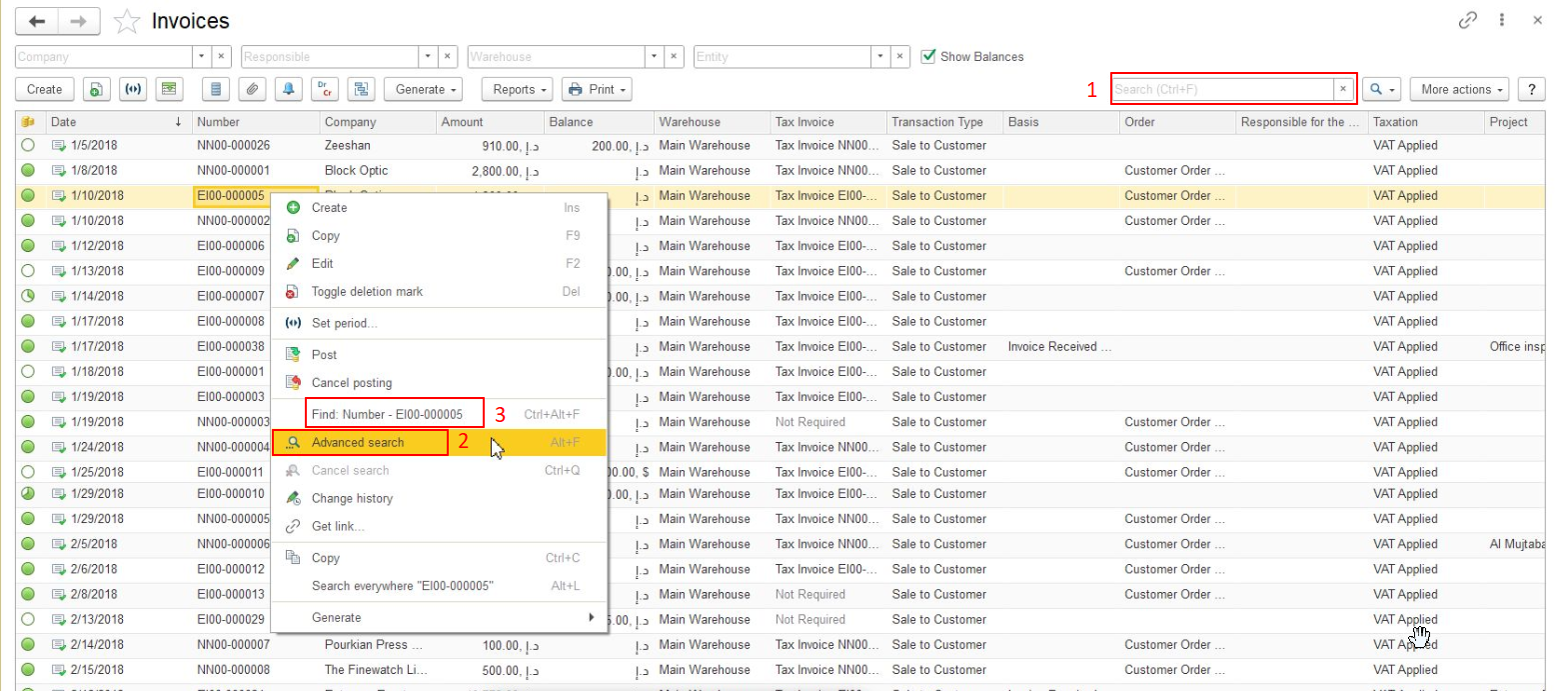
Depending on the type of List Form and system configuration, available search options may include:
- Search;
- Advanced Search;
- Find "..."
Search and filtering functions are described in more detail in the Working with Data section.
Data Table
The Data Table displays records available in the selected List Form.
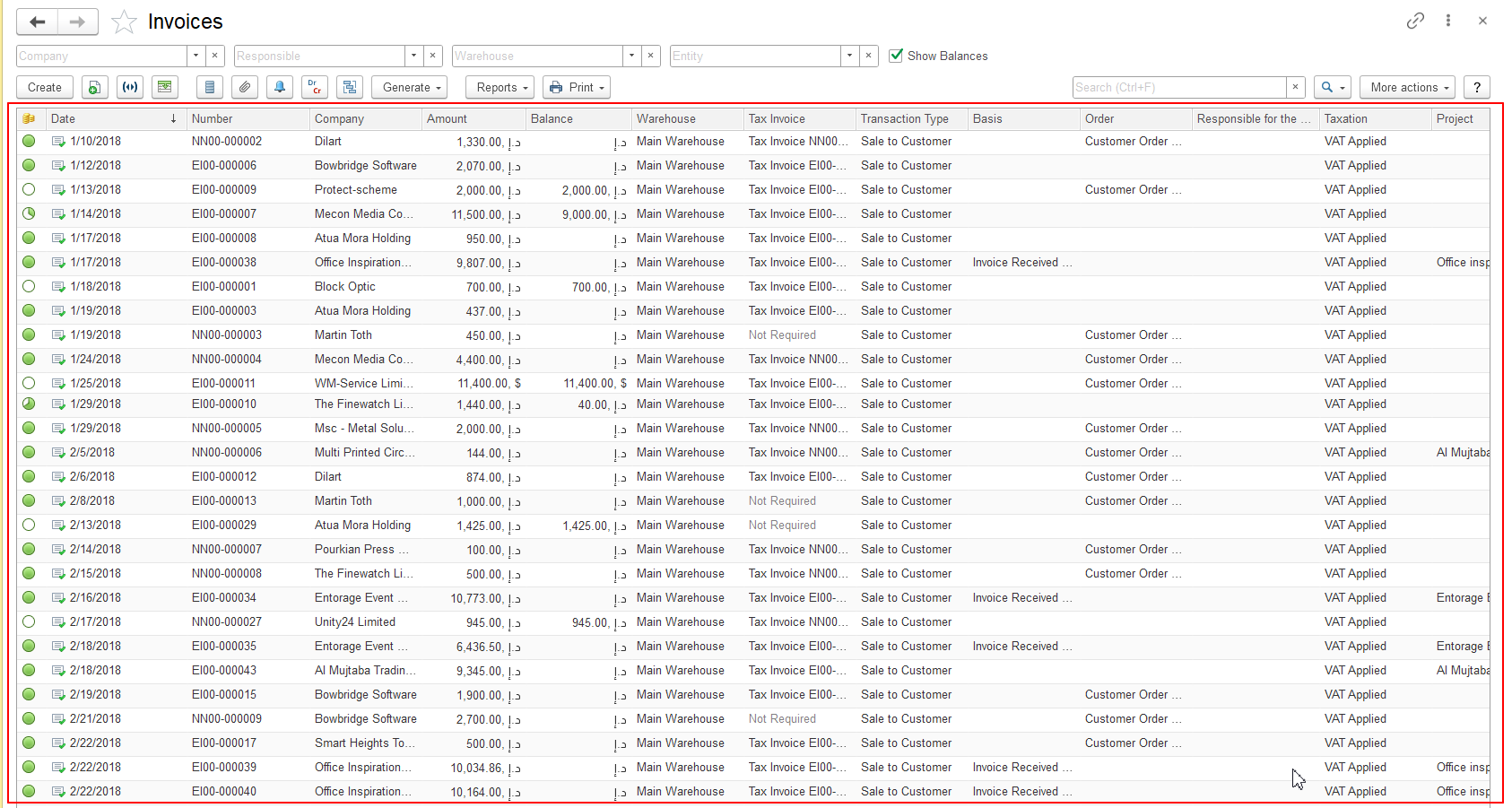
Users can work with displayed data by:
- selecting records;
- changing the displayed columns;
- sorting information;
- grouping data;
- opening records for viewing or editing.
The available columns and displayed information depend on the selected List Form and user settings.
Note
The appearance of List Forms may differ between different sections of FirstBIT Software. This is expected behavior, as each List Form contains commands and filters relevant to the specific type of data being displayed.
Thank you for being FirstBIT Customer!