...
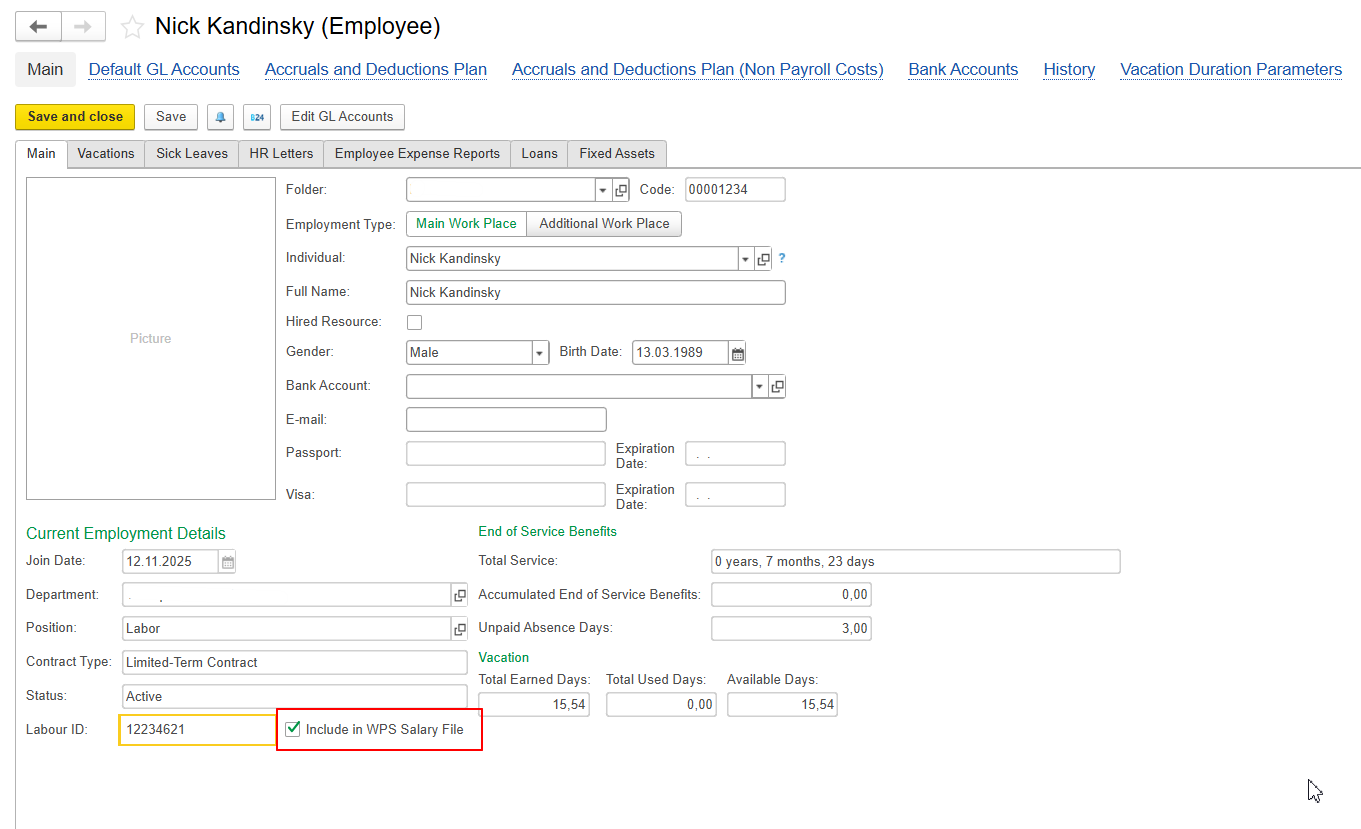
- Open the Employee card.
- Make sure the Include in WPS Salary File checkbox is selected.
- Save the employee card.
- Return to the WPS Salary File and click Fill Employees again.
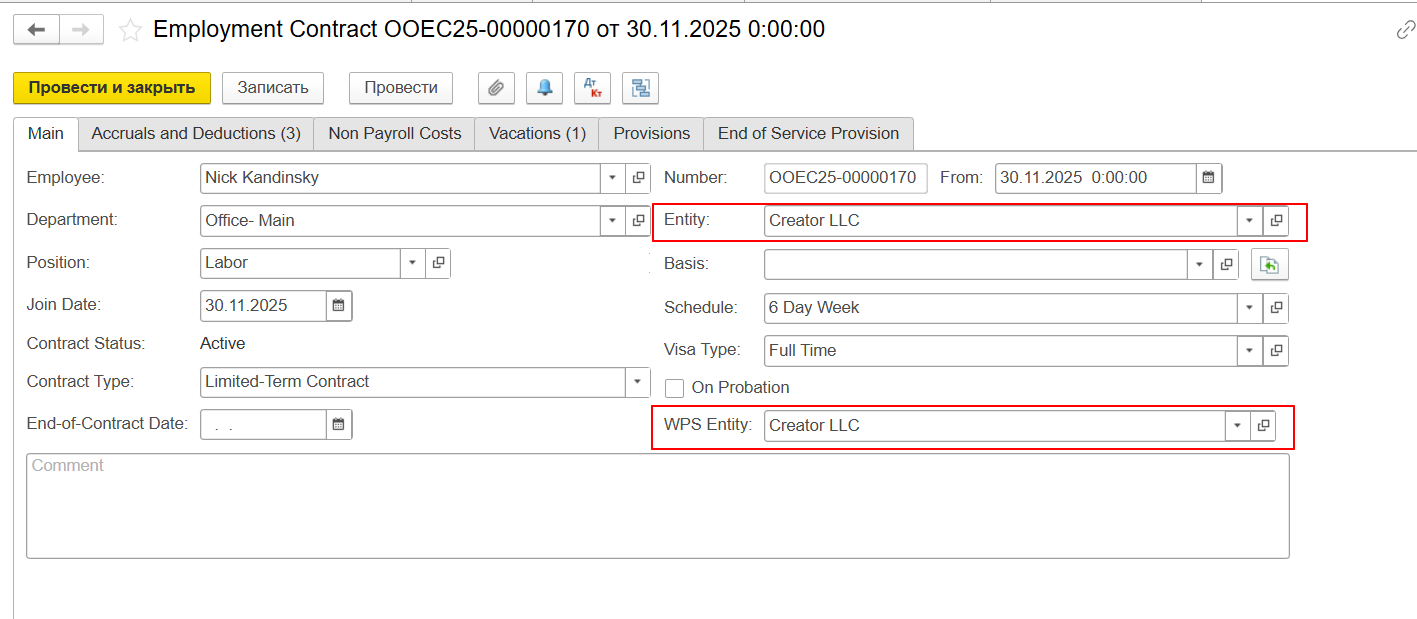
And it is also important control WPS Entity should be same with Entity for salary amounts calculations - if it is not same, system will not auto populate amounts in WPS file:
Employees with this option options enabled will now be included in the WPS file.
...