...
- Not Paid
- Partially Paid
- Fully Paid
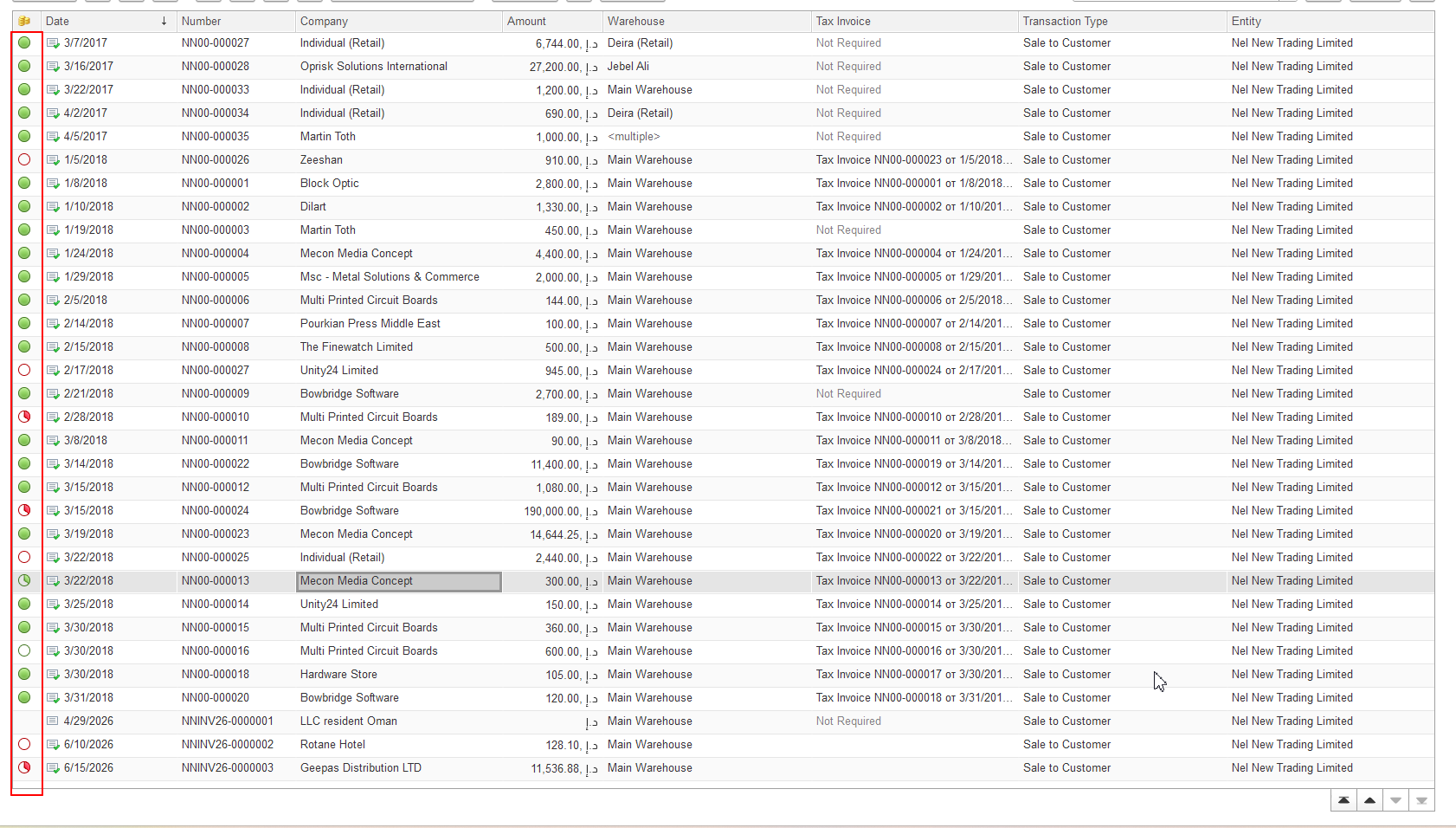
The indicator is therefore based on the comparison of register values rather than solely on the remaining outstanding balance.
Credit Notes documents and the Payment Indicator
Situation:
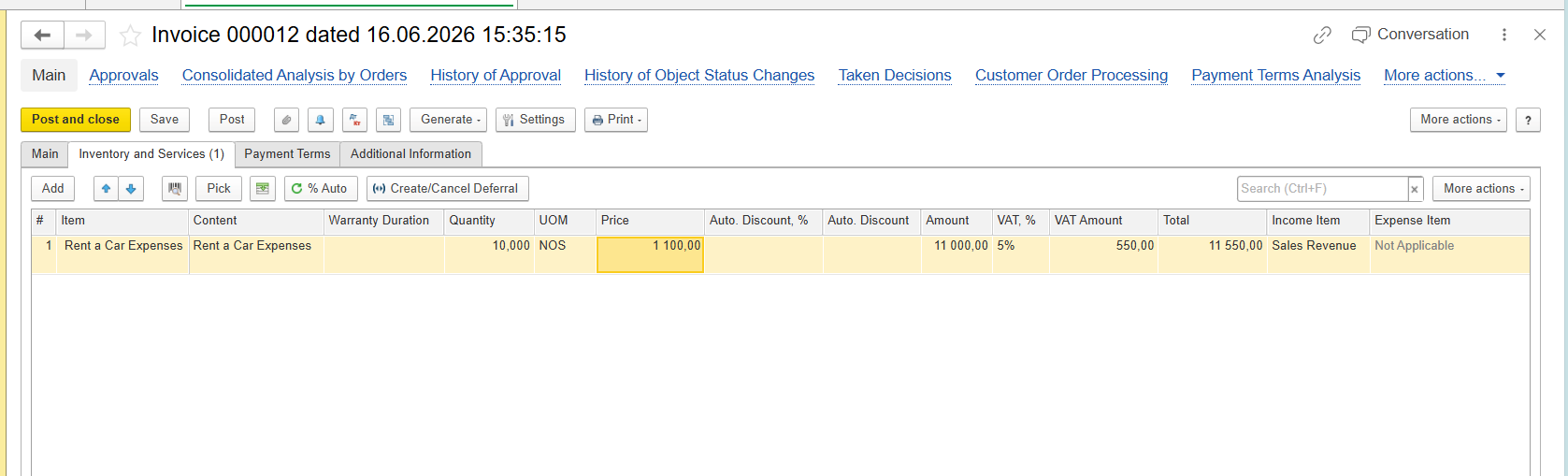
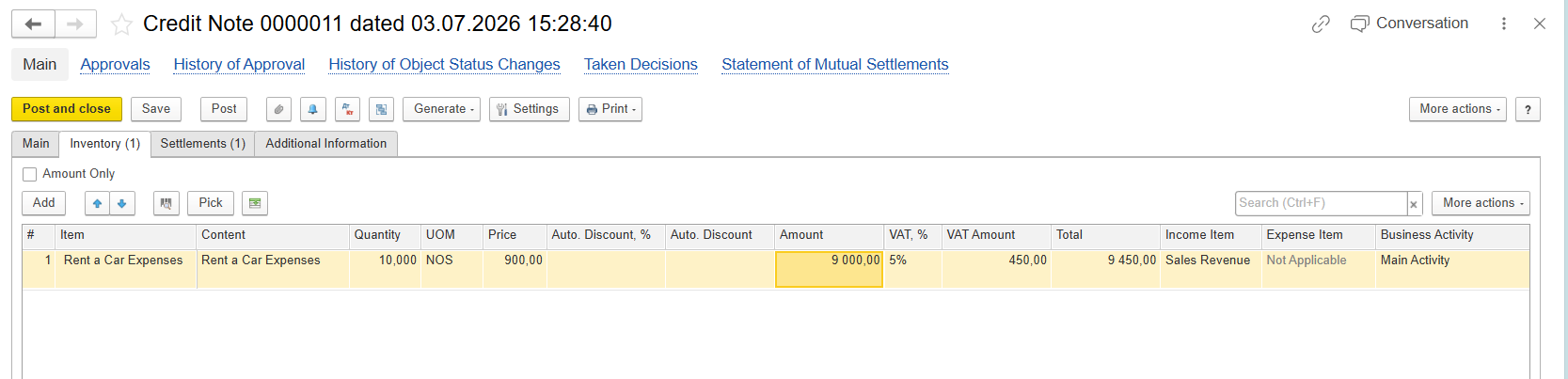
Based on Invoice document Credit Note was created (Inoice Correction or Goods Return) amount of initial document was corrected - but will it be visible with indicator?
Example:
initial Invoice:
Credit Note:
And setting on Settlements tab may have impact to payment indication.
Credit Note without Advance
When a Credit Note is created without the Advance option (on Settlements tab):
- the outstanding Accounts Receivable balance is reduced correctly;
- the remaining amount due is recalculated correctly;
- subsequent Bank Receipt documents will suggest only the remaining outstanding amount for payment.
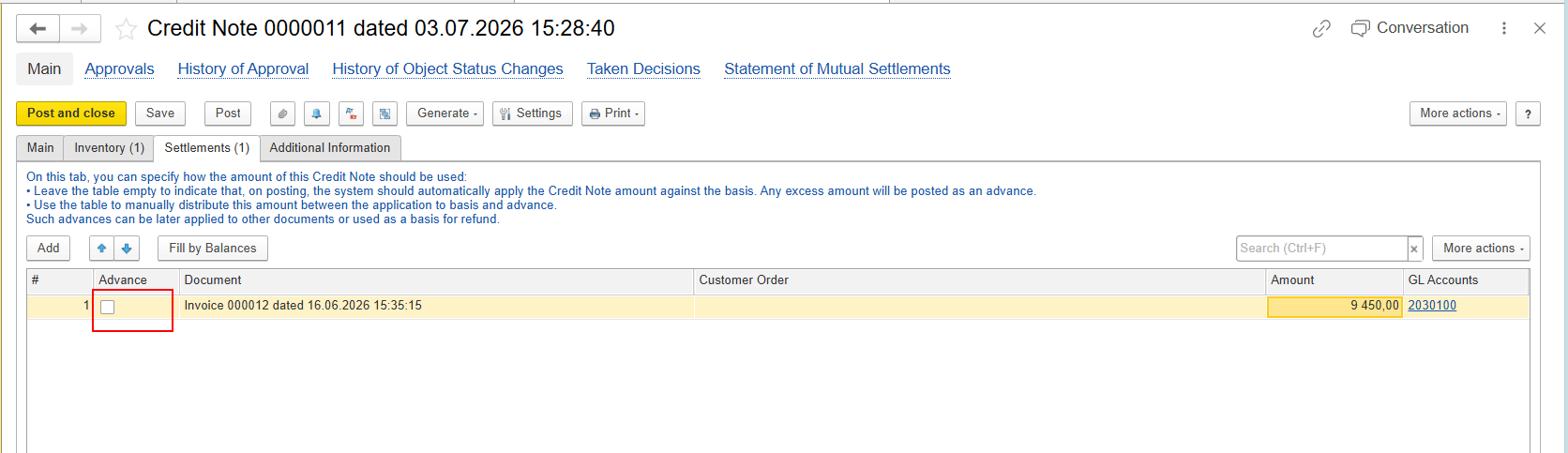
However, because both the Sales Amount and the Accounts Receivable Amount are reduced proportionally, the values remain equal. According to the implemented payment indicator algorithm, the Invoice continues to display the Not Paid status.
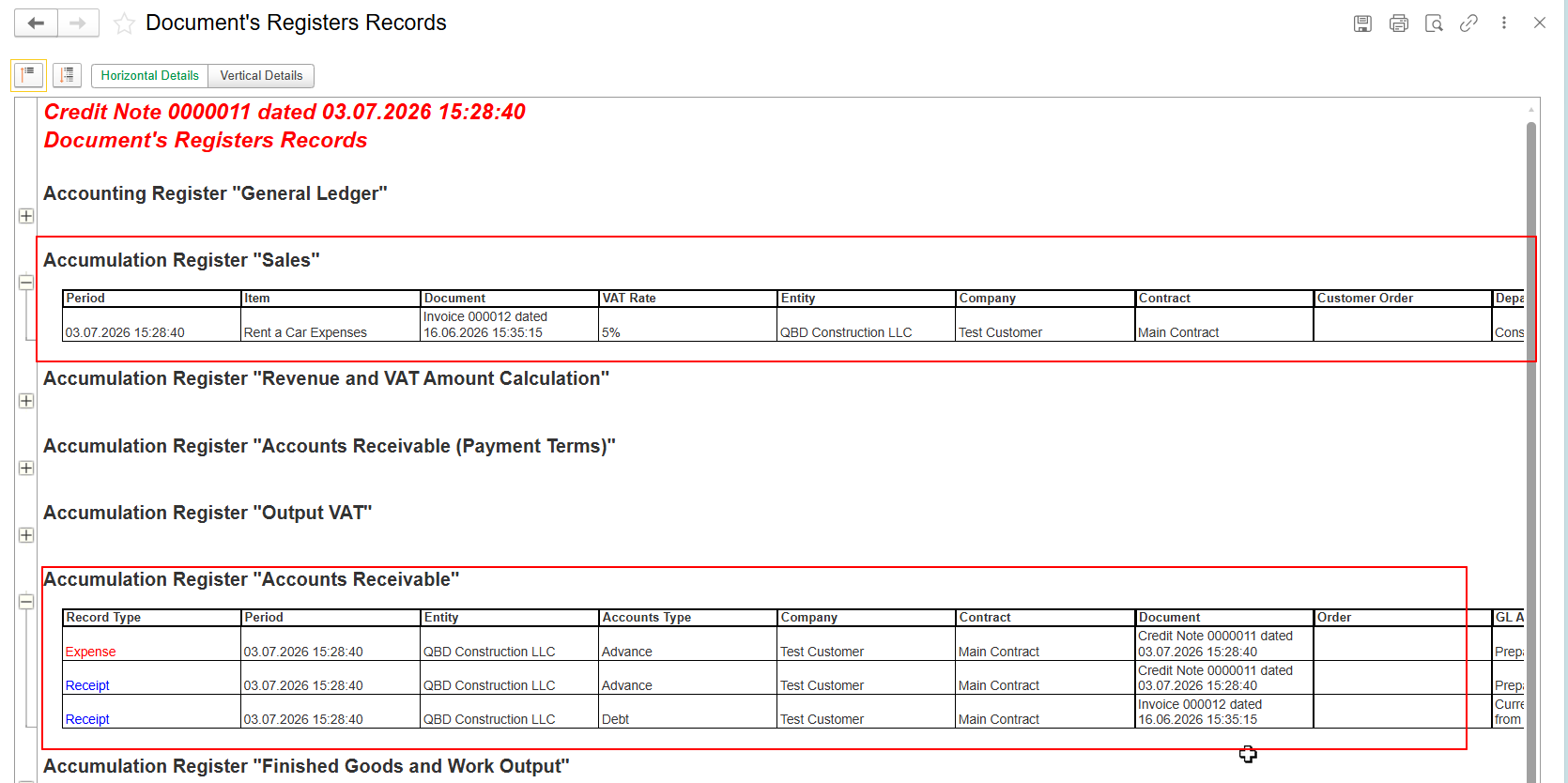
And indication:

This behavior is expected.
...
- the posting logic differs from a standard Credit Note;
- the calculated values of the Sales and Accounts Receivable registers are no longer equal;
- therefore, the Invoice payment indicator changes to reflect a Partially Paid status.
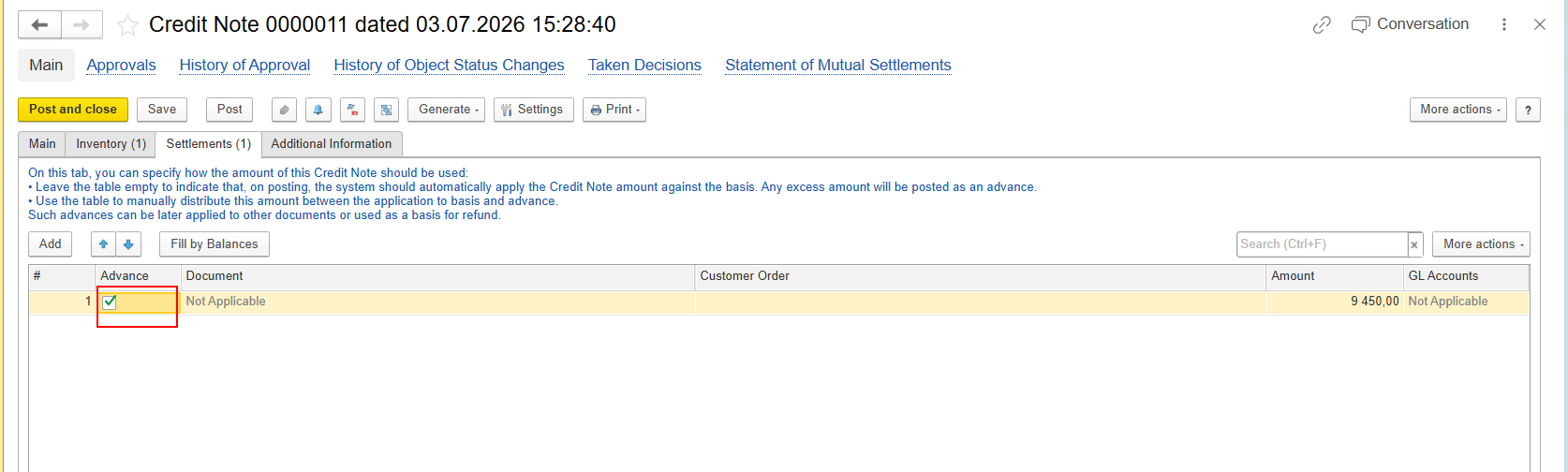
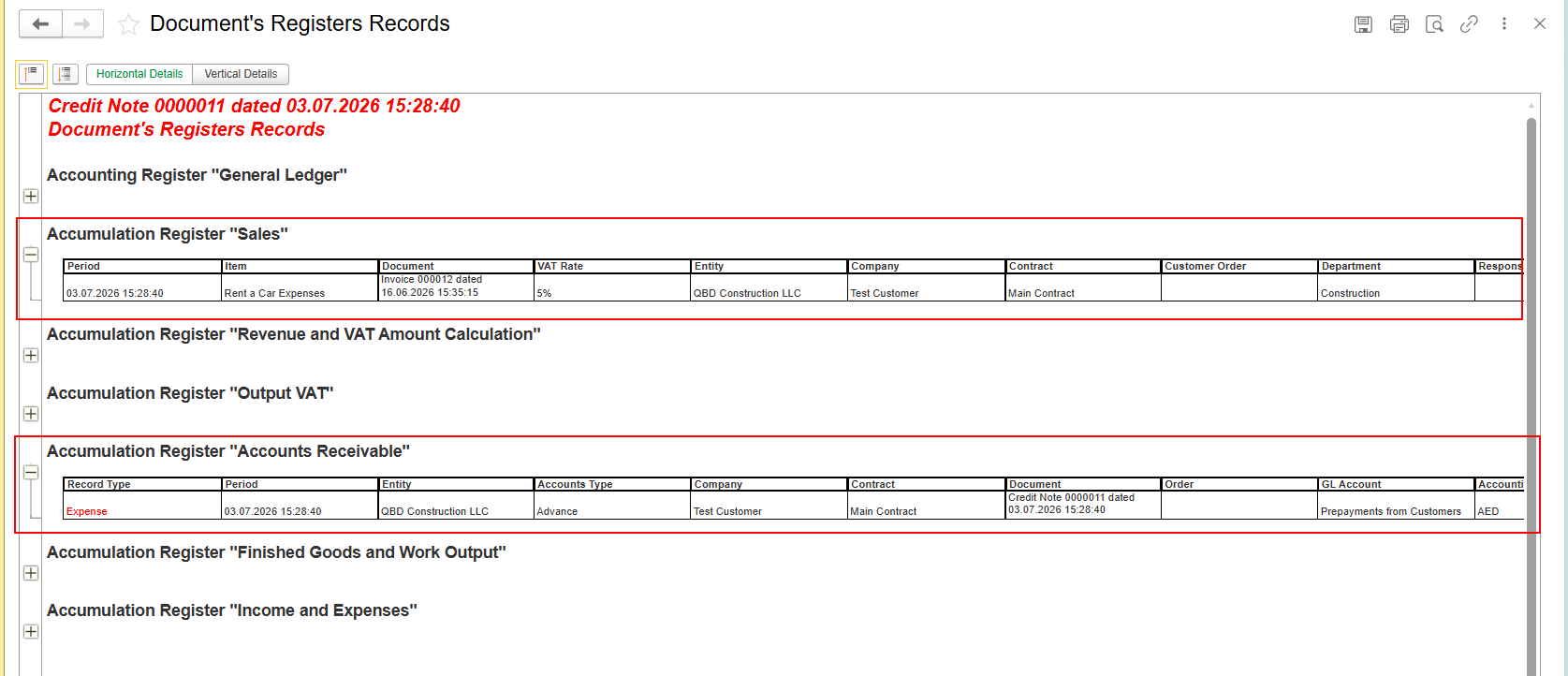
And indication:

This behavior is also expected.
...