...
There are two types of licenses in FirstBit that are used simultaneously - FirstBit License configurations and 1c 1С Platform License.
The below description is how to restore 1c 1С Platform License.
The "License not found" error message typically occurs when the system cannot locate the valid license associated with the software. This can happen for various reasons, such as the license being deactivated, the system parameters changing, or an issue with the configuration. Here's a detailed explanation of how to recover and restore your license when faced with this error.
Steps to Recover and Reactivate
...
1С Platform License
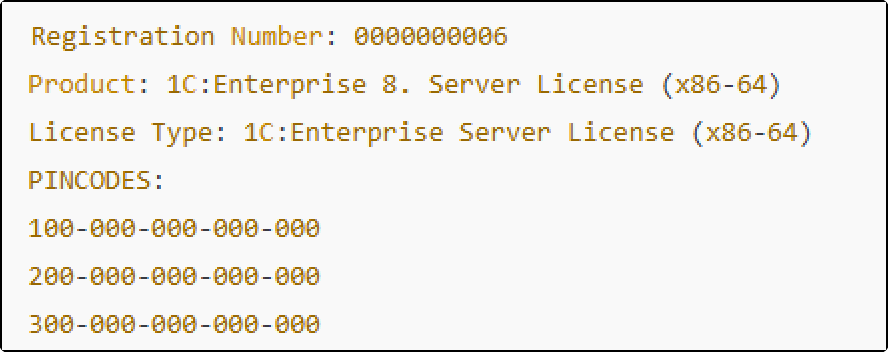
When a license is purchased, the following server license details are provided:
 Registration Number (also referred to as the Kit Number).
 License License Details: Includes the product name and type. PIN PIN Codes: One PIN code is needed to activate the server license. Additional codes are included for scenarios such as:
  Transferring transferring the server to a different machine.
 Making computer; making hardware or operating system changes.
...
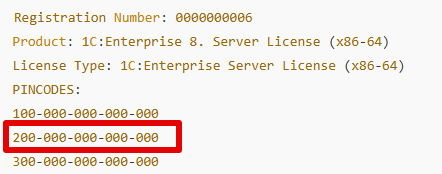
PINCODES:
100-000-000-000-000
200-000-000-000-000
300-000-000-000-000
1. Use the License Data File (LIC Data File) and existing pin codes.
The first and most straightforward method is to attempt to recover the license using the LIC data file. This file contains the license information and is typically stored in a specific location on your system.
Check for the LIC Data File: Ensure that the LIC data file is available. This file should be saved in the specified path, which is typically provided during the initial license registration. Search the license using .*lic in the PC
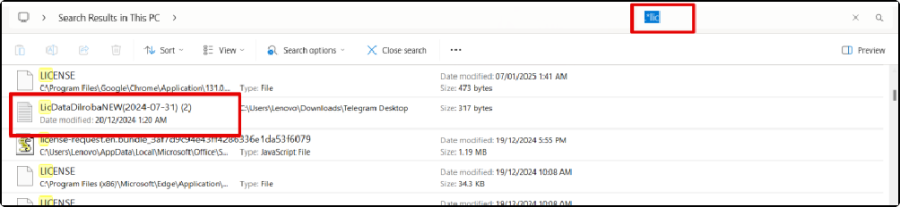
Select the Option to Recover Using LIC Data File: If the file is available, choose to recover the license using this data file. This will restore the license configuration associated with the file.
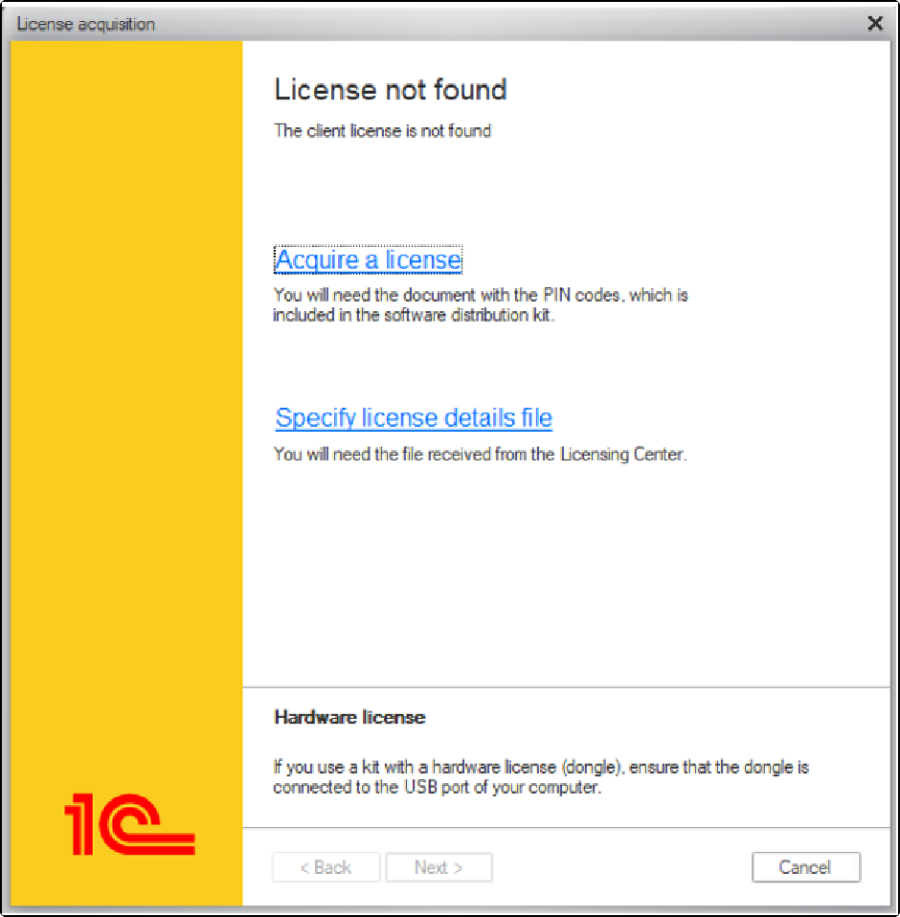
Next, go to Acquire License, input the License Kit Number and PIN (provided during registration), and select Recover License.
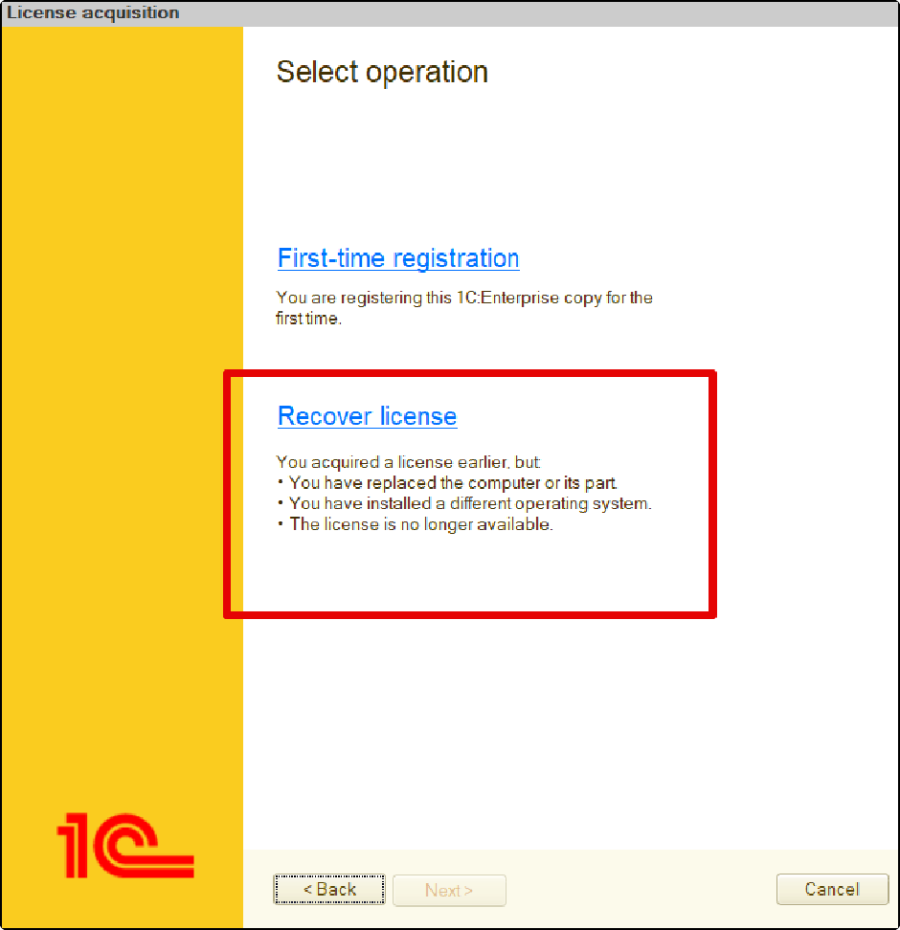
If the key computer's parameters have changed (e.g., hardware or OS updates):
...
Uncheck "I am sure the key computer parameters have not been changed" and provide an unused PIN code, in the new PIN field.
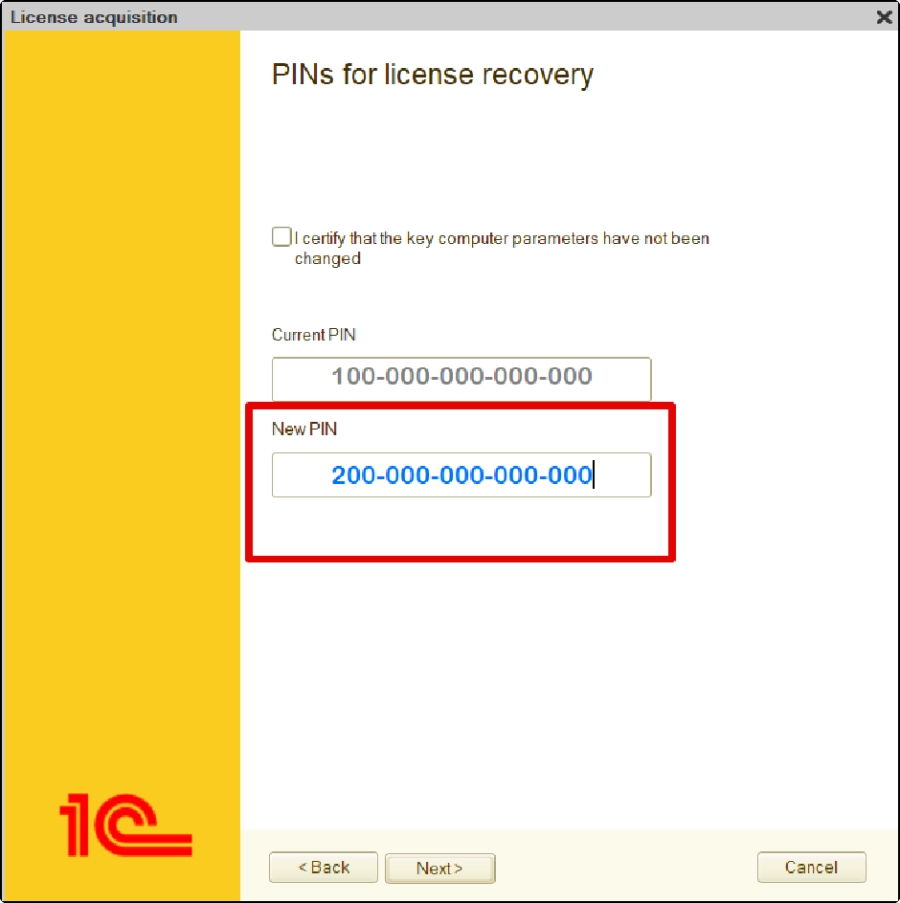
Enter the personal data verification details exactly as specified in the license file, ensuring all information matches perfectly.
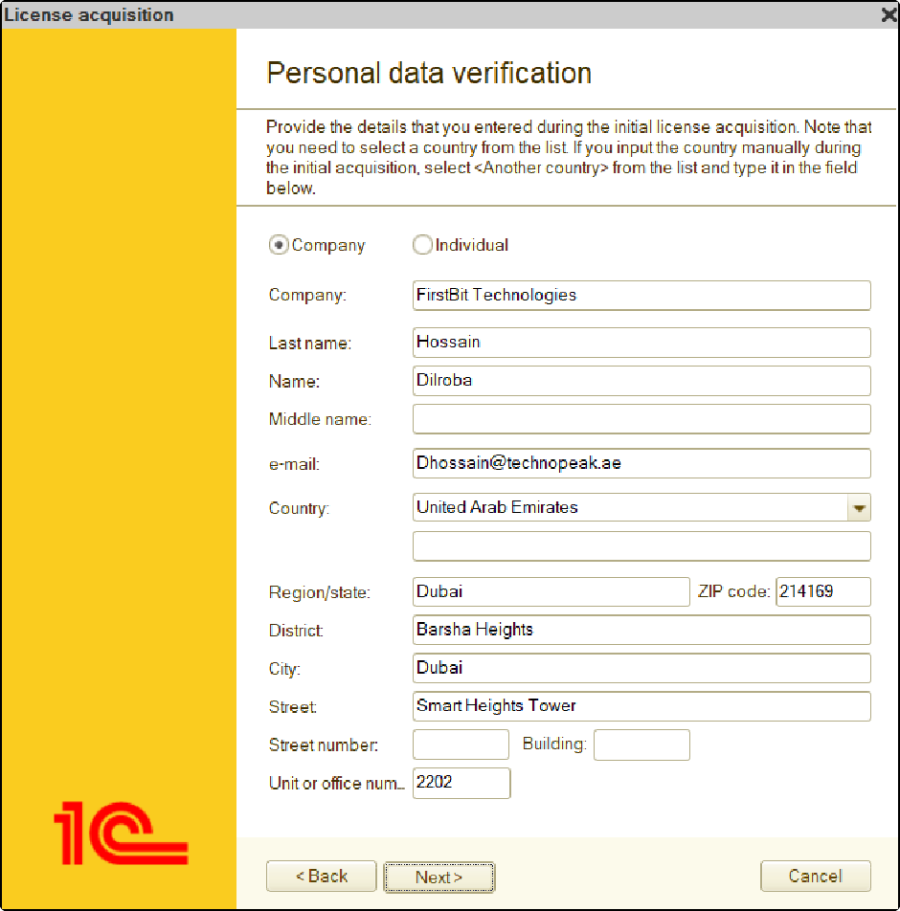
Then, click NEXT to complete the process. The license should be installed successfully. If you're unsure which PIN codes were unused, you can try the following combinations: First
First
- First, try the 1st and 2nd PIN code combinations.
...
- If that doesn't work, try the 2nd and 3rd PIN code combination, keeping the 2nd PIN code as the current PIN and the 3rd PIN code as the new PIN.
Request Additional PIN Codes from 1C
If the above LIC data file recovery with available PIN codes fails and shows a "PIN code input error," contact Hotline Team for additional PIN codes hotline@firstbit.ae
Once you've obtained the new PIN codes, follow the steps below to complete the recovery process:
Select "Acquire a License": After obtaining the PIN codes, select the option to Acquire a License. This option should be available in the software where you are trying to restore the license.
Use the Last PIN Code: During the recovery process, use the last PIN code you used for the initial registration of the license. This code is essential as it acts as the primary key for the recovery.
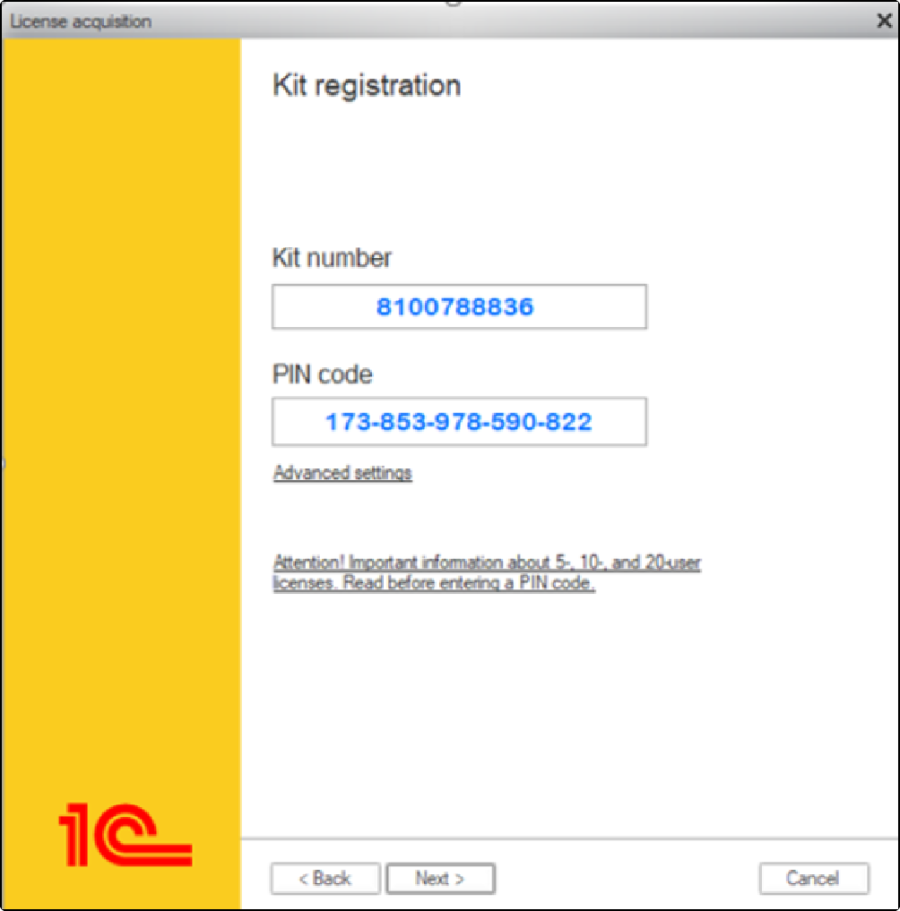
 Use New PIN Codes: The newly obtained PIN codes will be used as backup or "reserved" codes during the recovery process.
These reserved PIN codes serve as secondary keys that can be used if needed.
By following these steps carefully, you can restore the license and resolve the "License not found" error.
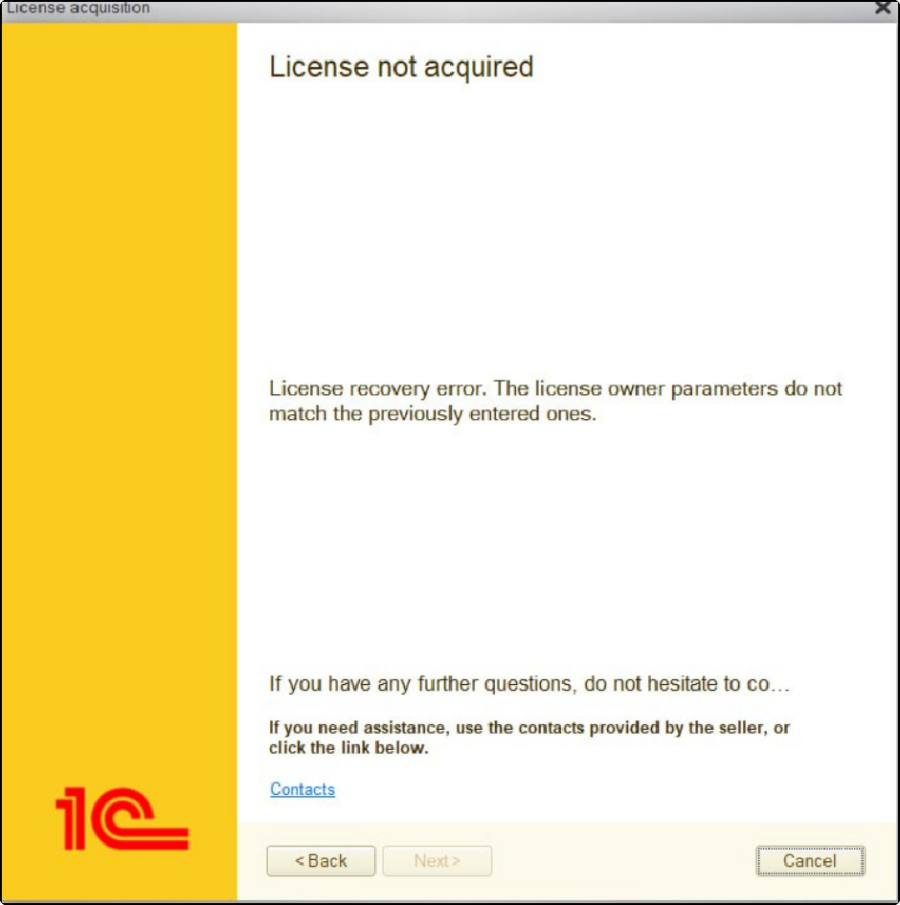
License recovery error.
If all the necessary details are available but the license is still not activating, showing an error that "The license owner parameters do not match the previously entered ones" it is likely that the details entered do not align exactly with those in the initial LIC file.
Remove Extra Spaces: Check for spaces before or after the data and remove them.
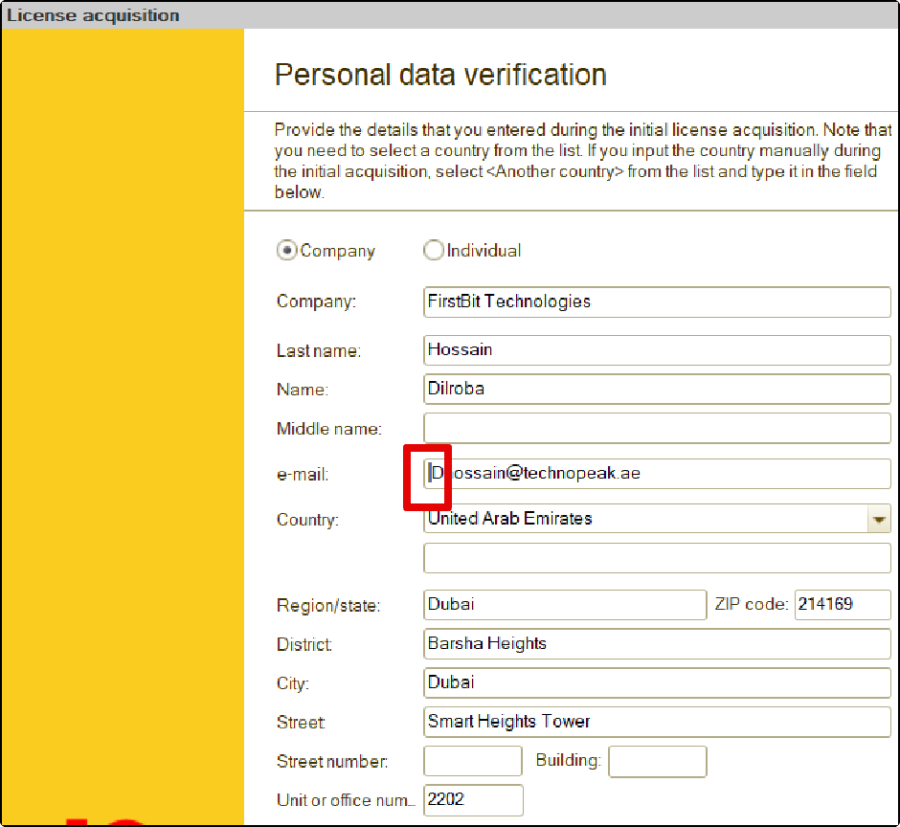
Check Data in Correct Fields: Make sure all information is entered in the right fields.
Match Country Name: Ensure the country name in the LIC data file and verification page is the same. If not, go to the country field, select another country, and then type "AE" (or the exact country format from the LIC file).
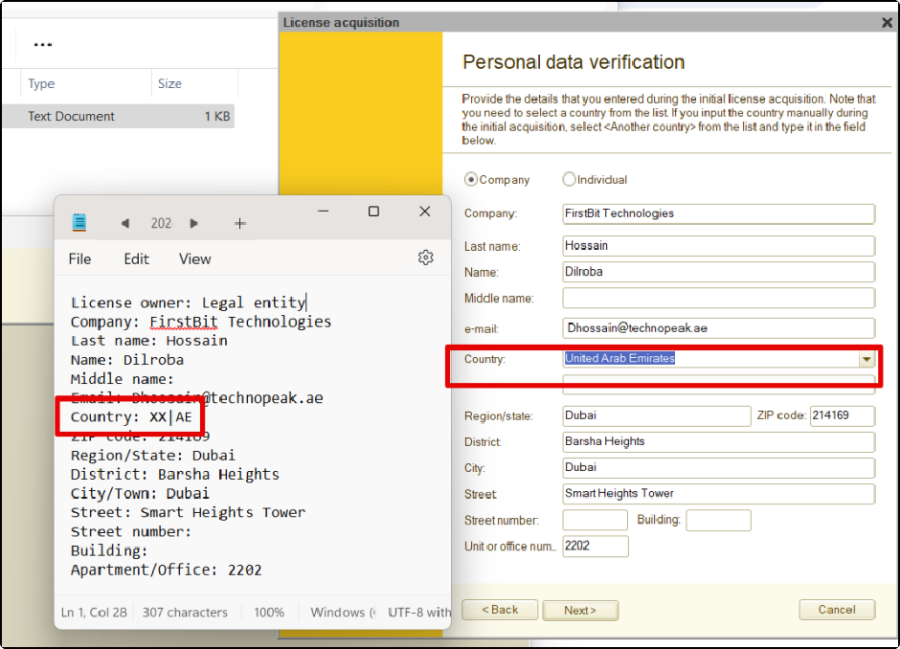
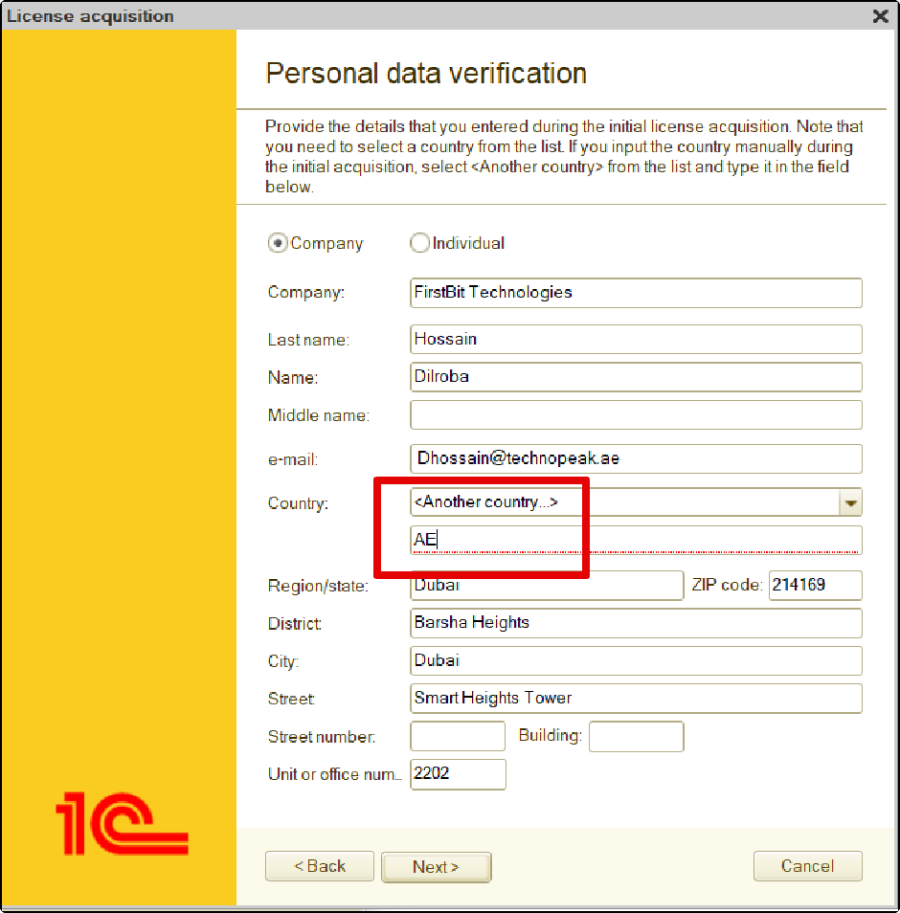
These steps should help you activate the license without the error. #LicenseActivation #LICFileIssues #Licensenotfound
Thank you for being a FirstBIT customer!
#1CLicenseActivation #LICFileIssues #1CLicensenotfound