...
The return of funds to the current bank account can also be also performed by via Money Transfer.
See more on Money Transfers
...
If money is transferred to a supplier as a deposit, it is not an expense, but an asset (prepayment/deposit):
Step 1. Create a Bank Payment (or Cash Payment)
...
See more: Deposit in Bank (as Loan)
Step 3
...
. Income (Interest) Accrual on a Loan Issued
During Month-End Closing, if the "Calculate Monthly Interest on Loans" option is selected in the Month-End Closing assistant, the system automatically generates a Processing of Current Loans document.
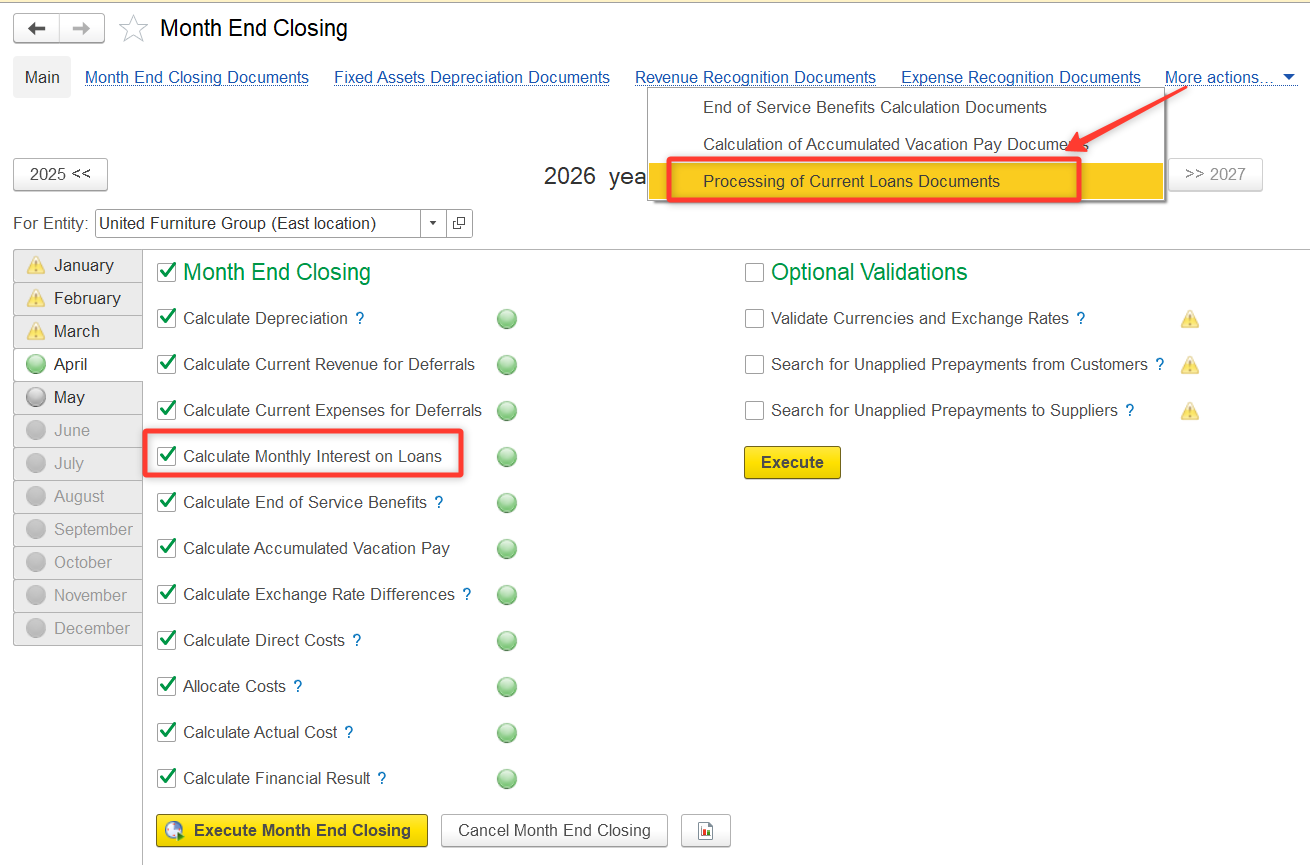
This document lists each loan (including loans issued) with the monthly interest and fee amounts to be posted as income (for loans issued) or expenses (for loans received) for the current period.
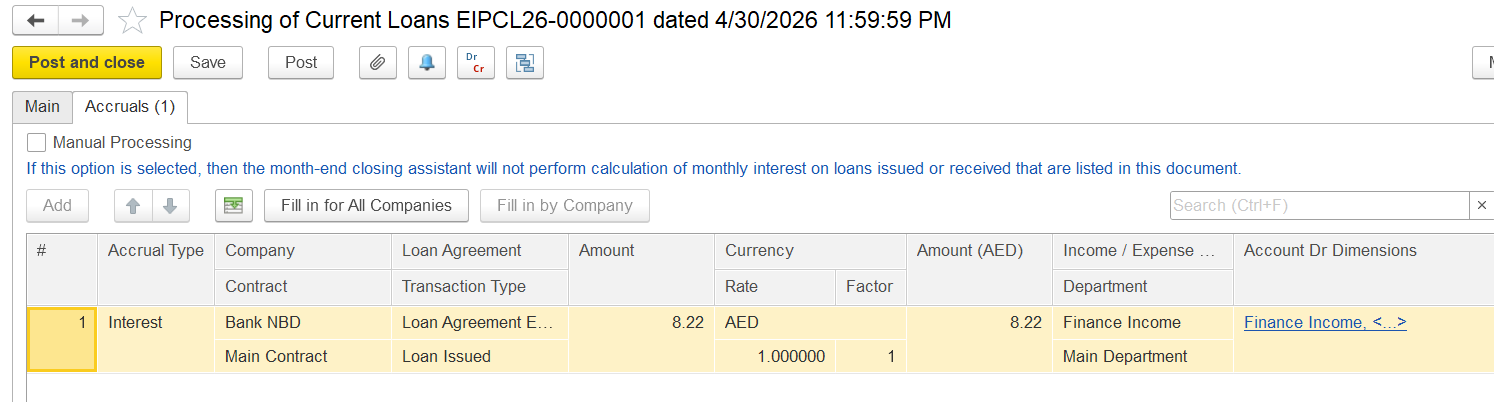
The interest is calculated based on the loan agreement terms and is posted automatically for the closing period.
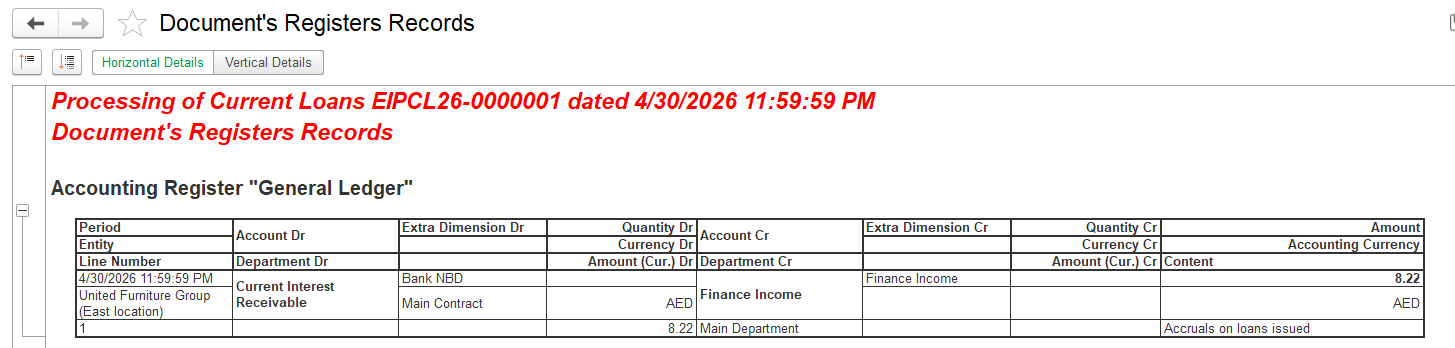
Entry:
- Dr Current Interest Receivable
- Cr Finance Income
Step 4. Receive the Accrued Deposit Interest
...
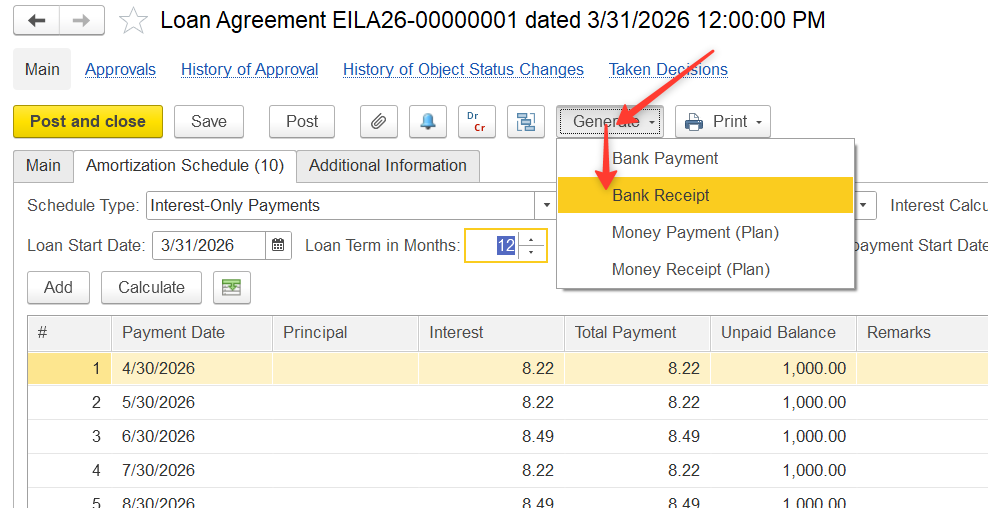
Click Generate > Bank Receipt.
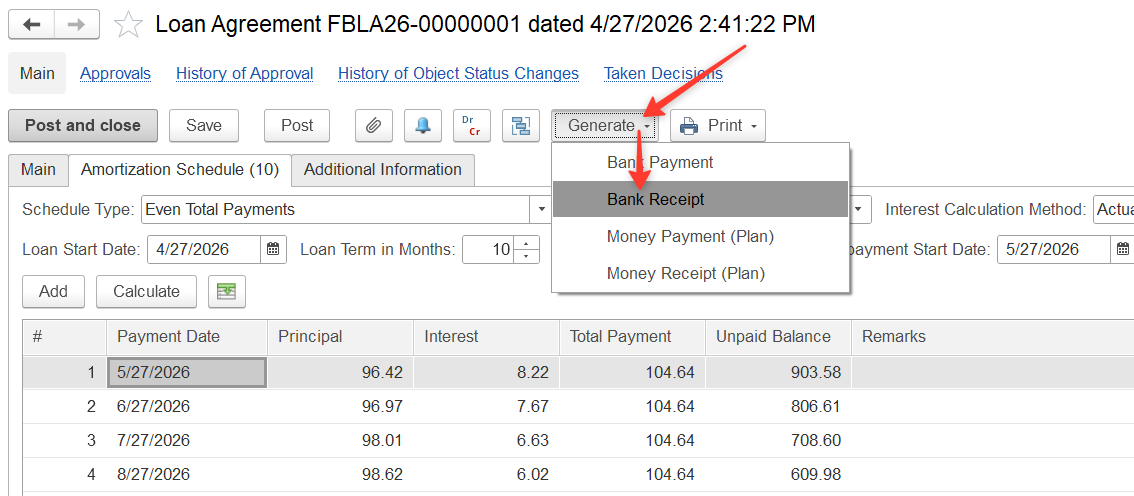
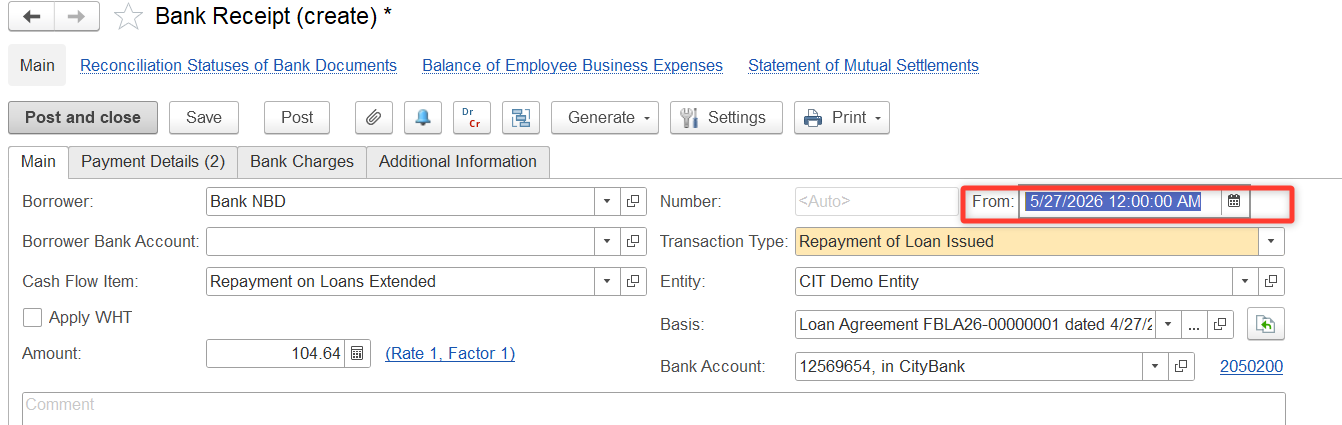
On Alternatively, on the Main tab, enter the date of the next payment.
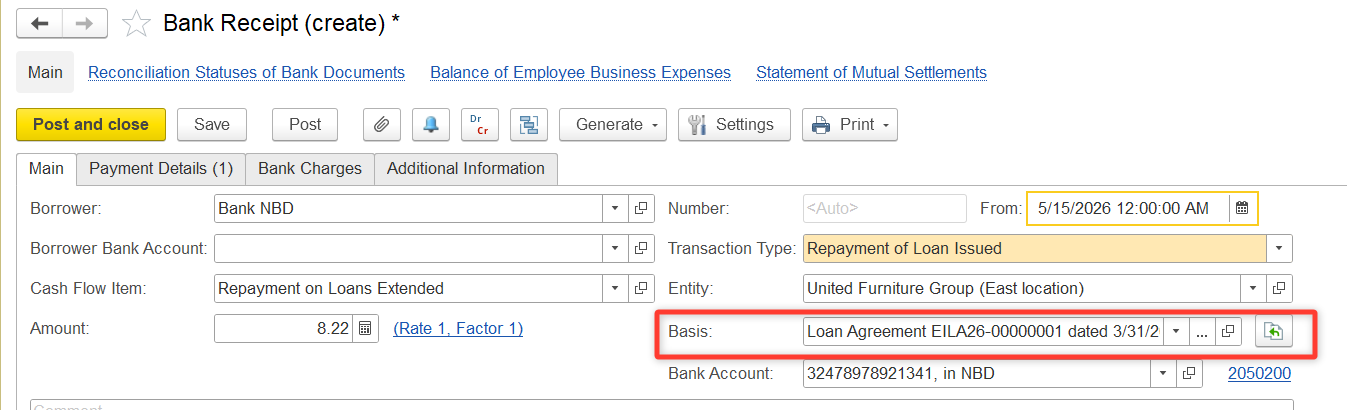
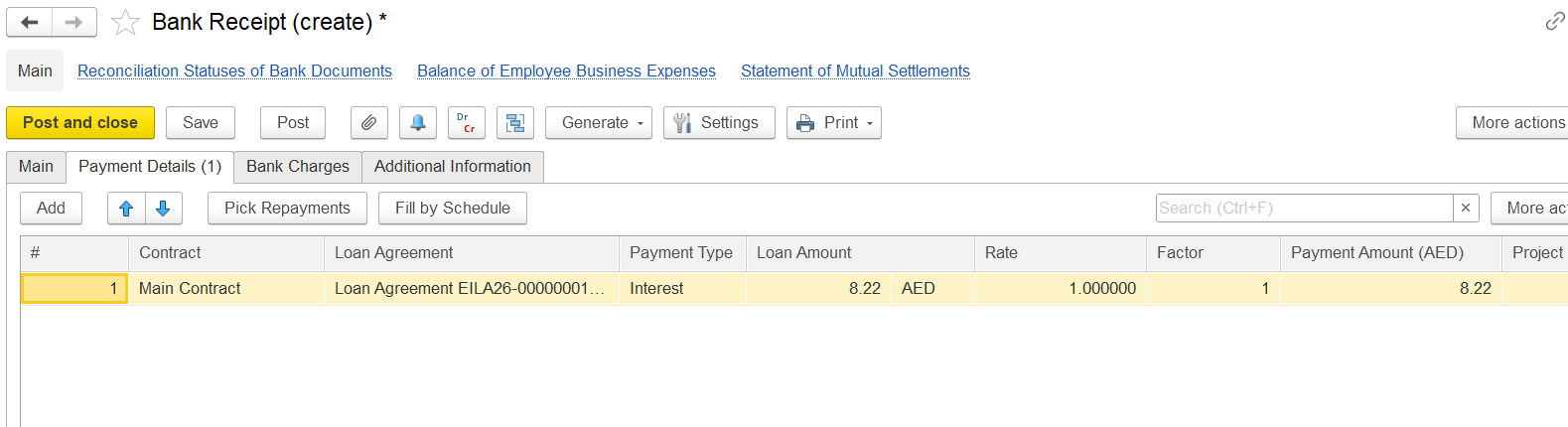
On the Payment Details tab, select Loan Agreement as a Basis and click Fill by ScheduleBasis.
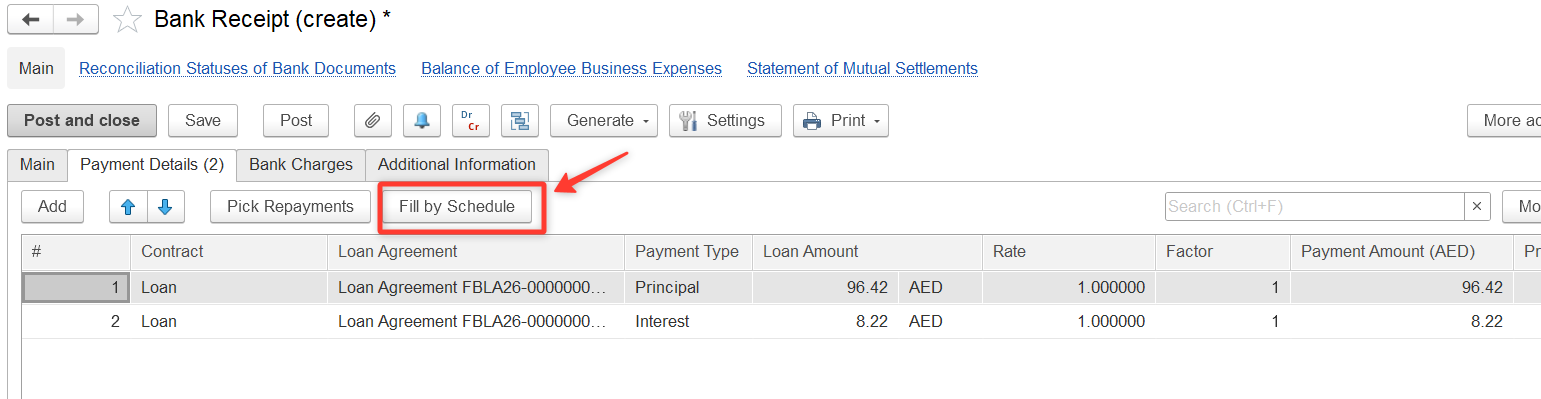
All data will be filled automatically based on the loan agreement schedule.
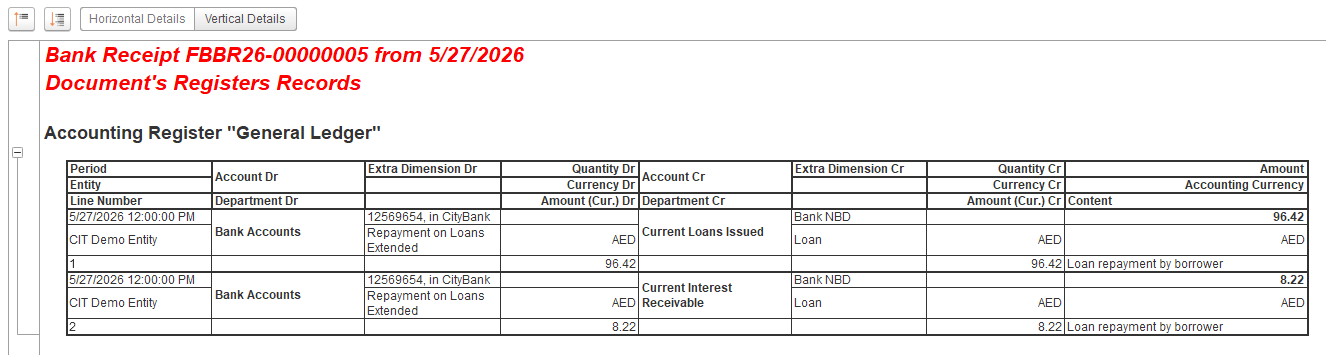
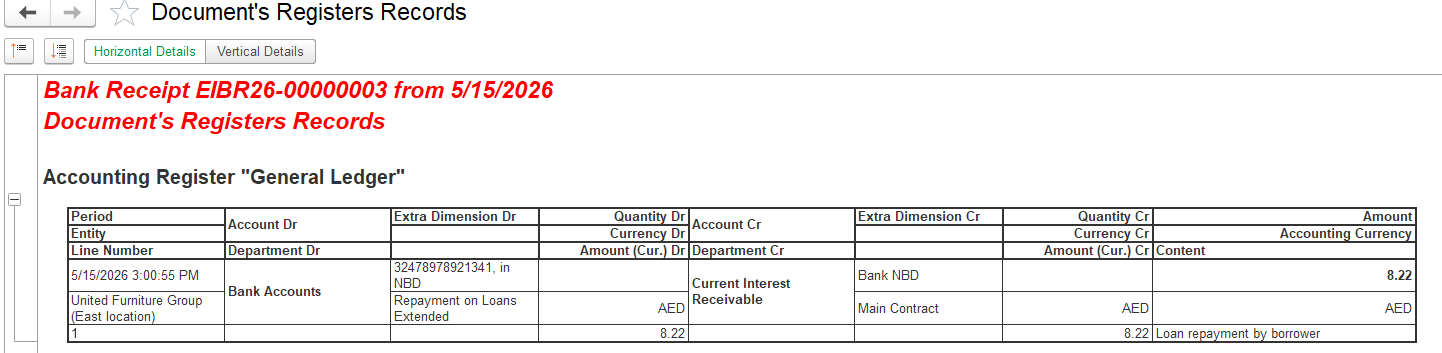
Entry:
- Dr Bank Accounts
- Cr Current Interest Receivable
Thanks for being a Firstbit Customer! #BankDeposit #SupplierDeposit #Deposits #DepositAccounting #DepositToSupplier #DepositsPaidToSuppliers