...
- In the dialog box, select Recorder in the Fields box and click OK
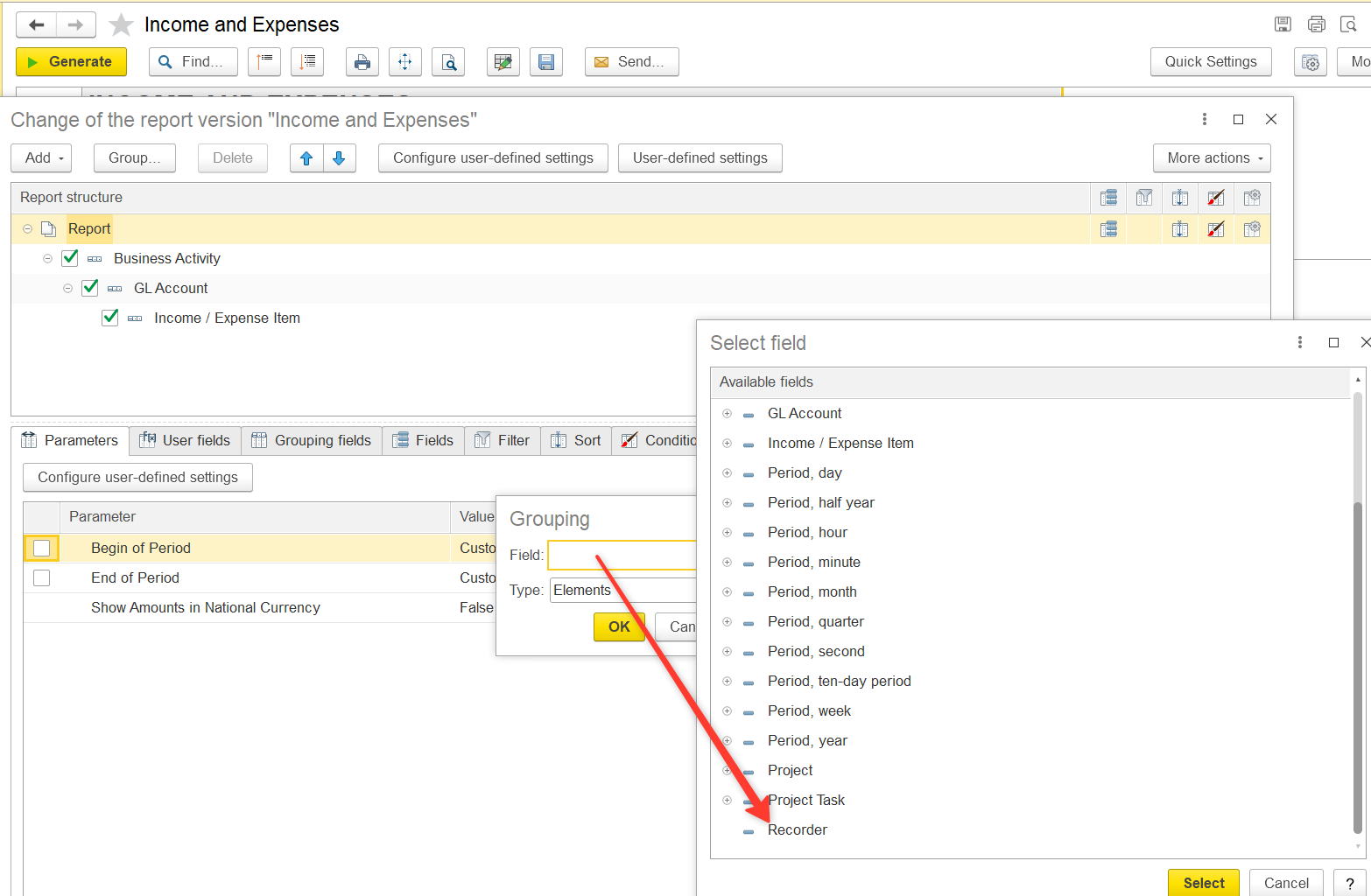
- A new row Recorder will appear → click Complete
...
- Click More actions → Change report variant.
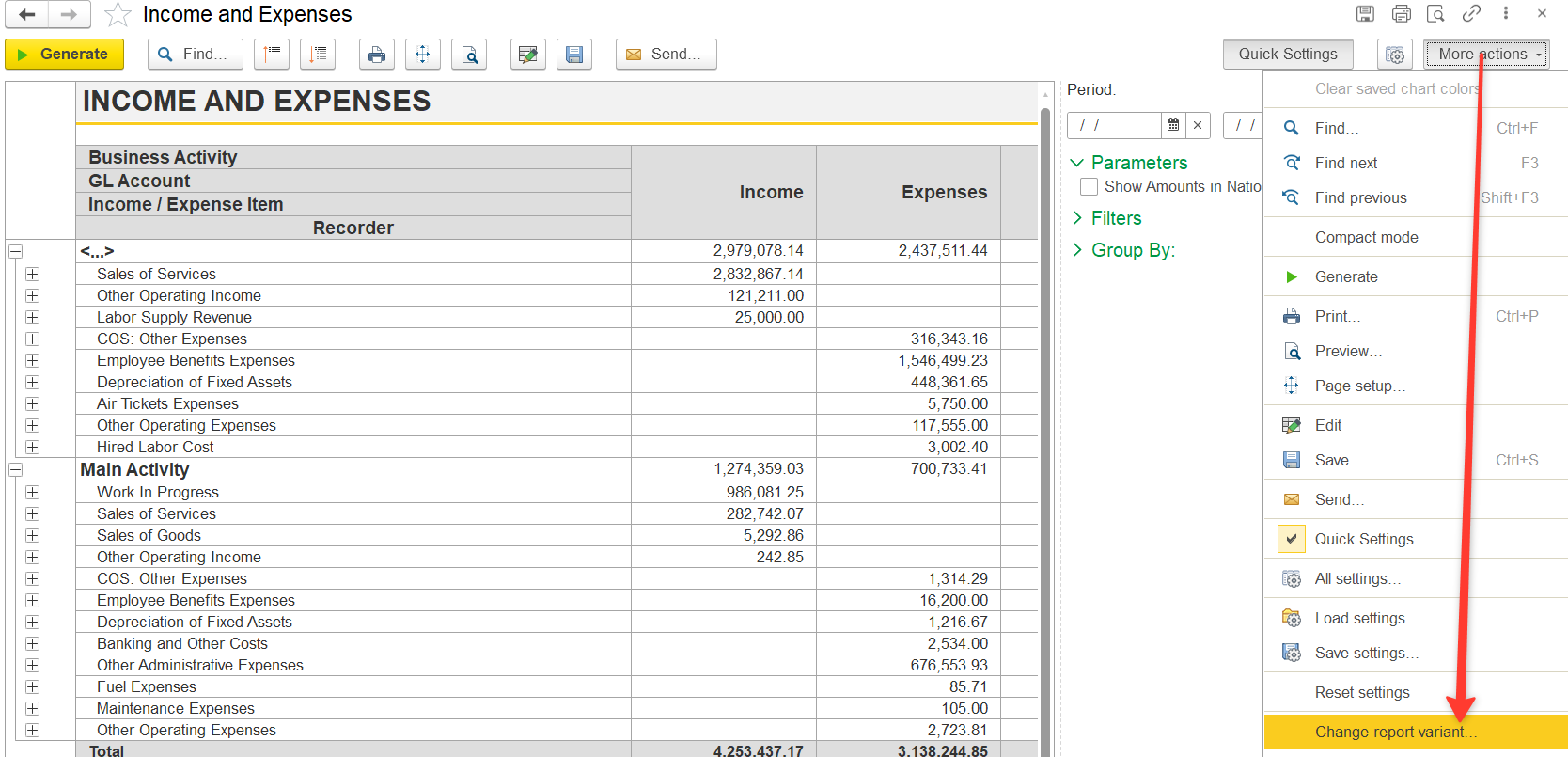
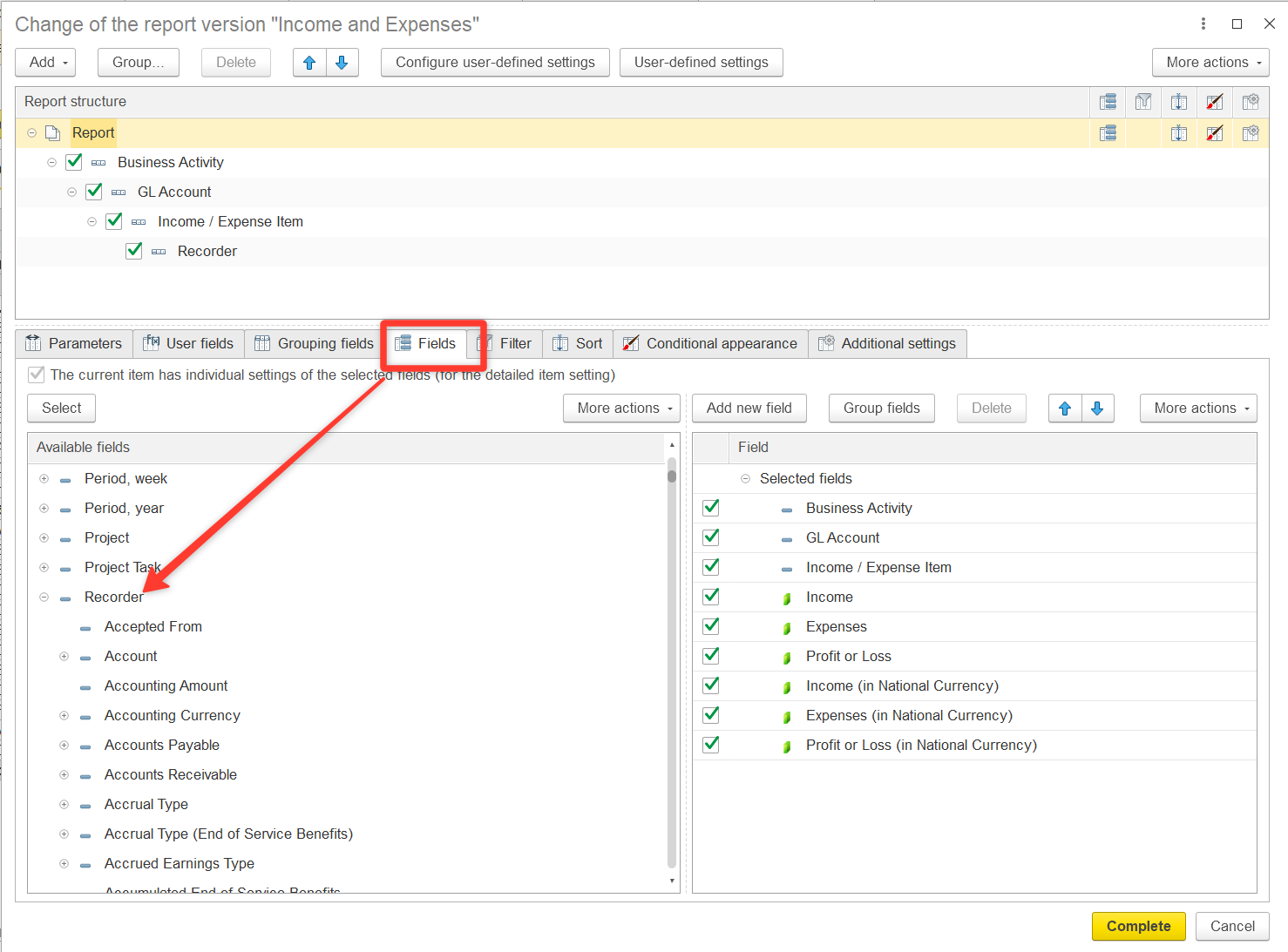
- Go to the Fields tab
Find Recorder
→ Project└── Projects
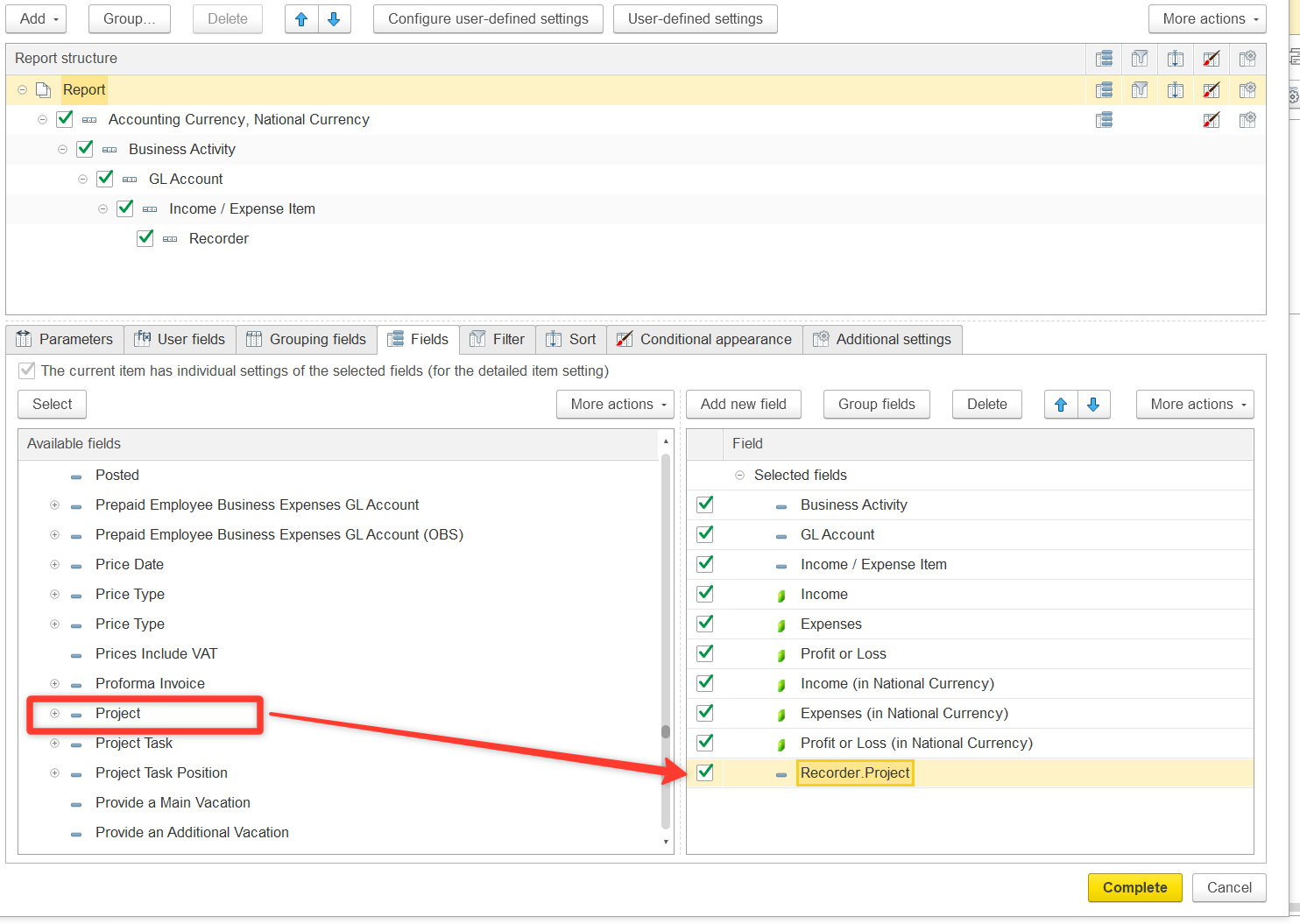
Expand the Recorder section and locate the Project field. Double-click to move Recorder.Project to the right section of the window
Configure column display:
- Go to Additional settings
- Set Attribute placement = Separately
- Click Complete
...