...
This helps simplify data entry, makes it easier to work with asset records, and improves reporting by allowing assets to be grouped and analyzed by type.
In the system, filling in the Fixed Asset category is mandatory.When creating a Fixed Asset, the Category field is mandatory
If a category is not selected, the asset cannot be properly recorded.
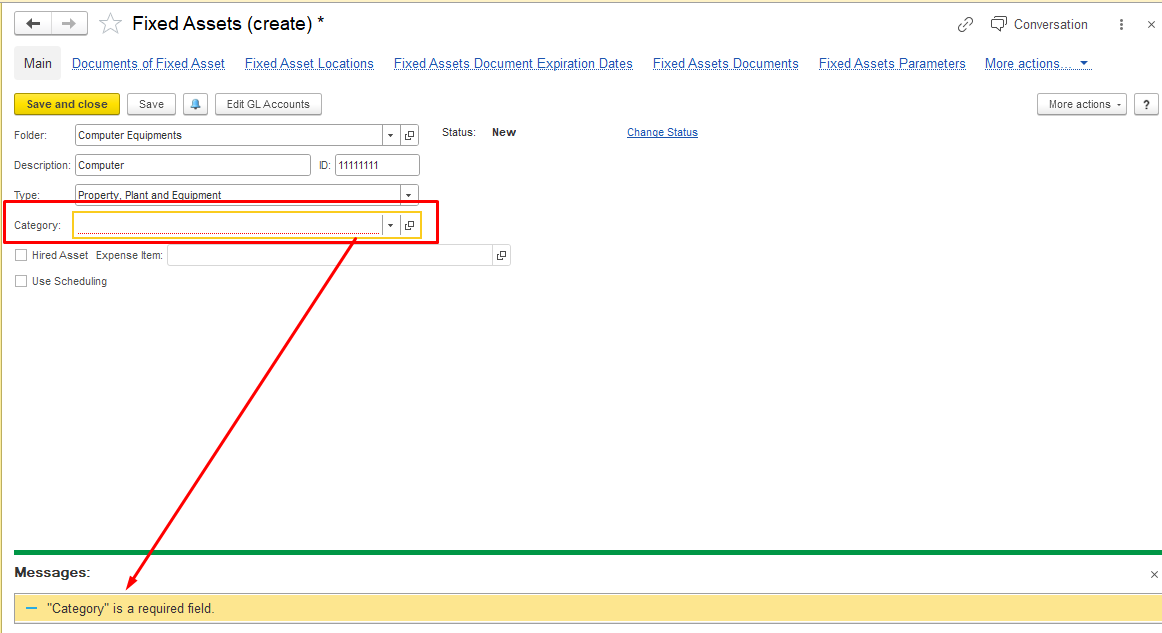
In the FirstBit Software you are able to create and use Fixed Assets categories.
...
At the category level.
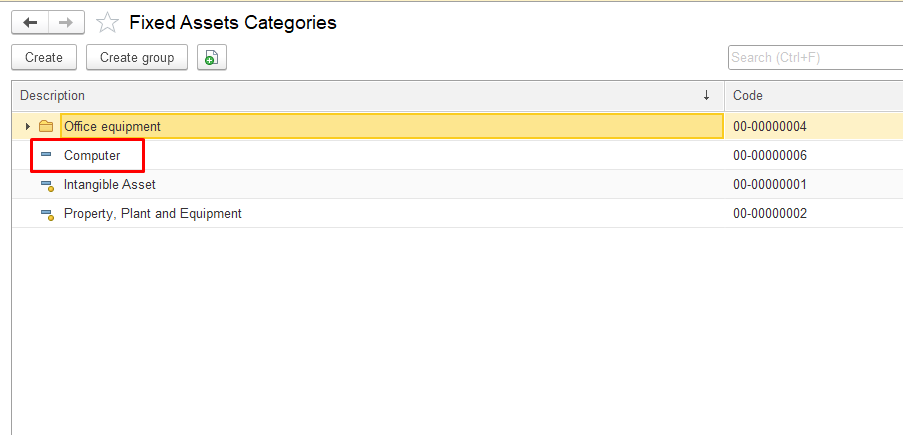
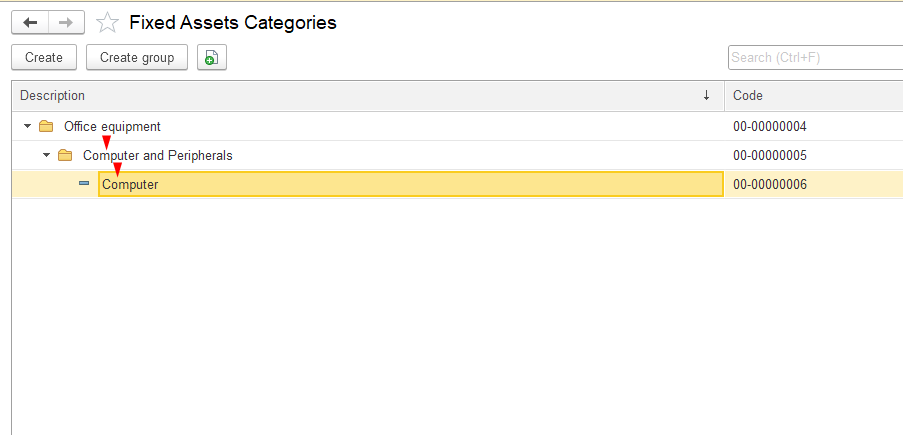
At the group level .
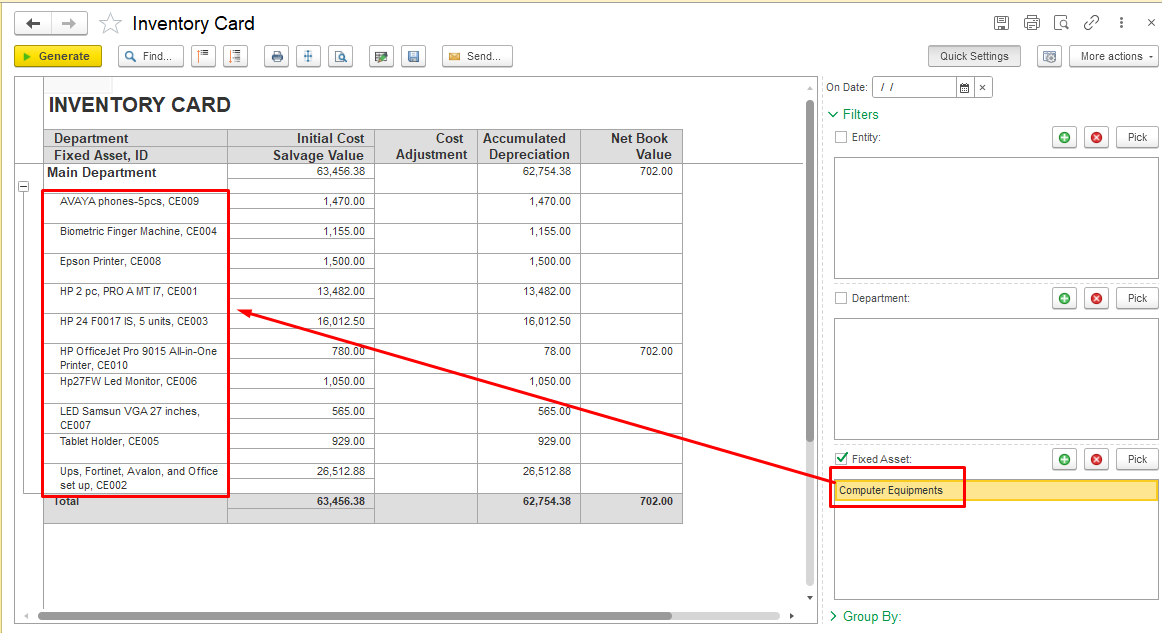
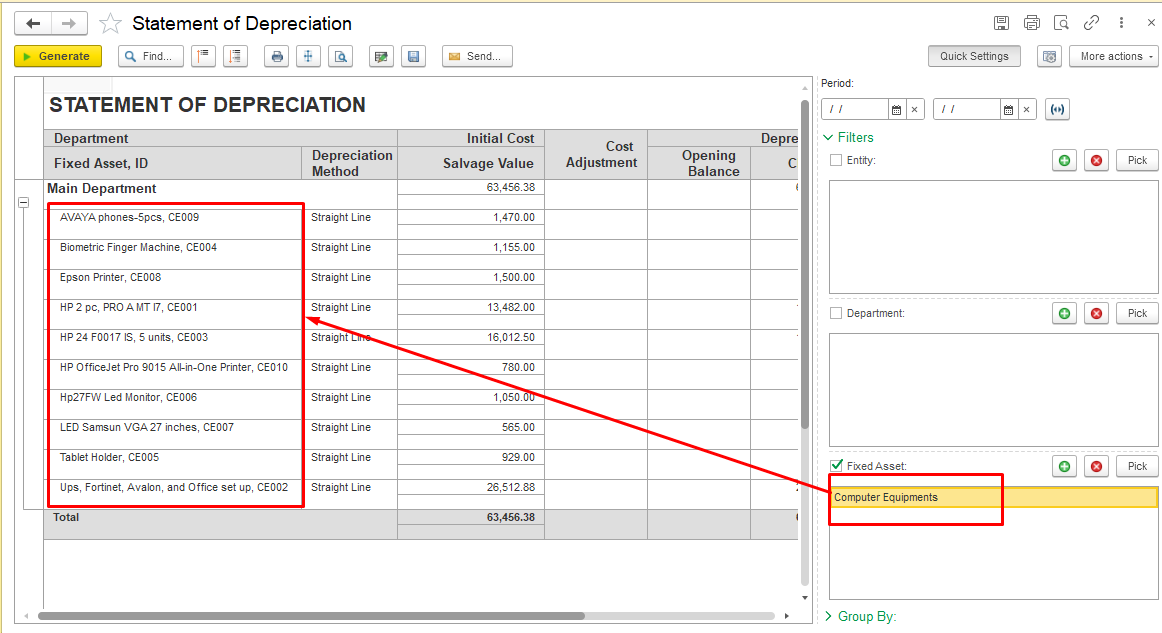
Reports on Fixed Assets can be generated both by category and for individual Fixed Assets, such as the Inventory Card and the Statement of Depreciation.
To do this, in the report Filters, in the Fixed Asset field, click the “+” (plus) button to add an object. In the new window, select the required category.
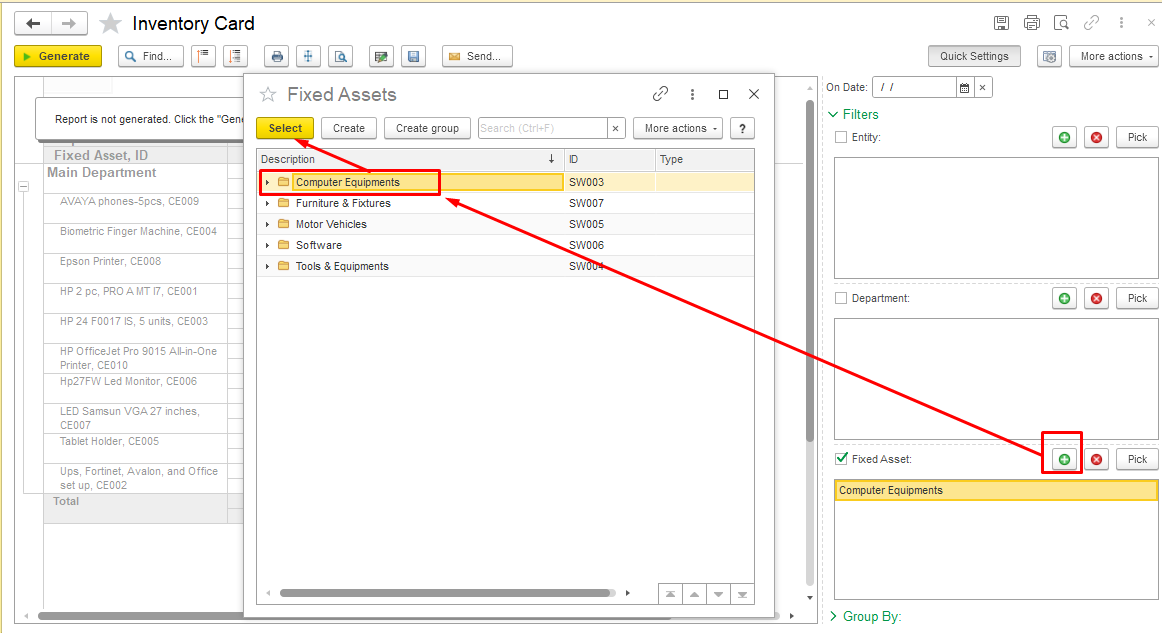
In the report, all Fixed Assets assigned to this category will be displayed.
Thank you for being a FirstBIT customer!
...