...
NOTE: If the accounting currency / national currency differs from the currency of the document, then the calculation of the VAT amount in the corresponding currency will always depend on the tax base.: Thus, first, the total amount on the invoice is converted into the accounting currency (at the current exchange rate) and 5% VAT is calculated from it, and when making accounting entries, even if the VAT amount in the received Invoice is manually changed, it will always be calculated from the total amount.
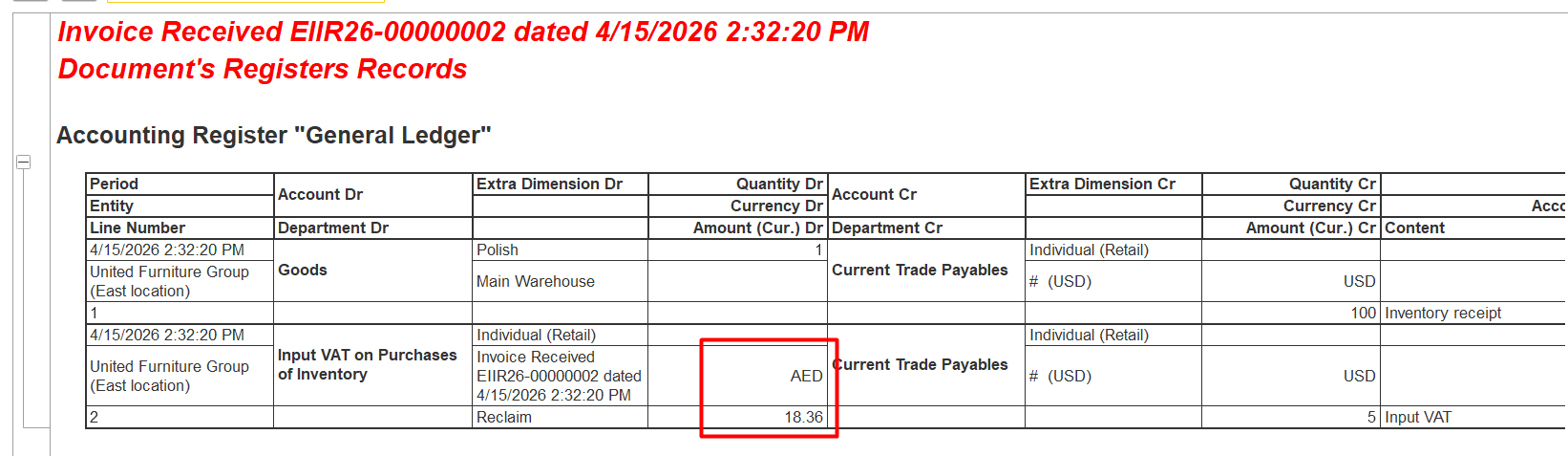
For example, 100 USD with 5% VAT:
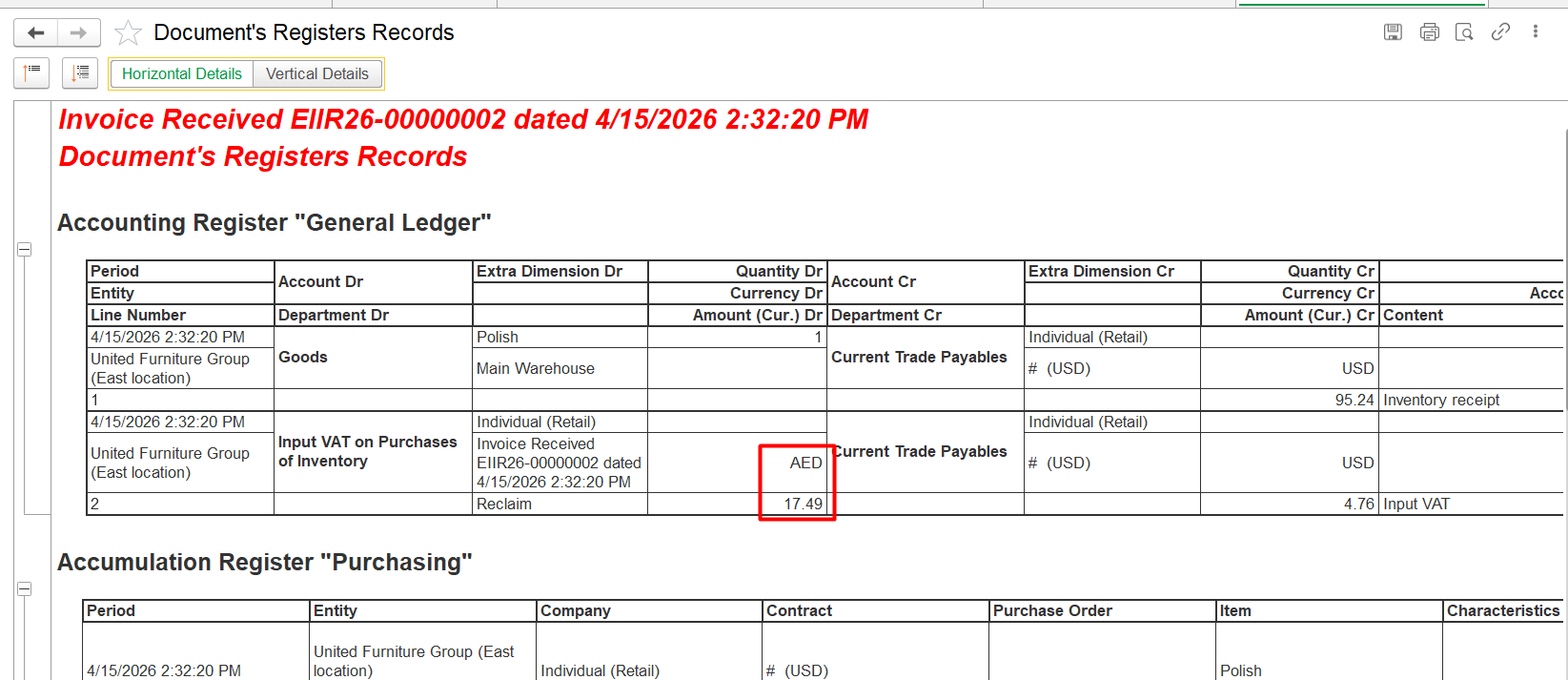
Whether Automatic VAT amount - 4,76 5 usd
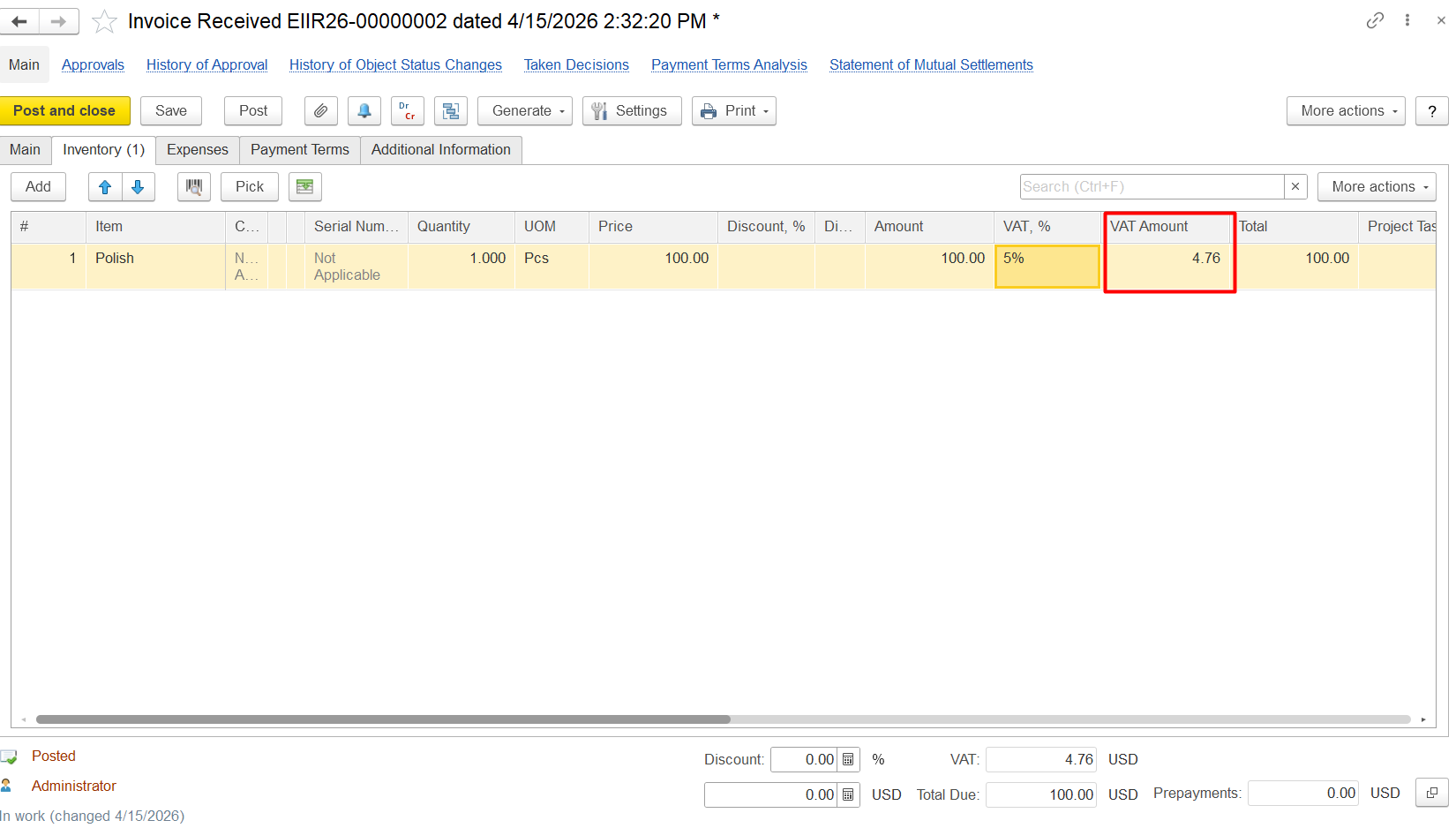
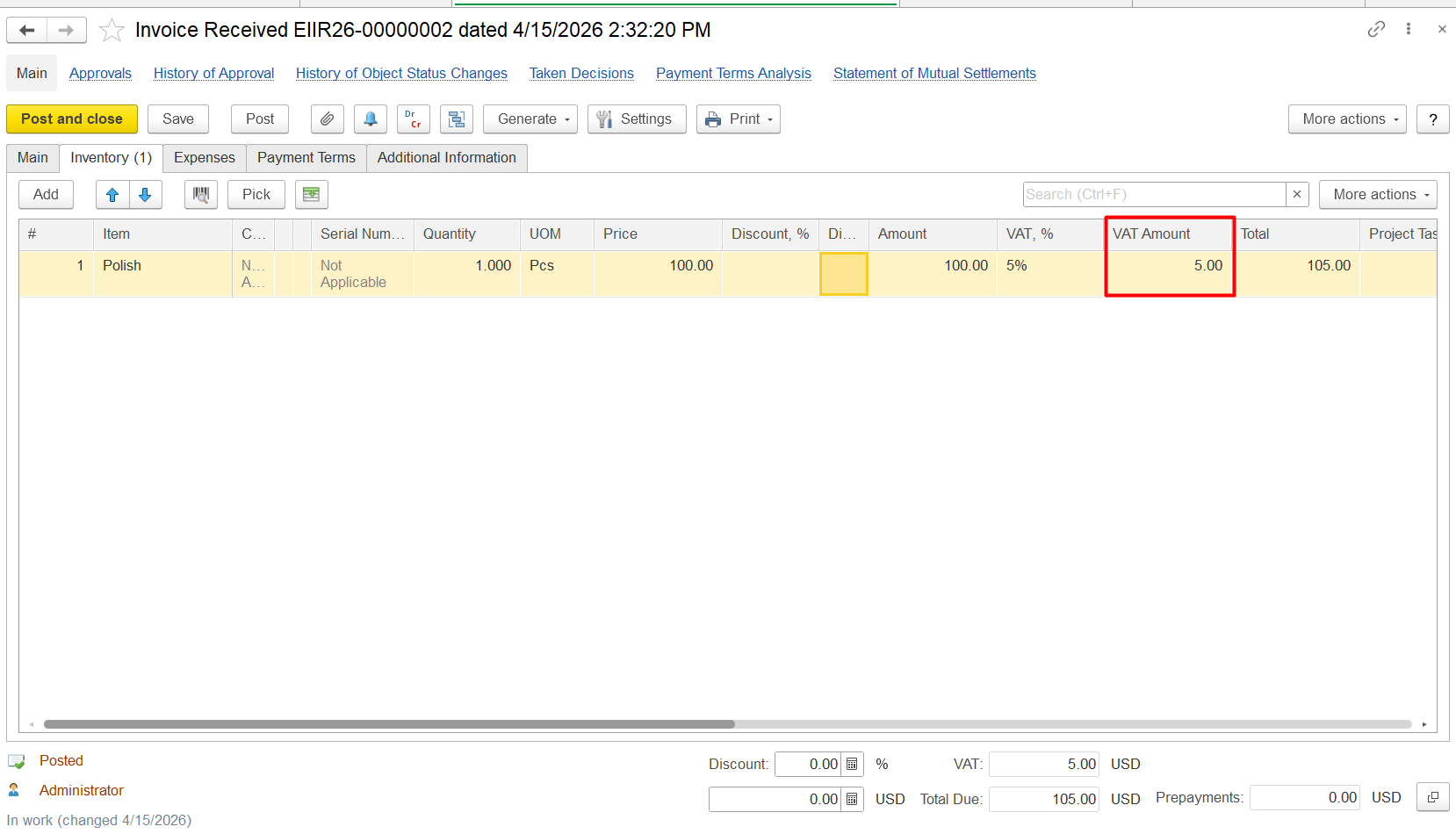
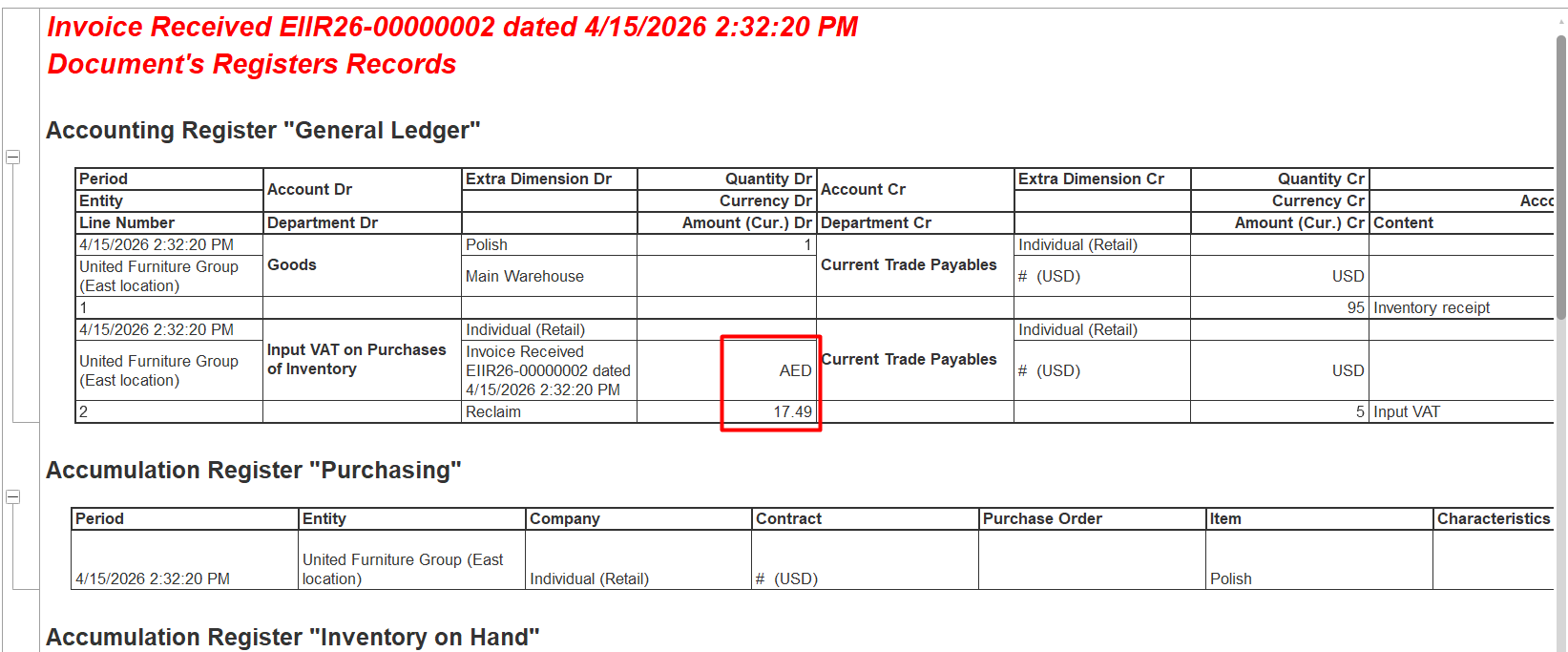
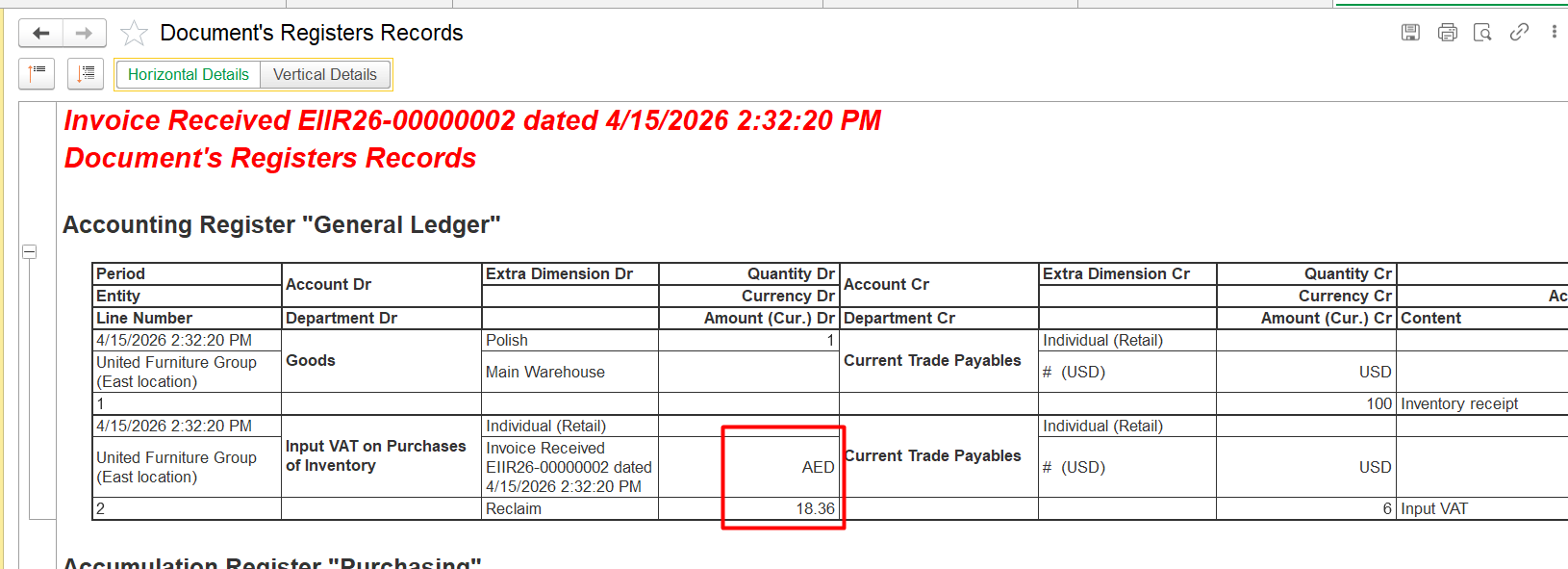
or manual -5 6 usd:
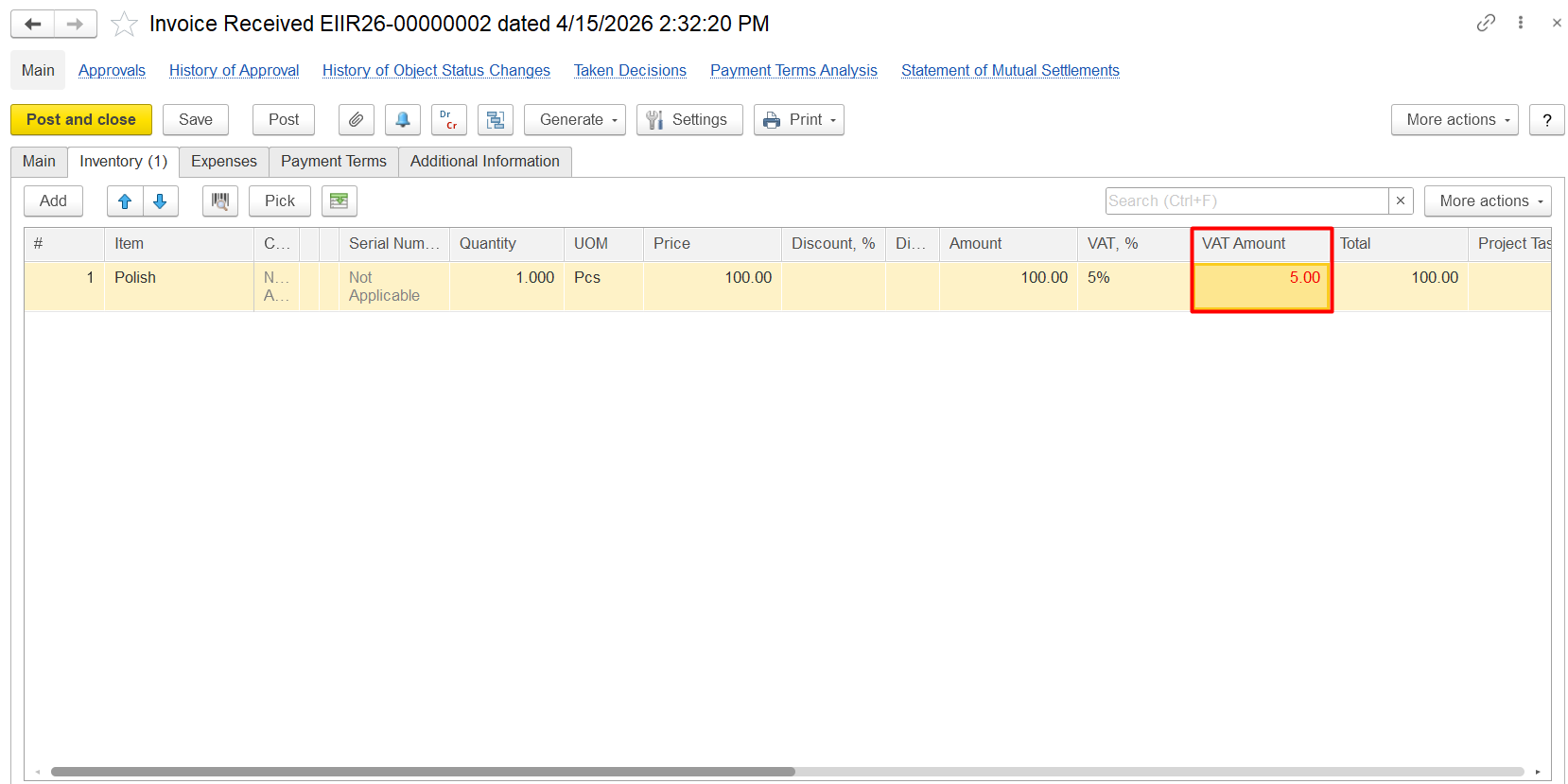
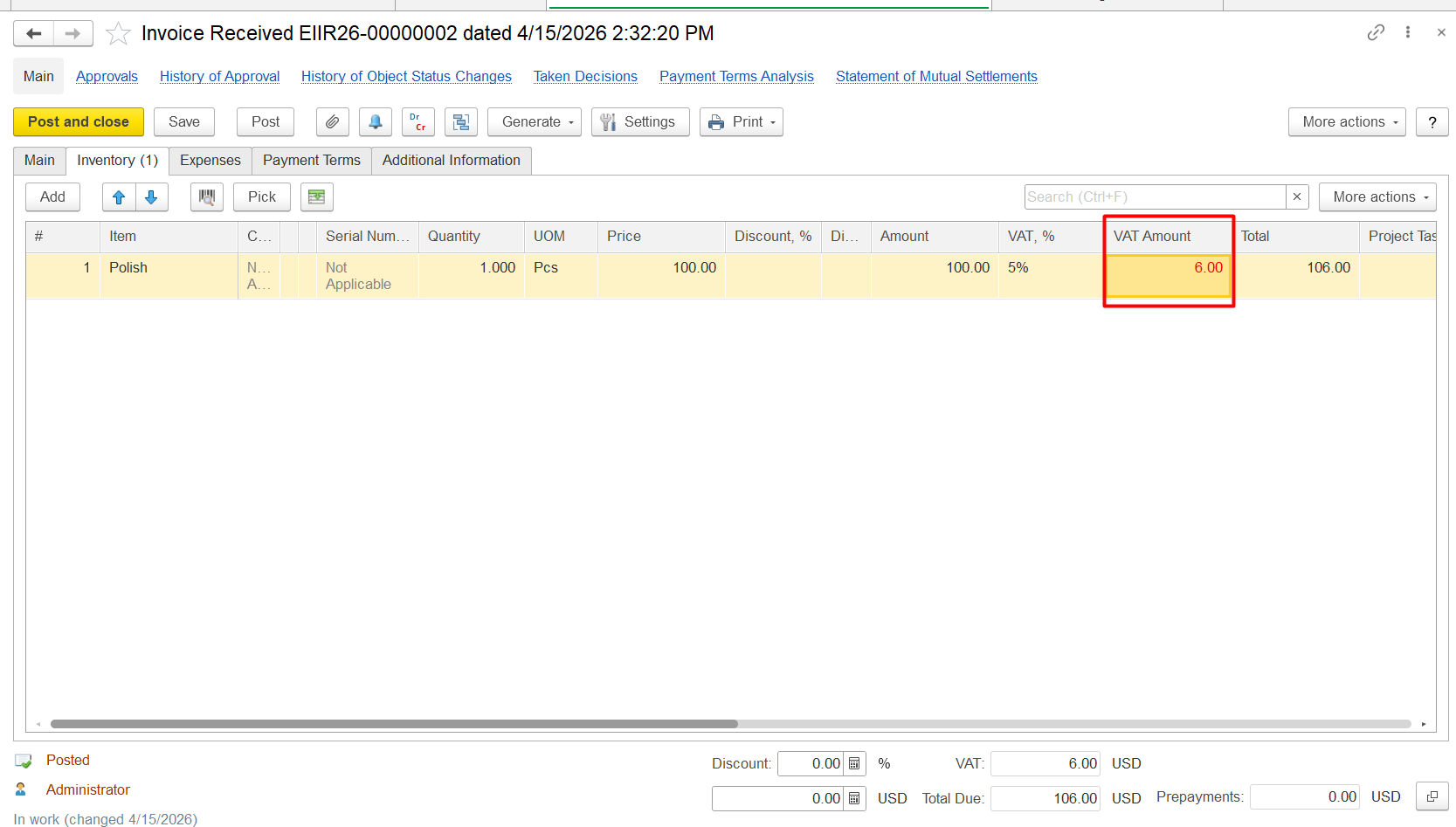
In DR CR Entry, amount in Aed whould be the same:
100 USD × 3.6725 = 367, 25 AED
5% VAT from 367, 25 AED = 18.36 AED:
Thank you for being FirstBIT customer!