...
- Allocation source
- Allocation results
- Fill and Allocate button.
- Allocate by time cards.
Direct cost allocation allows users to distribute expenses that are already costs are expenses recorded in the system (e.g., employee-related GL, such as employee costs or fixed asset expenses like costs (example, insurance or maintenance ) across invoice received), that can be allocated to projects. These costs can be allocated These entries must use the correct GL account and section. Since they are linked to a resource but not yet assigned to a project, they can be distributed across projects based on time card data , ensuring that expenses are assigned proportionally to reflect the projects where actual work was actually performed.
How to create
To access Project Costs Allocation, go to Project costing → Project Costing documents → Project costs Allocations
...
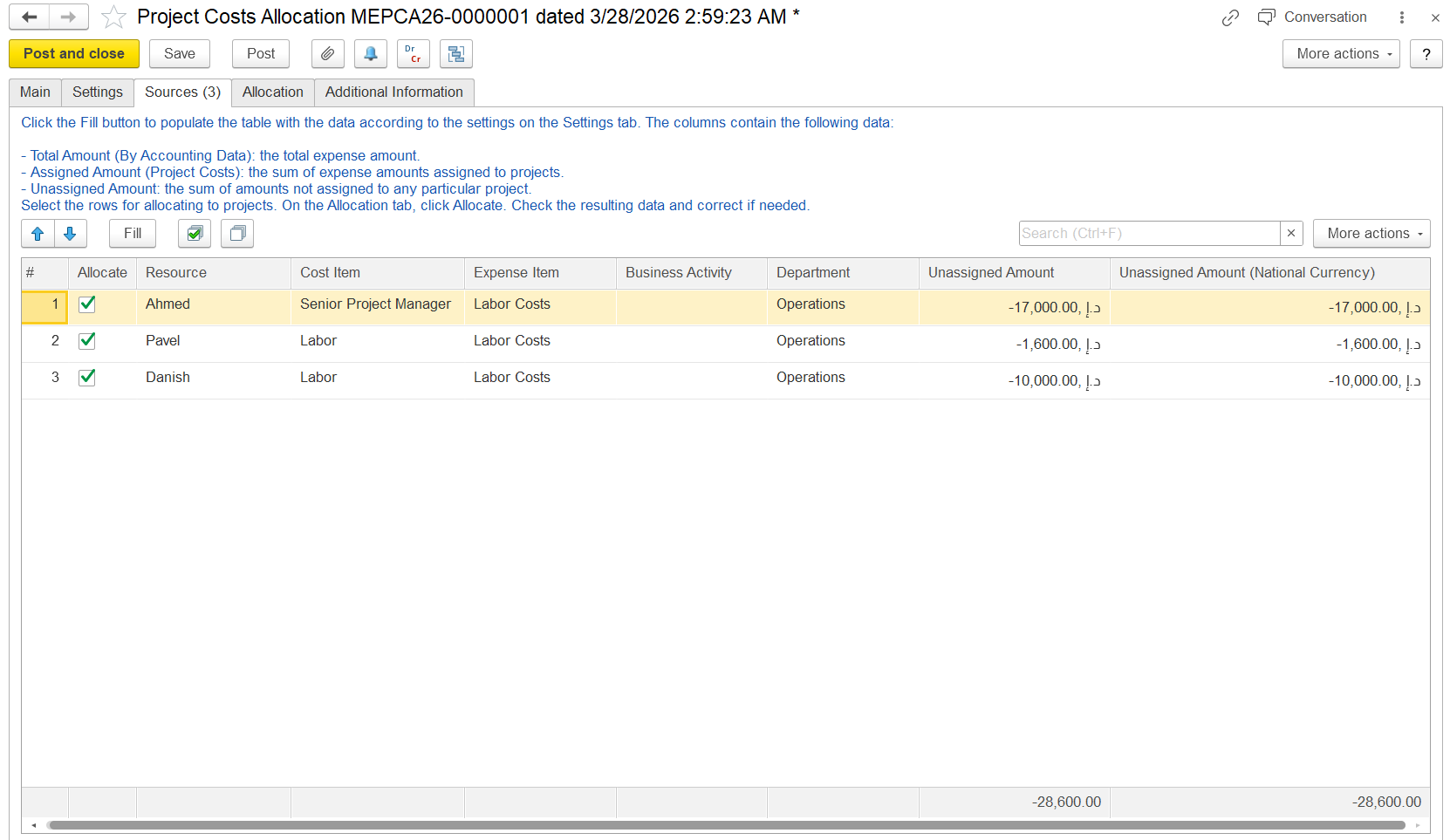
Source Tab
This tab lists all available expenses available for allocation based , based on the settings you defined in the Settings tab.
- Allocate: Checkbox to include this row in allocation. Only checked rows will be distributed to projects.
- Resource: The employee or cost origin
- Cost Item: The type of cost recorded
- Expense Item: Expense type
- Business Activity / Department: Context for cost allocation.
- Unassigned Amount: The portion of the expense that has not yet been allocated to any project.
- Unassigned Amount (National Currency): Same as above, shown in the local currency.
Allocation Tab
...
Fill allocate. logic is same. here we have an option to fill by time card.
- Allocation results
- Fill and Allocate button.
- Allocate by time cards.
...