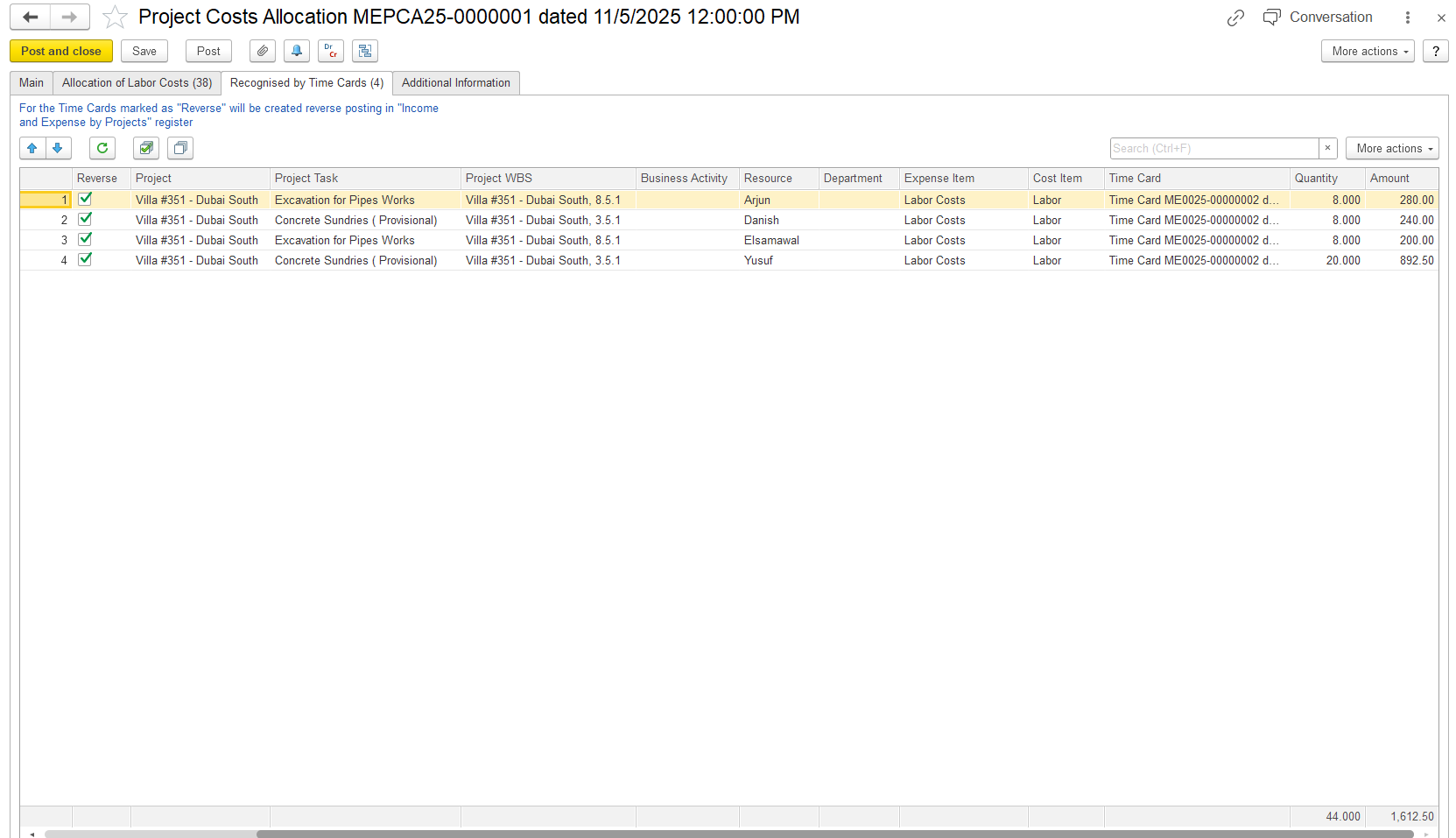
- Recognized by the time card table. (used to reverse expenses accrued by time cards if they happened in the same period).
Allocation of labor cost means distributing an employee’s salary (or total payroll cost) across different projects and departments based on how their time was spent.
How to create
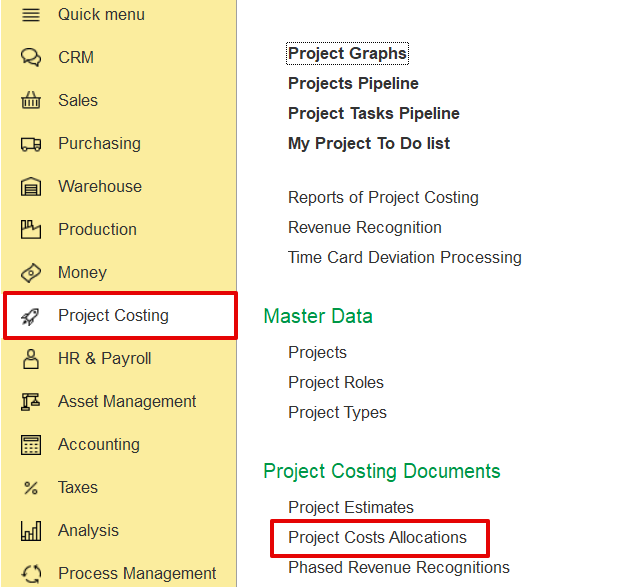
To access Project Costs Allocation, go to Project costing → Project Costing documents → Project costs AllocationAllocations
Main tab
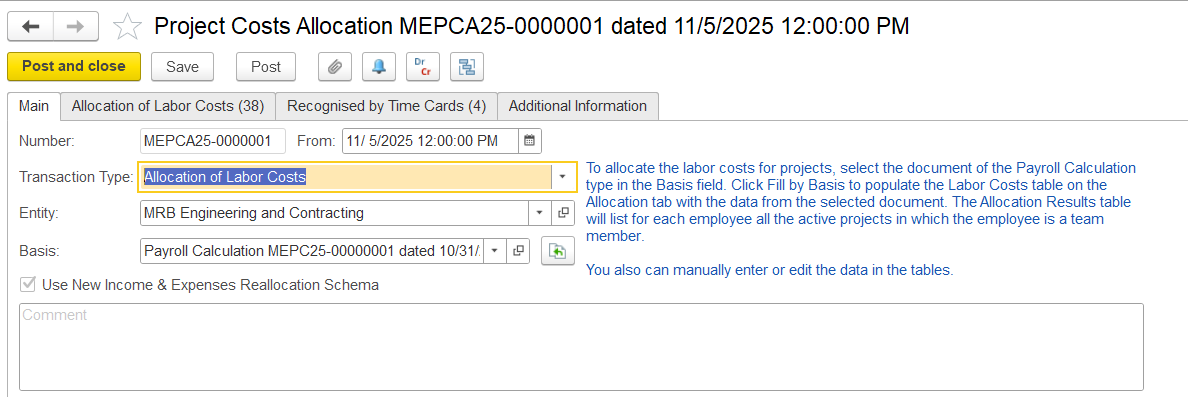
This tab is used to enter the key details for labor cost allocation, including the date, document number, entity, and the payroll document that will act as the basis.
...
After the basis is selected, the system examines employee timecards for the corresponding period to determine how time was allocated across projects and then distributes the salary costs accordingly.
Allocation of labor cost table.
...
...
Allocation of Labor Cost
This tab is available for documents with the Labor Cost Allocation transaction type. The tab contains two tables: Labor Costs and Allocation Results.
...
- Cost Item - The cost category being allocated (e.g., Labor)
- Employee - The name of the employee whose labor costs are being allocated.
- Accrual Type - Type of payroll cost (e.g., regular hours, overtime, vacation) for this accrual per row.
- Expense Item - The GL expense category type to which this cost belongs (e.g., Labor Costs).
- Business Activity - The type of business activity linked to the cost.
- Department - Shows the department associated with the employee or cost.
- Amount - Total cost for this employee/accrual type that will be allocated to projects or non-project work.
- Amount (National Currency) - The value of this cost line in the company’s base currency.
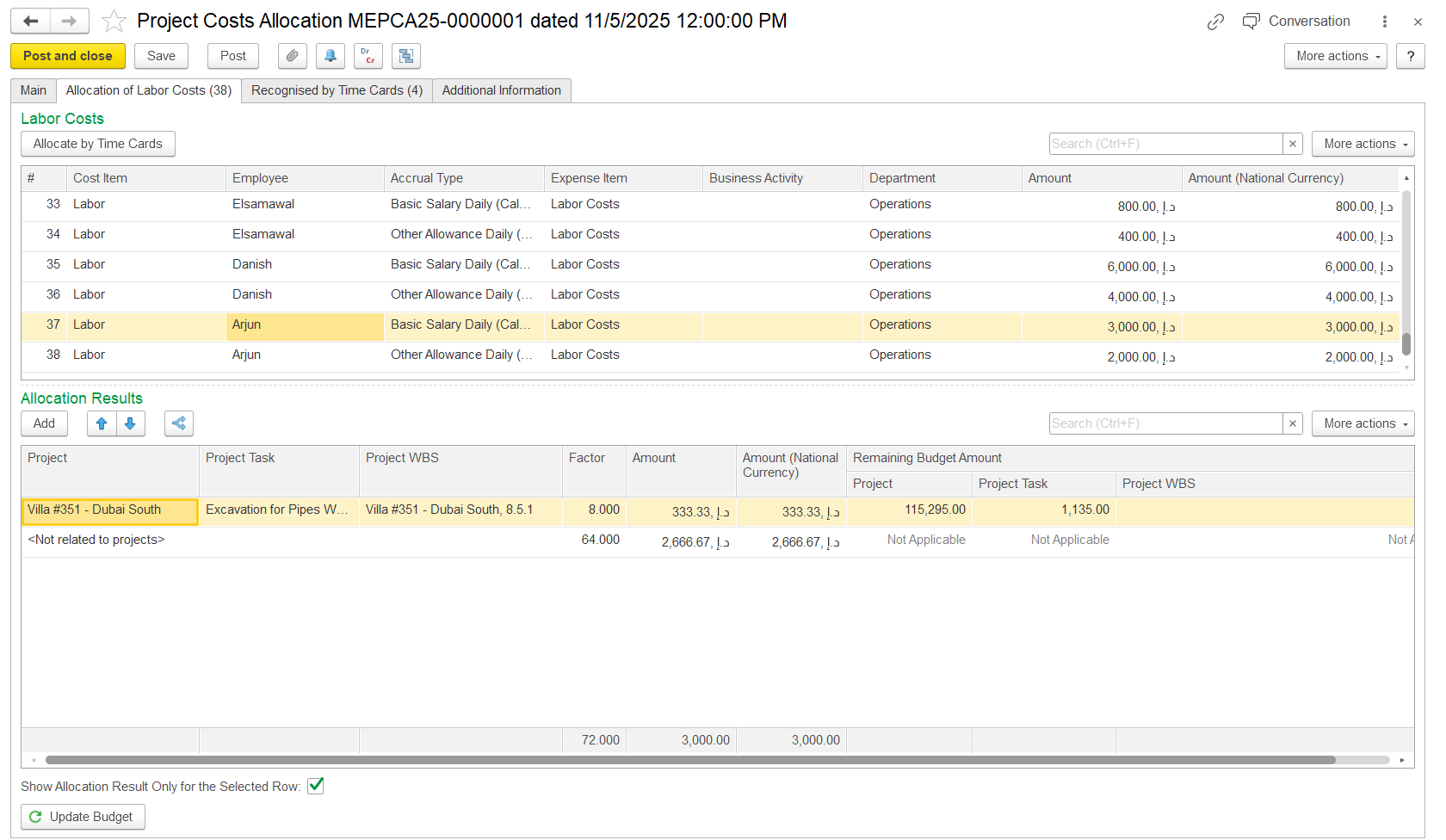
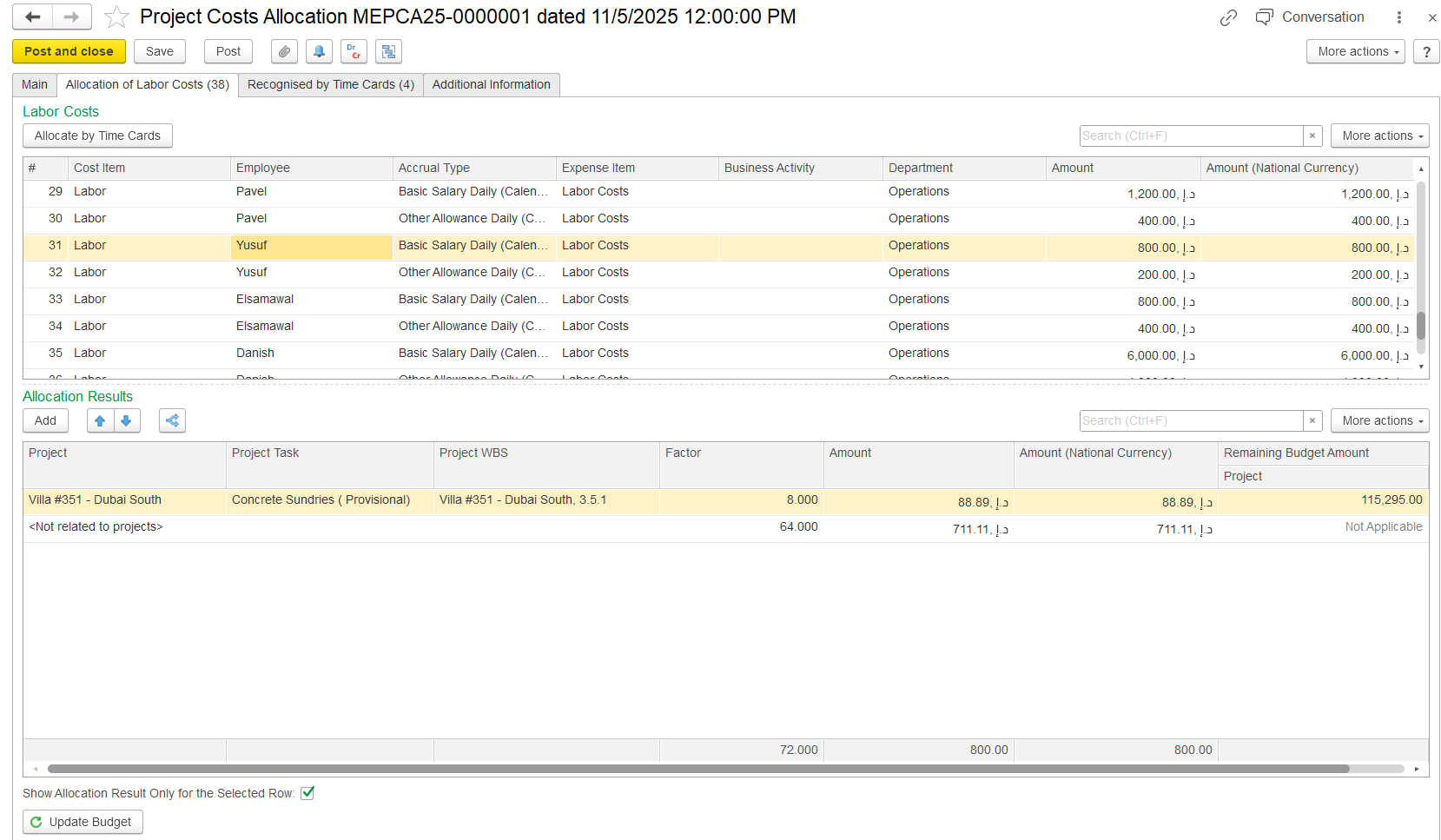
The Allocation Results table shows how labor costs are assigned to projects or tasks. It calculates how much of an employee’s labor cost goes to each project based on allocation factors. If an employee isn’t part of any project team, their cost is shown as <Not related to projects>.
- Project / Project Task - The Labor cost Indicates where labor costs are allocated; costs can be split beacross projects or specific tasks.
- Project WBS - The Work Breakdown Structure code for the project/task, A hierarchical code used to identify the exact level within the project hierarchystructure.
- Factor - The portion proportion of the total labor cost assigned to this each project /or task.
- Amount - The actual calculated cost applied allocated to the project/task , calculated using based on the factor.
- Amount (National Currency) - The amount value shown in the company’s base currency.
- Remaining Budget Amount - Shows the project/task's remaining Displays the available budget after allocation; optional for reference.
- Project - Remaining budget for the entire project
- Project Task - Remaining budget for the specific task
- Project WBS - Remaining budget for the specific WBS level
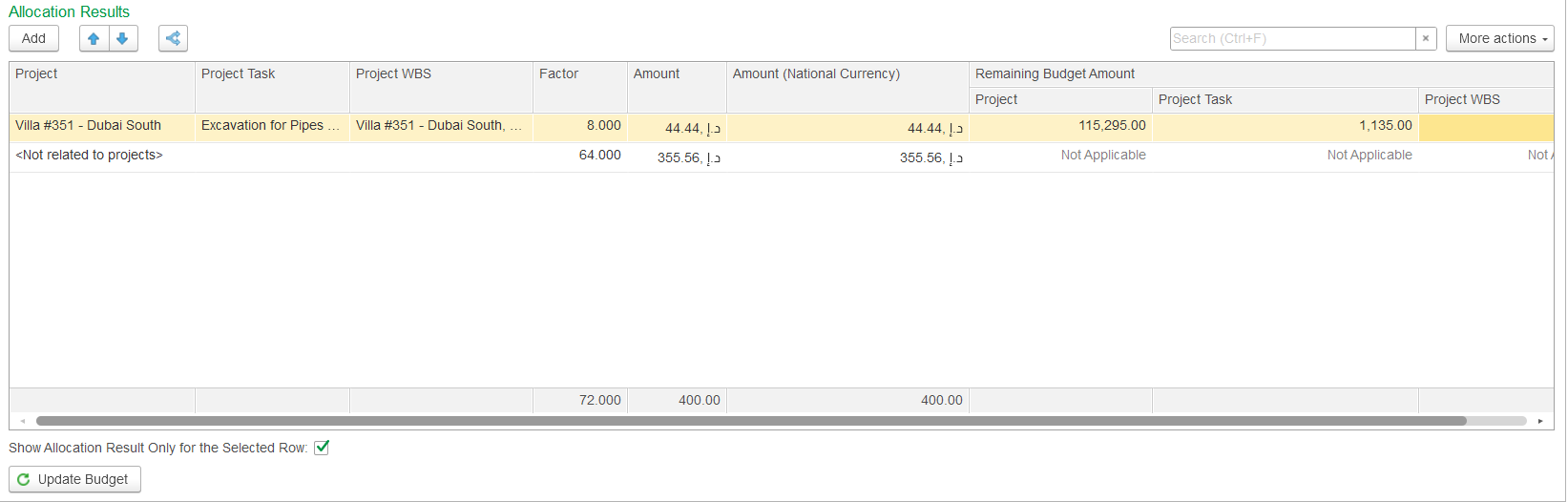
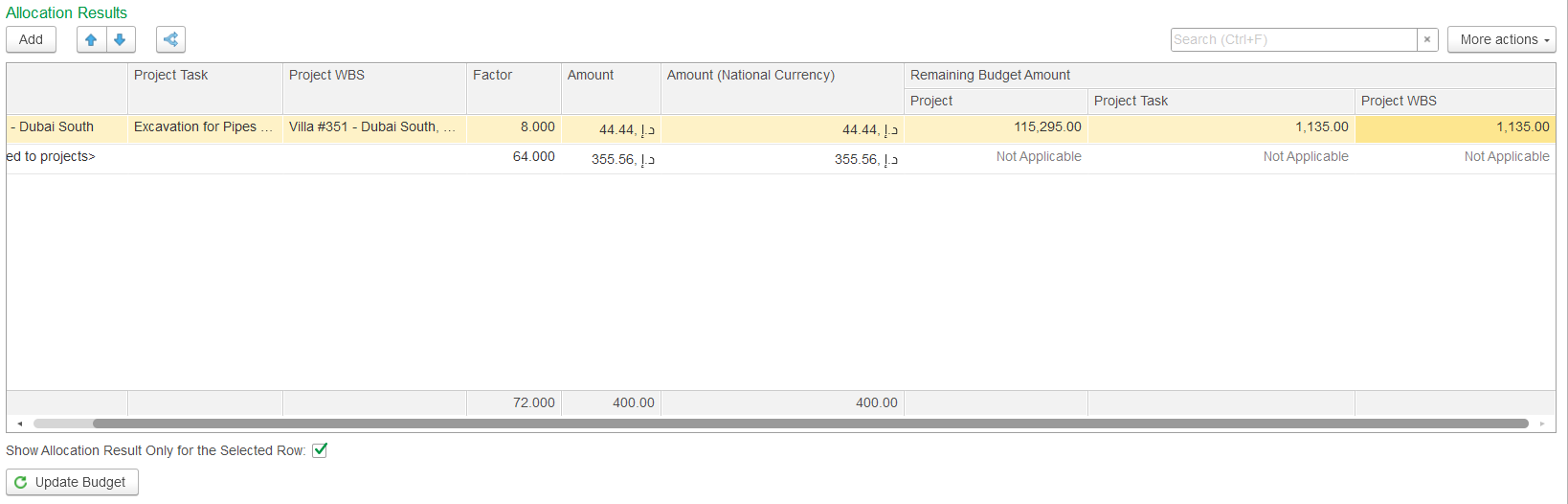
If the Show Allocation Results only for the Selected row checkbox is unchecked, the lower table displays all labor cost allocations (for all employees). If the checkbox is checked, the lower table shows allocation results only for the selected employee cost from the upper table.
Allocate by Time card
To distribute costs automatically according to based on employees’ time cards, click Allocate by Time Card. For employees on projects with Active or Proposed status, their labor costs will be allocated automatically to those projects, as shown Labor costs for employees on projects with Active or Proposed status are allocated proportionally to the hours recorded in their time cards, as shown in the Allocation Results table. Employees who are not part of assigned to any project team will have appear as <Not related to projects> In in the Project column of the lower table, it indicates that , and their costs are not allocated to any project.. Hours not linked to a project remain unassigned, with the corresponding portion of the salary excluded from project allocations
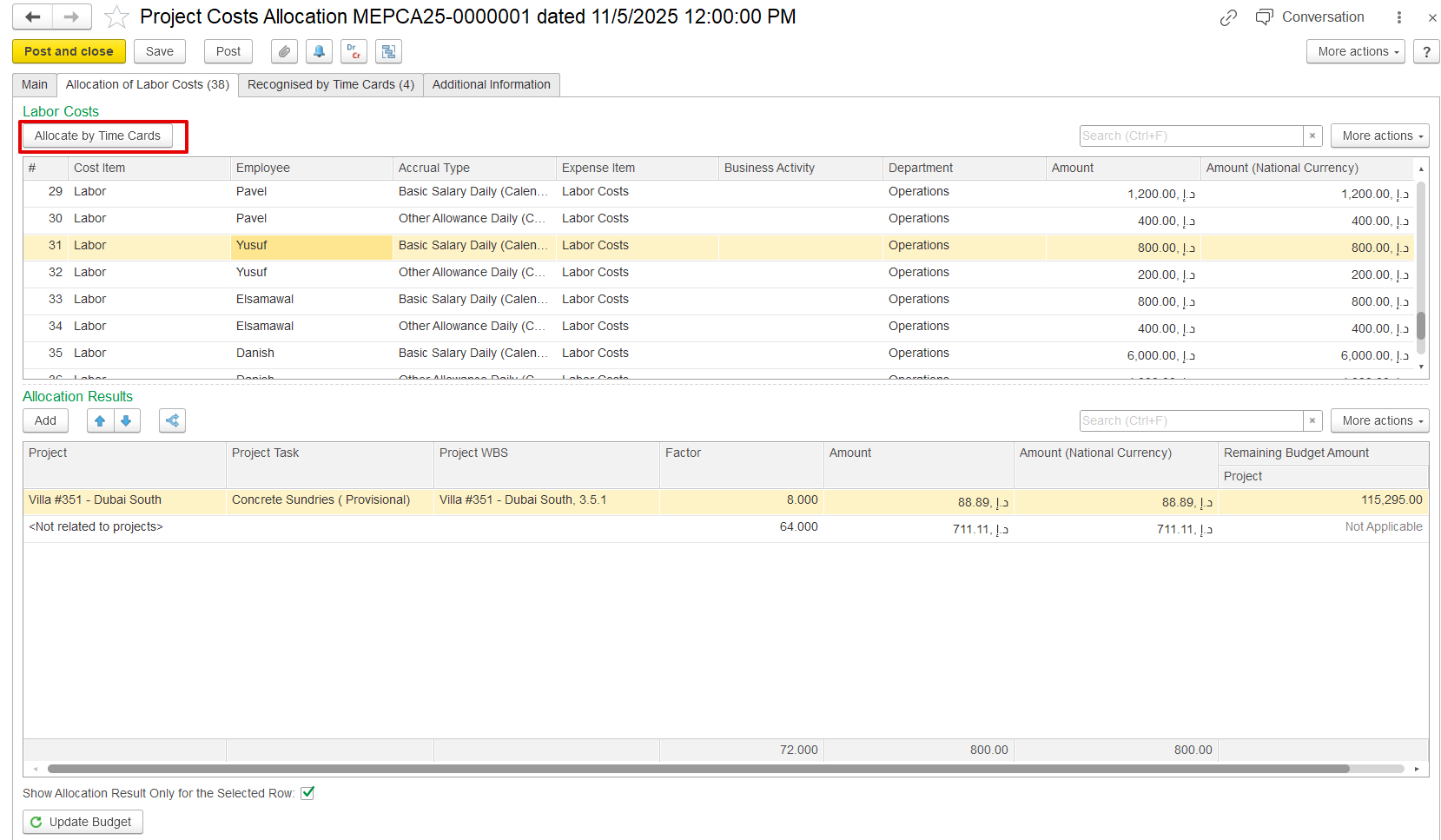
Project costs are allocated based on thetime card date. The document date must match the time card date, and only hours within the project’s proposed period are applied. If the dates don’t align, no allocation occurs.
Recognized by Time Cards
This tab shows how employee timecards are used in project cost allocation. It allows the system to reverse previously assigned costs (using negative amounts) and redistribute actual payroll costs based on time spent on projectsThe Recognized by Time Cards table reverses entries in the Income and Expense by Projects register that were created by timecards. This tab manages project cost allocation using employee timecards, allowing the system to reverse previous cost assignments with negative amounts and reallocate payroll costs based on actual hours worked. Only timecards from the same accounting period are considered, and so costs are applied in the correct period, while any unassigned time remains hours remain as non-project costcosts.