...
For example, when the resource type is Employee, the system displays details such as the employee's name, position, and working hours, including regular and overtime hours. In case of Fixed assets, below the following fields will be available
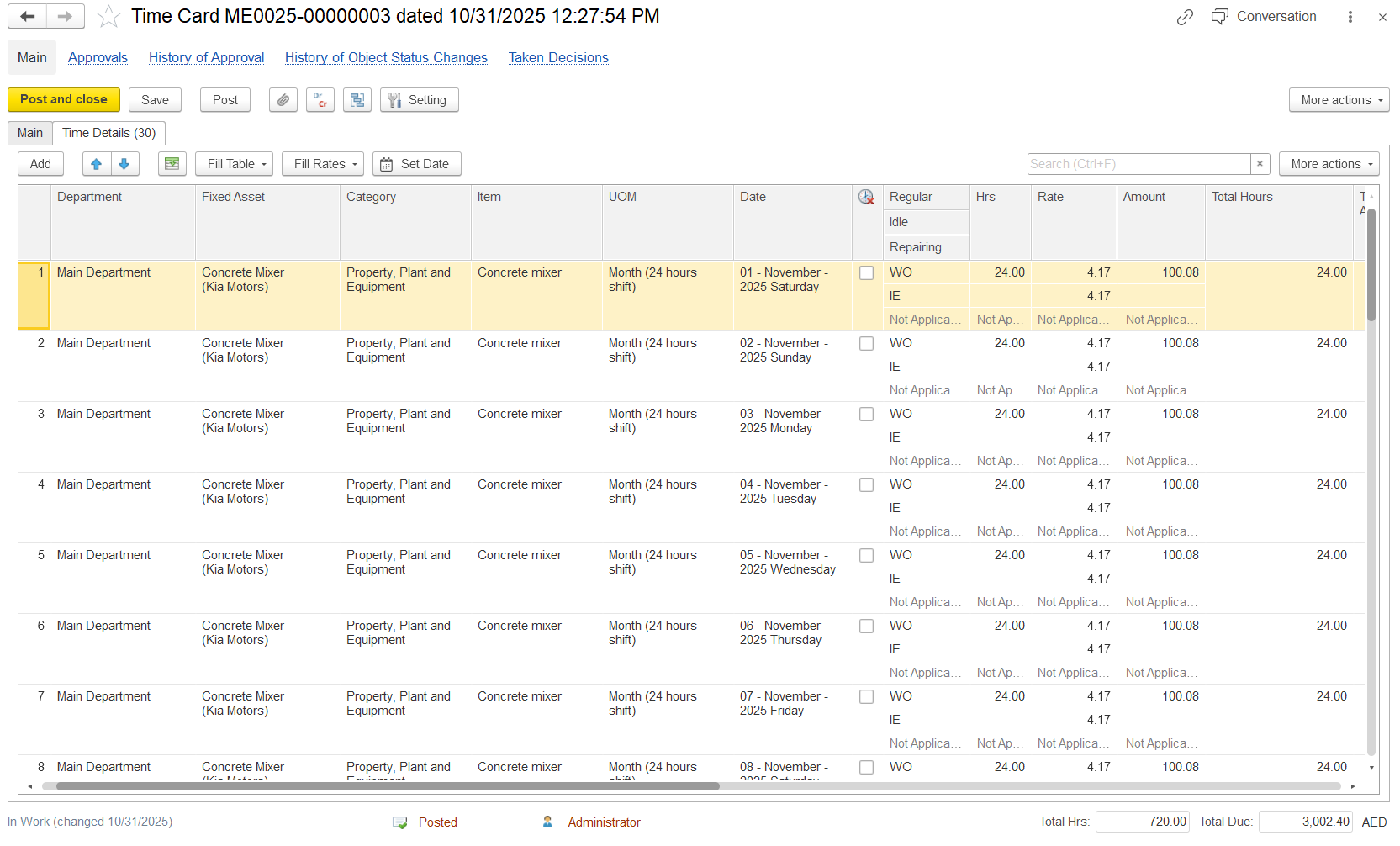
- Department- Organizational unit Department responsible for the time card.
- Fixed Asset- Asset to be hired for the task.
- Category- Type or category of fixed assets. It is not changeable, it is linked to a fixed asset.
- Item- Specific activity or itemItem was being recorded in the time card
- UOM (Unit of Measure)- Unit used to measure the entry.
- Date- Date of the activity
- Non-Working Day- This checkbox can be selected for a specific employee and date when the employee is absent. The non-working hours will be recorded and reflected in the Time Card Report.
- Time type
- Regular- Productive work hour (daytime working duration)
- Idle (IE)- Non-productive hours
- Repairing- Maintenance or repair time of the fixed asset.
- Hrs - Total time recorded
- Time & Cost Fields- These fields appear when the allocate cost option is enabled in the main tab.
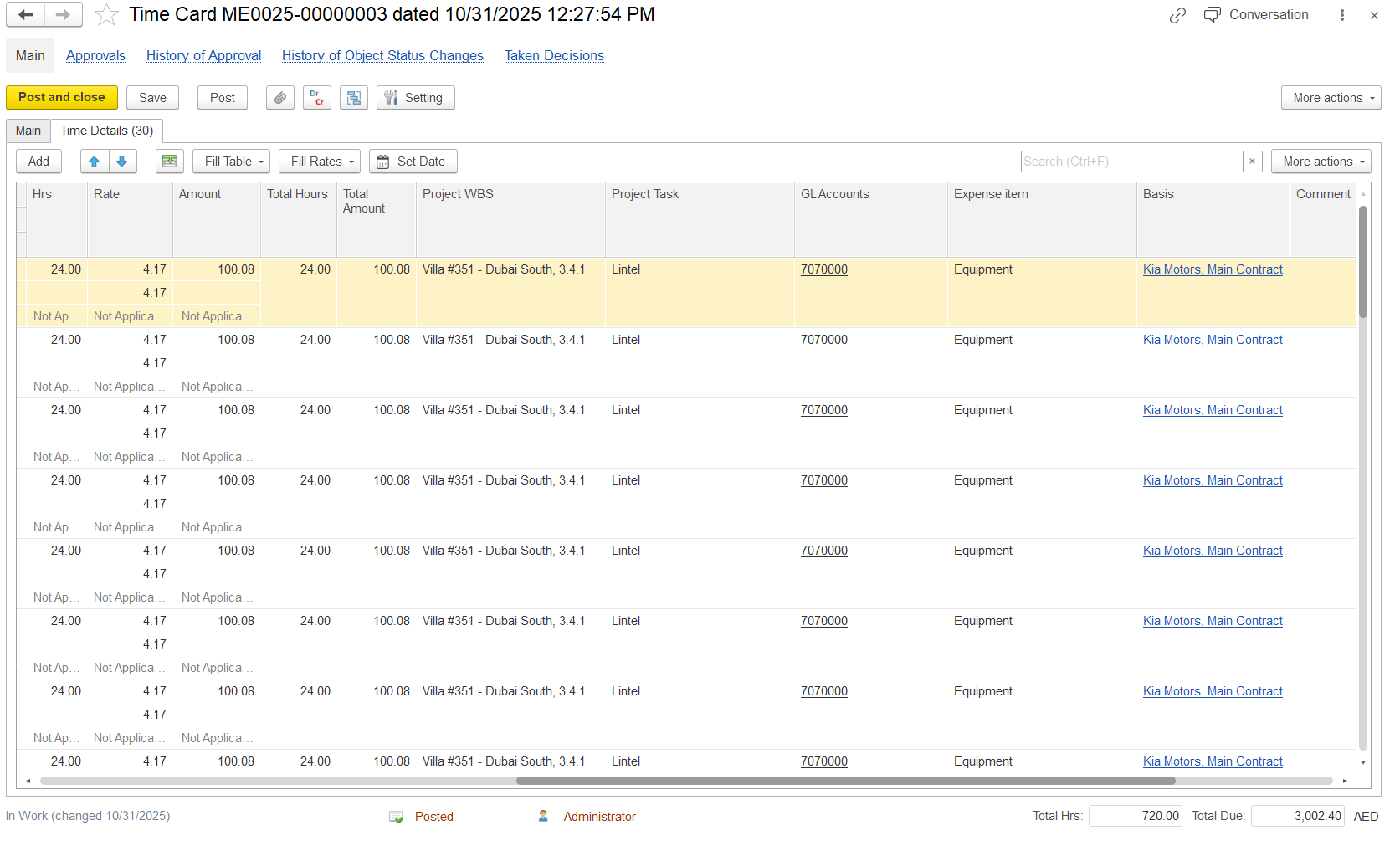
- Hrs - Total time recorded
- Rate - Cost per unit of time
- Amount - Calculated cost (based on hours × rate)
- Total Hours- Total time per entry
- Total Amount - Total cost for that the specific line entry.
- Project WBS - The project or project segment where the cost is assigned.WBS code of the project to which the item or resource belongs
- Project Task - The specific activity or task within the project.Specific project task linked to the time card entry
- GL Accounts - General Ledger account where the hired cost is recorded in finance.
- Expense Item - Type Category of expense being recorded (e.g., equipment, labor, etc.).
- Basis - Source or reference used for the entry (such as contract or agreement).
- Comment - Additional notes or description for that entry (optional).such as equipment or labor)
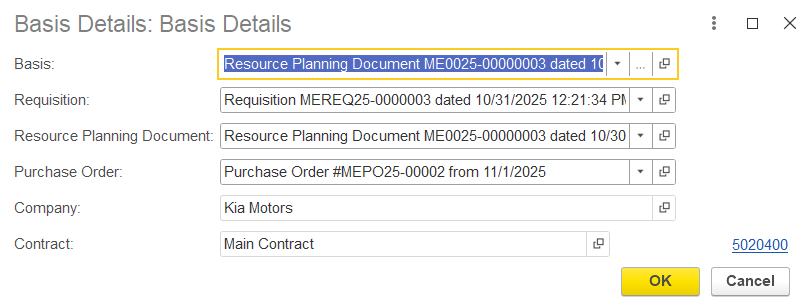
- Basis - Can be entered manually; however, if filled by using the fill table option, each entry is automatically linked to the corresponding requisition, resource planning document, or purchase order line.
- Comment - Field for adding additional notes or description
Time details table
- columns description as usual.
- non working chaeck box.
- Time types.
- Hours and rates (if allocate cost).
...
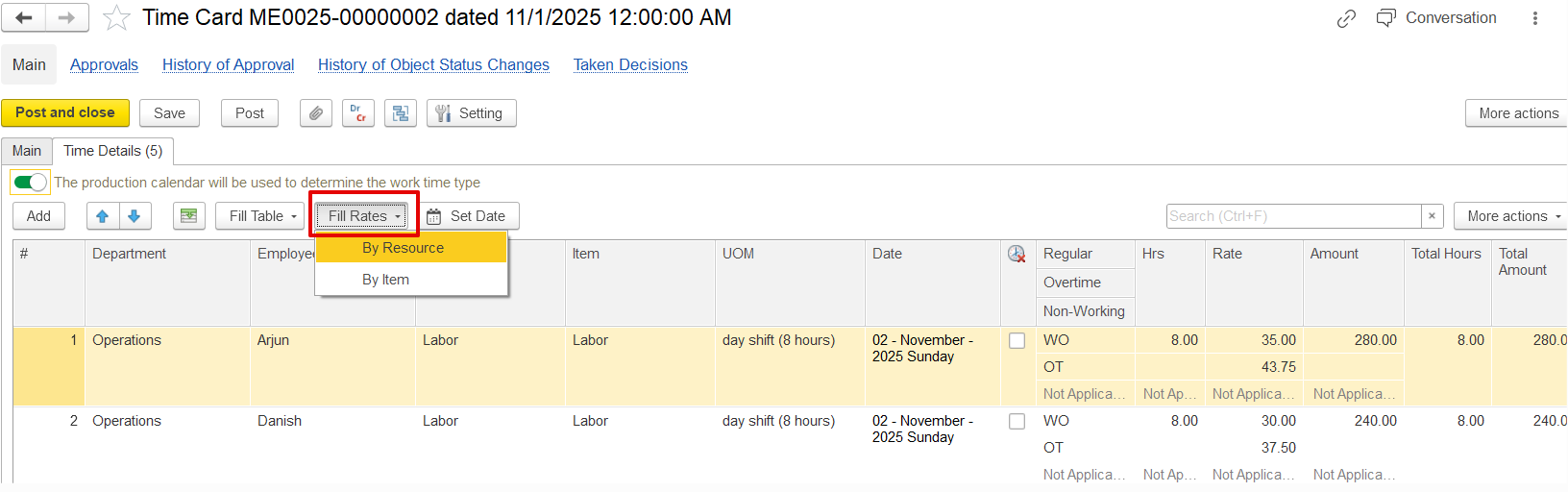
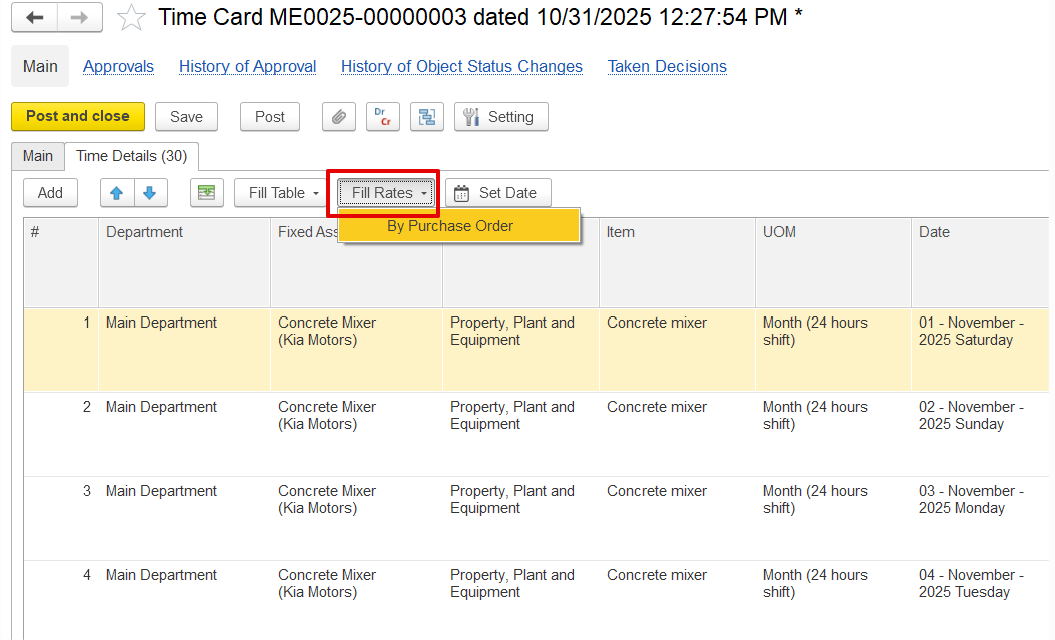
For hired resources, rates are taken from the purchase order. For internal resources, rates come from either Project Item Pricing or the Resource Rates document (HR and Payroll→ Master data→ Register rates), depending on system settings. Rates can be filled by resource, using the exact employee or fixed asset, or by item, using the position or fixed asset category.
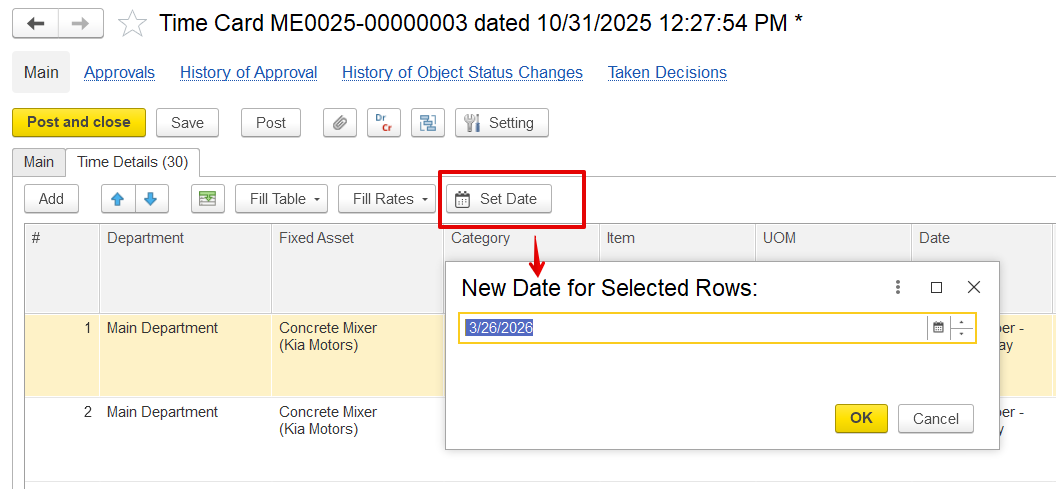
Set Date Button
If time card has to be filled based on particular date,