...
When attempting to create a Purchase Order (Revision), the system displays a message and does not allow the revision to be created.

This behaviour occurs because the Purchase Order has already been used in subsequent processes (such as Invoice Received) and is no longer available for revision.
To create a Purchase Order Revision, follow these steps:
- Unpost the related Invoice Received and remove the Purchase Order link in the Order field. Save the changes.
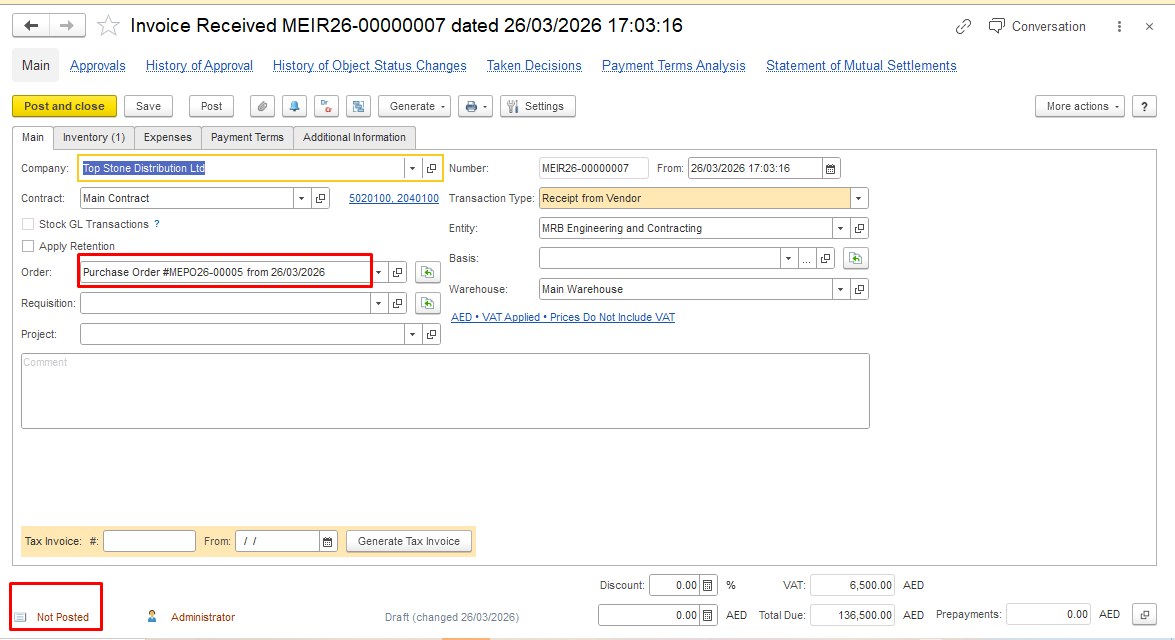
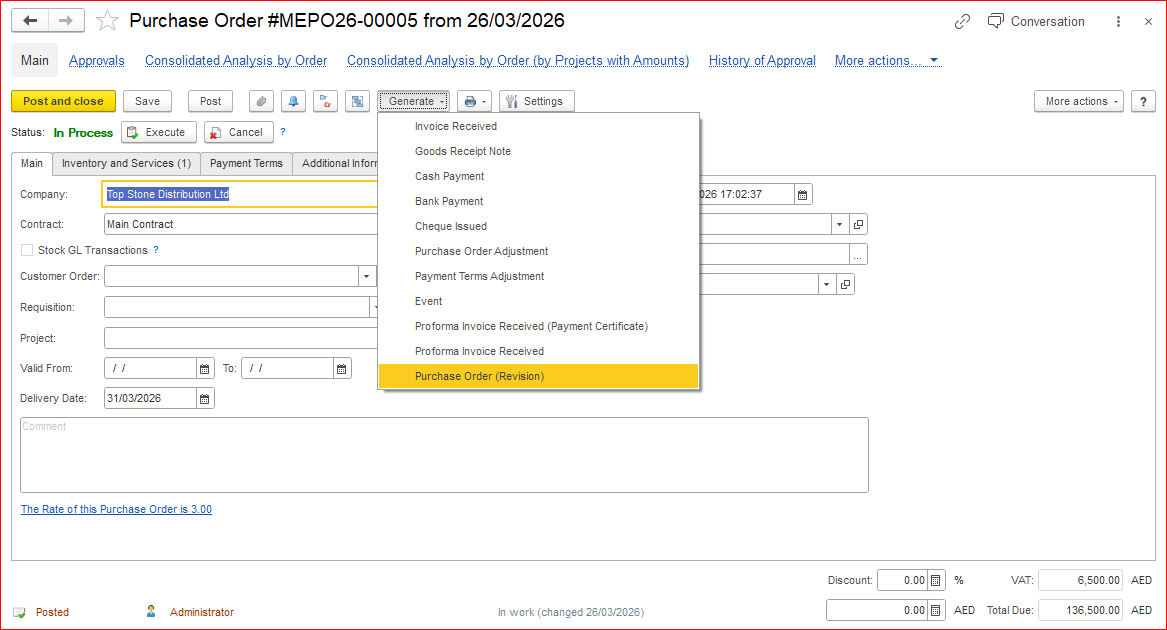
2. Create a Purchase Order Revision based on the original Purchase Order. Click Generate on the Purchase Order form and select Purchase Order Revision.
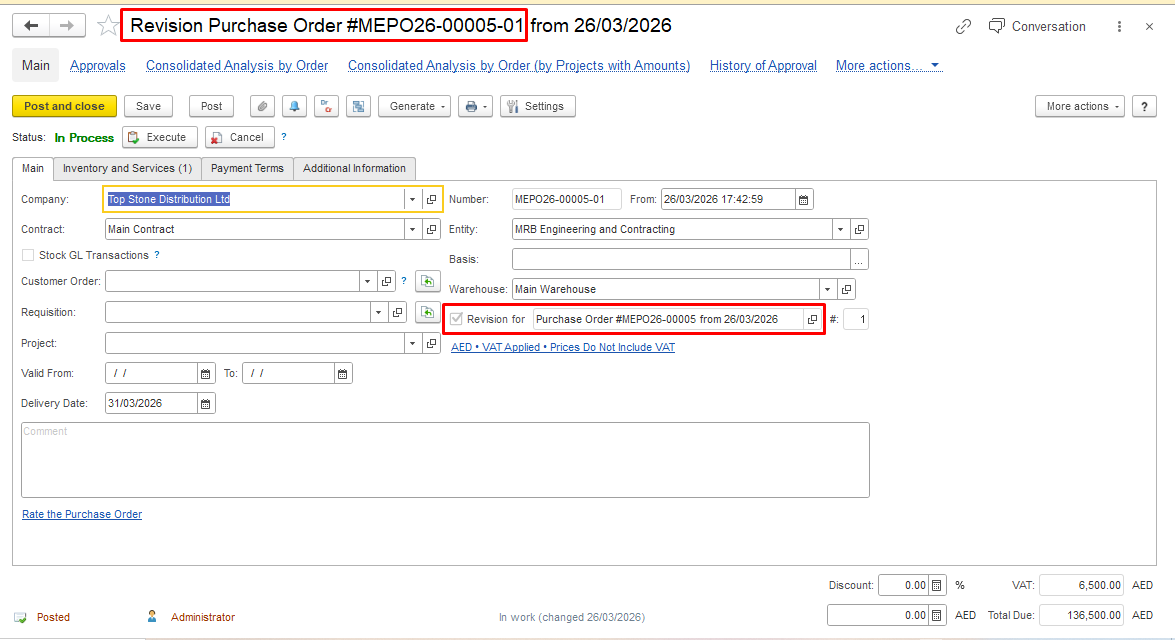
The Purchase Order Revision has now been created.
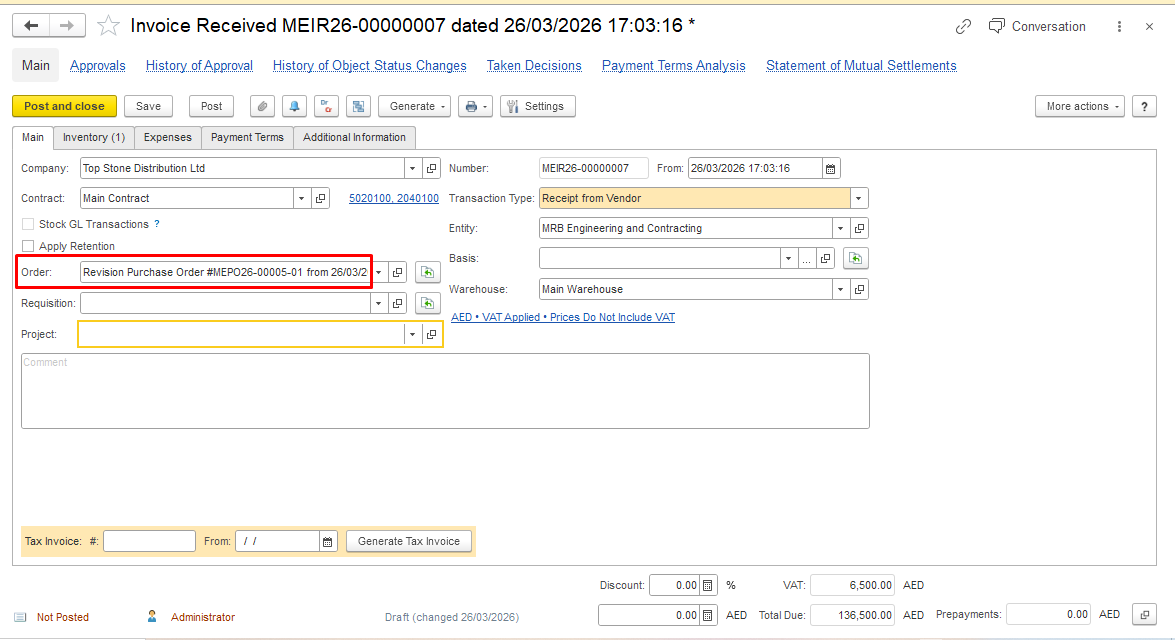
In the existing Invoice Received, you can now add a link to the Purchase Order Revision in the Order field, or create a new Invoice Received based on the Revision document.
fghgfhfjf