In the FirstBit Software you are able to create and use Fixed Assets (FA) categories.
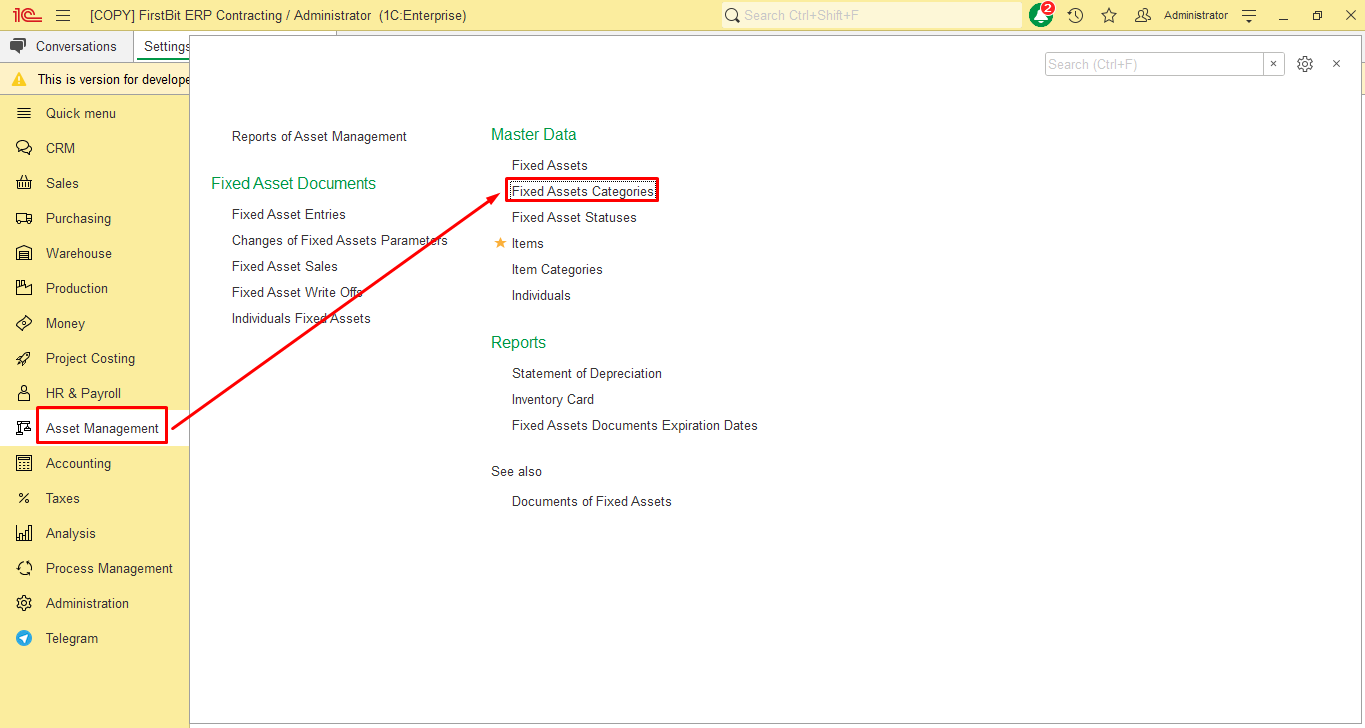
To access a list of FA Fixed Assets categories, go to Asset Management → Master Data → Fixed Assets Categories form.
FA Fixed Assets categories can be used to group of similar Fixed Assets with the same characteristics. You can create either a category group to organize multiple categories, or individual categories without grouping.
If you need to create a FA Fixed Asset Category Group as a parent folder:
...
Thank you for being a FirstBIT customer!
# FixedAssetsCategories#categoriesoffixedassets