This instruction describes how to record cryptocurrency (e.g., USDT) transactions in FirstBit Software, ensuring that financial results are reflected in Finance Income / Finance Expenses, rather than in Revenue / Operating Income.
To record transactions in accordance with the company’s accounting policy, create an account to track cryptocurrency.
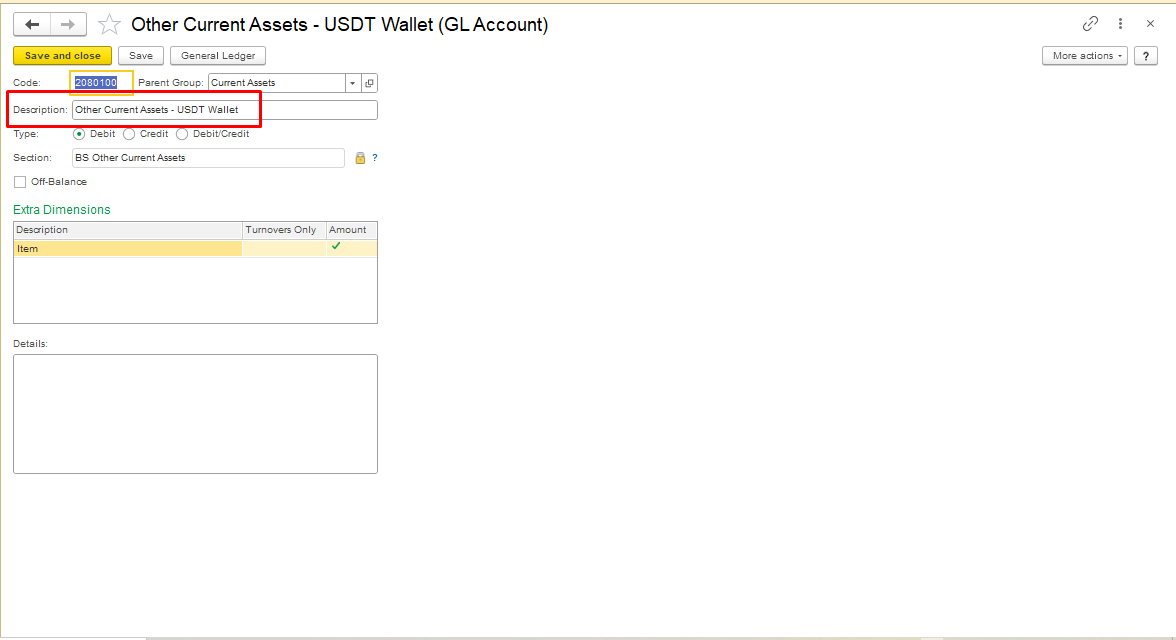
To create the account, follow the instructions at the link Adding an Account to COA.
Purchase of Cryptocurrency.
...
If the sale of cryptocurrency results in a financial gain, specify the Finance Income account or the account that you use in accordance with your company’s accounting policy in the Other Income document.
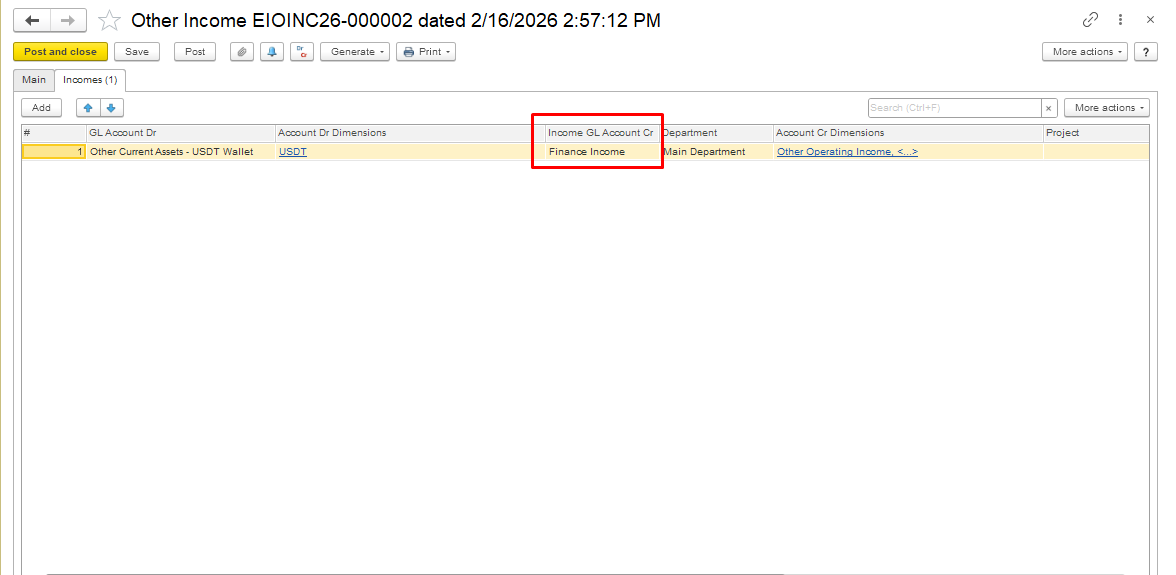
Step 2: Post the Document
The system will:
Reflect profit/loss on Finance Income / Finance Expenses
This ensures correct financial result in Profit & Loss
Month-End Closing
Finance Income / Finance Expenses accounts are automatically closed when the month is closed
USDT Wallet balance reflects the residual value of unsold cryptocurrency
Important Notes
...
Do not use Invoice or Sales documents for crypto transactions
These automatically post to Revenue / Operating Income → incorrect for financial accounting purposes
...
Always use Bank Payment / Bank Receipt → Transaction Type: Other
...
Maintain separate Other Income / Expense documents for gains or losses
If the sale of cryptocurrency results in a financial loss, specify the Finance Expenses account or the account used in accordance with your company’s accounting policy in the Other Expenses document.
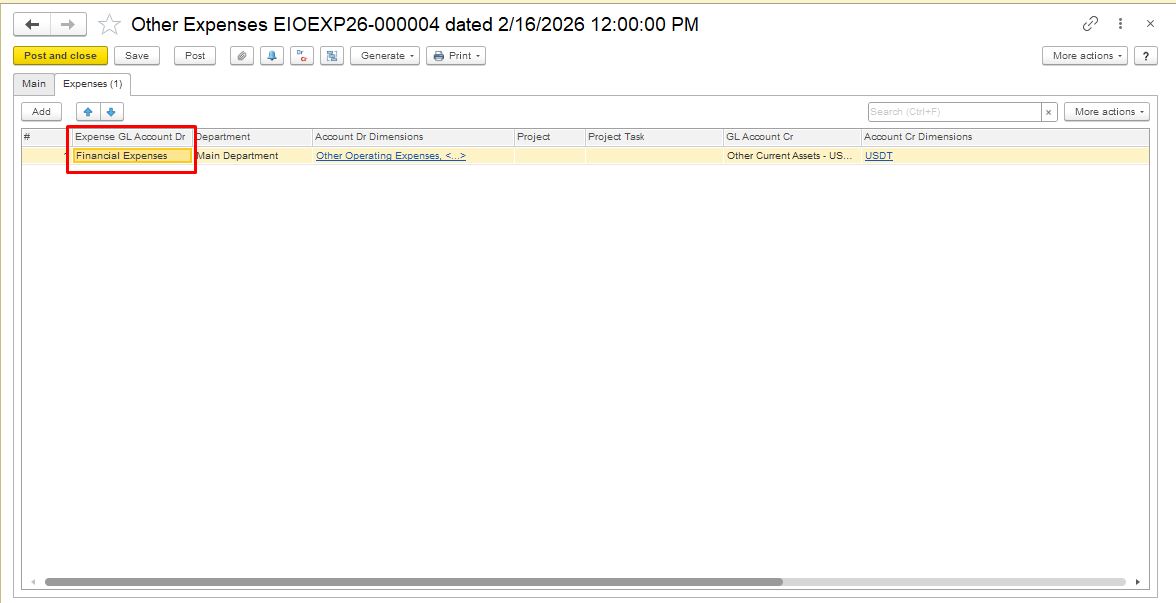
Save and Post the document.
Please Note: The approach ensures crypto is treated as a financial asset, not as a product sale
...
Result:
...
USDT transactions are recorded correctly as financial asset operations
...
Profit or loss flows to Finance Income / Expenses
...
Revenue / Operating Income remains unaffected
...
.
#Cryptocurrency#Cryptocurrencyaccounting#