...
based on a Project, using Project Estimates, or
based on a Project Progress Report (PPR).
Key Rule (System Logic)
For automatic filling of the Proforma Invoice tabular section, Quantity must be specified for Revenue lines.
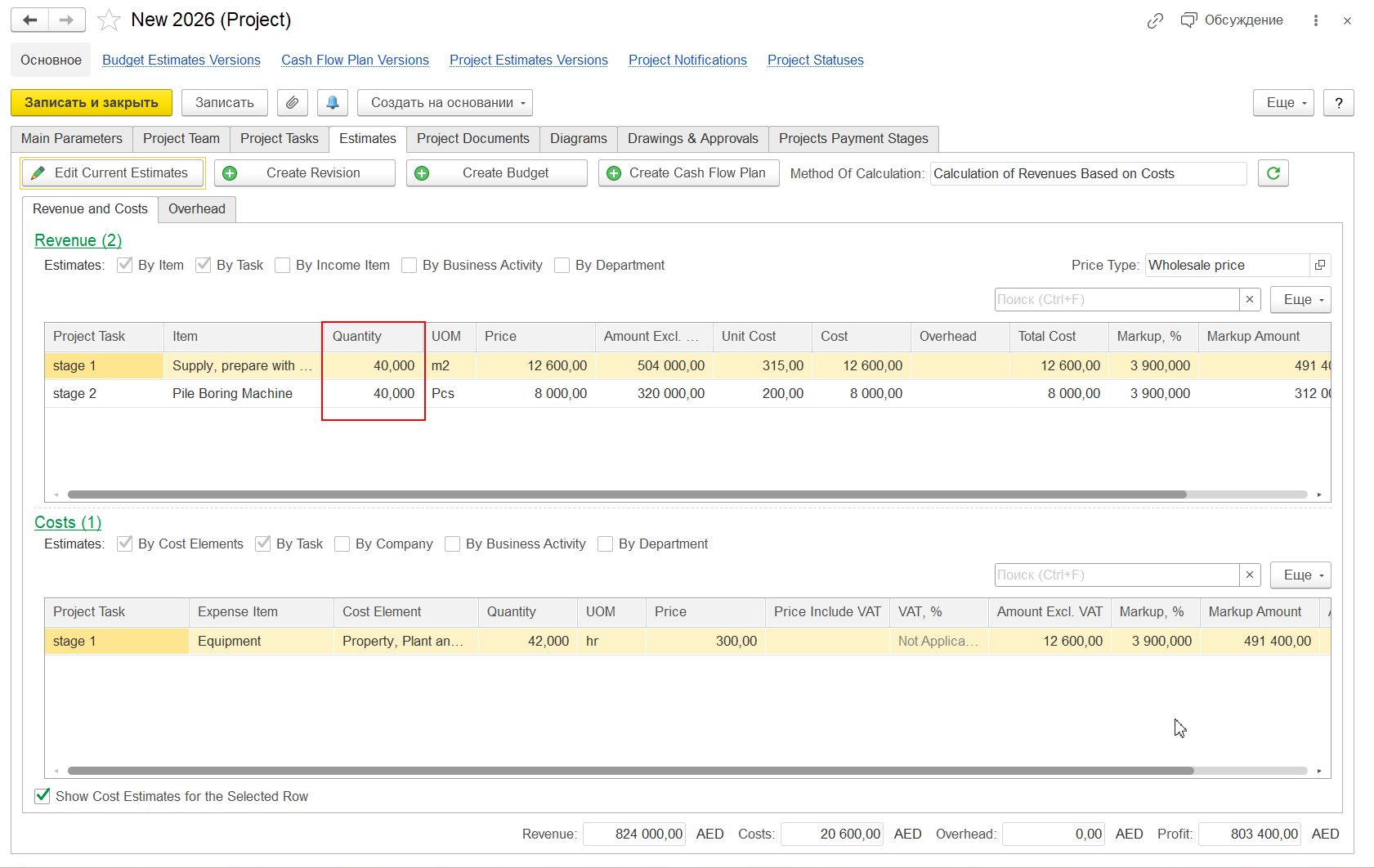
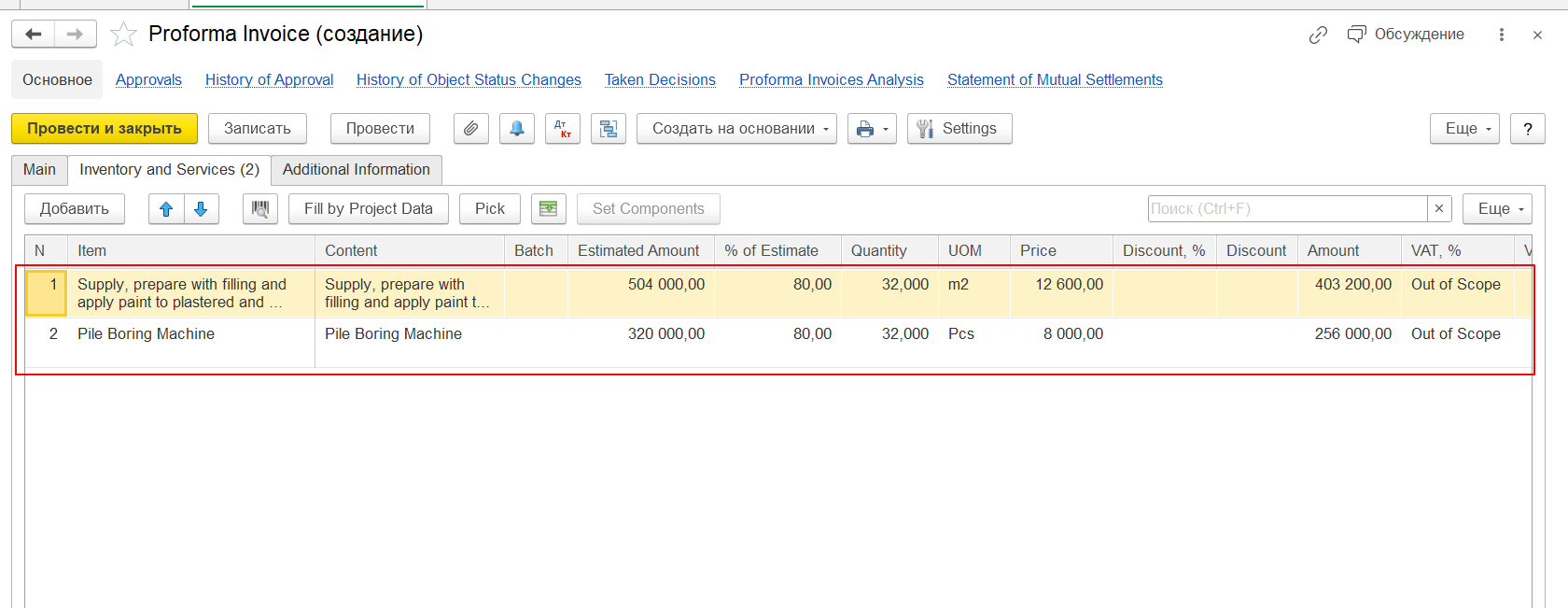
If Quantity is not filled, the Proforma Invoice will be created with an empty tabular section, even though:
...
| Source Object | Field |
|---|---|
| Project Estimates | Revenue → - Quantity |
| Project Progress Report | Revenue → - Quantity |
Why Quantity Is Required
In FirstBIT Software, Proforma Invoice lines are created using the following logic:
Quantity → - determines how many units/services are invoiced
Price → - used to calculate line amount
Amount = Quantity × Price
...
the system cannot calculate invoice Proforma Invoice line values;
invoice Proforma Invoice lines are not generated.
System Behavior in Different Scenarios
...
Quantity is a mandatory parameter for automatic Proforma Invoice creation
Without Quantity, the invoice will be created with empty lines
This behavior is part of standard FirstBIT system logic
Thank you for being FirstBIT customer!