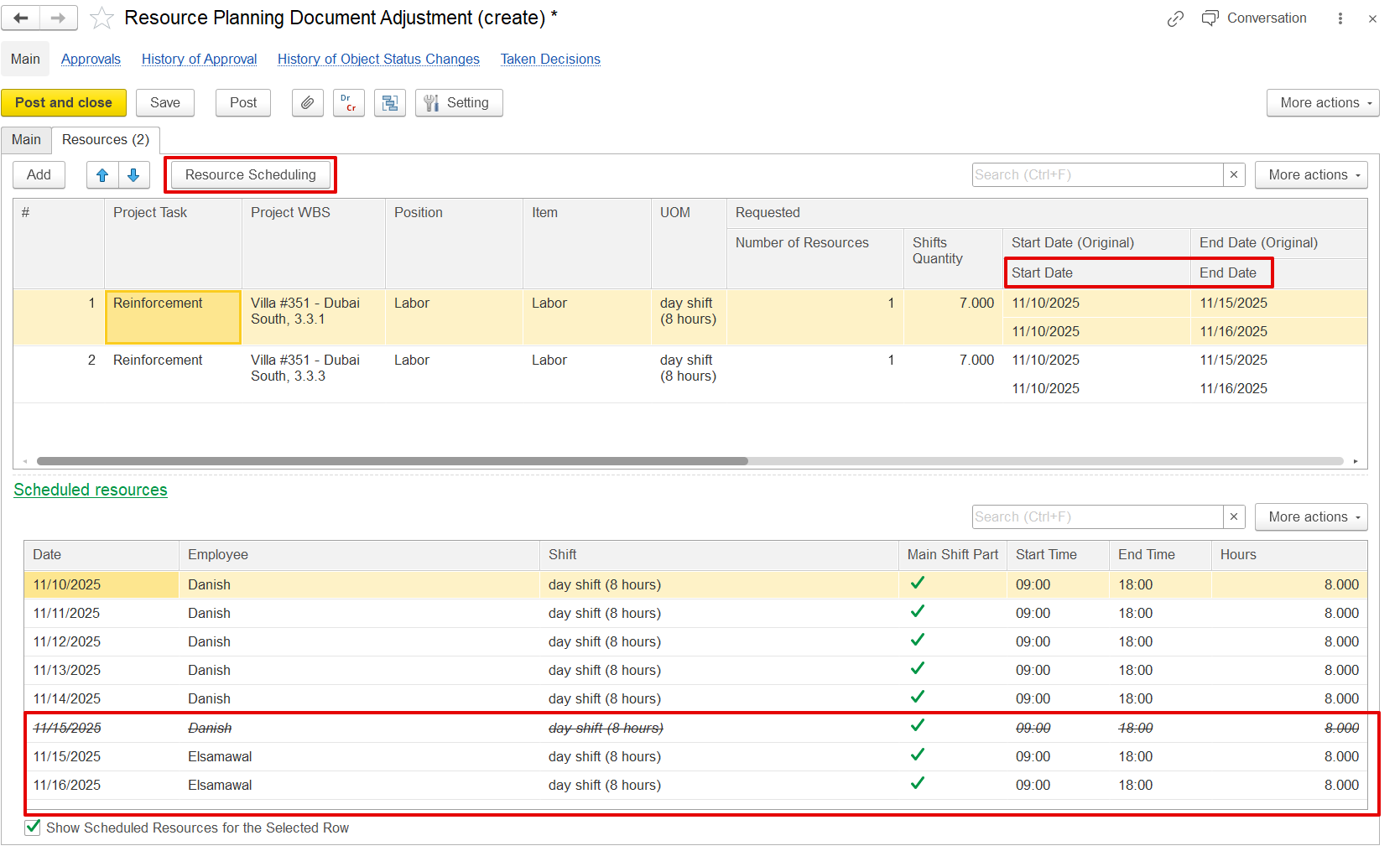
For long term this doc used only to release from projects previously scheduled resources.
Same resource scheduling screen is used to make adjustments.
The resource The Resource planning adjustments document is used to modify release or reschedule previously scheduled resources, such as employees or fixed assets by releasing, replacing, or rescheduling them. These adjustments can only be created when they are linked to an existing resource planning document, and they can be generated directly from that document.
This adjustment updates the resource schedule without altering the original planning document.
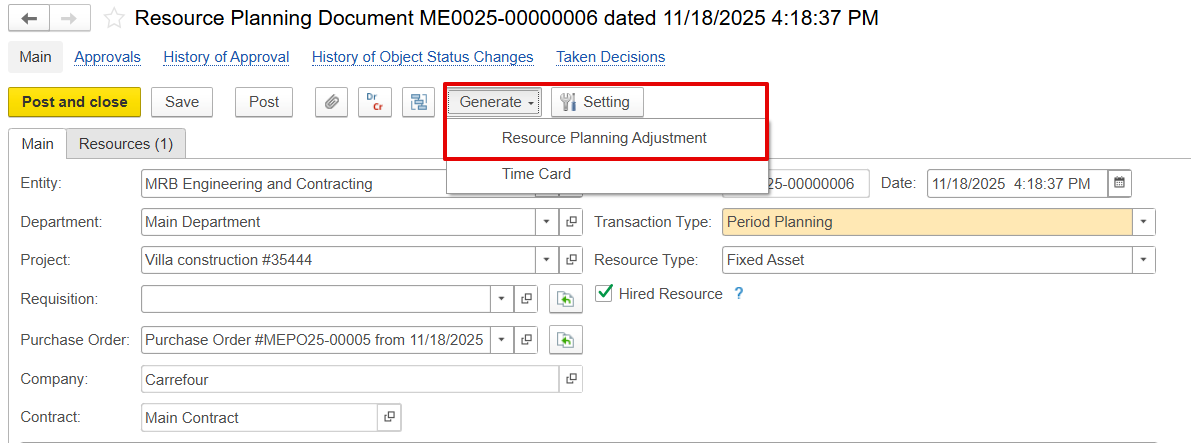
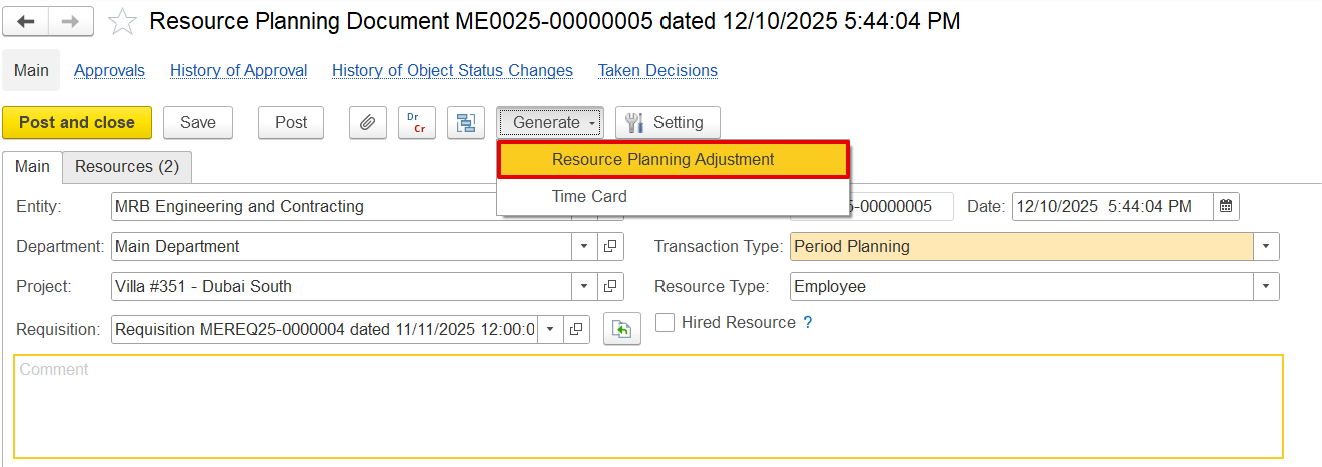
Adjustments can be made in two planning types:
- Period Planning -
...
- rescheduling, replacing, or releasing resources for a specific date range.
- Long-Term Planning -
...
- used only to release previously scheduled resources from projects.
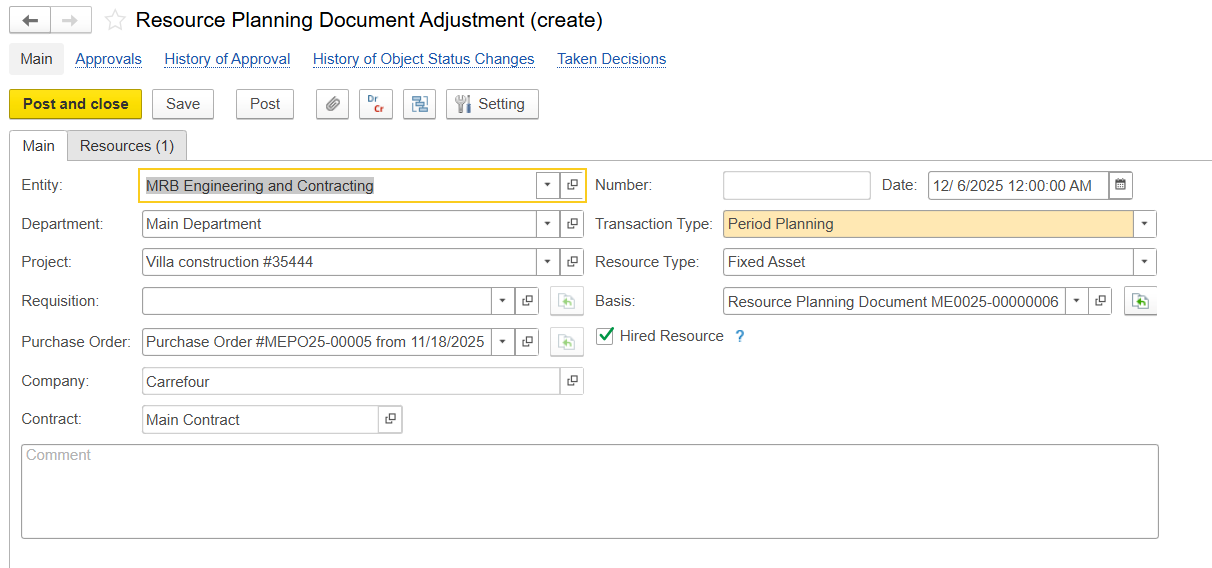
Main Tab
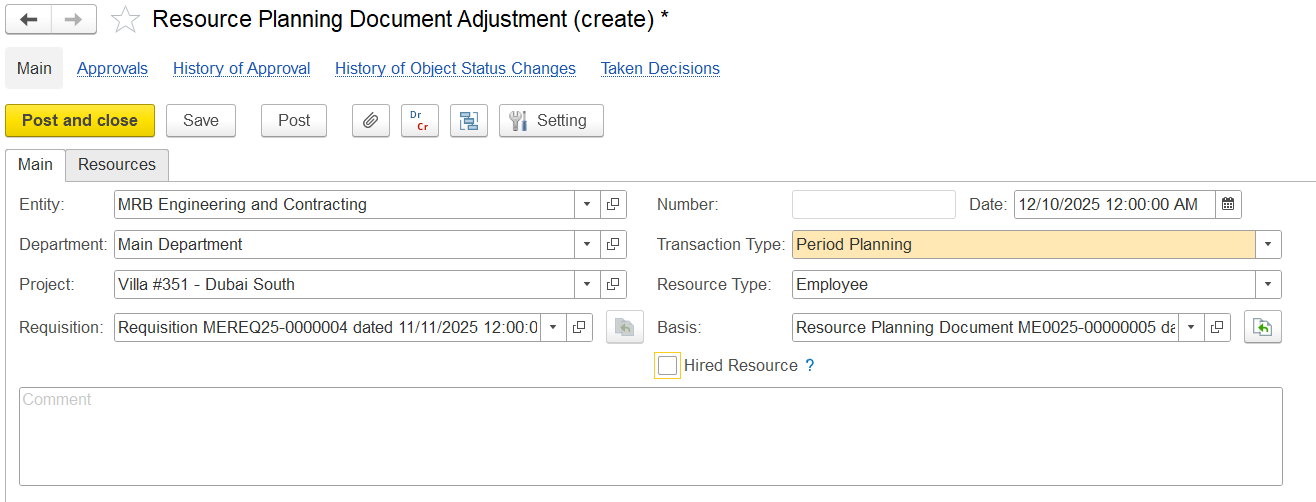
Entity - Choose the name of the entity.
Department - Select the department requesting the resources.
Project - Associate the relevant project.
Requisition - Link to the corresponding requisition document.
Transaction Type - Specify the type of transaction, such as period planning or long-term planning.
Resource Type - Determine the resource's category, for example, a fixed asset or an employee.
Hired Resource - enable the option if the resource is externally contracted. If enabled, it will have additional fields like Purchase Order, Company, and Contract.
Comment - Add any optional notes or internal remarks.
Resources Tab
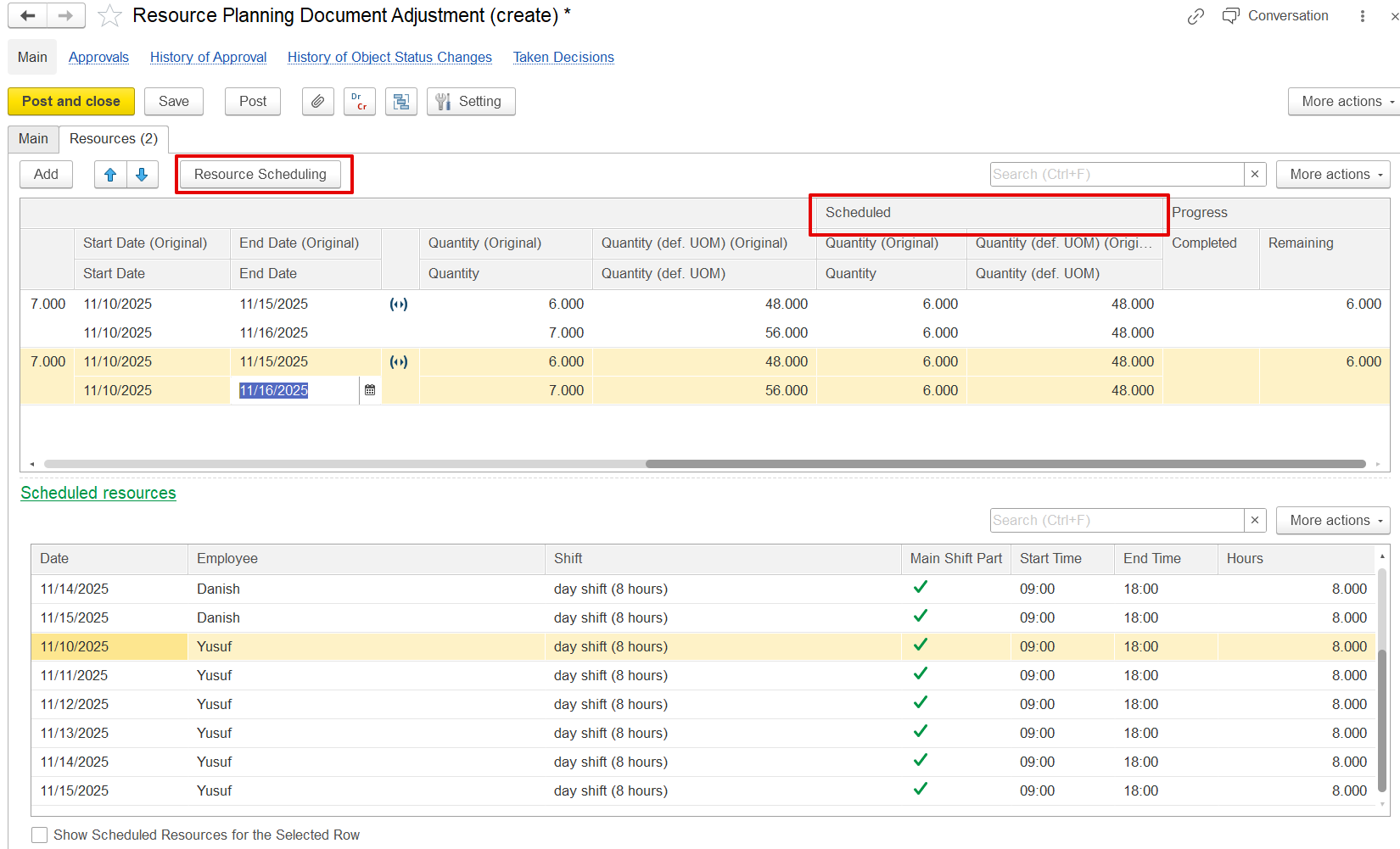
The resource scheduling screen is used to make adjustments to the schedule table. Other details, such as modifying the number of resources, shifts, or start and end dates, can be managed through the Resource tab. The scheduling functionality allows users to fully replace an employee from the existing schedule completely or for a few days, assign them for additional dates, or add other employees for extra dates. These changes can be applied using the schedule and release options in the scheduling document.
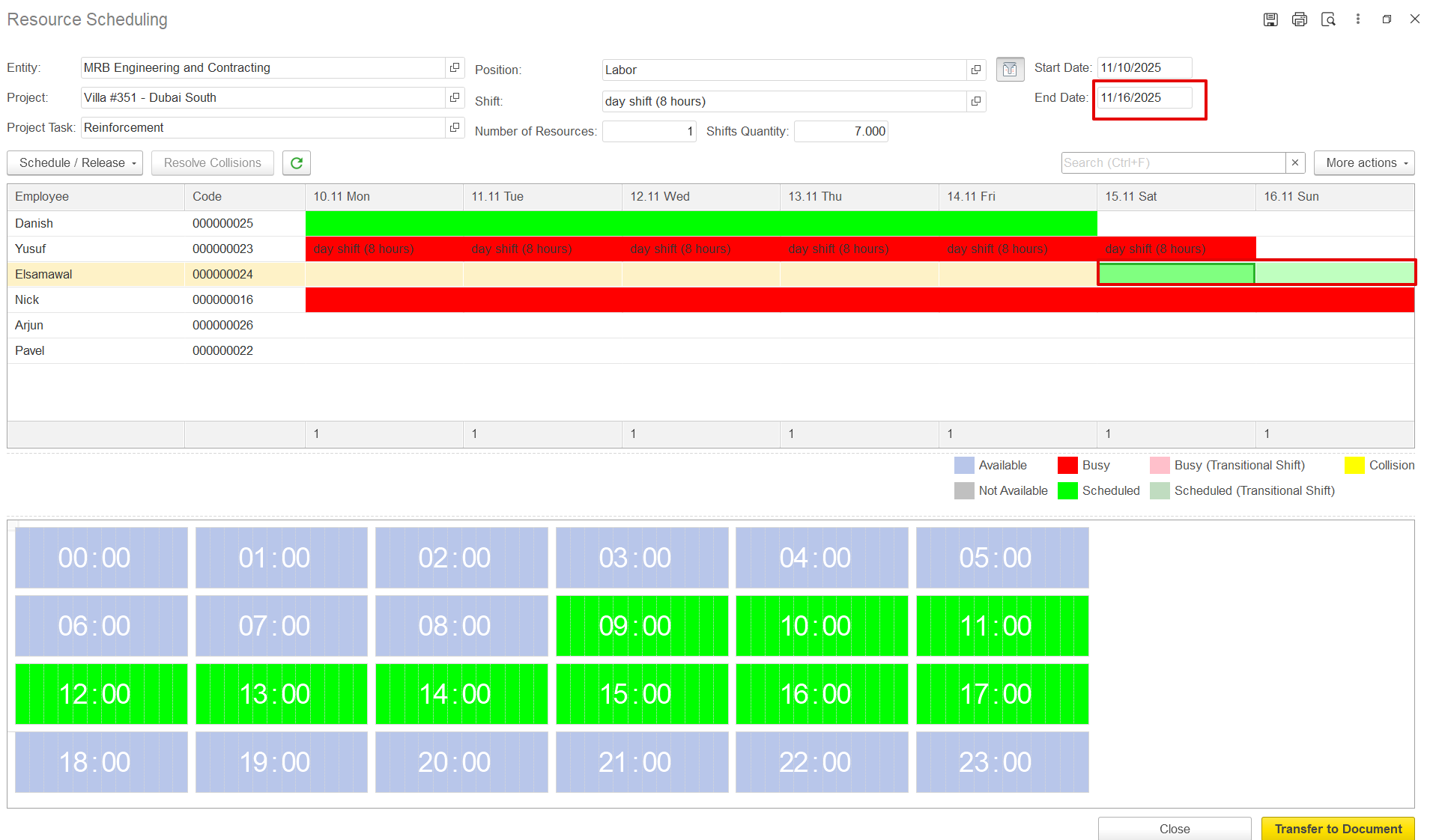
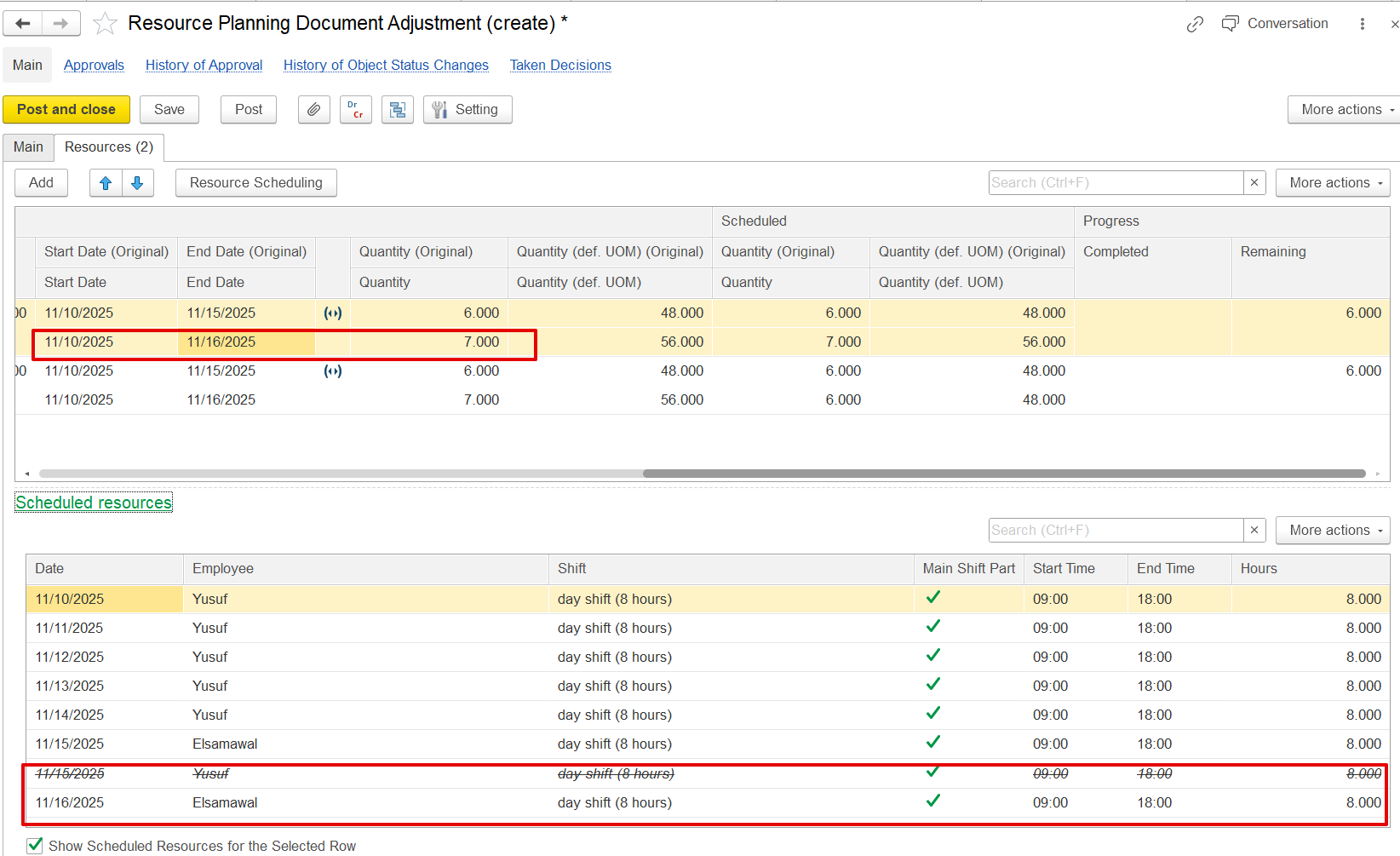
When an employee is replaced, the schedule for that date is canceled, and a new line with the updated details is added. For additional employees, a new line is added without canceling existing schedules.