...
Resource Type - Specifies the type of requested resources (e.g., Material, Service, Fixed Asset, Manpower, and all).
- Item - Choose the required item from the Item master.
Content - Automatically filled with the item’s description; can be modified if needed.
- Unit of Measure- Specify the Unit of Measure (UOM) for the item.
Quantity - To enter the quantity of the item requested. For resource types “Manpower” or “Fixed Assets”, the quantity will be automatically recalculated based on the Resource Details columns if the request is raised in Shifts rather than in Hours.
- Resource details -This section captures key information about the resources being picked or allocated to a project task. The columns in this section are available only for rows with resource types “Manpower” or “Fixed Assets”, where the Unit of Measure (UOM) is linked to the Shifts catalog.
Number of Resources - Shows how many resources (e.g., workers, equipment, or units) are required.
Quantity (UOM) - Indicates the requested amount of resources along with the unit of measure (e.g., months, weeks, days).
Start Date - The date when the resource or activity is planned to start.
End Date - The date when the resource or activity is planned to finish
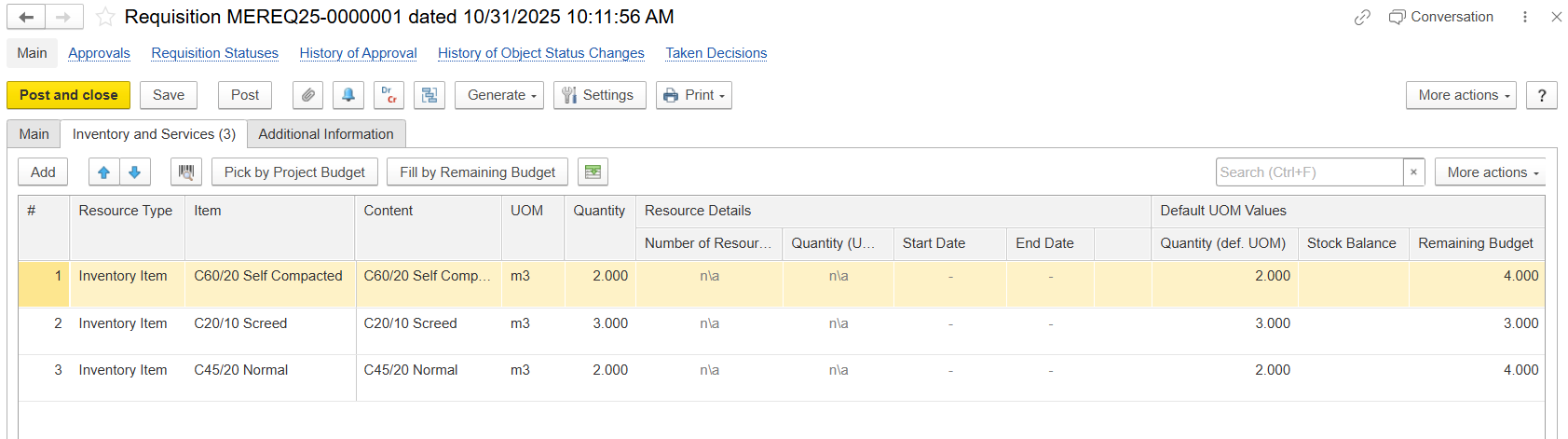
- Default UOM Values -Indicates the requested quantity of the resource along with its unit of measure (e.g., hours, days, pieces).
- Quantity (def. UOM) - Displays the quantity in the item’s default unit of measure as defined in the Item master.
Stock Balance - Shows the available stock quantity for the selected item in the system.
Remaining Budget - Indicates the remaining quantity in the project budget for this item.
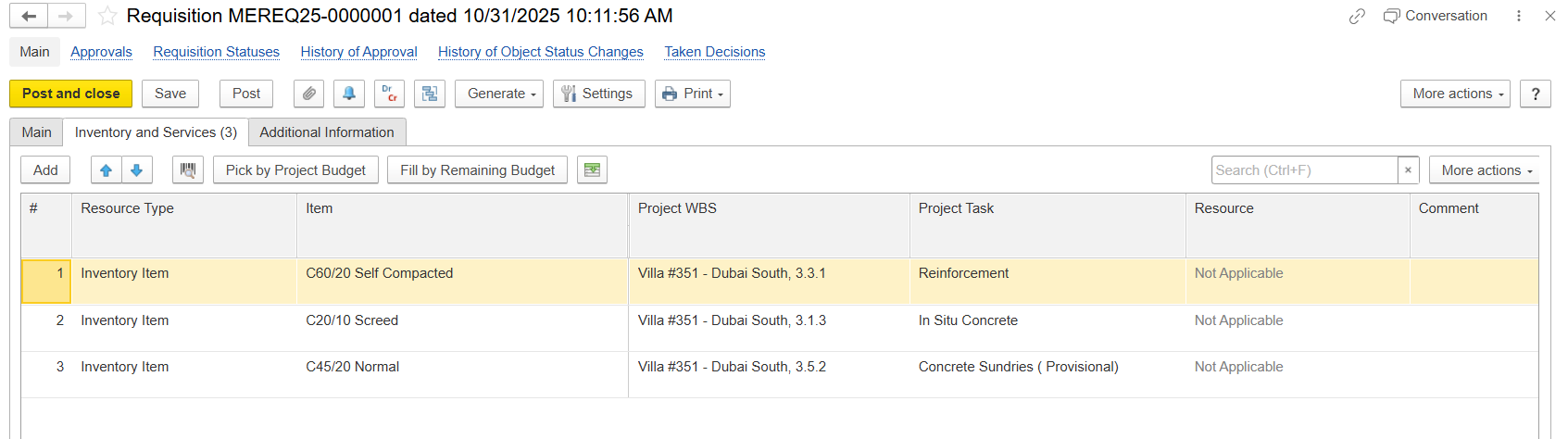
- Project WBS - Specific WBS code of the project that the item belongs to. It is used to indicate which part of the project the material should be charged to.
- Project Task - Refers to the specific project task related to the requisitioned resource.
Resource - Identifies the resource type or category (e.g., Material, Equipment, Manpower). Displays “Not Applicable” if no resource type is linked.
- Comment - Field to add additional text or information.
Pick from the budget
This screen allows users to allocate budgeted materials, labor, or other resources to specific project tasks. It ensures that only pre-approved quantities (as defined in the project budget) are assigned.
...