...
But, if this option is not enabled, expenses will be recognized by default at the time of Invoice Received.
- Basis- document from where the Subcontractor Agreement has been initiated.
Delivery / Planned Start / Finish Dates- Define execution timeline.
- Comments- toadd Internal remarks or notes.
...
The type will be “Revision,” and the basis will be the initial Subcontractor Agreement. Revisions are intended to correct or refine the agreement before work begins, and multiple versions provide a clear history of all adjustments.
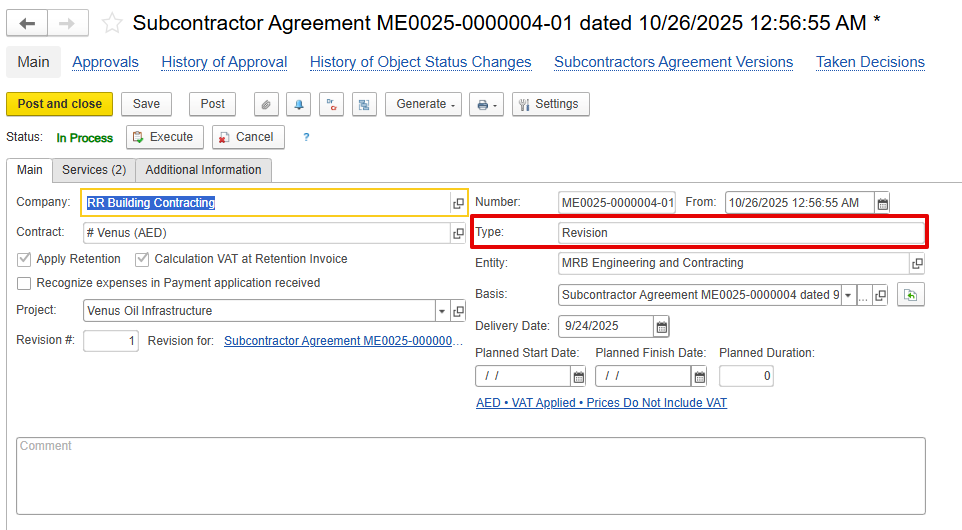
A Revision is created to update a Subcontractor Agreement before any related documents, such as Payment Applications, have been processed. Since no follow-up documents exist yet, the original agreement lines remain fully editable. Quantities, rates, descriptions, or other details can be adjusted directly on those lines.
When a Revision is generated, the system copies all information from the original agreement to create a new version. The previous version is retained for full traceability of changes. The system also ensures that no updates exceed the limits defined in the requisition linked to the agreement.
Revisions are intended to correct or refine the agreement before work begins, and multiple versions provide a clear history of all adjustments.
Variation
Variations are used to record additional or modified work under the subcontract after the initial agreement is in place. It functions like Variation in Estimation, but is specific to the Subcontractor Agreement.
A variation can be created only based on the latest version of the active agreement, which can be identified via the subcontractor agreement version link listed under the Subcontractor Agreements document
...
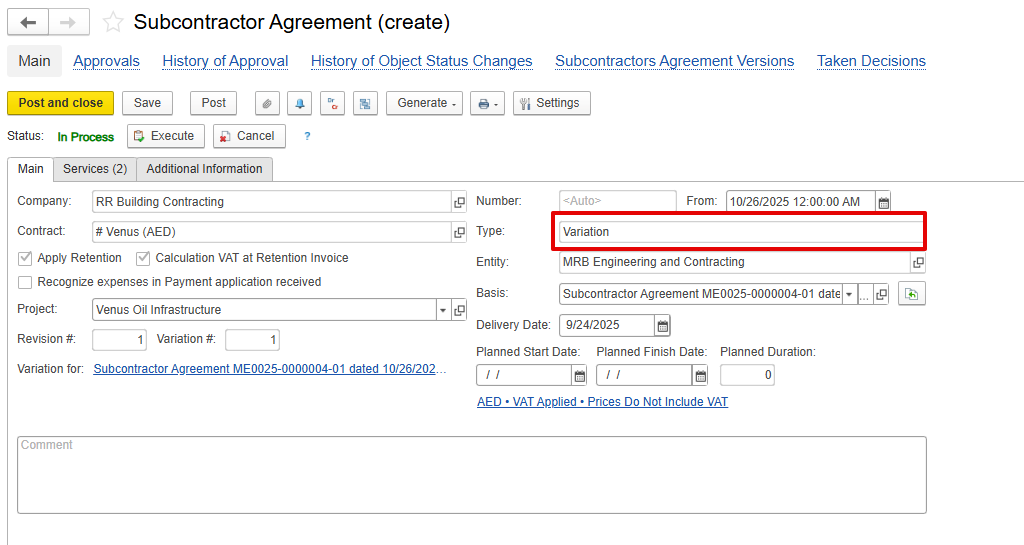
The type will be Variation, and the basis will be the latest Subcontractors agreement.
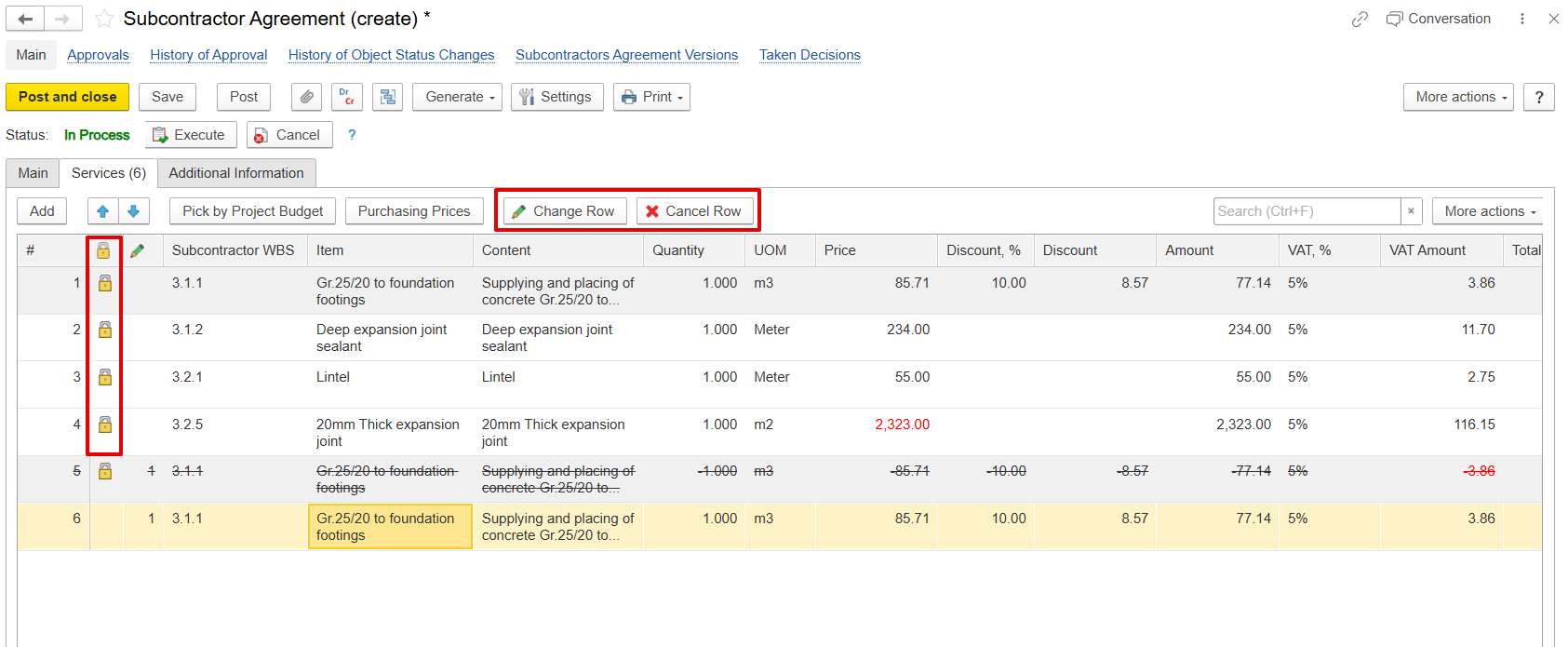
The original Subcontractor Agreement lines cannot be modified. The system enforces a line-locking mechanism, which prevents direct amendments. To make changes to an existing line, the row must be canceled using the Change Row or Cancel Row option. Once canceled, the original row is removed, and a new line can be created to reflect the updated information. This process ensures that the original agreement lines remain intact while allowing additional or adjusted work to be recorded separately.
Additional Information Tab
...
In Doc.# and Date - Internal reference numbers
Subcontractor contact Contact Terms and Conditions
Other attributes for reporting or classification
...