...
As a result of Supplier Tendering, a selected supplier from the tender comparison is finalized as a subcontractor.
Main Tab
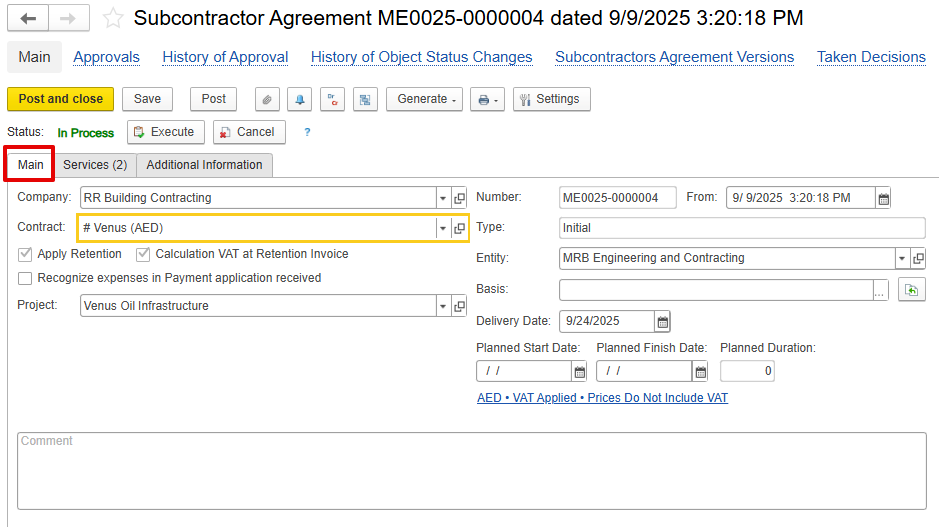
Company – The subcontractor responsible for executing the assigned work.
...
But, if this option is not enabled, expenses will be recognized by default at the time of Invoice Received.
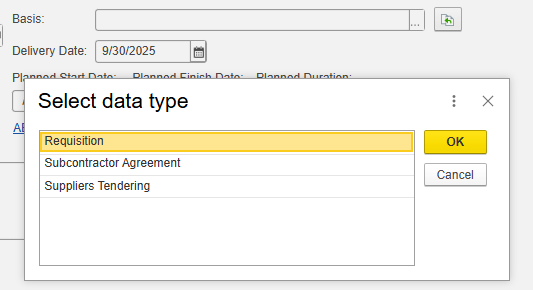
- Basis- Add the linked document
Delivery / Planned Start / Finish Dates- Define execution timeline.
- Comments- toadd Internal remarks or notes.
Inventory and Services Tab
...
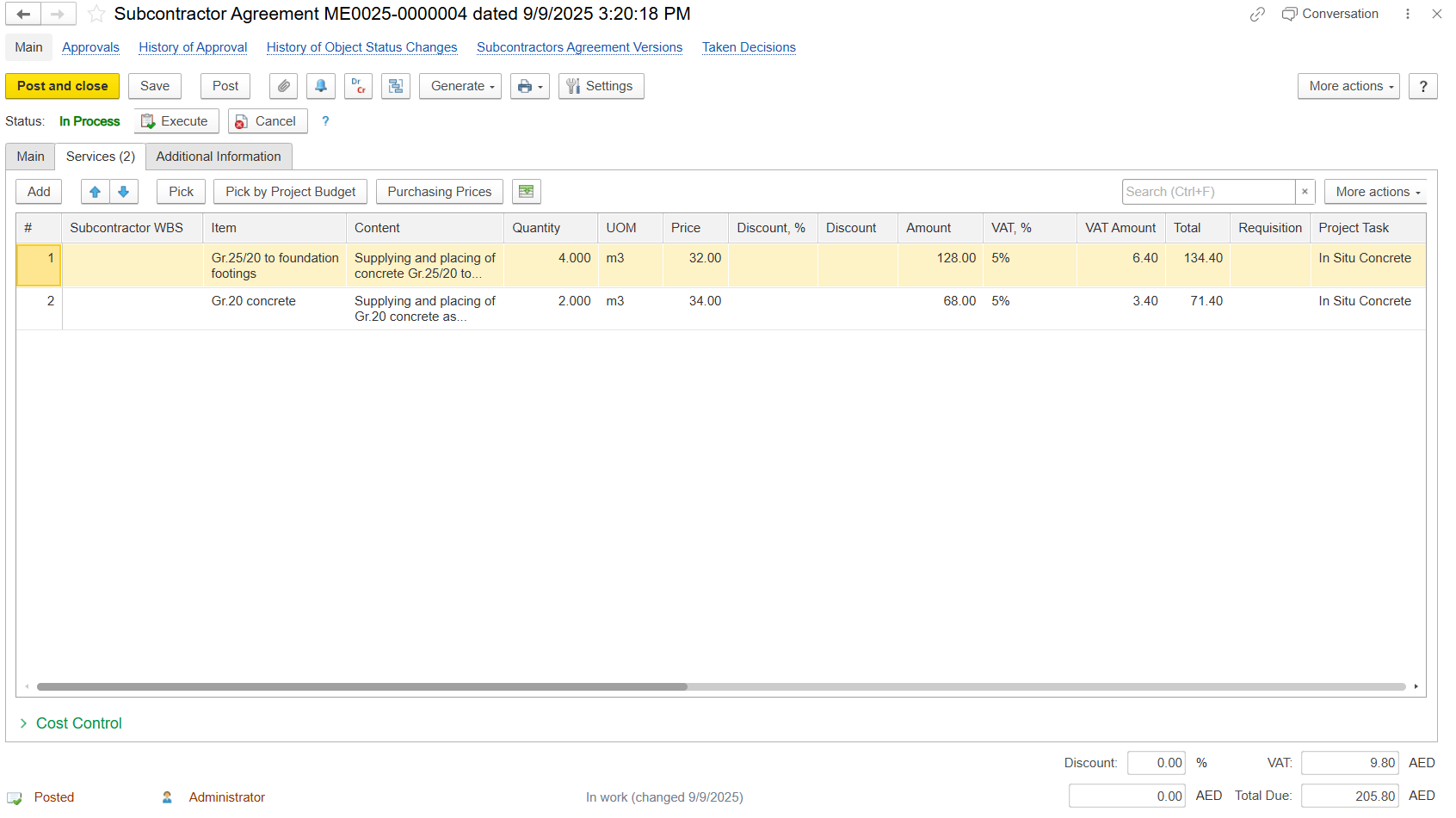
Subcontractor WBS-Optional code to identify work as defined by the subcontractor. It can be typed manually.
Item-Description of BOQ or service item.
Content-Detailed description of work.
- Quantity / UOM / Price-Defines – Specifies the work scope, measurement unit, and rate of workagreed rate for each item or activity.
- Discount / VAT / Total-Price and tax calculation – Represents the pricing breakdown, including any discounts, applicable VAT, and the final payable amount.
Project Task / Project WBS-Links subcontracted work with internal project structure for cost and progress tracking.
...
Add / Pick / Pick by Project Budget-Import items directly from the project BOQ.
Purchasing Prices-Pull prices from historical purchase data for reference.
Cost Control Tab
The Cost Control section provides a real-time link between the Subcontractor Agreement and project cost tracking.
...