...
As a result of Supplier Tendering, a selected supplier from the tender comparison is finalized as a subcontractor.
Main Tab
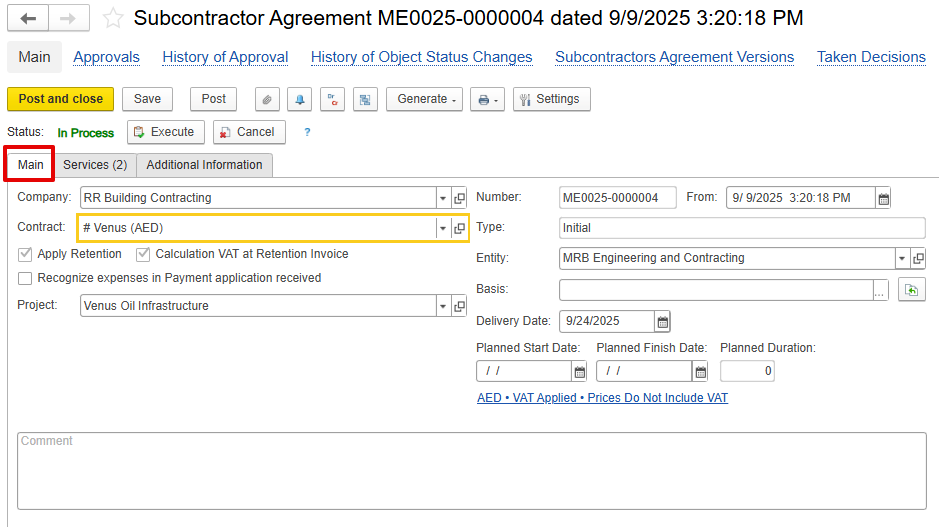
Company- – The subcontractor responsible for executing the assigned work.
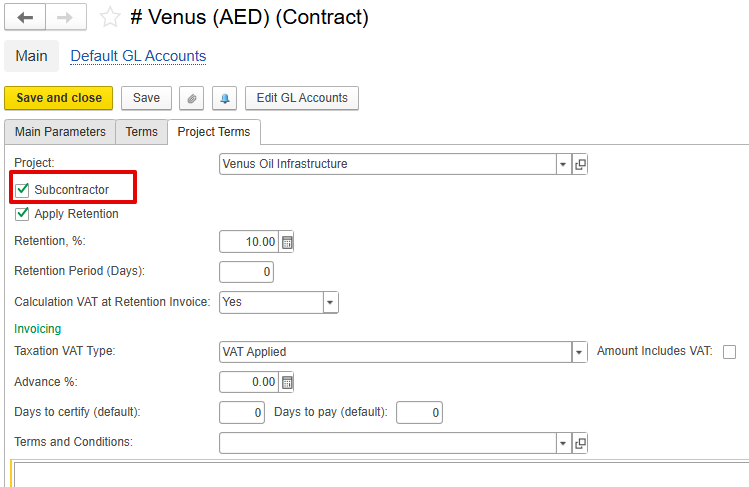
Contract-Main project or contract to which the subcontractor's work relates. The contract – The contract associated with the subcontracted work. It must be marked as a Subcontractor under the project terms.
VAT and Retention settings from defined in the contract will be automatically applied to used in the Subcontractor Agreement document.
Type-Defines document purpose:version
Initial-Original agreement.
Revision-Updated version of the agreement before execution.
Variation-Additional scope or changes to the approved agreement.
Project-Links subcontracted work to a specific project.
- Apply Retention-Activates retention logic as per contractual terms – Enables retention for the document, based on the retention settings defined in the related contract.
- Calculation of VAT at Retention Invoice-Ensures VAT is applied at the time of retention release – Applies VAT on the retention amount, following the VAT configuration specified in the contract.
- Recognize expenses in the Payment Application received- If When enabled, expenses are recorded when the subcontractor submits a Payment Application, instead of at the invoice stage.
In this case, the system posts:
Dr Expense – Cr Unbilled Purchase,
and when the invoice is receivedthe system records a transaction similar to a GRN but for expenses, posting Dr Expense and Cr Unbilled Purchase. Later, upon receiving the invoice, the Unbilled Purchase is closed cleared to Payables.If
But, if this option is not enabled, expenses
...
will be recognized by default at the time of Invoice Received
...
.
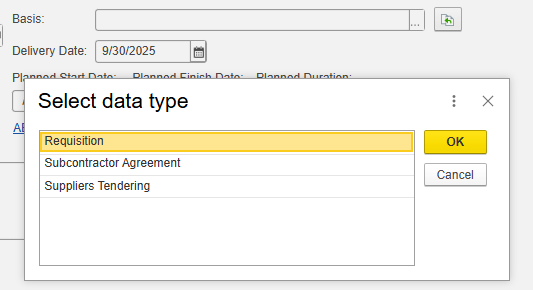
Basis- Add the linked document
Delivery / Planned Start / Finish Dates-Define Define execution timeline.
Basis-Reference for scope or cost basis.
Comments-Internal remarks or notes.
...
Inventory and Services Tab
...