...
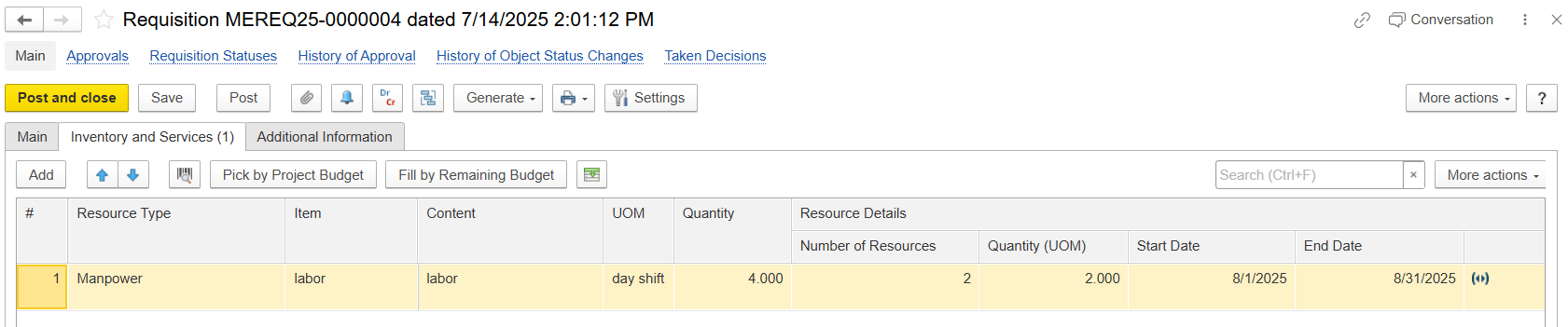
Resource Type - Specifies the type of requested resources (e.g., Material, Service, Fixed Asset, Manpower, and all).
- Item - Choose the required item from the Item master.
Content - Automatically filled with the item’s description; can be modified if needed.
- Unit of Measure- Specify the Unit of Measure (UOM) for the item; supports multiple UOMs if enabled.
Quantity - Enter the number of units you are requesting.
- Resource details-
Number of Resources - Shows how many resources (e.g., workers, equipment, or units) are required.
Quantity (UOM) - Indicates the requested amount of resources along with the unit of measure (e.g., hours, days, pieces).
Start Date - The date when the resource or activity is planned to start.
End Date - The date when the resource or activity is planned to finish.
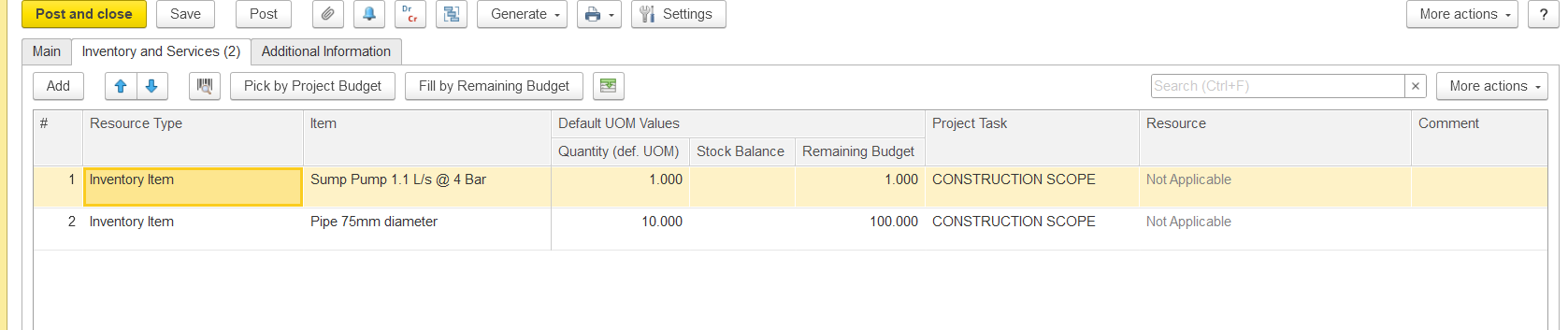
- Default UOM Values -
- Quantity (def. UOM) - Displays the quantity in the item’s default unit of measure as defined in the Item master.
Stock Balance - Shows the available stock quantity for the selected item in the system.
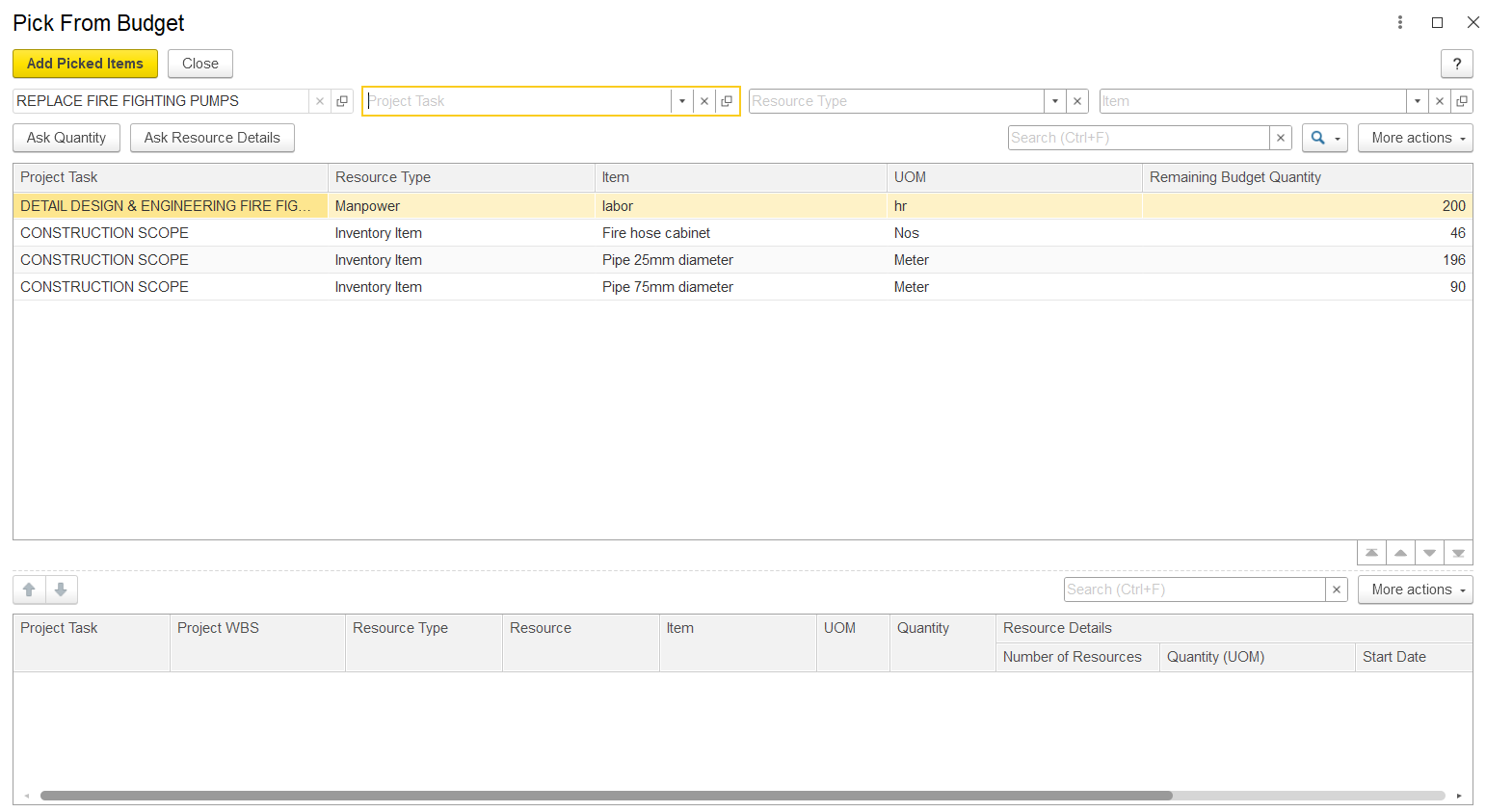
Remaining Budget - Indicates the remaining quantity or amount available in the project budget for this item.
Project Task - Refers to the specific project task or work package related to the requisitioned resource.
Resource - Identifies the resource type or category (e.g., Material, Equipment, Manpower). Displays “Not Applicable” if no resource type is linked.
Additional Information tab
...