Sometimes while creating a new document (for E.g. Customer Order, Invoice, etc.) you may face with the issue "The Value OO-999" of the field Number is not unique.
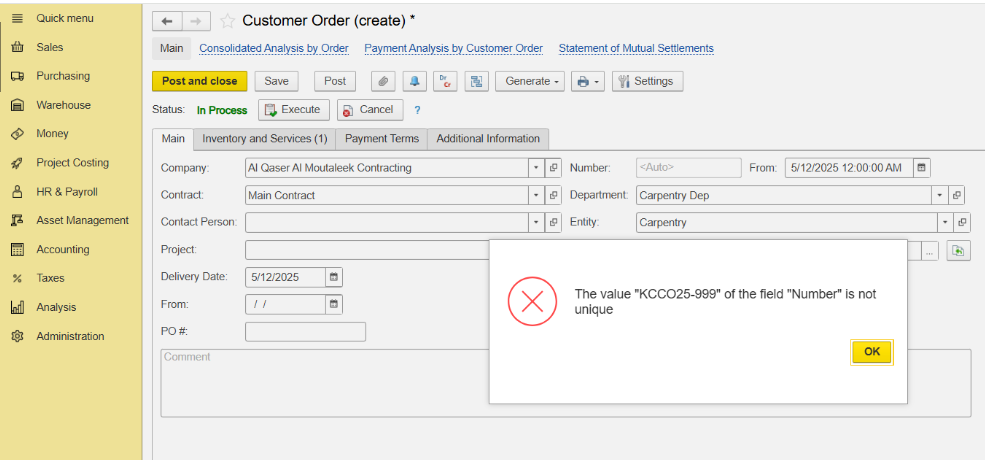
The issue is connected to that the fact that current prefix for Customer oredr document was the document was filled (due to the system architecture - 1 prefix may contain 999 documents).
So for For solving your this issue you should cheange change a prefix for the document ( in our example it is a Customer Order document - ) , and system would start counting document numbers again.
How Go to do it:
open Administration - Administration > Service Settings:
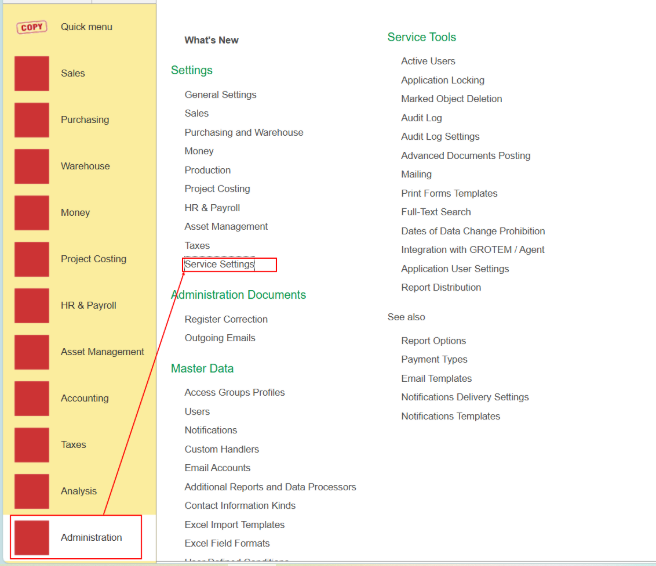
And here you You need to change Prefix for customer order your document type (in our case it is a Customer Order):
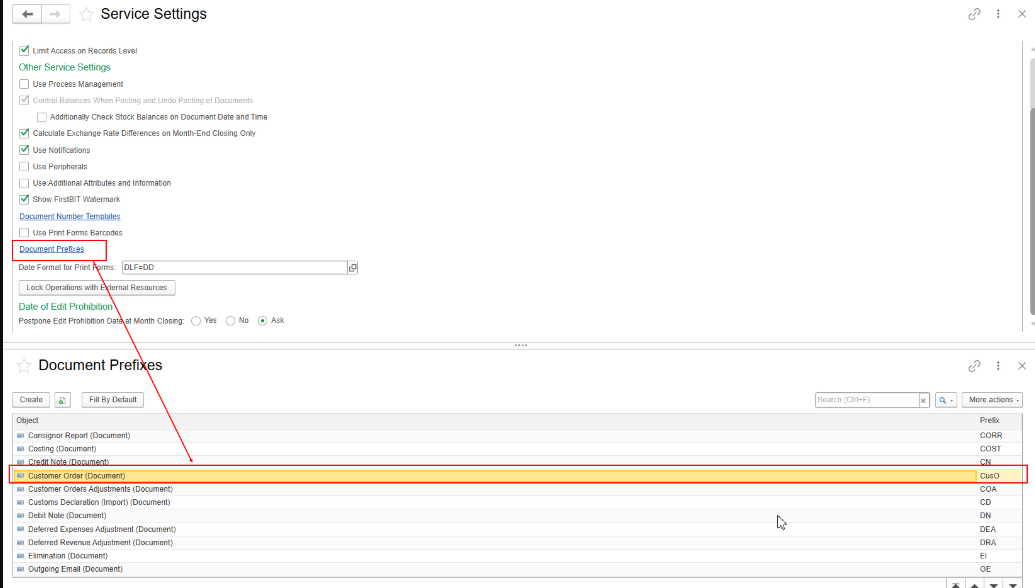
you should open Open Document prefixes link - system will show the window with Document Prefixes informational register. And you need to find
You should find a Customer order in the list and change prefix for to the new one (for example to CusO ).
 Warning:
After saving it - you user should log out from the system and log in back (for the for the setting to be applied) and check new numeration of Customer Orders documents.
Thank you for being FirstBit Customer!