...
In addition to the main settings, phased revenue recognition must also be activated within the contract itself.
Contract→ Project Terms tab→ Use Phased revenue recognition.
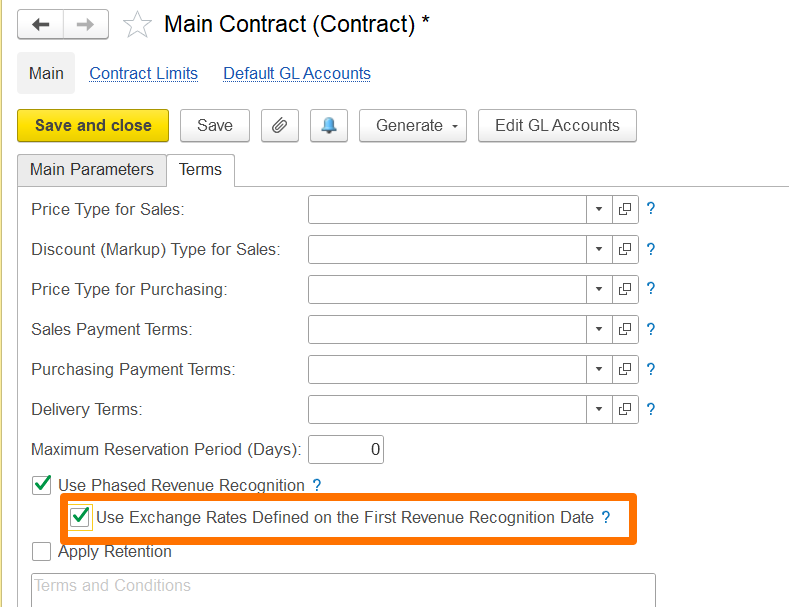
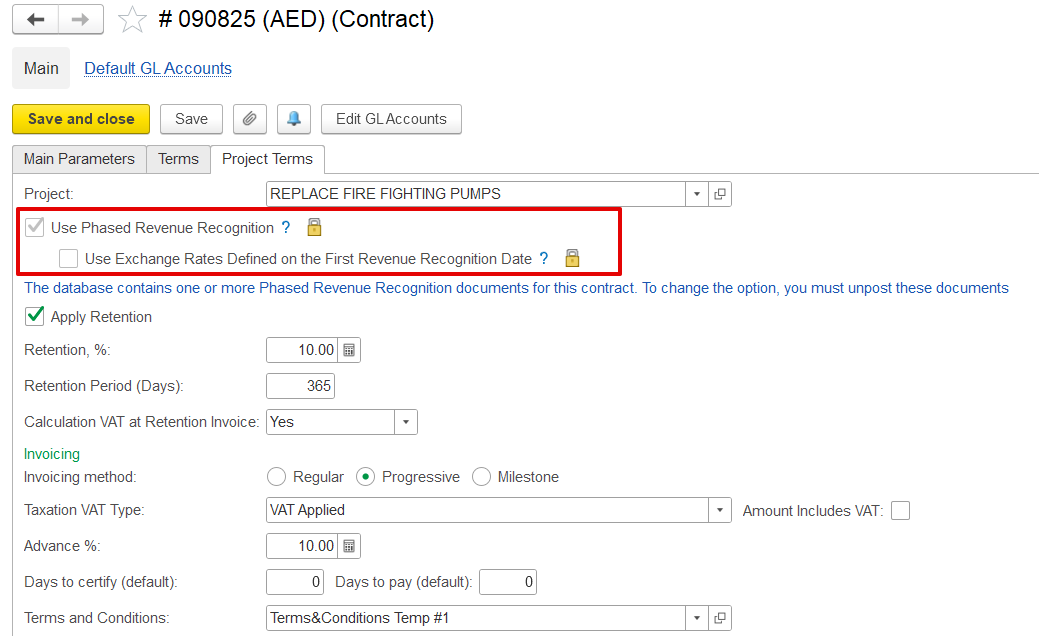
Additionally, if the contract involves a foreign currency, you can use the exchange rate defined on the first revenue recognition date to account for exchange rate fluctuations.
If enabled, the exchange rate set on the date of the first revenue recognition will apply to all subsequent phased revenue recognition documents, with gains or losses calculated only when the invoice is issued.
If disabled, gain/loss calculations will occur during month-end closing using the exchange rates applicable on each document's date.
How to create
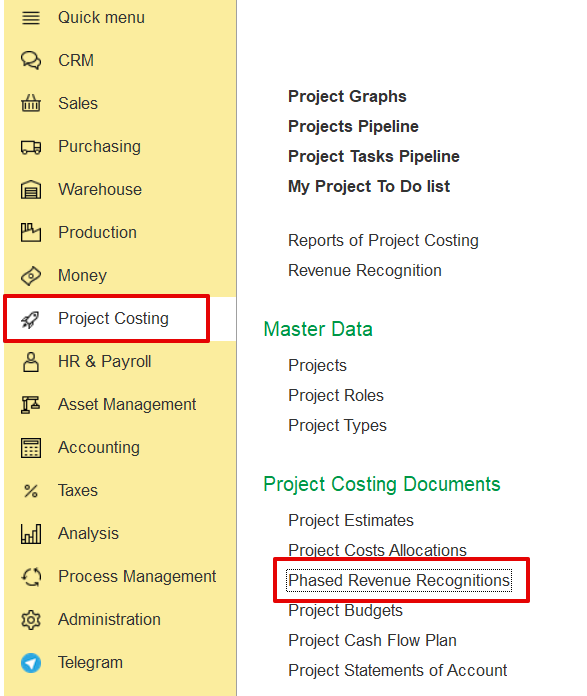
Project costing→ Project costing documents→ Phased Revenue Recognitions
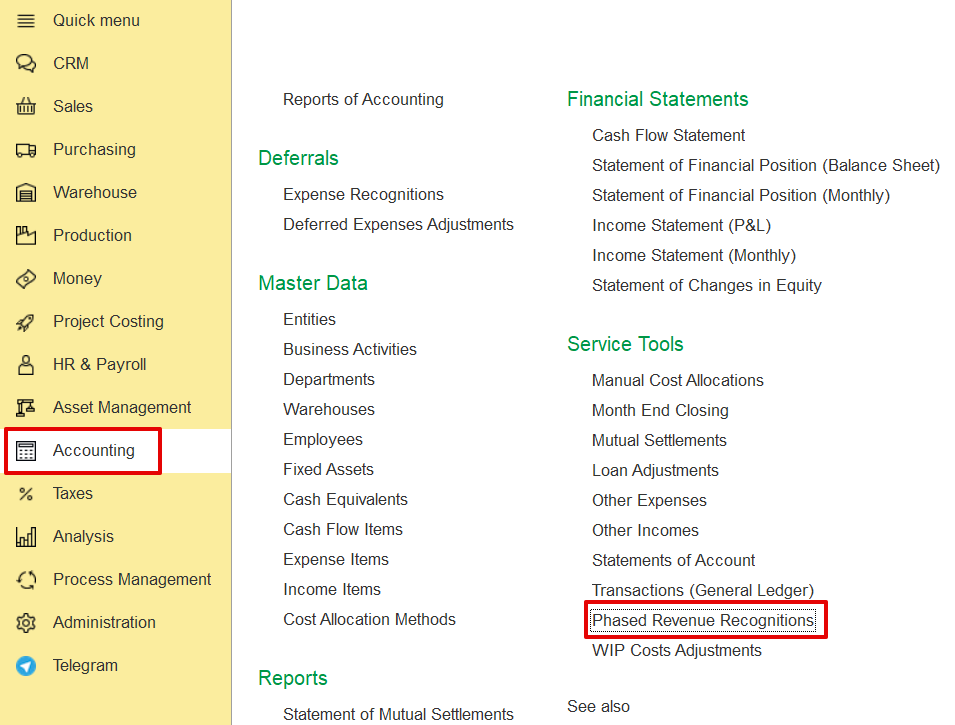
Alternatively, Accounting → Service tools → Phased revenue recognitions→ Revenue Recognitions→ Create
Main tab
The Main Tab contains key information related to Phased Revenue Recognition.
...
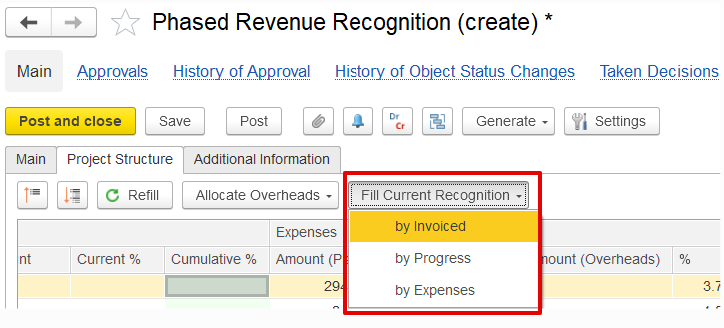
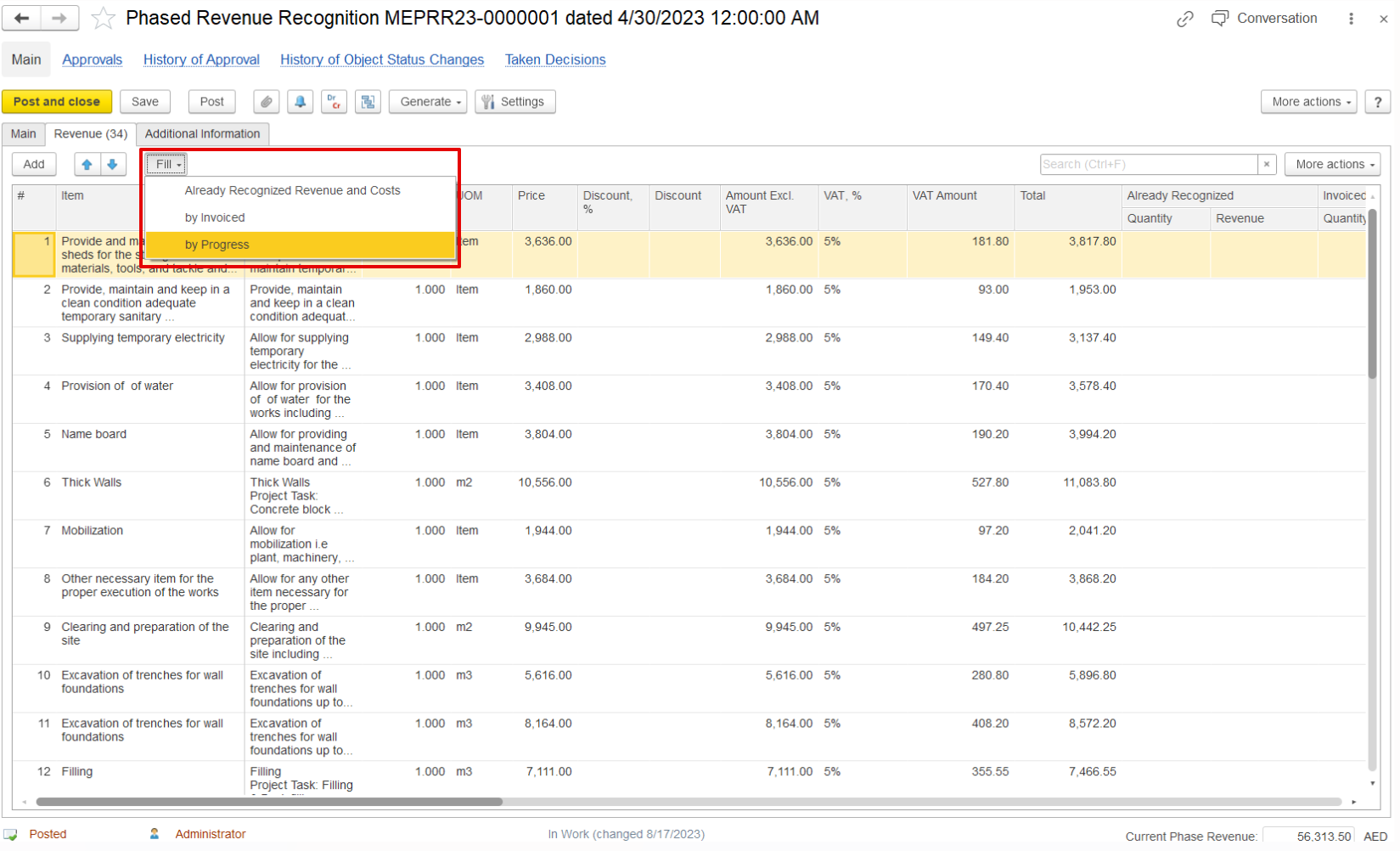
Defines how revenue for the current period should be recognized. Options include:
- By Invoiced-
...
- Revenue is recognized based on a percentage of the invoice value, with the pending balance calculated accordingly, so that the revenue percentage for each line aligns with the invoiced percentage.
- By Progress-
...
- Revenue is recognized according to the percentage of work completed, as reflected in progress reports. The pending revenue is calculated to ensure that the recognized revenue corresponds to the reported progress for each line.
- By Expenses-
...
- Revenue is recognized in proportion to the actual expenses incurred during the period. The pending revenue is determined by comparing incurred costs to the total estimated costs, aligning the recognition with the expense percentage.
Advanced Project Planning
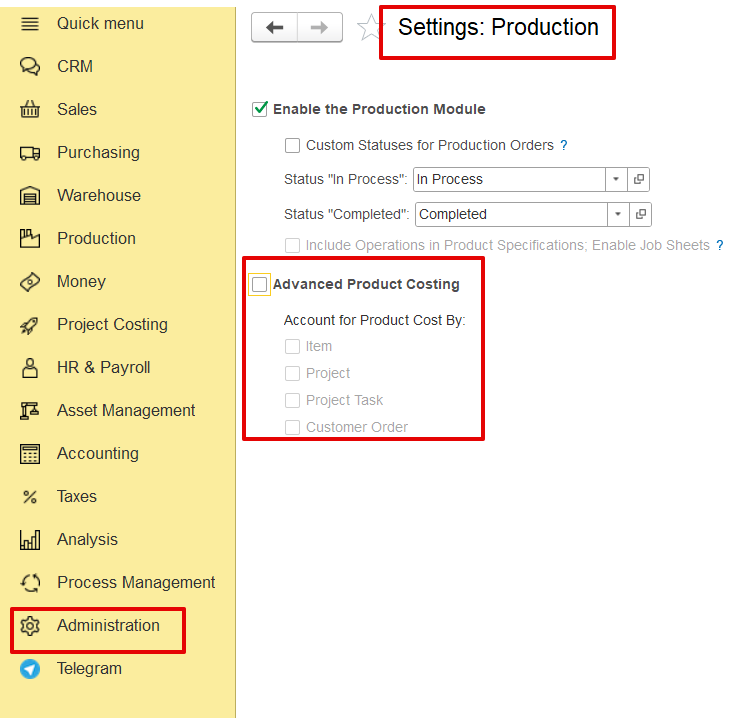
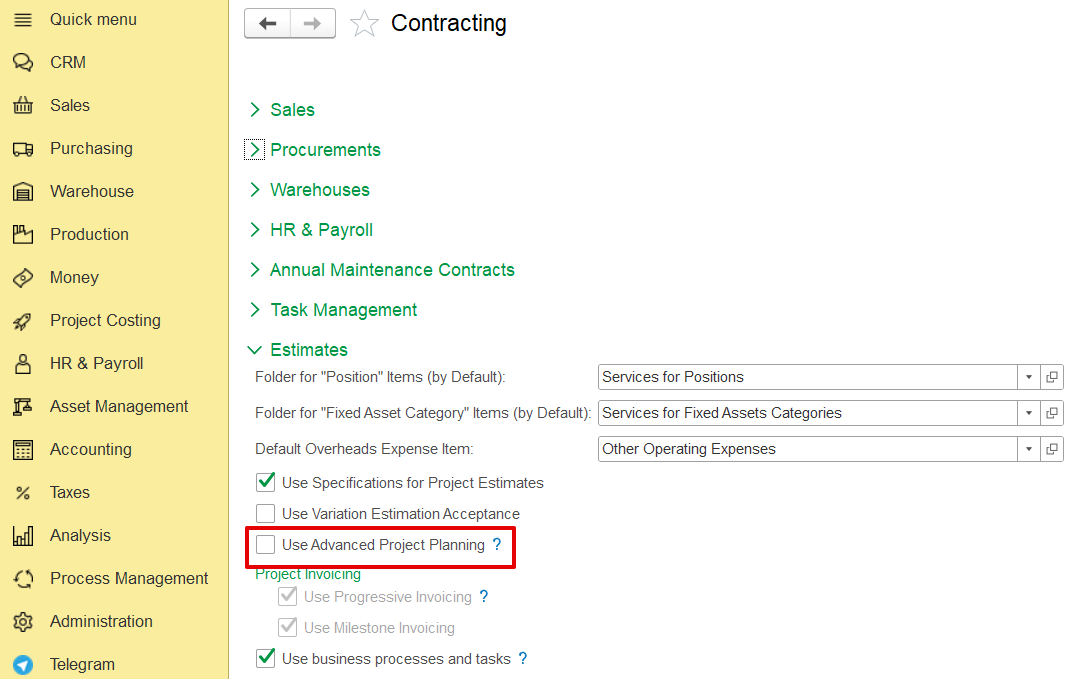
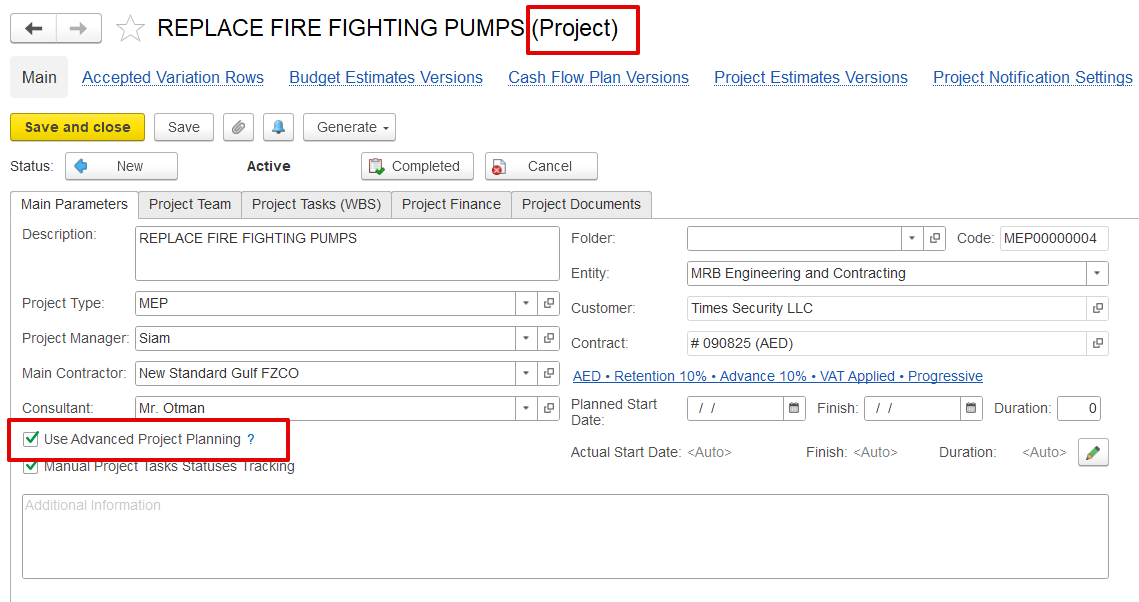
If the project is not enabled for Advanced Project Planning in the production settings, the system will use the old Phased Revenue Recognition mode, where project structure is not available and revenue is recognized only by expenses.
Additional Information Tab
...