- Allocate overhead buttons for Amount (Overheads) distribution.
- Fill current recognition buttons: by Invoiced, by Progress, by Expenses.
- if Project is not marked as Advanced Project Planning, then old Phased revenue recognition mode will be applied (with no project structure and recognition by expenses).
Phased revenue recognition, in line with IFRS 15, is widely applied in contracting for long-term projects such as construction works that extend over several months. Under this method, revenue and costs are recognized progressively, based on the stage of contract completion, rather than solely at the time of invoicing. Any revenue recognized before invoicing is recorded as a contract asset and not as receivables until the related contractual obligations are satisfied and an invoice is issued. This ensures that project revenues are aligned with the actual progress of work performed.
...
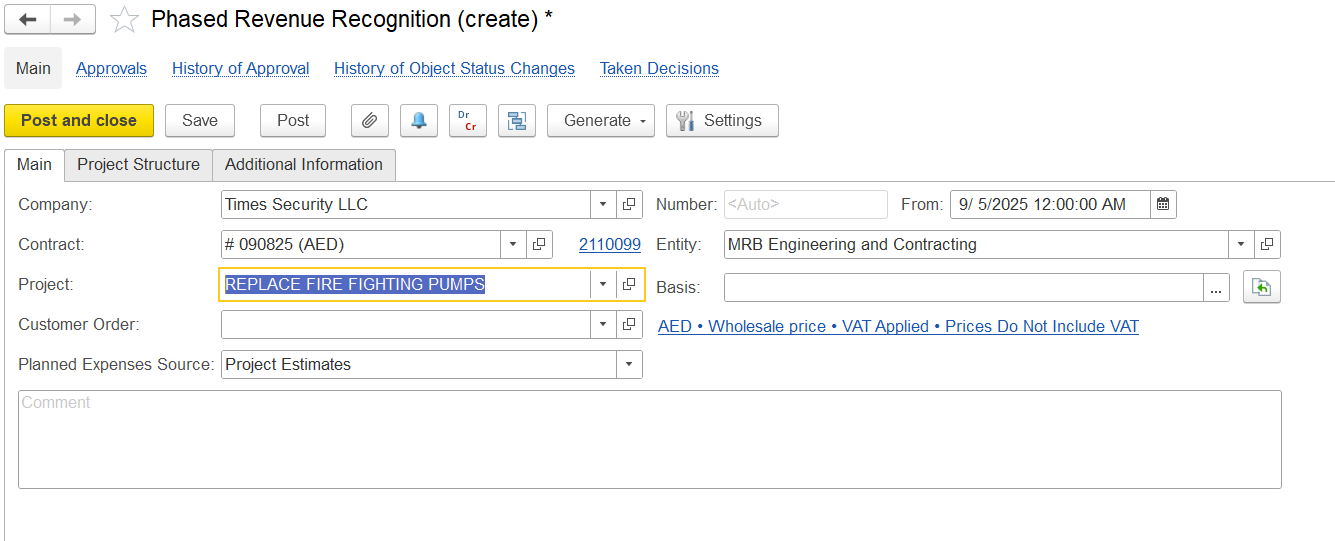
The Main Tab contains key information related to Phased Revenue Recognition.
When creating a Phased Revenue Recognition document, the The following fields are available. All details are filled automatically once a Project is selected:
Company -The company for whom the recognition is being created.Entity -The entity issuing the recognition.
Contract- Customer Company contract linked to revenue recognition.
Project- Project for which phased revenue recognition is applied.
Customer Order- Link the customer order.
- Entity -The entity issuing the recognition.
Planned Expenses Source- Basis for expected costs used in calculations.
Basis- Source document from which the recognition is created (e.g., project estimate, customer order).
Comment- Field for additional notes.
Project Structure
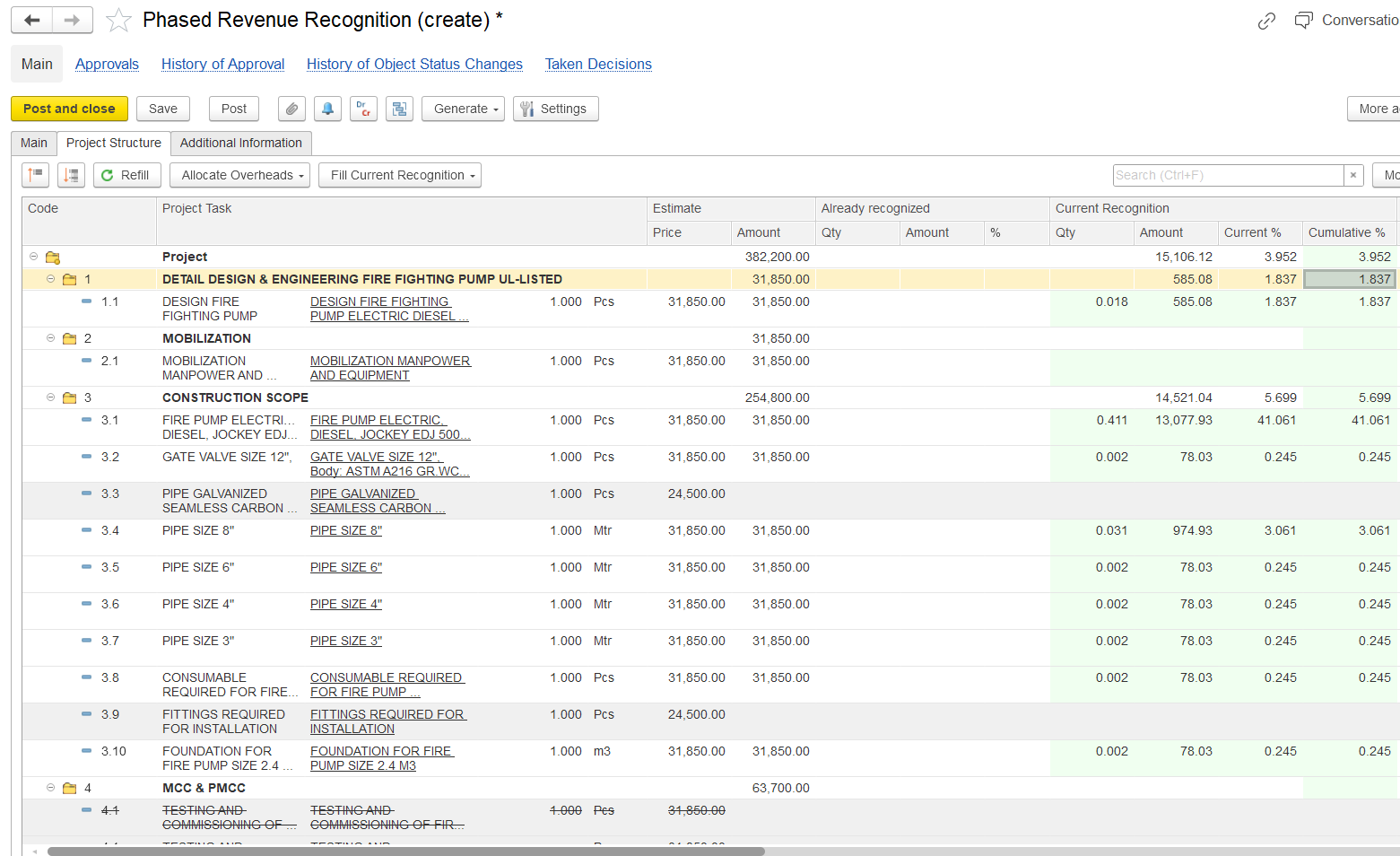
This tab is used to control Project Structure displays all project tasks, their estimates, expenses, and the approach for provides a framework for allocating costs and recognizing revenue for each project component.
Refill- Reloads all tasks, estimates, and expenses linked to the selected project.
Code- Task reference number.
Project Task- Description of the task or activity.
Estimate -Planned values from project estimates:
Price-Planned unit price.
Amount- Planned total amount.
Already Recognized- Values already recognized in past periods
Qty- Quantity already recognized.
Amount- Value recognized.
%- Percentage of task completed/recognized.
Current Recognition- Values recognized in the current period:
Qty- Quantity to be recognized now.
Amount- Value recognized for this period.
Current %- Percentage recognized in the current period.
Cumulative %- Total percentage recognized up to now.
- Expenses- Planned, actual, and overhead expenses:
Amount (Planned)- Estimated cost of the task.
Amount (Actual)- Actual expenses recorded.
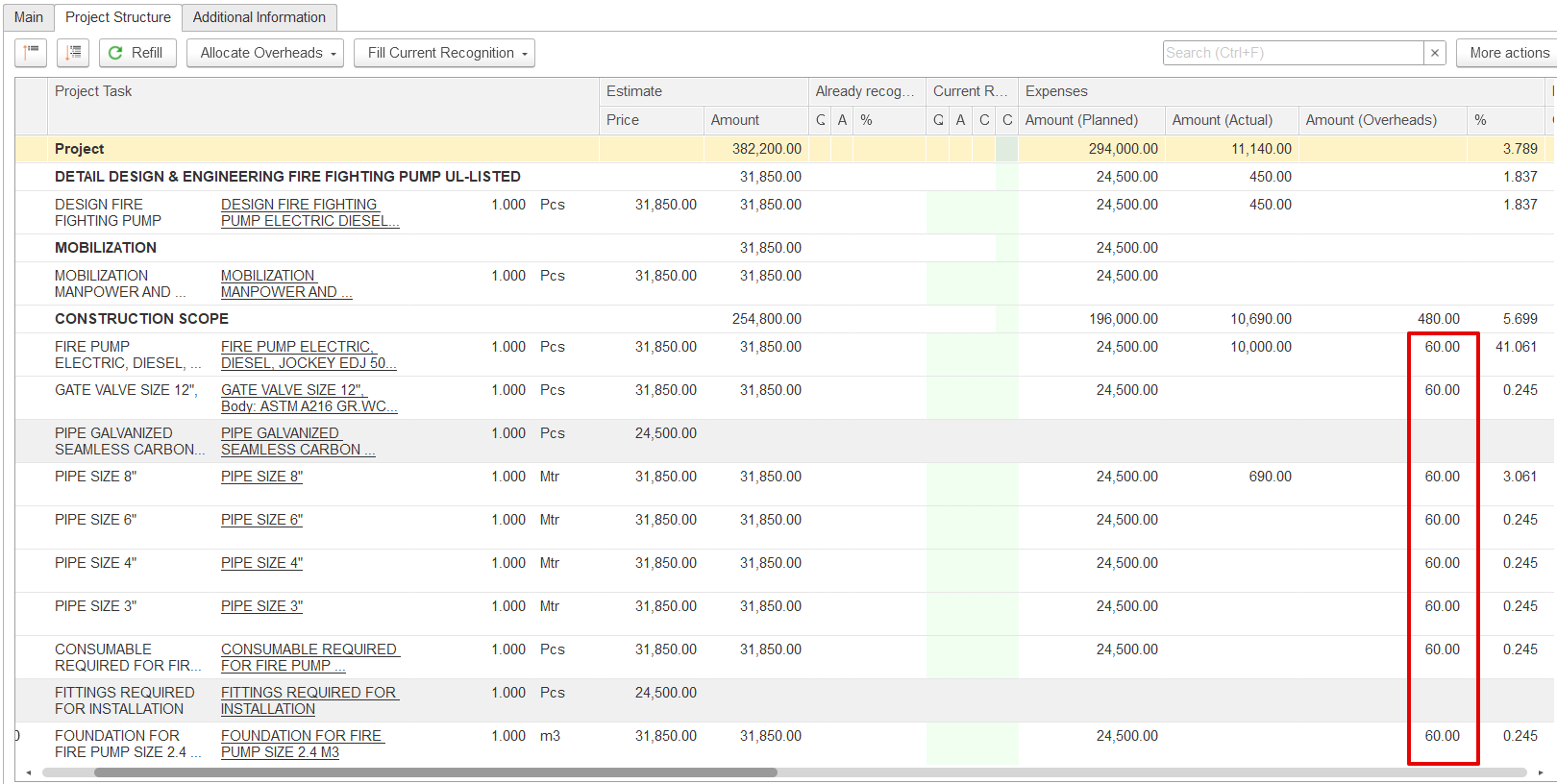
Amount (Overheads)- Overhead allocation, the Unallocated expenses are highlighted in yellow.
Invoiced Before- Values already invoiced to the customer.
Progress- Physical or financial progress of the task.
Business Activity- Activity type (e.g., Main Activity).
Income Item- Revenue classification (e.g., Sales Revenue).
GL Accounts- Accounts used for posting recognized revenue.
Transaction Content- Used to add any Additional reference required.
...
This function is used to distribute expenses that have not yet been assigned. Allocation methods include:
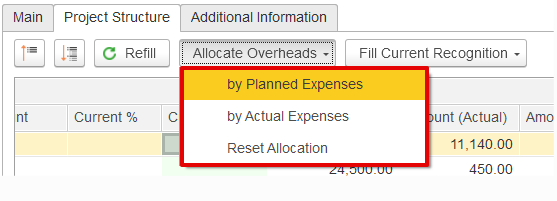
- By Planned Expenses – Distributes overheads in proportion to the planned (estimated) expenses of each task.
For example, if the unallocated overhead is 480 and all tasks have equal planned amounts, the overhead will be divided equally among them since their proportional share is the same.
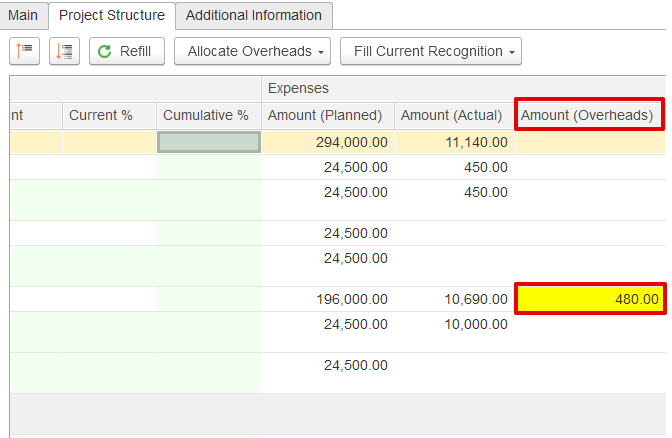
By Actual Expenses – Overheads are distributed according to the actual costs of each task. Tasks with no expenses recorded do not receive any allocation.
Overhead = (Task Actual Expense ÷ Total Actual Expenses) × Total Undistributed Overhead
CONSTRUCTION WORK- 10,000 ÷ 10,690 × 480 = 448.99
PIPE SIZE 6"- 690 ÷ 10,690 × 480 = 31.01
All other tasks get 0 because they have no actual expenses.
...