...
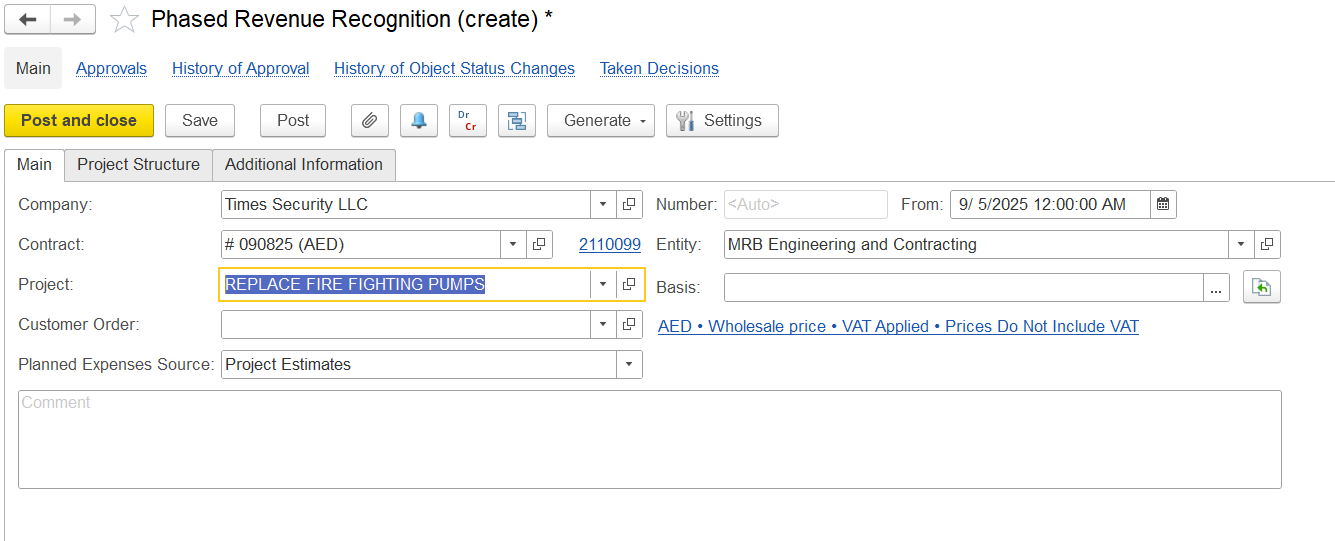
When creating a Phased Revenue Recognition document, the following fields are available. All details are filled automatically once a Project is selected:
Company Name-The company for whom the recognition is being created.
Entity Name-The entity issuing the recognition.
Contract-Customer Customer contract linked to revenue recognition.
Project-Project Project for which phased revenue recognition is applied.
Customer Order- Related sales or Link the customer order, if applicable.
Planned Expenses Source-Basis Basis for expected costs used in calculations.
Basis-Source Source document from which the recognition is created (e.g., project estimate, customer order).
Comment-Field Field for additional notes.
Project Structure
...
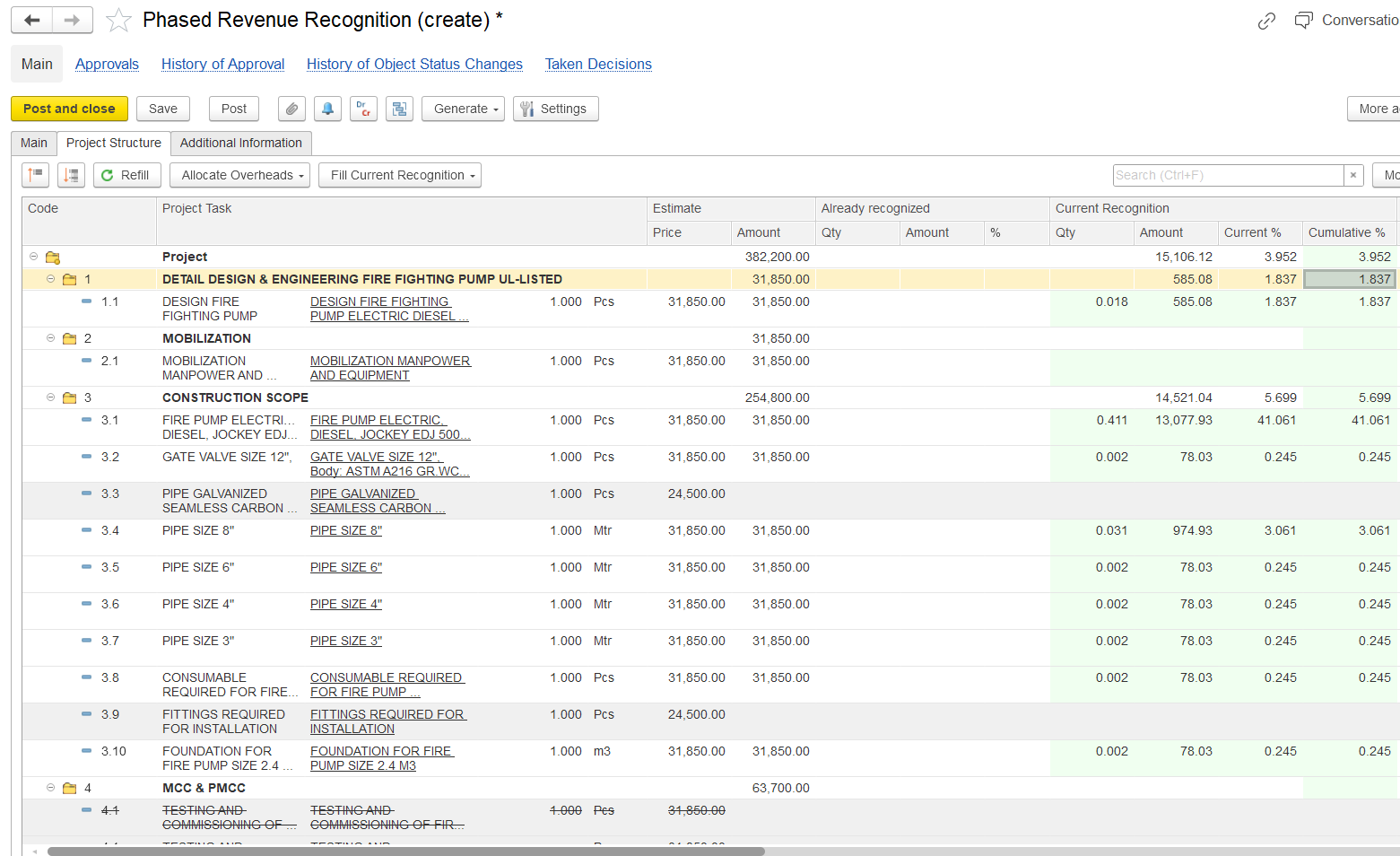
Refill – Refills all data (tasks, estimates, expenses) automatically pulled when based on the project was selected.
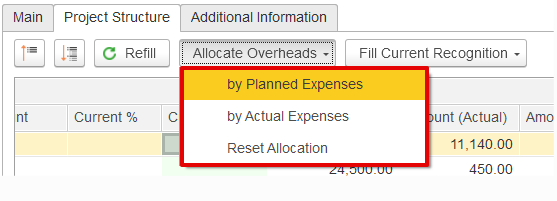
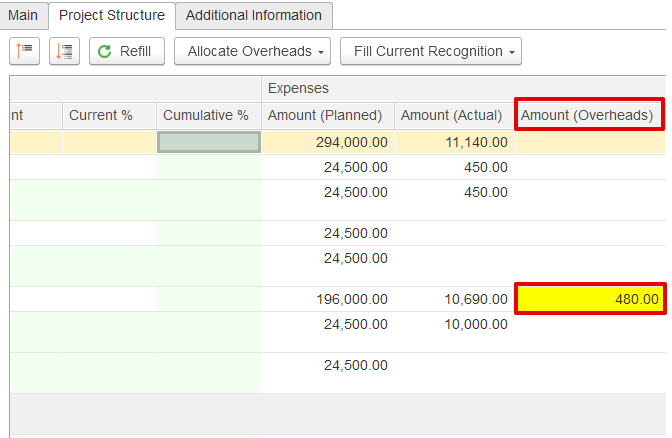
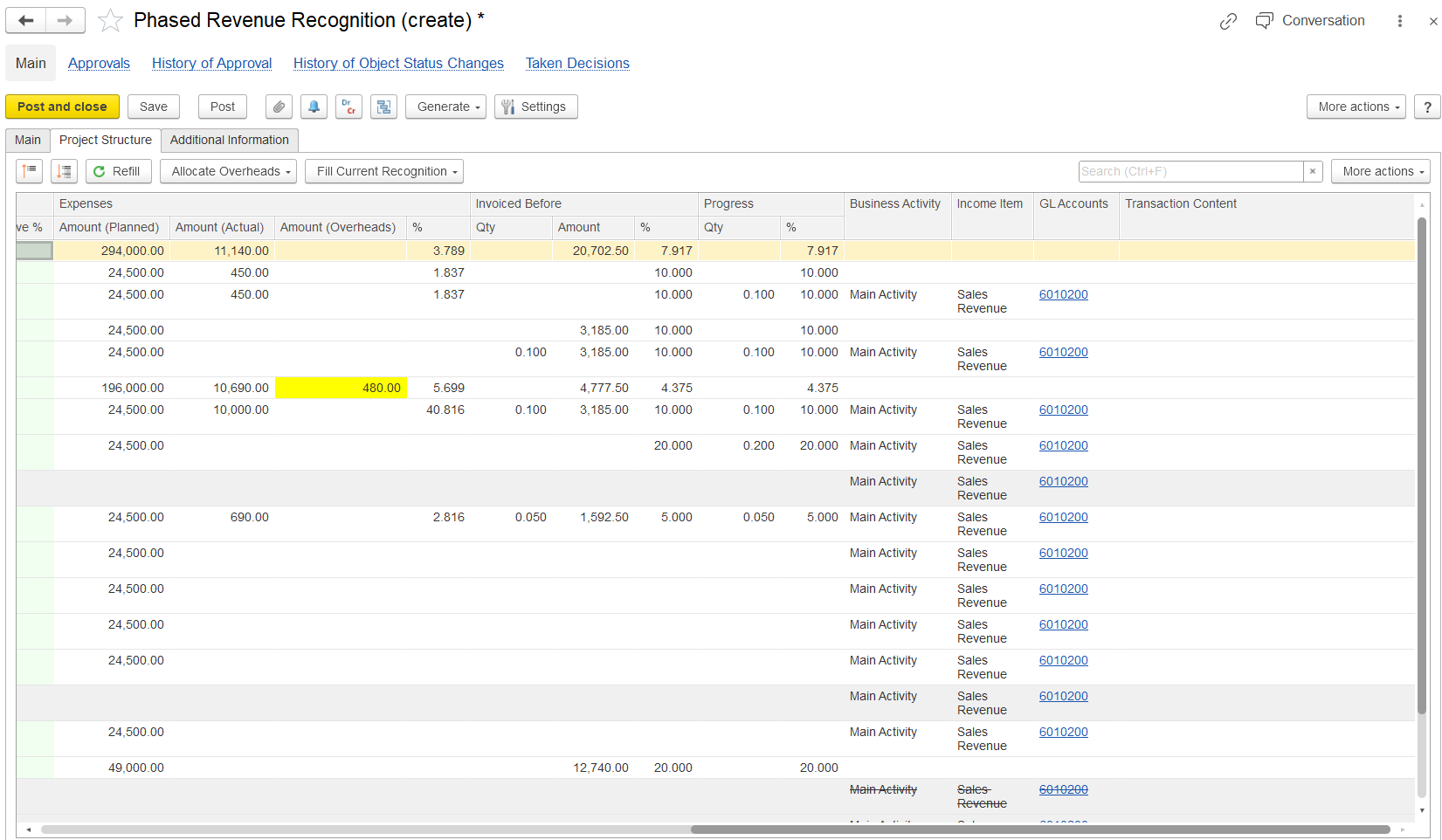
Allocate Overheads – Allocates expenses that were not yet distributed. Unallocated expenses are shown in yellow as a highlight. Allocation can be done by:
Planned expenses
Actual expenses
Reset allocation
- remove
Non-allocated expenses appear in yellow.any distribution done in the current document
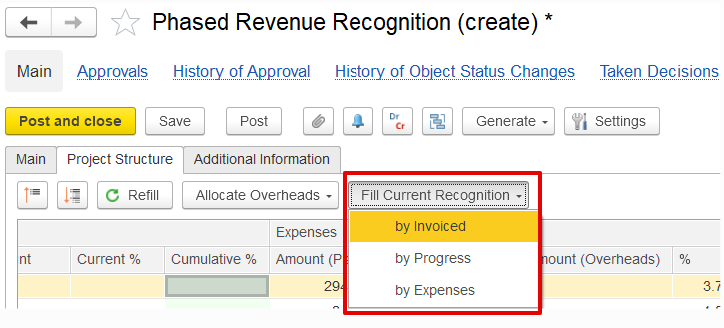
Fill Current Recognition – Defines how revenue for the current period should be recognized. Options include:
By Invoices – Based on invoice documents created.
By Progress – Based on progress reports prepared.
By Expenses – Based on incurred expenses.
Code – Task or work package reference number.
Project Task – Description of the task or activity.
Estimate – Planned values from project estimates:
Price – Planned unit price.
Amount – Planned total amount.
Already Recognized – Values already recognized in past periods:
Qty – Quantity already recognized.
Amount – Value recognized.
% – Percentage of task completed/recognized.
Current Recognition – Values recognized in the current period:
Qty – Quantity to be recognized now.
Amount – Value recognized for this period.
Current % – Percentage recognized in the current period.
Cumulative % – Total percentage recognized up to now.
Expenses – Planned, actual, and overhead expenses:
Amount (Planned) – Estimated cost of the task.
Amount (Actual) – Actual expenses recorded.
Amount (Overheads) – Overhead allocation (highlighted in yellow if pending).
Invoiced Before – Values already invoiced to the customer.
Progress – Physical or financial progress of the task.
Business Activity – Activity type (e.g., Main Activity).
Income Item – Revenue classification (e.g., Sales Revenue).
GL Accounts – Accounts used for posting recognized revenue.
Transaction Content – Additional reference for posting.
- To create and use Work type items with associated costs, enable Use Work Type Items in Sales Documents on the Administration > Settings > Sales form. Work-type items can be used in documents such as Quotations, Customer Orders, Adjustments, Credit Notes, Tax Credit Notes, Tax Invoices, and Project Estimates.
...