- Phased revenue recognition in the contract
- Standard doc topics (how to find, how to create, main tab, project structure
- Allocate overheads buttons for Amount (Overheads) distribution.
- Fill current recognition buttons: by Invoiced, by Progress, by Expenses.
- if Project is not marked as Advanced Project Planning, then old Phased revenue recognition mode will be applied (with no project structure and recognition by expenses).
...
Additionally, if the contract involves a foreign currency, you can use the exchange rate defined on the first revenue recognition date to account for exchange rate fluctuations.
If enabled, the exchange rate set on the date of the first revenue recognition will apply to all subsequent phased revenue recognition documents, with gains or losses calculated only when the invoice is issued.
If disabled, gain/loss calculations will occur during month-end closing using the exchange rates applicable on each document's date.
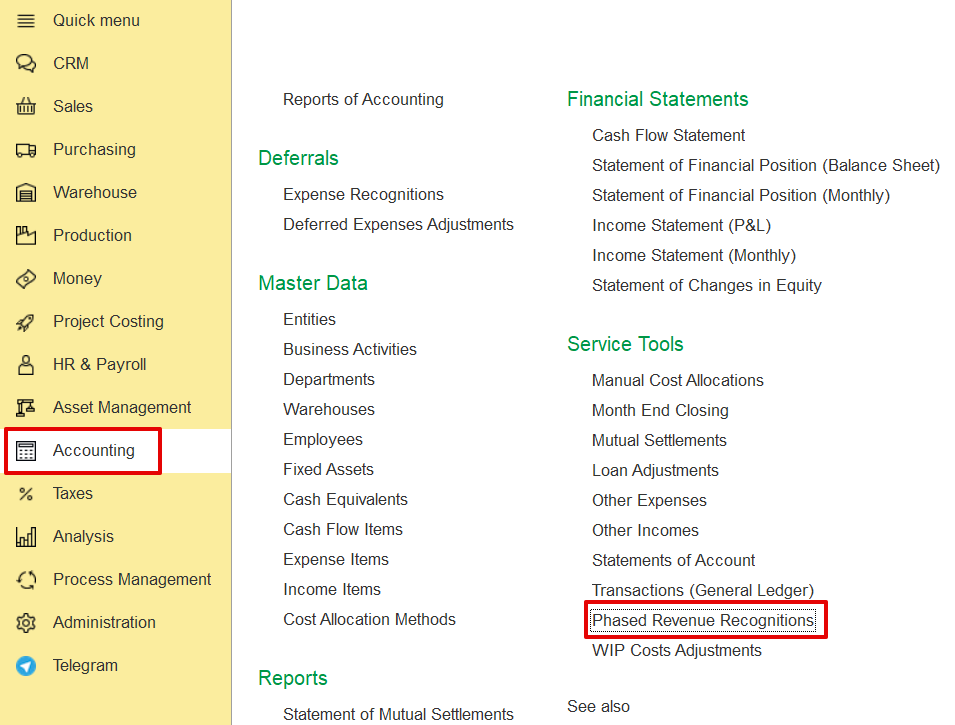
To access the document, go to
Accounting → Service tools → Phased revenue recognitions
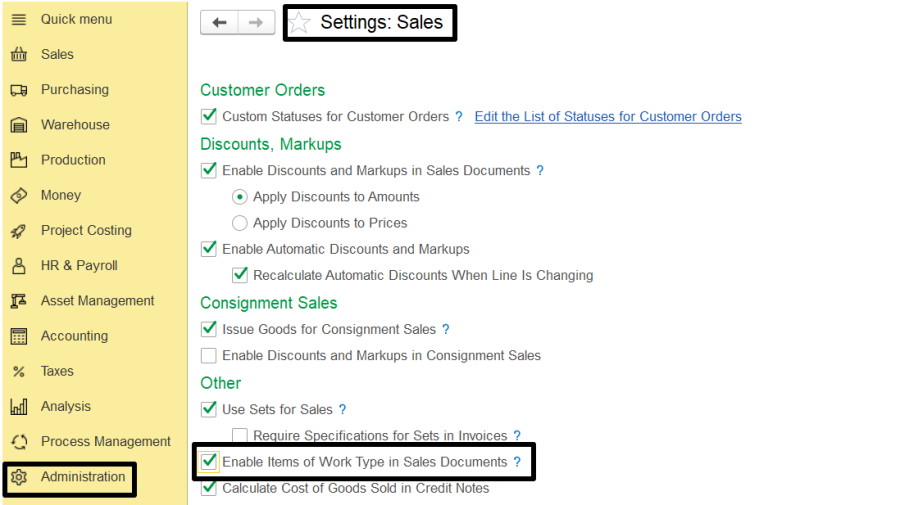
- To create and use Work type items with associated costs, enable Use Work Type Items in Sales Documents on the Administration > Settings > Sales form. Work-type items can be used in documents such as Quotations, Customer Orders, Adjustments, Credit Notes, Tax Credit Notes, Tax Invoices, and Project Estimates.
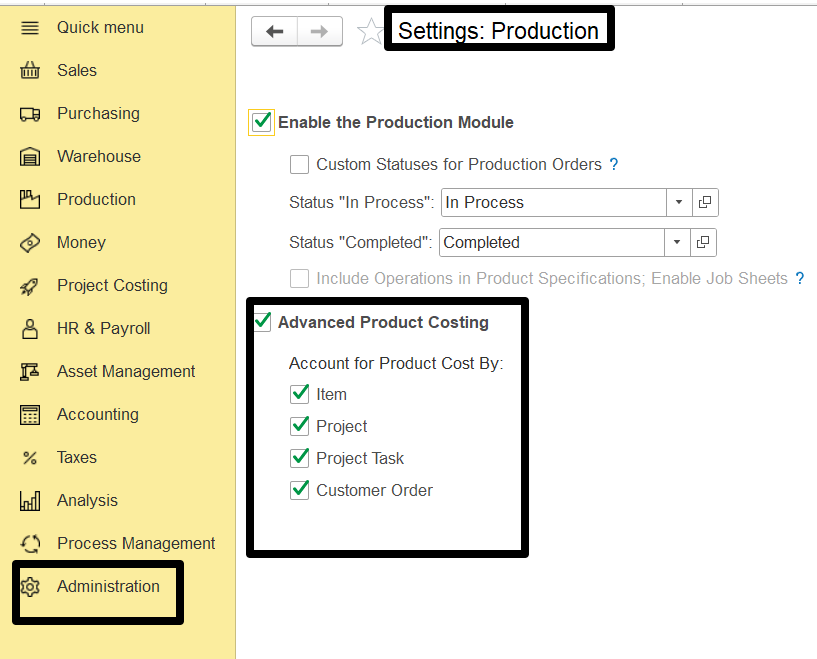
To
...
allocate costs
...
to specific cost objects,
...
enable Advanced Product Costing
...
in Administration
...
→ Settings
...
→ Production. Then define which objects can
...
serve as cost objects: Customer Order, Project, Project Task, or Item.
If a Project is not flagged as Advanced Project Planning, the system will apply the old Phased Revenue Recognition mode, which does not support project structure and recognizes revenue based solely on expenses.
To create a Phased Revenue Recognition document-
go to Project Costing> Phased Revenue Recognition.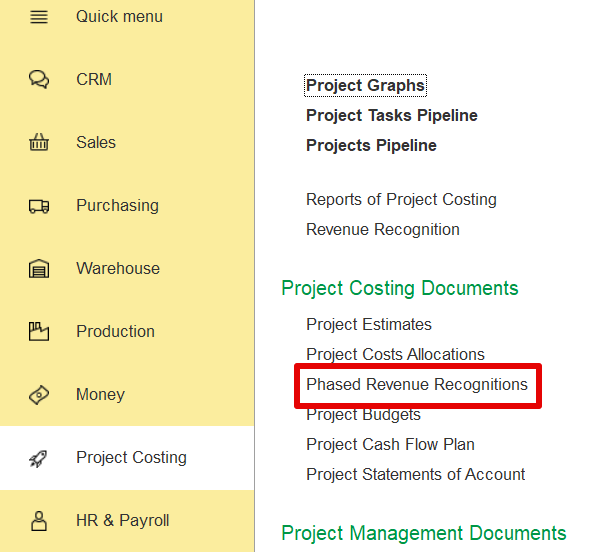
Create a new document, and fill in the required tabs as explained.
On the Main tab, you can enter general information such as the customer, contract, project, and other relevant data. Key fields include: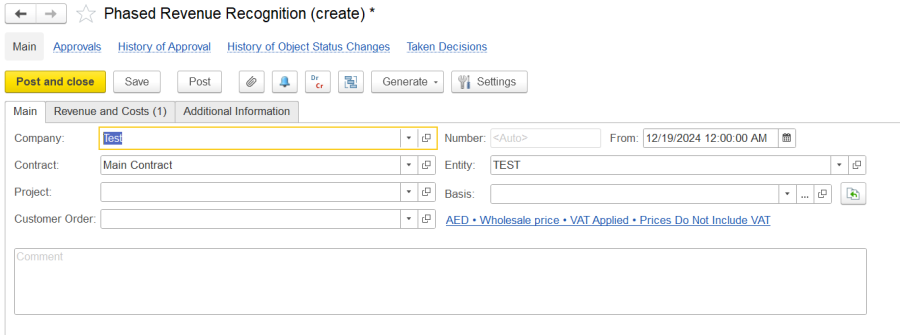
The Revenue and Costs tab allows users to list and manage items for revenue recognition in phased contracts. It includes two panes:
...