...
Summary Tab
At the bottom of the Project Structure tab, a financial summary shows key certified values for the certificate. This table is linked to the selected parent line, so it only shows related details.
- Project Details- Displays the associated project, WBS, and task from the related service lines.
- Item and UOM Info- Shows the service item, content/description, and unit of measure.
- BOQ Values- Displays the baseline BOQ estimated amount and quantity for reference.
- Progress Snapshot- Compares progress in percentage and quantity across different periods.
- Application vs Certified- Highlights how much has been applied (from PA) vs how much has been certified (in this document).
- Cumulative Recalculation- Automatically adjusts certified values if the linked Payment Application changes.
- Purpose- Allows users to see the cumulative and current period metrics in one place, enabling audit, control, and reconciliation across documents.
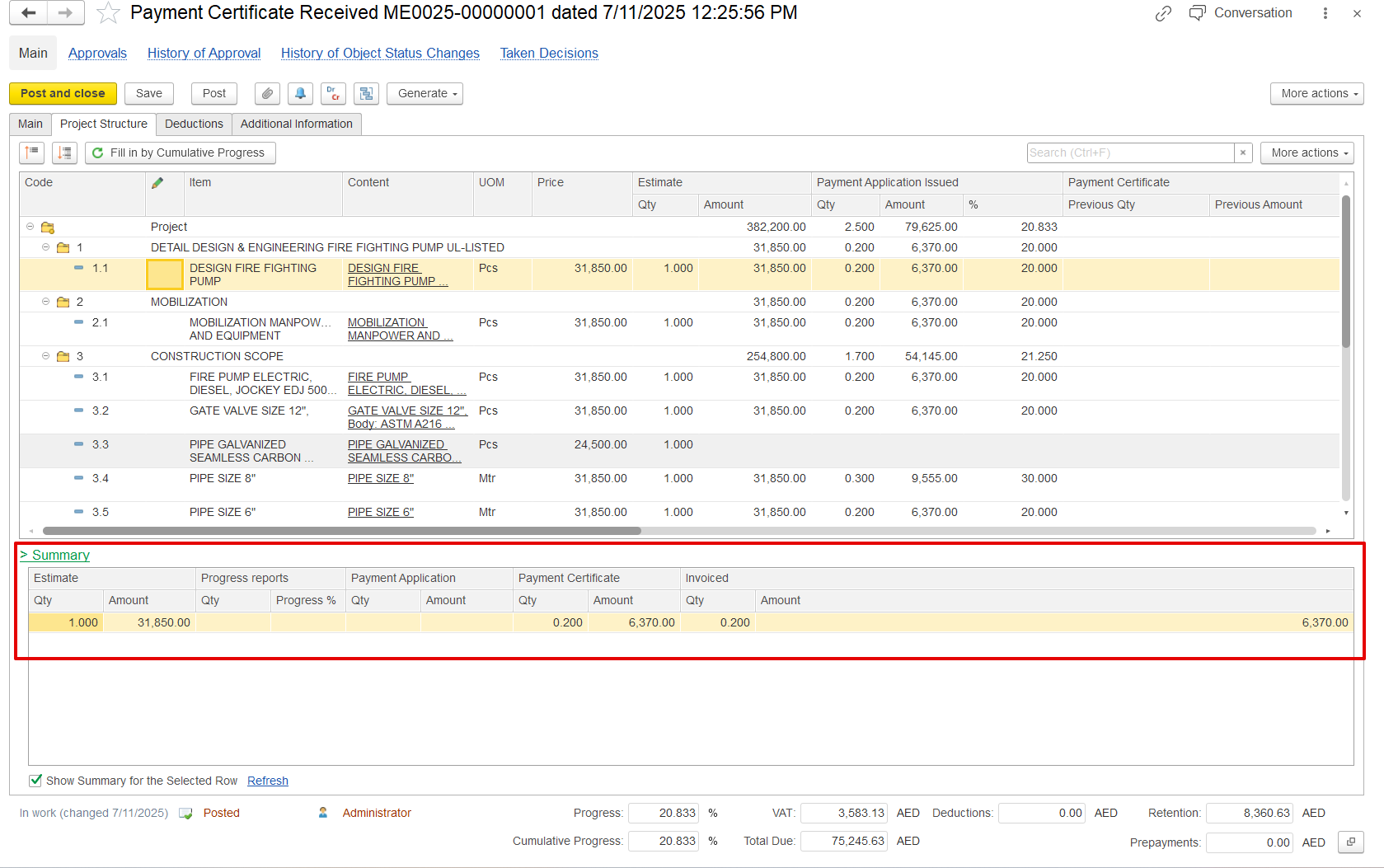 Summary section provides a quick view of all key billing values for the current period.
Estimate Qty & Amount-The original planned quantity and value from the contract or BOQ, used as the baseline.
Progress Report Qty & %-The completed work so far, recorded through progress reports, shown as quantity or percentage.
Payment Application Qty & Amount-The portion of progress that the contractor is claiming in the current payment application. This may differ from the actual reported progress.
Payment Certificate Qty & Amount-The portion of the claim that has been approved by the consultant/client after review.
Invoiced Qty & Amount-The value already invoiced to the client, usually matching the certified amount, unless invoices are split or postponed.
If the "Show Summary for the Selected Row" option is enabled, the summary table is a subordinate table that filters and displays details related to the selected parent row.
Deduction tab
Used to list amounts deducted from the total payable value of a payment certificate or invoice.
...