...
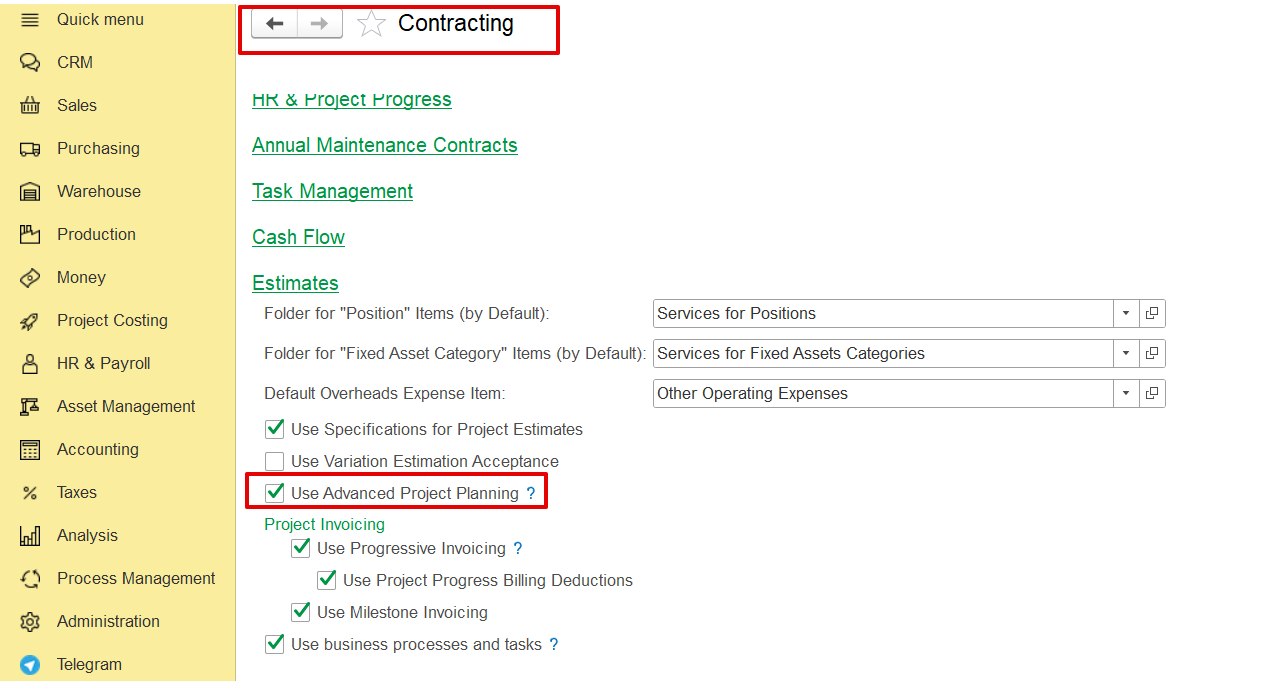
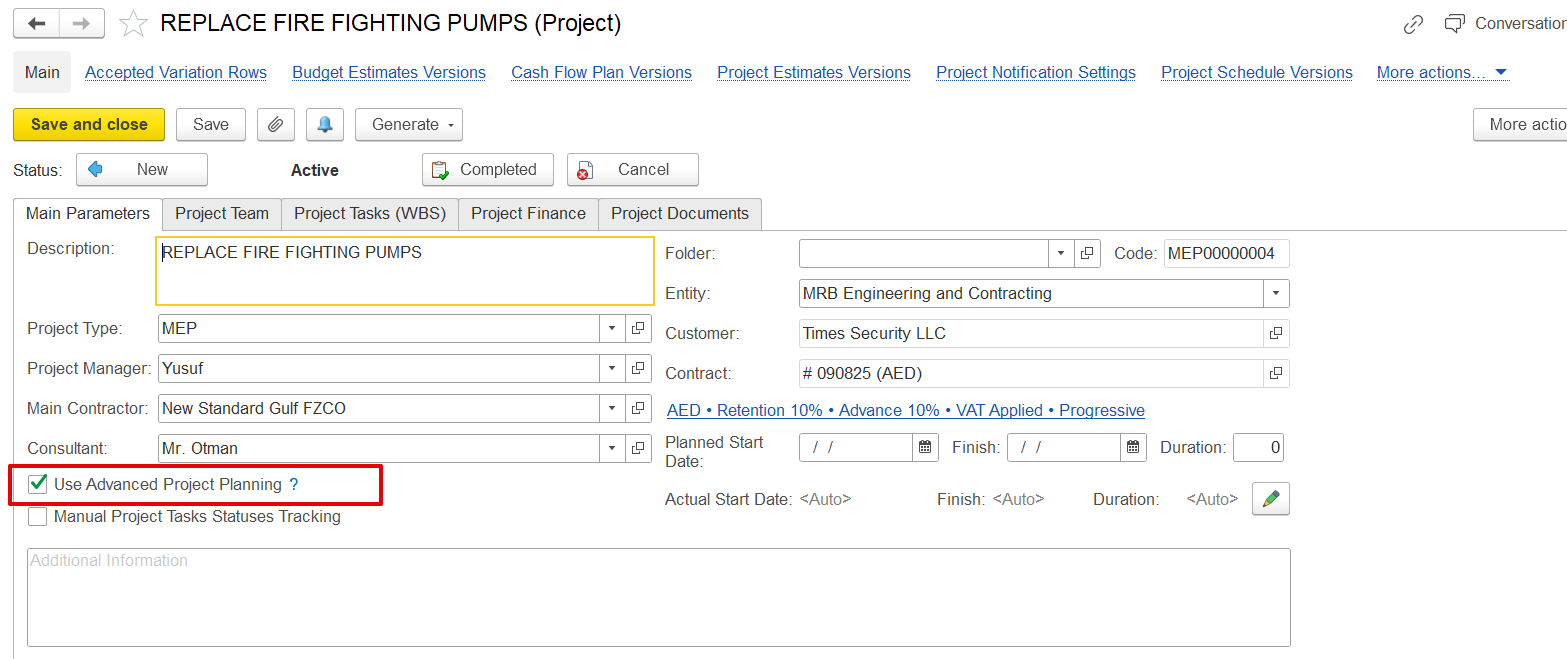
Note- This option becomes available only when "Use Advanced Project Planning" is enabled in both the Contracting Settings and the Project’s Main Parameters page.
1. How to Create the Project Schedule
...
- From the Costing Module-
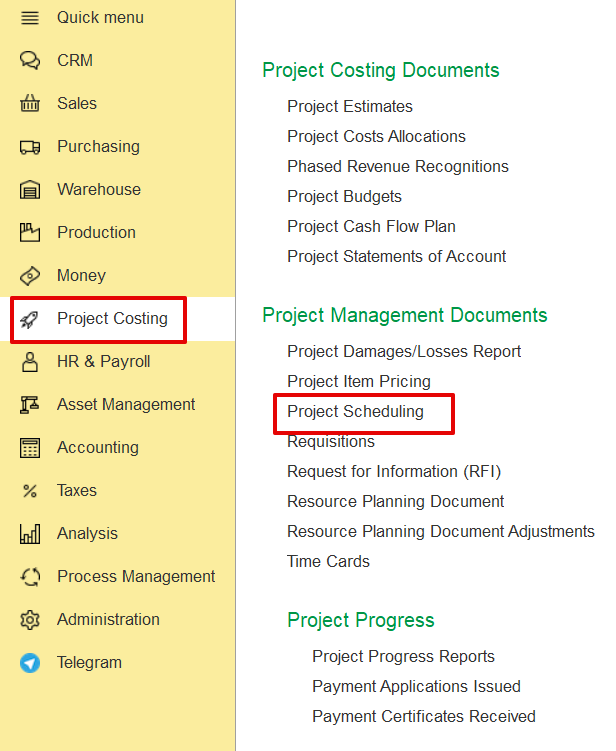
Go to Project Costing → Project Management Documents → Project Scheduling
2.
...
Scheduling Document
When creating a new Project Scheduling document, the system automatically pulls the structure from the previously created Estimation. The user can then modify and adjust the schedule as needed.
...
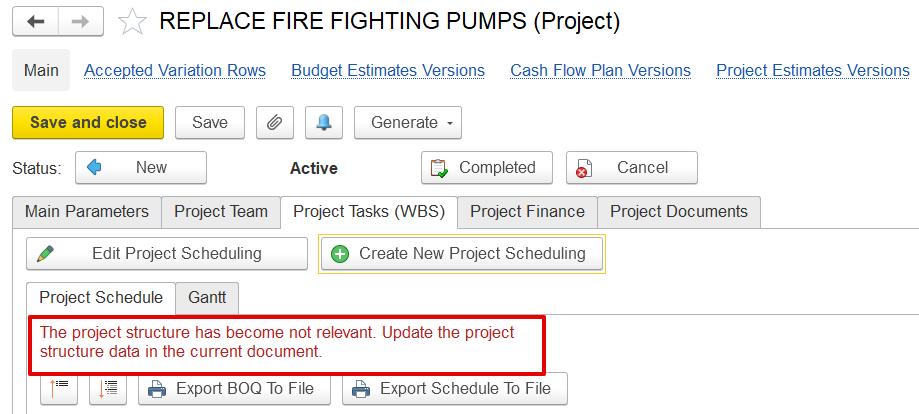
Note- This document is always connected to the most recent version of the estimation. Suppose any modifications, such as revisions or variation order, are made to the estimation. In that case, the system will detect them and notify that the current schedule is outdated, prompting an update.
...
Gantt Chart View
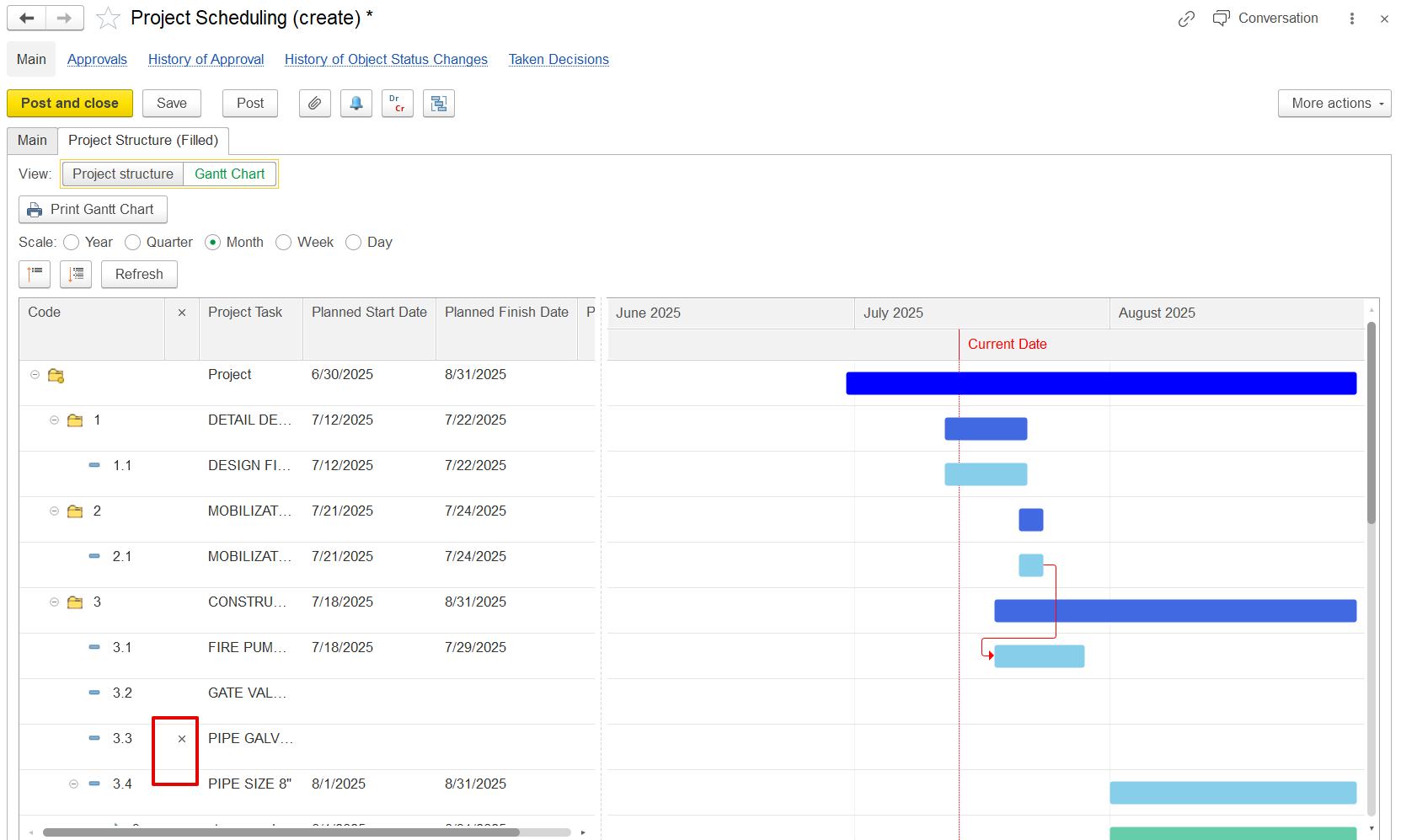
A Gantt Chart is a timeline view of project tasks, showing start & end dates, duration, and dependencies.
...
Indicators (x) help users identify cancelled or modified taskscancelation BOQ lines, which are not actual in the latest Project Estimates document.
...
3. To-Do Items
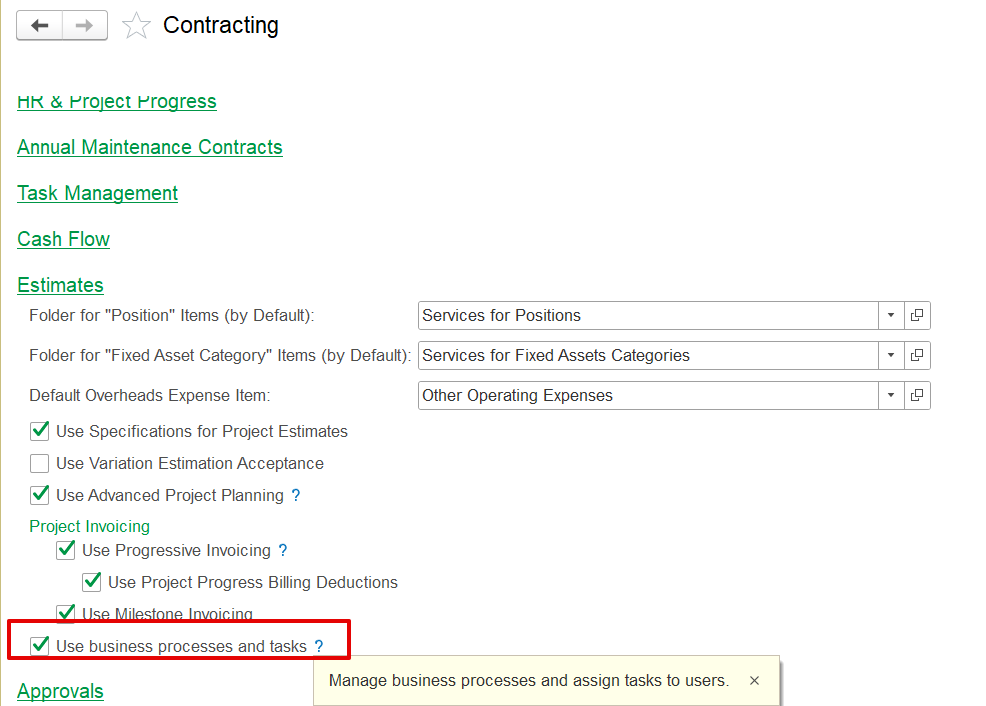
To-do items are internal tasks linked to specific project tasks or revenue line items. They are not visible to the client but help track internal work progress. The "Add To Do Item" button becomes available when the “Use Business Process and Tasks” option is checked in Contracting Settings.
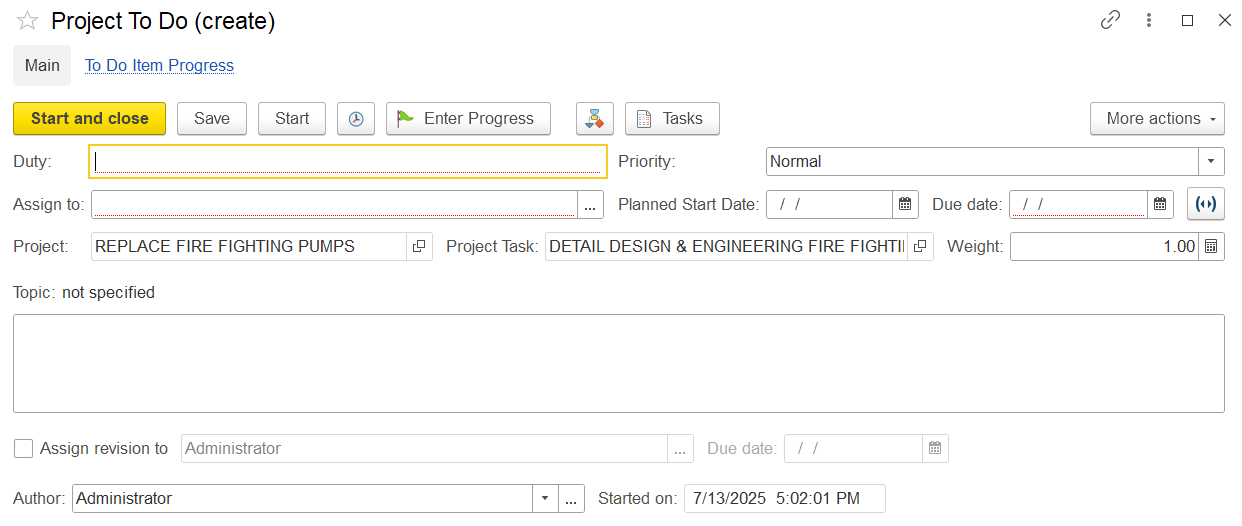
It represents the internal steps the team must take to complete those deliverables. It can be created per project task or revenue line.
...
- Duty- Describes the task to be done..
- Assign to - Select who is responsible, an individual or a team member.
- Priority- Sets urgency level (e.g., High, Medium, Low).
- Planned Start Date- When the task is scheduled to begin.
- Due Date- Deadline for completion.
- Project- Links the task to its parent project.
- Project Task- Connects to a specific scheduled item in the master plan.
- Weight- Indicates task’s importance or contribution to project progress (expressed as a percentage).
- Topic- Reference section for categorization or discussion thread.
- Author- Person who created the task entry.
- Start Date (bottom field)- When work was initiated (can differ from planned).
- Revision- Optional field for assigning the task to an administrator to track edits or version control.
...
4. Import & Export
The system allows data import/export from the scheduling screen-
...